ONR DSL for VS Code
VS Code extension for editing Open Next Router (ONR) DSL config files (*.conf), including provider files, reusable mode preset files, and merged/root config entrypoints.








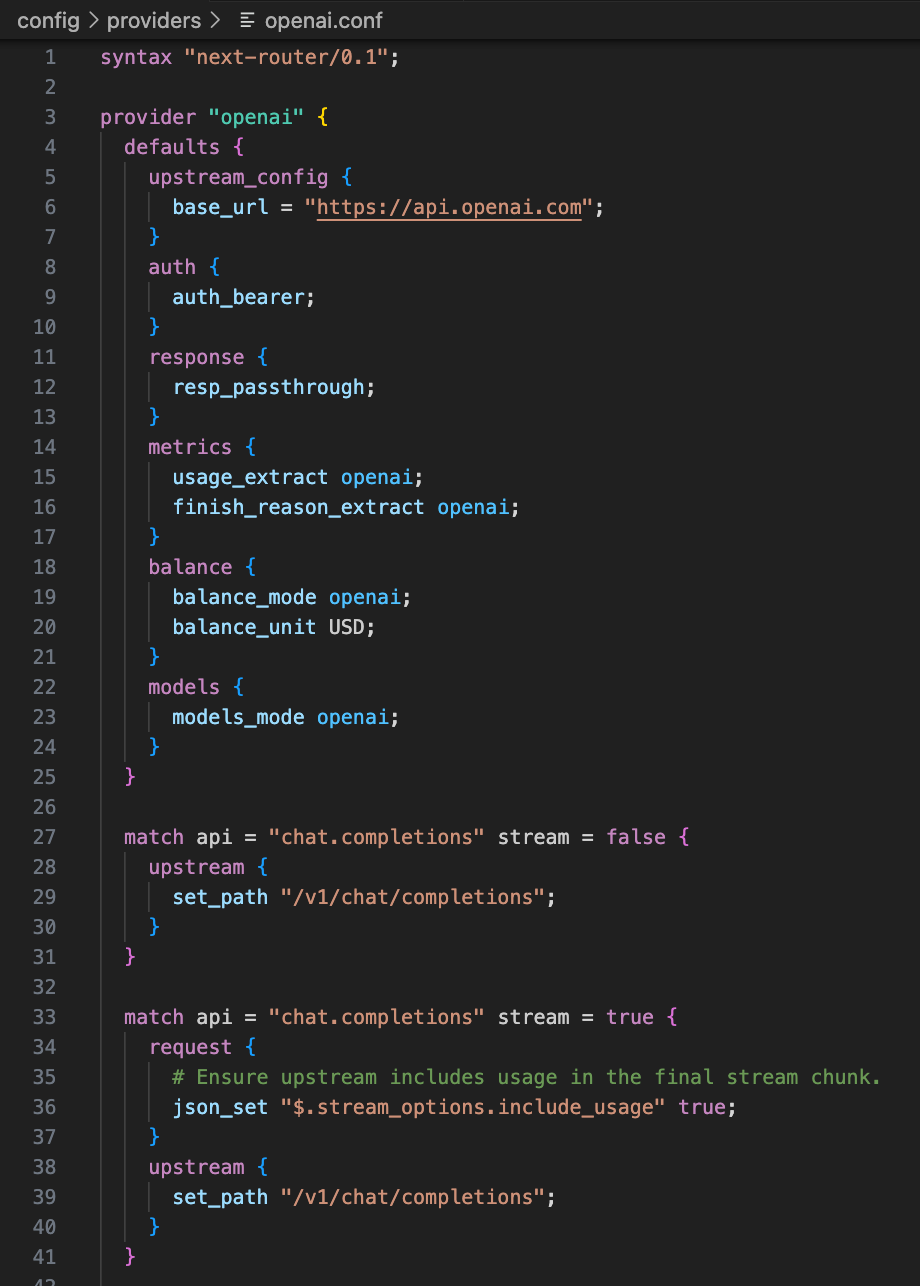
Features
- Syntax highlight
- TextMate grammar for immediate lexical highlight
- Semantic tokens from
onr-lsp for context-aware token coloring
- Completion
- Directive completion by current DSL block
- Built-in mode completion for directives like
req_map, resp_map, sse_parse
- User-defined preset completion for
usage_extract, finish_reason_extract, models_mode, balance_mode
- Enum value completion for selected directives (for example
balance_unit, method, oauth_content_type)
- Hover
- Short directive documentation from ONR DSL metadata
- Diagnostics
- Basic syntax diagnostics (missing braces, unknown directives)
- Semantic diagnostics for invalid mode values and block usage
- Formatting
- Document formatting via
textDocument/formatting from onr-lsp
Scope
The extension client is activated for:
**/providers/*.conf**/modes/*.conf**/onr.conf**/providers.conf
Server Resolution
The extension resolves language server binary in this order:
onrLsp.serverPath (if configured)- bundled binary in extension package (
bin/<platform>-<arch>/onr-lsp)
onr-lsp from system PATH
Configuration
onrLsp.serverPath
- Optional absolute path or command name for
onr-lsp
- Keep empty to use bundled binary first
Language defaults provided by this extension:
[onr-dsl].editor.defaultFormatter = "r9s-ai.onr-dsl"[onr-dsl].editor.formatOnSave = true
You can still override these defaults in User/Workspace settings.json.
Build and Package (Repo Local)
From onr-lsp/:
make vscode-compile
make vscode-package
Git Hooks (prek)
# install git hooks (force-replace if pre-commit hooks already exist)
prek install -f -t pre-commit -t commit-msg

# run all hooks manually
prek run --all-files
# Build onr-lsp binary first
go build -o bin/onr-lsp ./cmd/onr-lsp

# Read from stdin, write formatted result to stdout
cat config/providers/openai.conf | ./bin/onr-lsp format

# Format one file, output to stdout
./bin/onr-lsp format config/providers/openai.conf

# Format one file in-place
./bin/onr-lsp format --write config/providers/openai.conf
Notes
- If you just installed/updated the extension, run
Developer: Reload Window once.
- This extension only provides editor/LSP capabilities. Runtime behavior is still defined by ONR DSL config and ONR server.


