OpenSpec Pro


OpenSpec Pro brings spec-driven development workflows directly into your editor. Manage OpenSpec repositories, navigate changes, and execute workflows without leaving VS Code—all powered by local filesystem operations.
Perfect for teams using spec-first development practices. Works seamlessly across VS Code, VSCodium, Cursor, Windsurf, Trae, Kiro, Qoder, and other VS Code-compatible editors.
Screenshots
Features
- Workspace Dashboard — View all active and archived changes at a glance
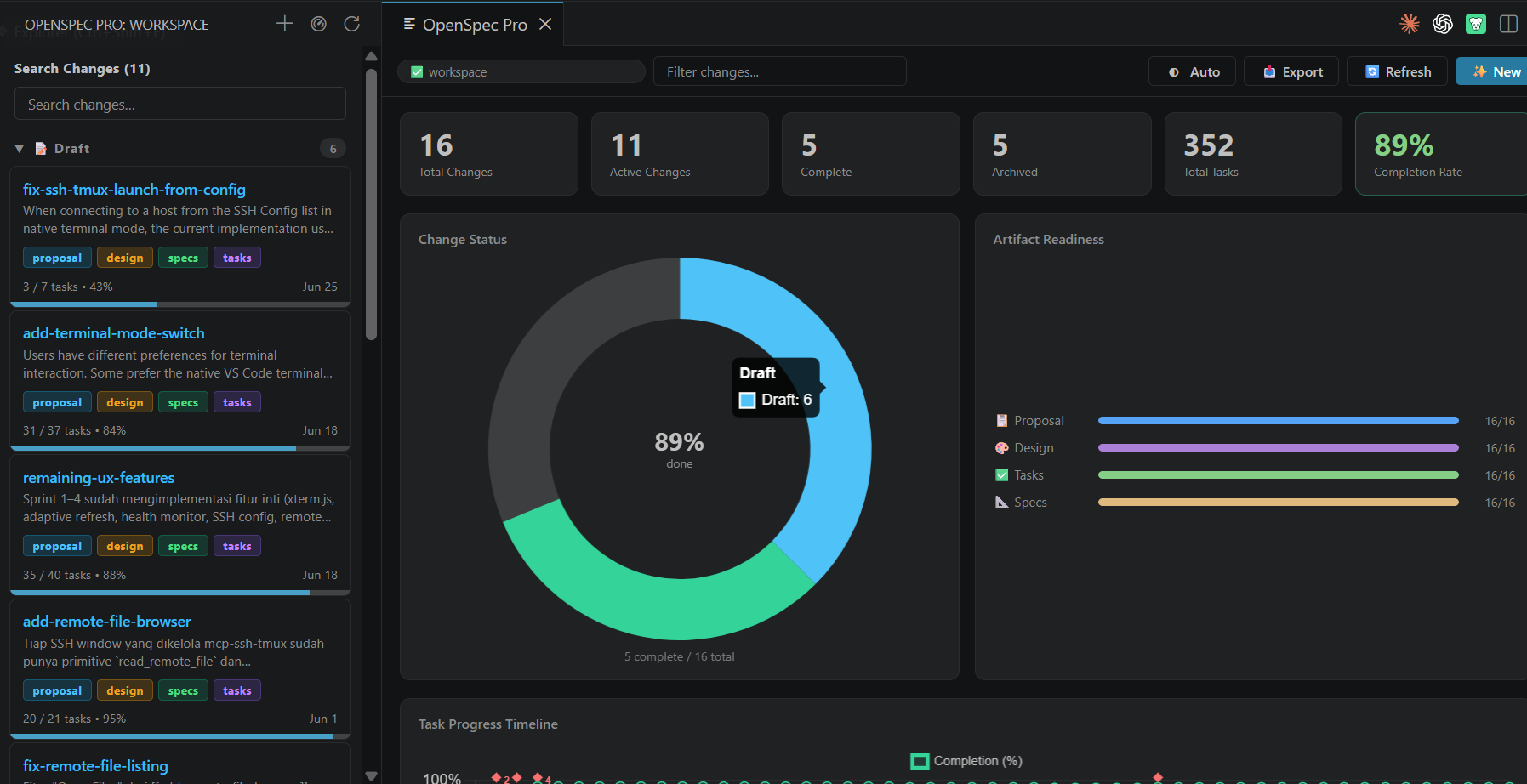
- Statistics Dashboard — KPI metrics, completion charts, and task progress timeline
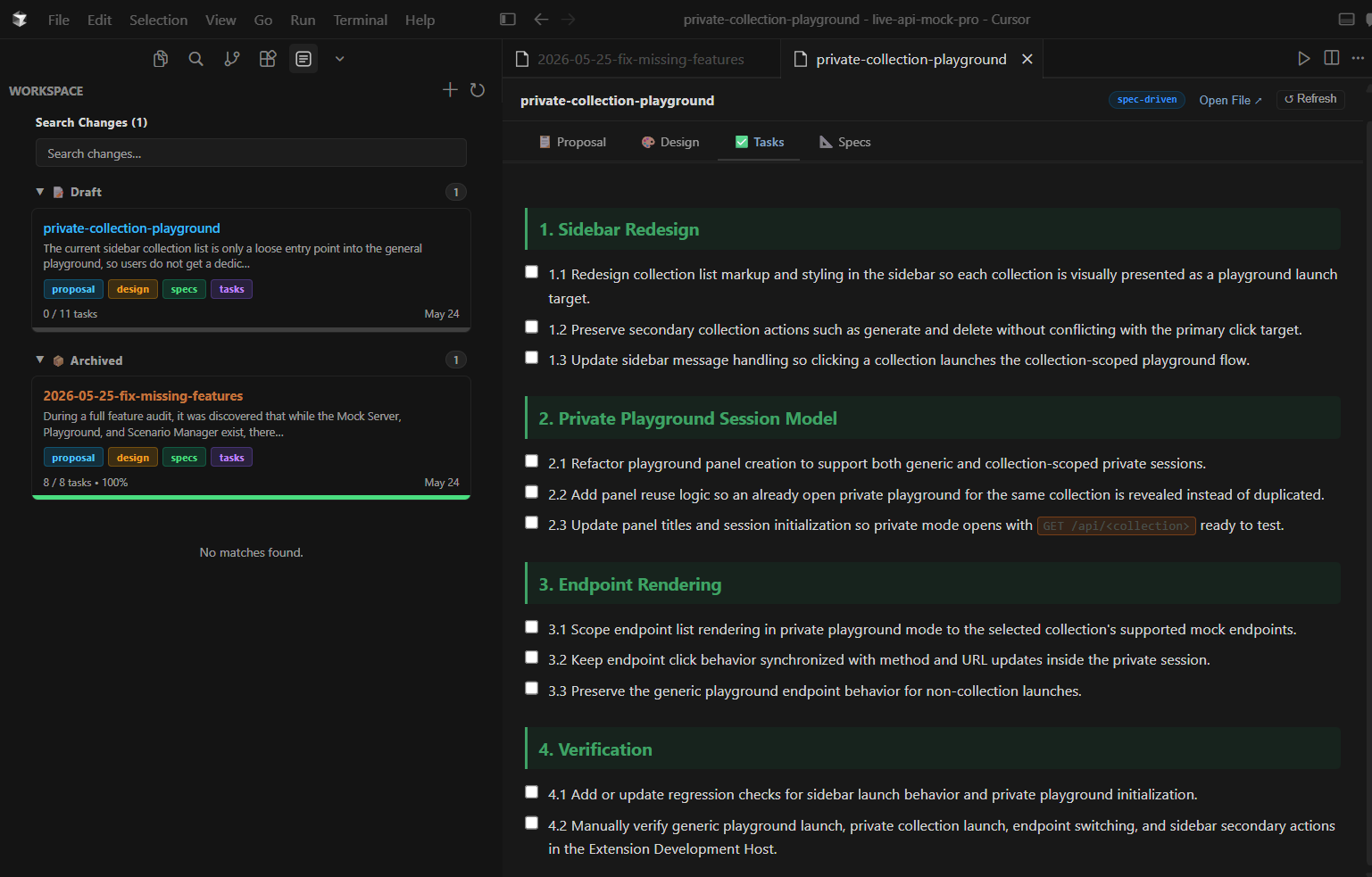
- Change Management — Create, view, and archive changes directly from the sidebar
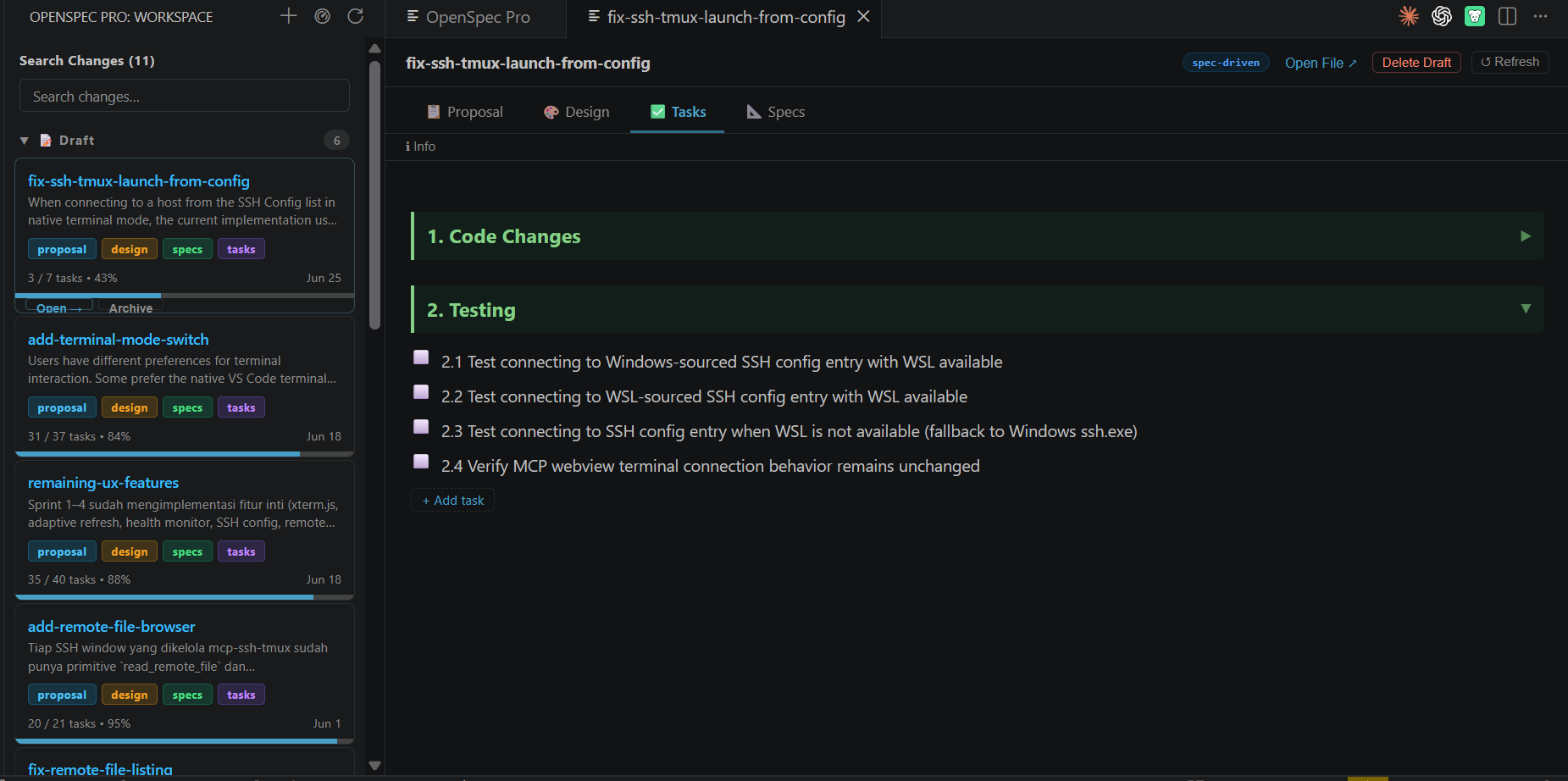
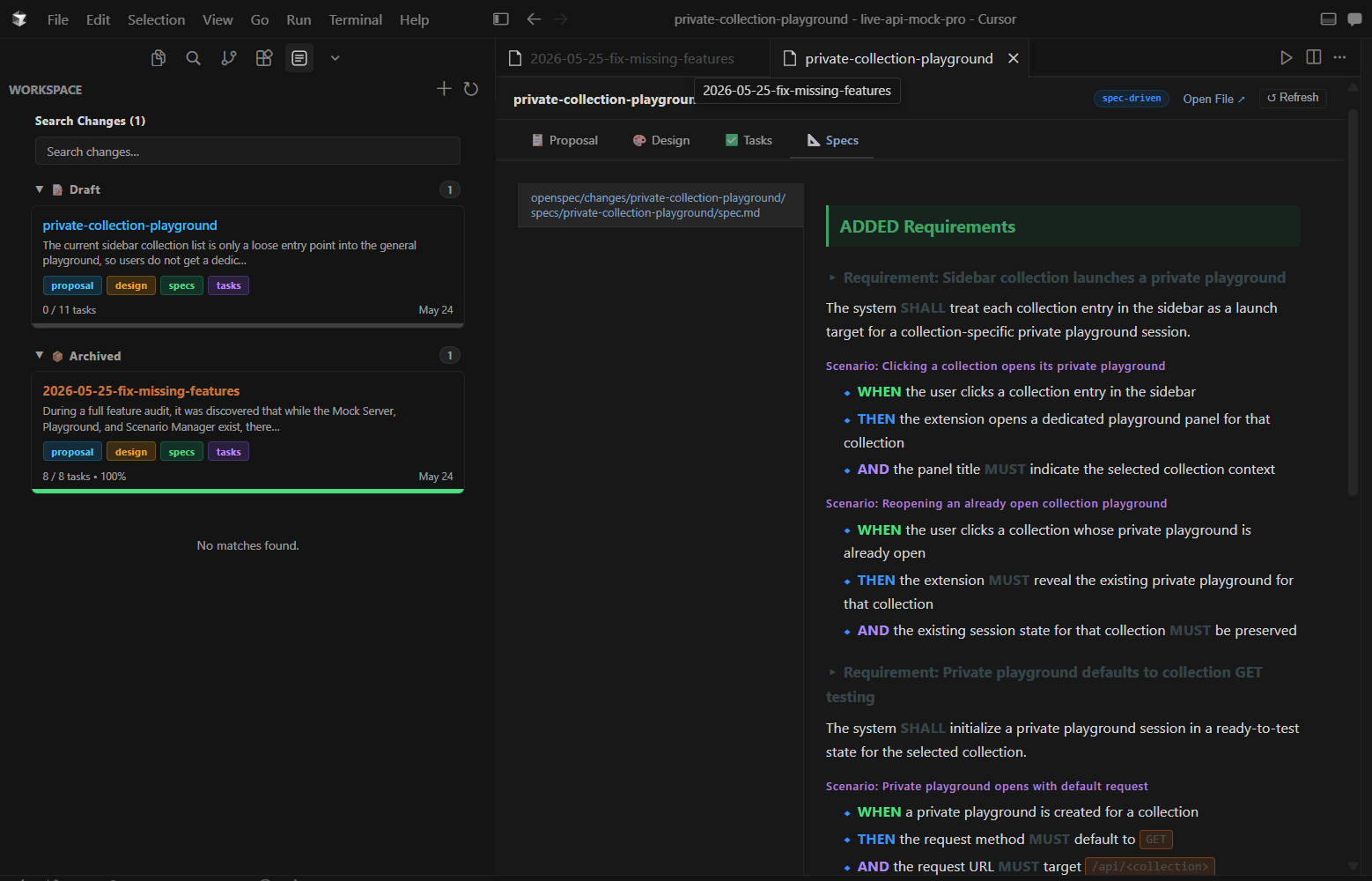
- Artifact Navigation — Browse proposals, designs, specs, and tasks with built-in Markdown rendering
- Task Tracking — Toggle task completion and add tasks from the UI without editing files
- Export Report — Export workspace statistics as JSON or Markdown from the dashboard
- Live Artifact Sync — Soft-refresh views when OpenSpec files are saved in the editor
- Workspace Diagnostics — Troubleshoot repository state with detailed diagnostics
- Git Branch Linking — The change matching your current git branch shows in the status bar with task progress, and is highlighted on the dashboard and sidebar
- Spec Time-Travel — View git history for any artifact and diff between revisions, against the working copy, or a change spec against its base
- Local-First Workflow — All operations work on the local filesystem—no CLI required
- Multi-Editor Support — Works on VS Code, Cursor, Windsurf, Trae, Kiro, Qoder, and compatible editors
- Performance Optimized — Lazy loading for archived changes, bounded incremental scan caching, repository-backed metadata validation, and offline SVG charts for faster and more reliable dashboards
Commands
| Command |
Description |
OpenSpec Pro: Show Diagnostics |
Display workspace diagnostics and repository state |
OpenSpec Pro: Open Dashboard |
Open the full-screen change dashboard |
OpenSpec Pro: Reindex Workspace |
Rescan and reindex the workspace |
OpenSpec Pro: Bootstrap Workspace |
Initialize a new OpenSpec workspace structure |
OpenSpec Pro: Archive Change |
Archive an active change |
OpenSpec Pro: Delete Draft Change |
Delete a draft change permanently |
The OpenSpec Pro sidebar also exposes quick actions:
- Refresh — Rescan the workspace for changes
- New Change — Create a new change with a kebab-case name
Git Integration
When your workspace is a git repository, OpenSpec Pro automatically links your current branch to a matching change (e.g. branch change/add-dark-mode or add-dark-mode links to change add-dark-mode; add a branch: key to a change's .openspec.yaml to override the match). The active change appears in the status bar with live task progress, and is highlighted on the dashboard and sidebar.
From any artifact or spec in the change detail view, use 🕐 History to browse git revisions and diff between them (or against the working copy), and ⇄ on a spec to diff it against its canonical base spec. Set openspecPro.git.offerBranchOnCreate to true to be offered a matching branch whenever you create a new change. These features require no extra setup and stay hidden automatically when the workspace isn't a git repository.
Requirements
- VS Code 1.90.0 or later (or compatible editor)
- An OpenSpec workspace — Either an existing repository with OpenSpec structure, or a workspace you want to bootstrap
Supported Editors
OpenSpec Pro works on any VS Code-compatible editor that preserves the extension API:
- Visual Studio Code
- VSCodium
- Cursor
- Windsurf
- Trae
- Kiro
- Qoder
- Other VS Code forks
Getting Started
- Install the extension from the VS Code Marketplace
- Open a workspace folder containing an OpenSpec repository (or create a new one)
- Click the OpenSpec Pro icon in the activity bar to open the sidebar
- Bootstrap your workspace (if needed) using the command palette:
OpenSpec Pro: Bootstrap Workspace
- Start managing changes — Create, view, and archive changes directly from the UI
How It Works
OpenSpec Pro reads and writes to the standard OpenSpec directory structure:
your-workspace/
├── openspec/
│   ├── config.yaml          # Workspace configuration
│   ├── changes/             # Active changes
│   │   └── my-change/
│   │       ├── proposal.md
│   │       ├── design.md
│   │       ├── spec.md
│   │       └── tasks.md
│   └── specs/               # Archived changes
All operations are local-first and filesystem-based. No cloud sync, no CLI required.
Troubleshooting
Extension not showing in sidebar?
- Ensure you have a workspace folder open
- Check the Output panel (OpenSpec Pro) for error messages
- Try running
OpenSpec Pro: Reindex Workspace from the command palette
Changes not appearing?
- Verify your workspace has the correct OpenSpec structure
- Run
OpenSpec Pro: Show Diagnostics to check repository state
- Try
OpenSpec Pro: Bootstrap Workspace to initialize the structure
Tasks not saving?
- Ensure the workspace folder has write permissions
- Check the Output panel for error details
Contributing
Found a bug or have a feature request? Open an issue on GitHub.
Release Notes
1.4.1
UI polish: frosted glass cards, custom CSS task checkboxes, animated SVG empty states, tighter sidebar layout, and improved Artifact Readiness display with percentage labels.
1.4.0
Added git branch linking (status bar, dashboard highlight), spec time-travel with revision diffs and base-spec compare, offline SVG charts, incremental webview updates (no more white flash), optimistic task toggle, Studio skin polish, and scanner performance hardening.
1.3.0
Added export report (JSON/Markdown), add-task from change detail, live soft-sync on artifact save, collapsible H2 sections, and clearer task UI indicators.
1.2.0
Added performance optimizations with lazy loading for archived changes, in-memory caching of scan results, and skeleton loading UI for smoother experience.
1.1.0
Added Statistics Dashboard with KPI metrics, completion charts, and task progress timeline. Added Delete Draft Change feature.
1.0.0
First stable release with marketplace-ready icon, comprehensive documentation, and screenshot previews.
See CHANGELOG.md for the full release history.
License
MIT

