Peku Kanban
A drag-and-drop Kanban board for VSCode with cloud sync support.


Features
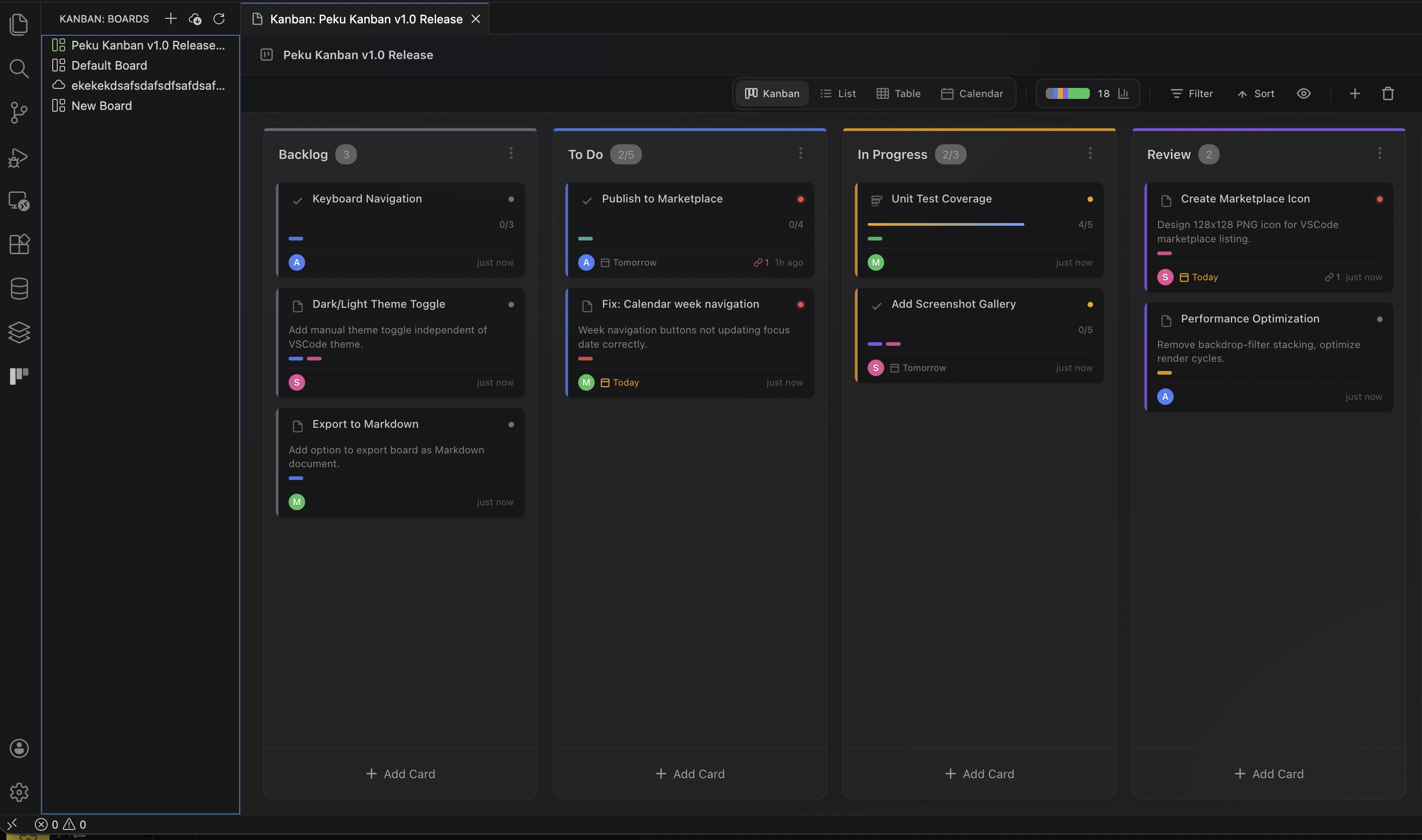
Multi-View System
Choose the view that fits your workflow:
| View |
Description |
| Kanban |
Classic kanban board with drag-and-drop |
| List |
Column-based list view with drag-and-drop |
| Table |
Spreadsheet-style with sortable columns |
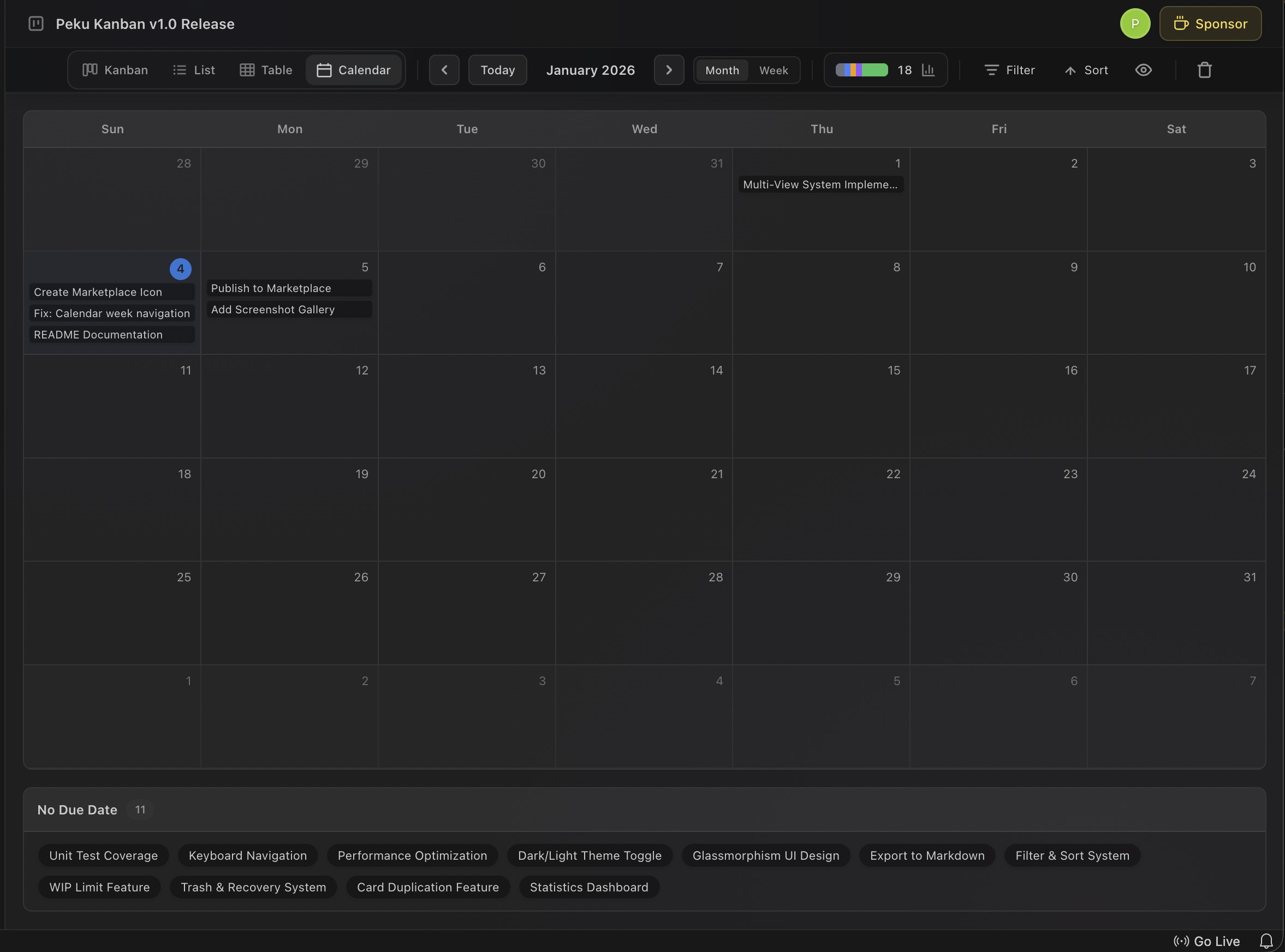
| Calendar |
Monthly/weekly calendar by due date |
Kanban View
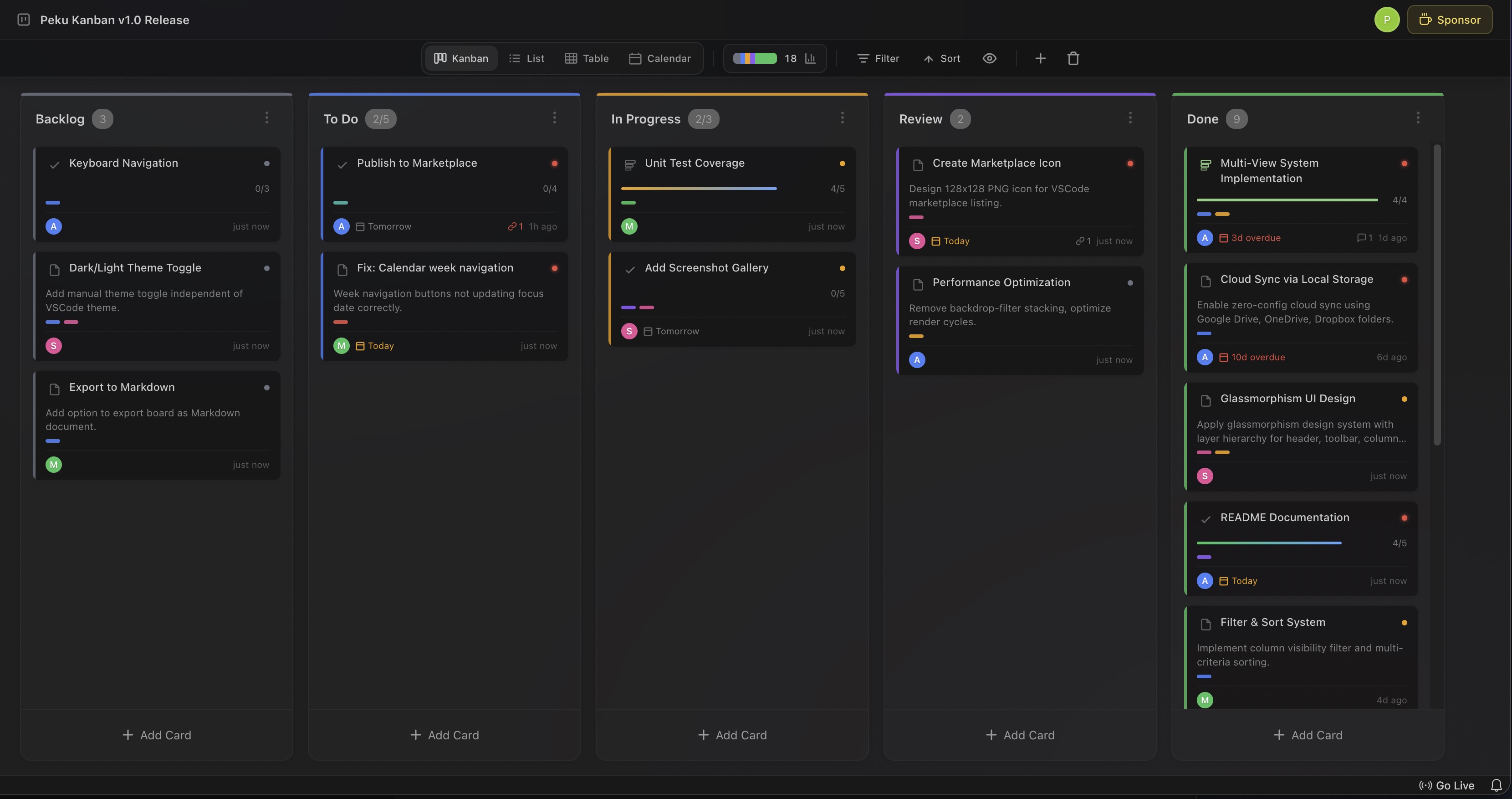
List View
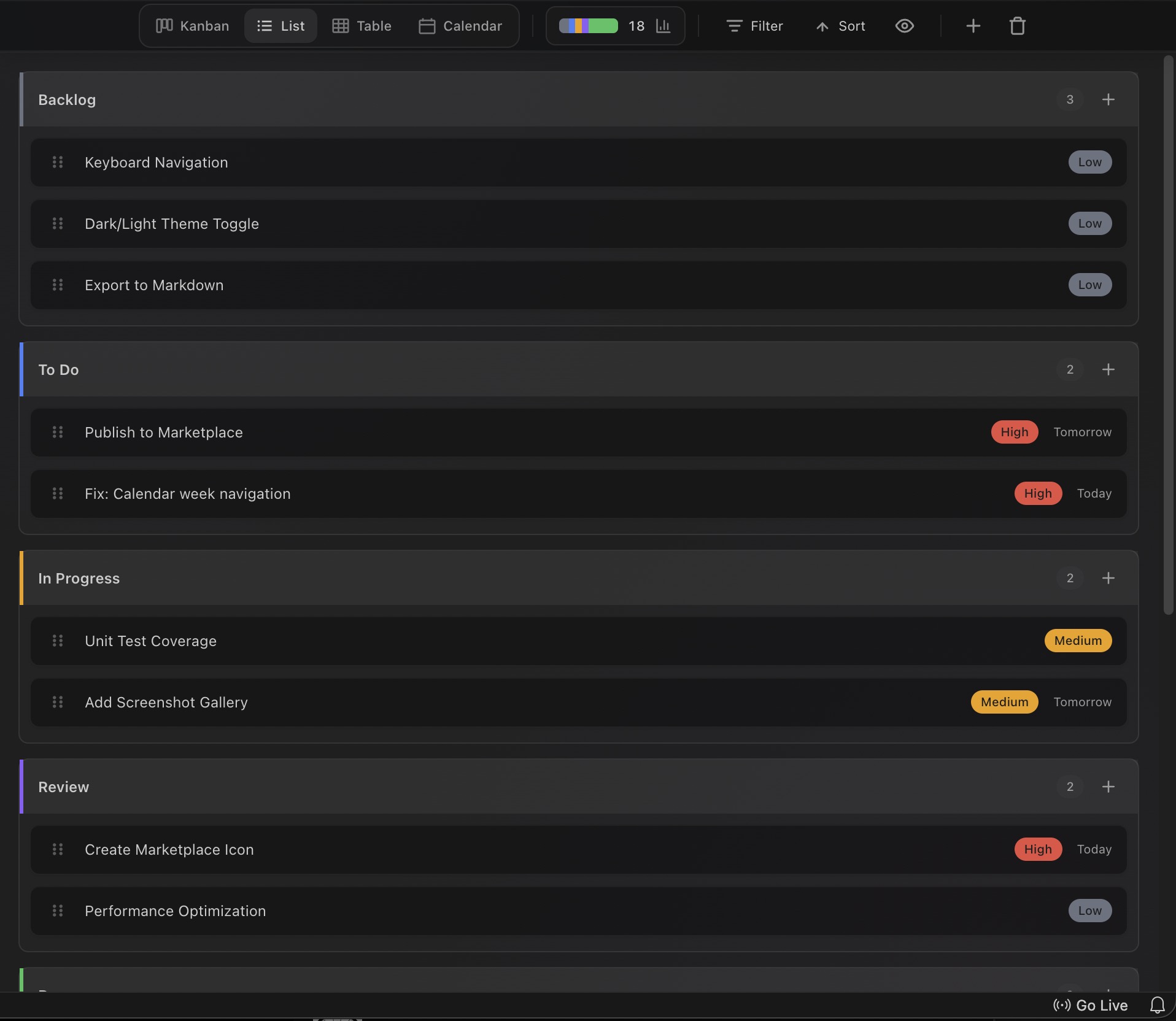
Table View
Calendar View
Card Types
| Type |
Purpose |
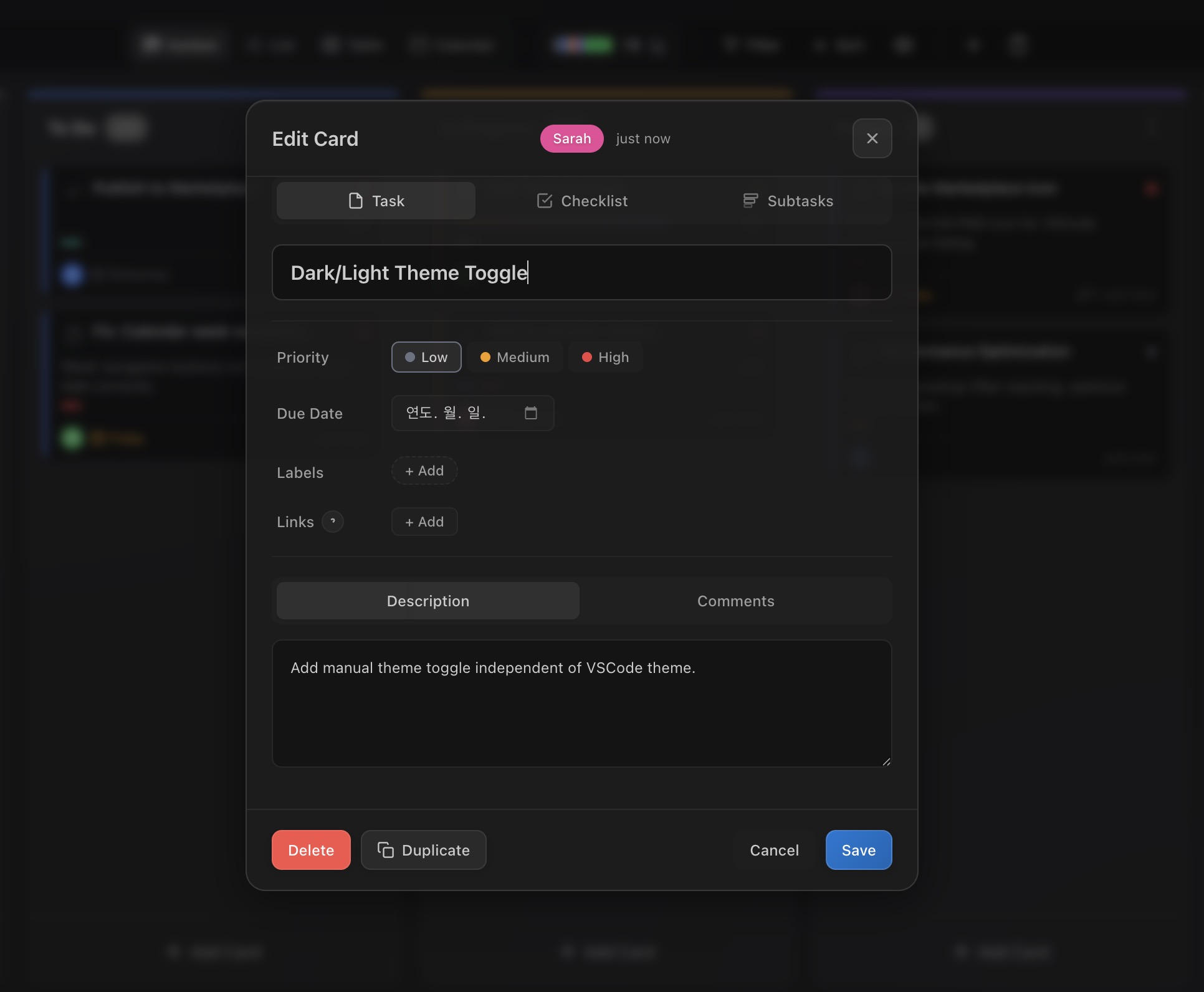
| Task |
Basic task card |
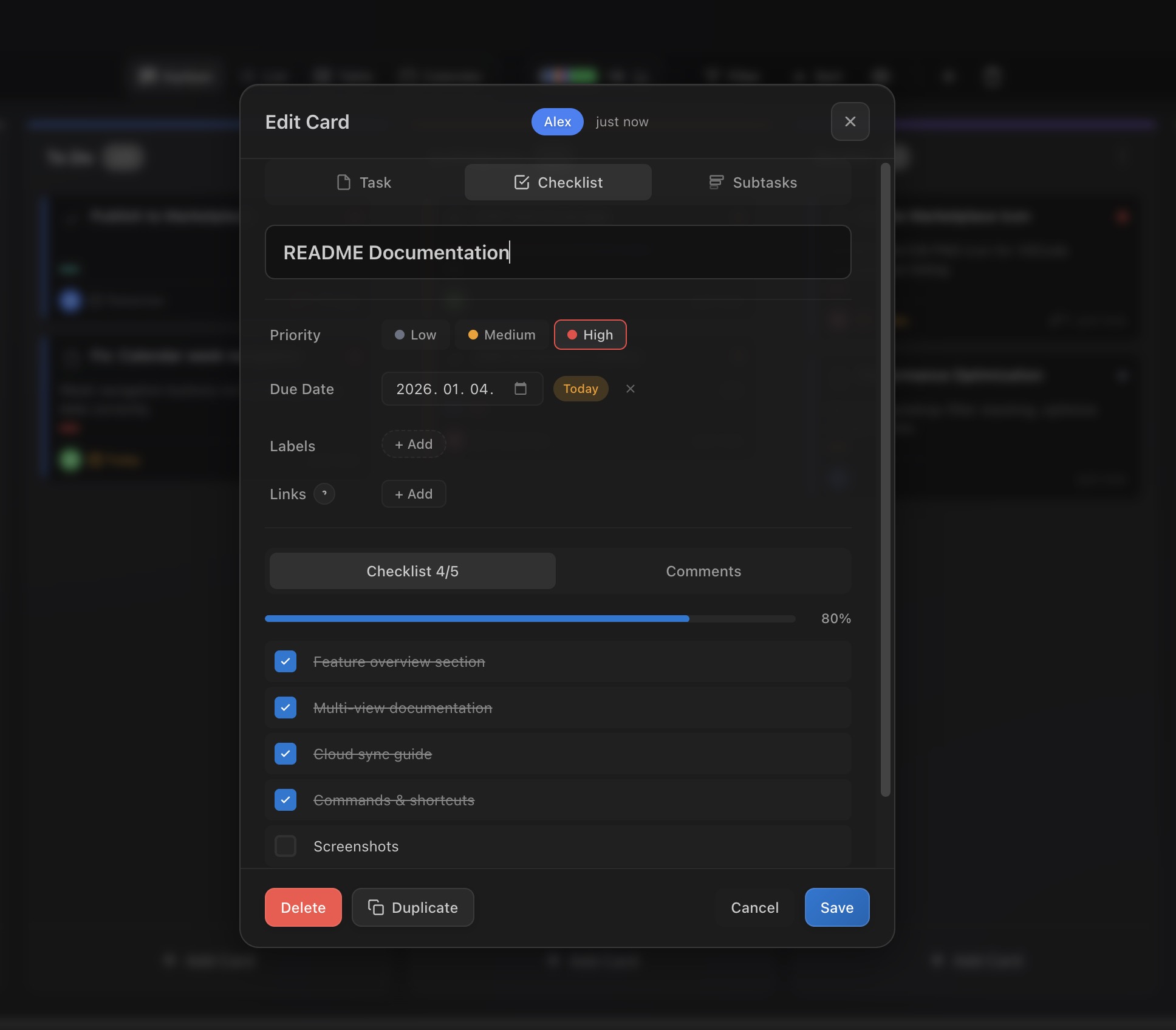
| Checklist |
Card with checklist items and progress |
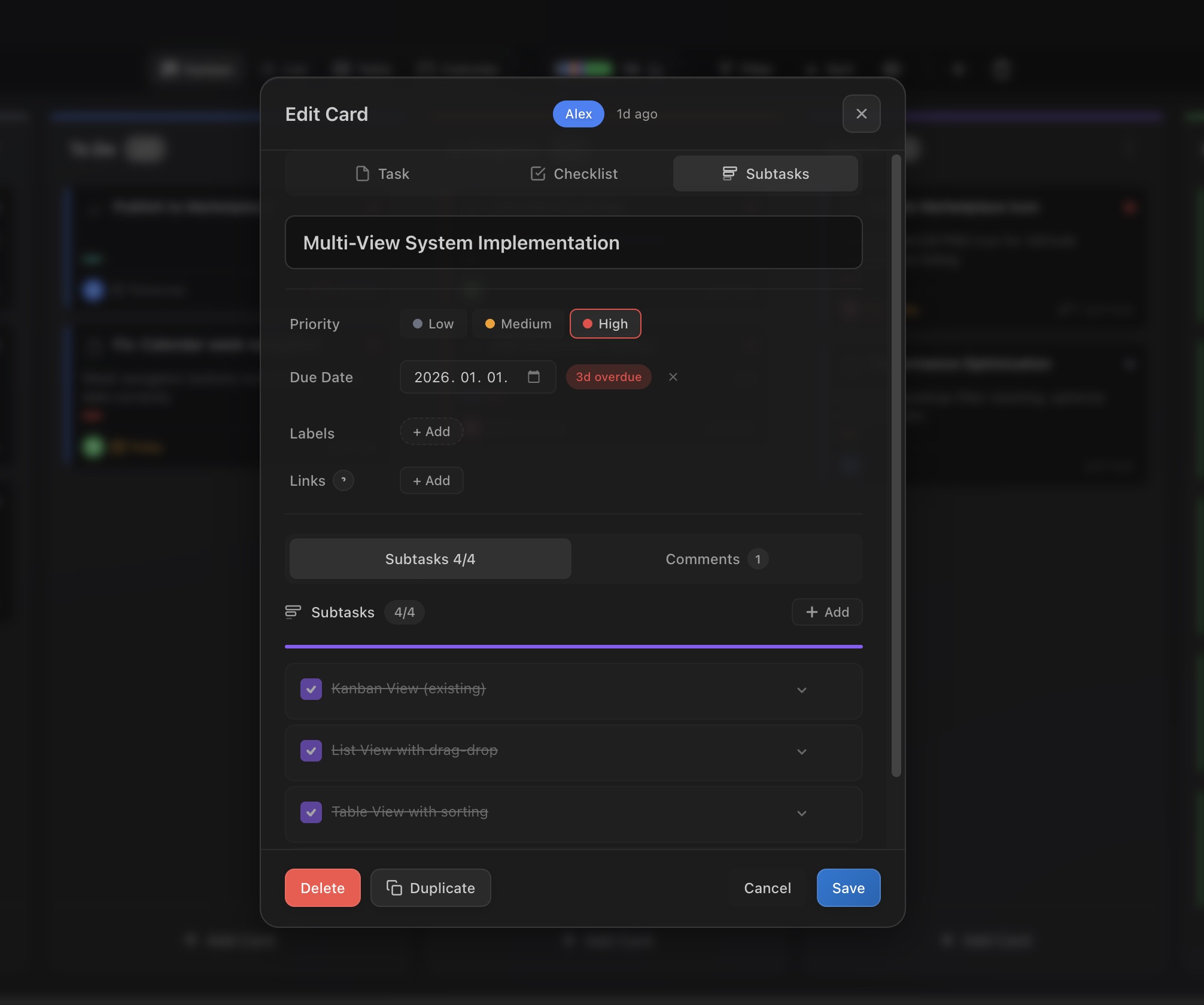
| Subtask |
Card with subtasks and progress |
Task Card
Checklist Card
Subtask Card
Card Features
- Priority: Low / Medium / High
- Labels: Color-coded labels for categorization
- Due Date: Date picker with status indicators (Today, Overdue, Upcoming)
- Description: Markdown-supported description field
- Links: Attach related URLs
- Author: Display card creator
Filter & Sort
- Column Filter: Show specific columns only
- Priority Sort: High > Medium > Low
- Due Date Sort: Nearest date first
- Created Date Sort: Newest/oldest first
Trash & Recovery
- Deleted cards/columns move to trash
- Restore from trash anytime
- 30-day retention before permanent deletion
WIP Limits (Work In Progress)
- Set maximum cards per column
- Visual warning when limit reached
- Optimize team workflow
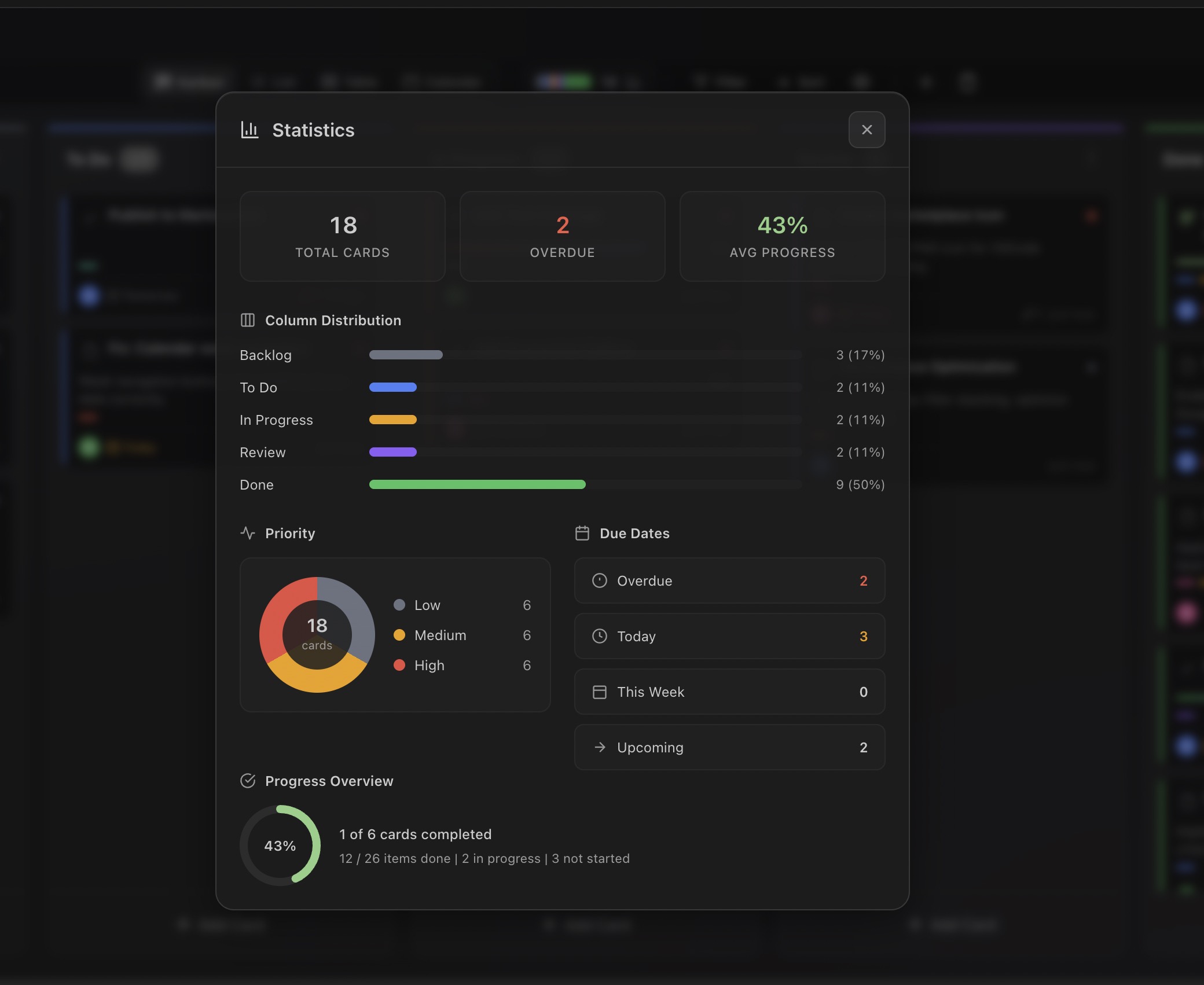
Statistics Dashboard
Get project overview at a glance:
- Card Distribution: Cards per column
- Priority Distribution: Pie chart
- Due Date Status: Overdue/Today/Upcoming counts
- Progress: Overall completion rate
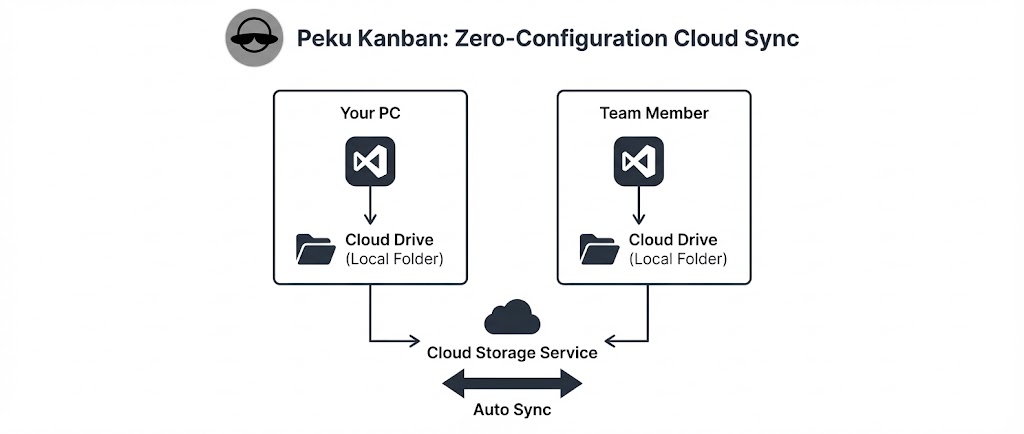
Cloud Sync (No Server Required)
Zero-config sync using your existing cloud storage:
| Service |
Method |
| Google Drive |
Select local sync folder |
| OneDrive |
Select local sync folder |
| Dropbox |
Select local sync folder |
| iCloud Drive |
Select local sync folder |
| NAS / Network Drive |
Direct path |
Setup
- Right-click board in sidebar
- Select "Set Storage Location..."
- Choose cloud sync folder (e.g.,
~/Google Drive/Team/kanban/)
- Done! Auto-sync starts
Benefits
- No server costs
- No authentication setup
- Works offline
- Leverage cloud service version history
Multi-Board Management
- Create/Delete/Rename boards
- Multi-select: Ctrl/Cmd + Click
- Range select: Shift + Click
- Export/Import:
.kanban.json format
User Identification
Distinguish team members:
- Nickname: Name displayed on cards
- Avatar Color: Choose from 12 presets
- VSCode Settings Sync: Auto-sync settings
Commands
| Command |
Description |
Peku Kanban: Open Kanban Board |
Open board |
Peku Kanban: Create Board |
Create new board |
Peku Kanban: Rename Board |
Rename board |
Peku Kanban: Delete Board |
Delete board |
Peku Kanban: Set Storage Location... |
Set storage location |
Peku Kanban: Reset to Default Storage |
Reset to default storage |
Peku Kanban: Export |
Export board |
Peku Kanban: Import |
Import board |
Peku Kanban: Set Nickname... |
Set nickname |
Keyboard Shortcuts
Shortcuts work when a board is selected in the sidebar:
| Action |
Shortcut |
| Rename board |
F2 |
| Delete board |
Delete (Mac: Cmd+Backspace) |
| Action |
Mouse |
| Multi-select boards |
Ctrl/Cmd + Click |
| Range select boards |
Shift + Click |
Settings
| Setting |
Default |
Description |
peku-kanban.user.id |
(auto-generated) |
Unique ID for collaboration |
peku-kanban.user.nickname |
"Anonymous" |
Name displayed on cards |
peku-kanban.user.color |
(auto-generated) |
Avatar color (hex) |
Use Cases
Team Project
Google Drive/
└── Team Projects/
    └── kanban/
        └── sprint-23.kanban.json  <- Shared with team
Personal/Work Separation
OneDrive/
├── Personal/
│   └── todo.kanban.json
└── Work/
    └── project-alpha.kanban.json
Git Integration
Project/
└── .vscode/
    └── kanban/
        └── project.kanban.json  <- Share via git commit
Storage Location
Default Storage
| OS |
Path |
| macOS |
~/Library/Application Support/Code/User/globalStorage/peku.peku-kanban/ |
| Windows |
%APPDATA%\Code\User\globalStorage\peku.peku-kanban\ |
| Linux |
~/.config/Code/User/globalStorage/peku.peku-kanban/ |
Tech Stack
- Frontend: React 18, TypeScript
- Drag & Drop: @dnd-kit/core, @dnd-kit/sortable
- Build: Vite
- Test: Vitest, Testing Library
- Design: Glassmorphism UI
Requirements
- Visual Studio Code 1.85.0 or higher
License
MIT
My Other Extensions
Check out my other VSCode extensions:
- Peku SQLite - SQLite database viewer and editor for VSCode
Made with care for productive developers


