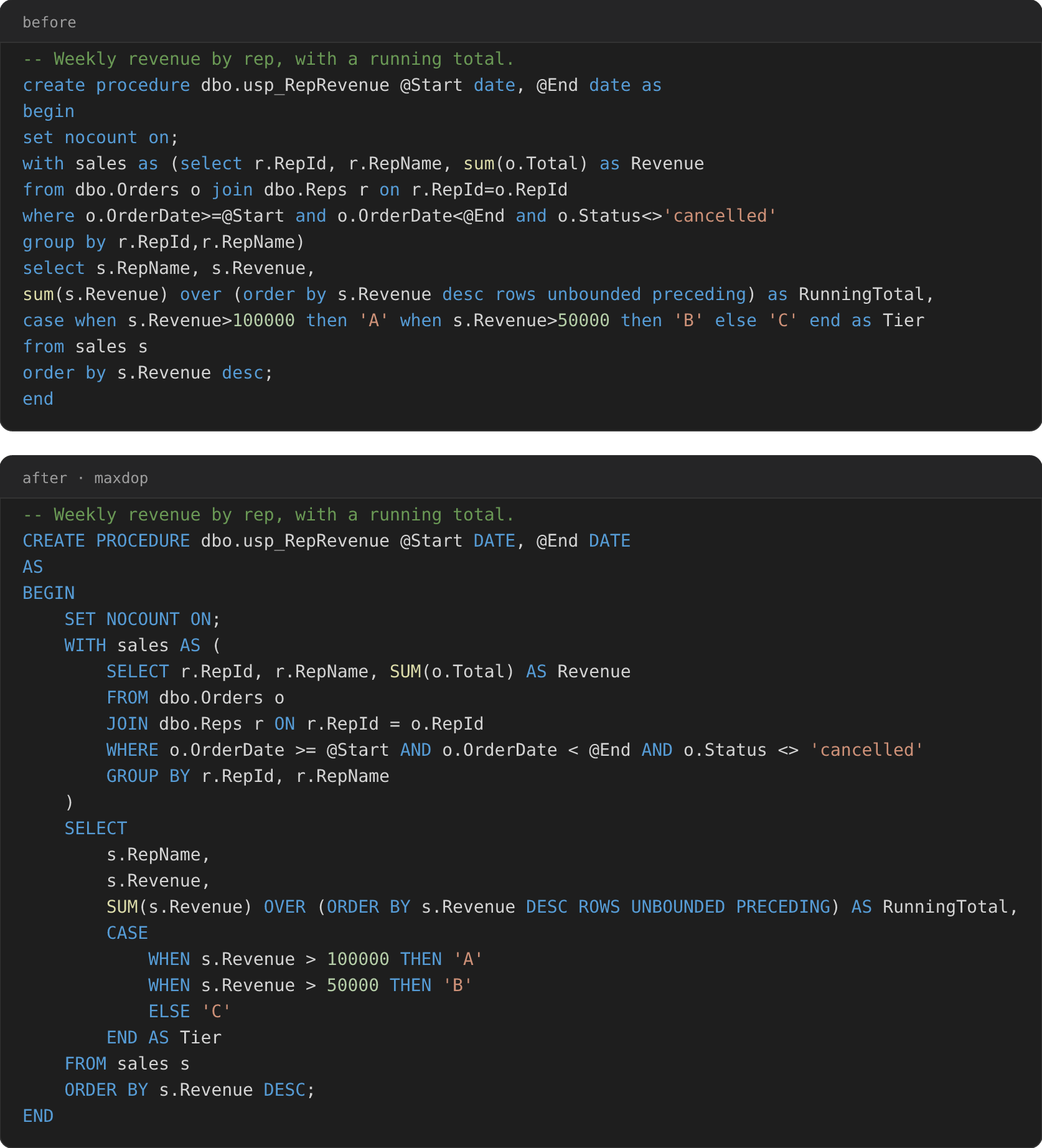
maxdop — T-SQL formatterOpinionated T-SQL formatter built on Microsoft's own parser. Handles stored procedures, GO batches and 2000-era syntax; verifies every format against the original before it touches your file. Installation Launch VS Code Quick Open ( Ctrl+P), paste the following command, and press enter.Copied to clipboard |

maxdop for VS CodeMax Degree of Prettiness for your T-SQL. Formats T-SQL with maxdop — an opinionated formatter
built on Microsoft's own parser (
Safety Measures
UseFormat a The CLI is bundled — there is nothing to install separately, and nothing is downloaded on first activation. maxdop formats whole files. It registers no range formatter on purpose: asking a formatter for a range and getting the whole document back is how Format Selection quietly reformats work outside the selection. Configuration lives in your repo, not your editorThere is exactly one extension setting, Everything about how code is formatted goes in a The nearest
The same formatter runs in your pipelineThe binary inside this extension is the one you can put in CI. Download it from releases. It is one static executable with no .NET runtime, for Windows, macOS, Linux and Alpine, x64 and arm64. Using this alongside the mssql extensionThey are built to sit side by side. This extension contributes a document formatter and nothing else — no language server, no connection handling, no IntelliSense — so mssql keeps everything it does today and only formatting changes hands. Because both register a formatter for SQL, VS Code needs to know which one Format Document should
reach. Installing this extension makes it the default for Either way, maxdop: Format Document in the Command Palette always formats with maxdop, so you can keep mssql on format-on-save and still reach for this one deliberately (it takes a keybinding). Selections are the one thing to know about: because maxdop ships no range formatter, Format Selection falls through to mssql's, whichever default you pick. |