
Claude Code Skills PanelManage your Claude Code skills like a game: one-click triggers, right-click edit, per-skill stats and live token usage. Cute pixel buddies fight monsters while Claude works. CLI users → activity bar; IDE users → bottom panel. Free, MIT. EN · 한국어 · 日本語 · 中文. Installation Launch VS Code Quick Open ( Ctrl+P), paste the following command, and press enter.Copied to clipboard |

Claude Code Skills Panel
Manage your Claude Code skills like a game.
A pixel-art skill launcher for Claude Code. Stop retyping
The five things you actually use it for
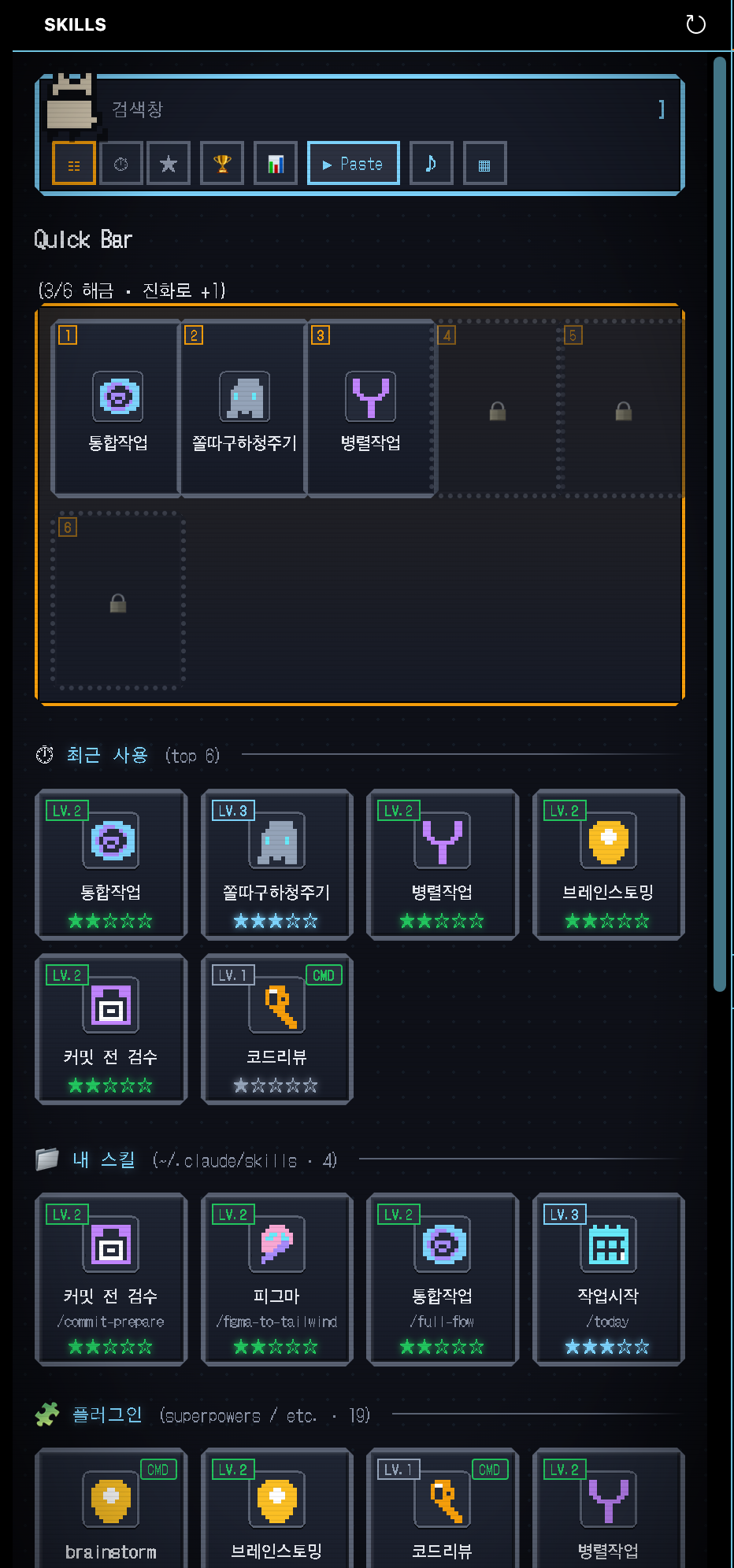
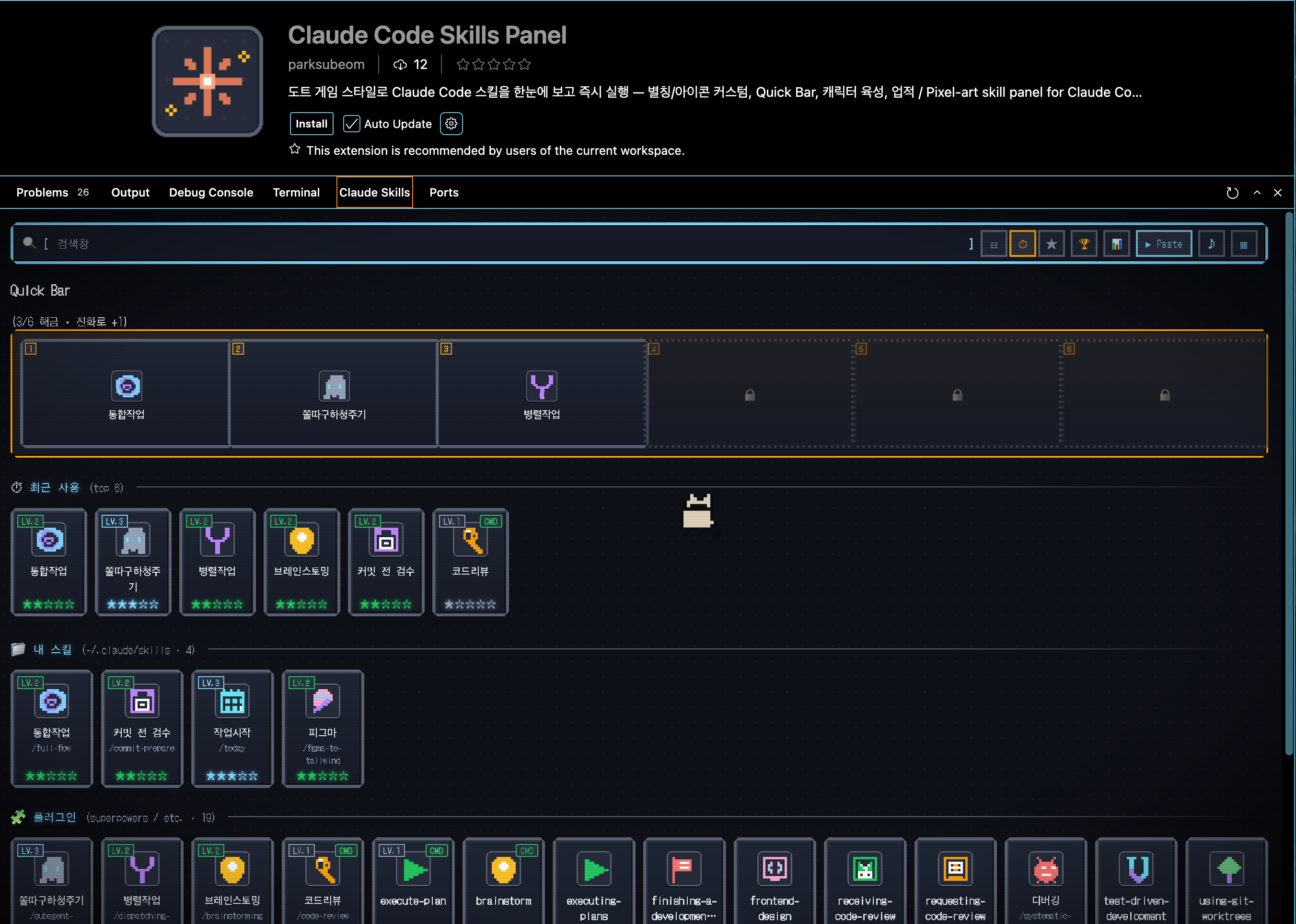
Where to dock itPick the spot that fits how you run Claude Code:
Both modes auto-adapt — wide layouts get the full yard, narrow ones collapse the yard into a
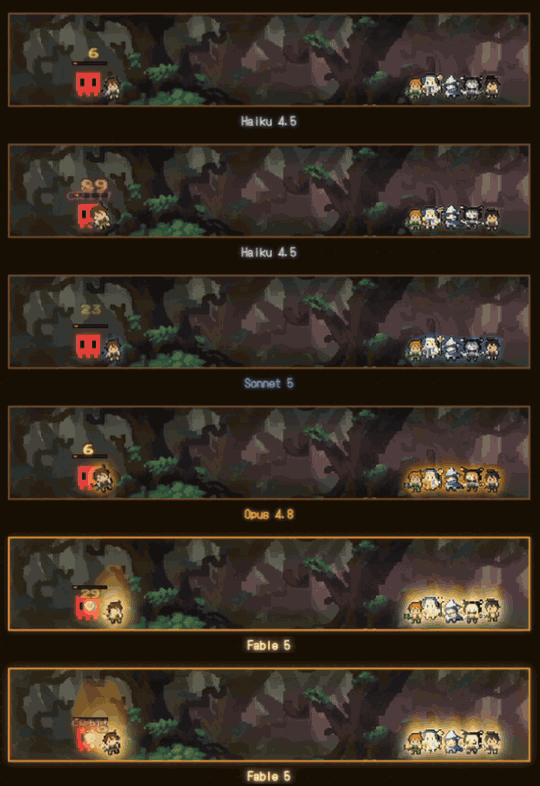
What's New in v0.59⚡ Your buddies power up with the model you're running. Haiku → Sonnet → Opus → Fable, each tier gets a stronger aura — Fable erupts into a Super-Saiyan-style golden flame with blue lightning arcing across the whole line.
v0.54 — UX pass
v0.48 — share & onboarding
v0.47
v0.46
Who is this for?You'll feel the value within 10 seconds if any of these are true:
You probably don't need this if:
PreviewActivity Bar (narrow)
Bottom Panel (wide)
Install
Features🔍 Auto-discoveryScans every slash command source on your machine, no setup required:
New plugin? Just install with 🎮 Interactions
✚ Create, share & import skillsThe panel isn't just a launcher — it's where you author and pass skills around.
No backend, no accounts — sharing rides your clipboard and whatever you already use (DM, gist, Slack). ⚡ Quick Bar — unlocked by evolutionDrag your most-used skills to 6 slots and trigger them with number keys. Each slot unlocks as your buddy evolves. 🚀 Execution Modes (
|


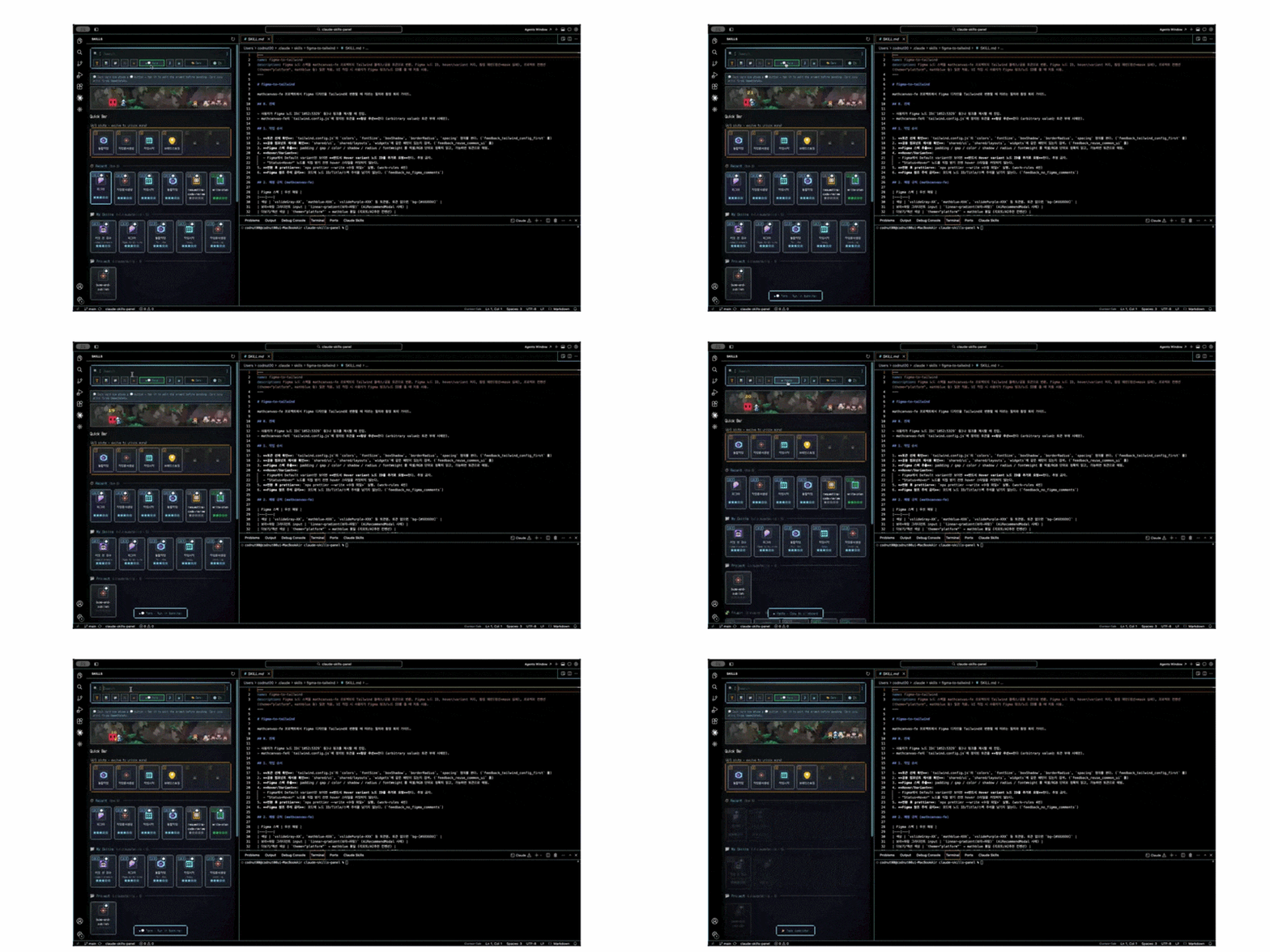
| Mode | Behavior |
|---|---|
| ▶ Paste | Copy /skill to clipboard only (default — most reliable) |
| ▶💬 Term | Send /skill directly to the active terminal. Cards with a saved prompt template show a 💬 button — click it to edit the final text (e.g. review this file /code-review) before send |
v0.41 dropped the previous
▶ Automode (osascript / SendKeys / xdotool keystroke automation) — it was unreliable against React-driven inputs in Cursor / VS Code, andTermmode covers the same automation use case far more reliably.
✏️ Customization
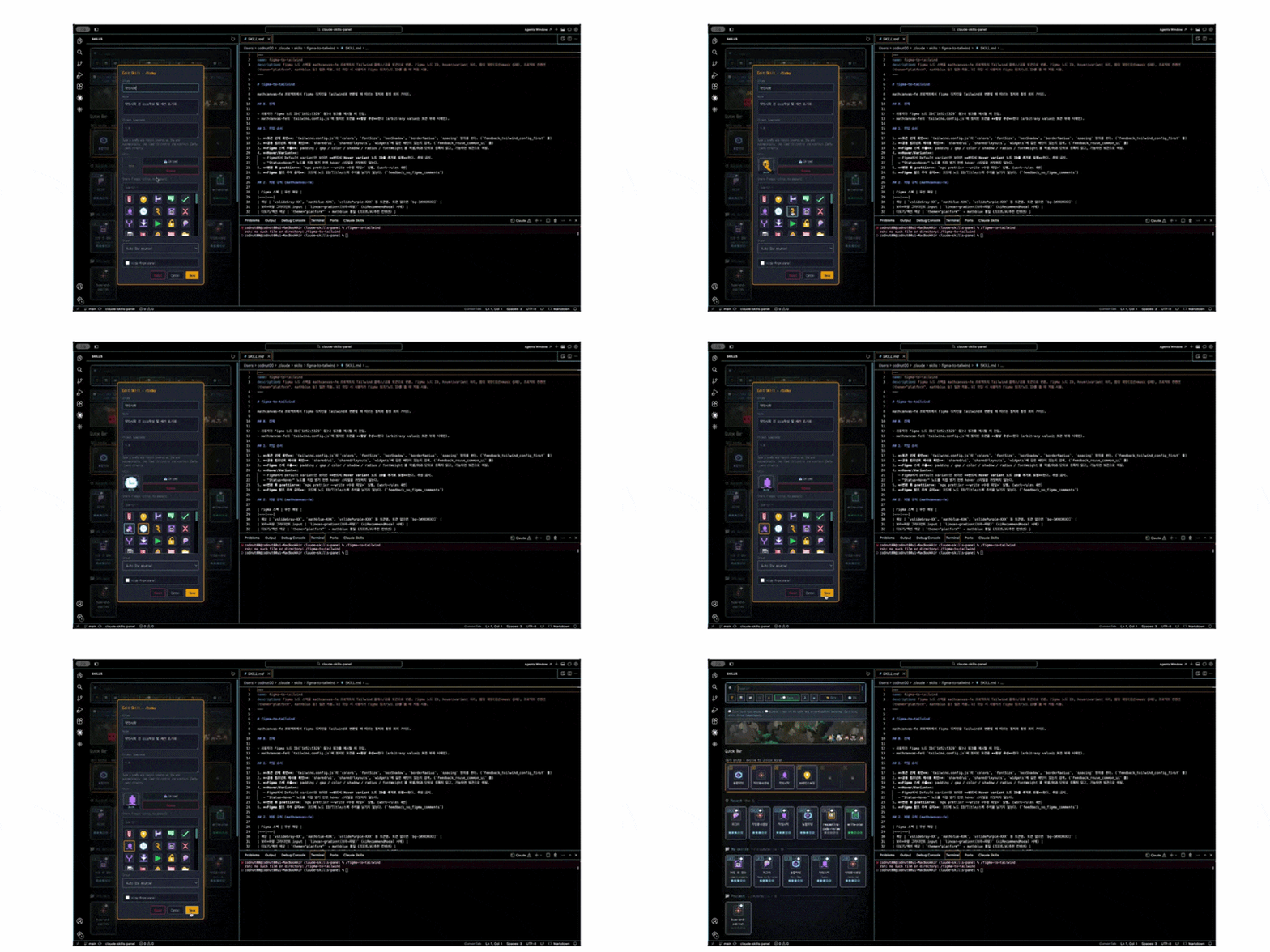
- Alias — rename any skill with a shorter label
- Note — shown in the hover popover
- Prompt template — preset wrapper text (e.g.
"review this file") that prefills before send in terminal mode - Custom icon — upload your own image (PNG/SVG/JPG/GIF)
- Hide — declutter skills you rarely use
- Custom groups — emoji + name; drag-reorder; assign skills via the edit modal
All settings saved to ~/.claude/skills-panel-config.json — version-controllable via dotfiles. Settings export/import via the ⚙ panel for one-click sync to another machine.
📊 Stats & token tracking (opt-in)
- Weekly report (📊) — 7-day activity chart + Top 5 most-fired commands + Markdown export. See exactly which skills you actually run.
- Token usage — when enabled in Settings, the panel reads only
message.usagefrom~/.claude/projects/*.jsonl(never prompt content) and surfaces:- Per-card label under the mastery stars (e.g.
12.4k tok) - Toolbar
⚡ Most tokenssort - Weekly report "Top 5 by Tokens (all-time)" section
- Per-card label under the mastery stars (e.g.
- Mastery ★ — LV.0 → LV.5 per skill with level-up animation
- Daily streak — 🔥 N days in the footer
- 16 achievements — volume / variety / streaks / mastery / customization
🛒 Plugin marketplace browser
The 🛒 button opens an in-panel browser of every plugin from every marketplace you've added (/plugin marketplace add …). Search by name / description / author, filter by category, toggle "installed only," and one-click install — the install command flows through your current execution mode (clipboard or terminal).
🐾 Buddy Yard — pixel companions that work alongside you
Everything in this section is opt-in eye candy. Toggle it off in Settings → Buddy actions if you only want a clean launcher. The serious launcher half above is fully self-contained.
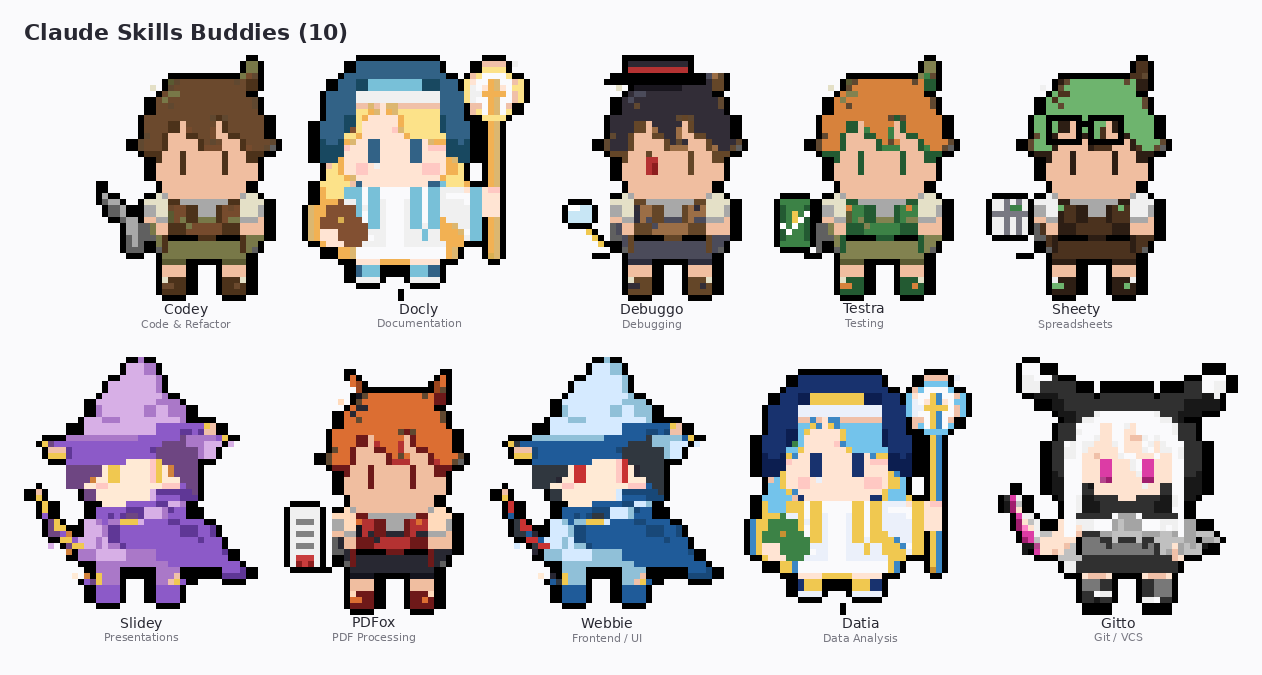
Class-branch buddies
A pixel-art companion that branches into one of 10 RPG classes based on your most-used slash-command category. From the very first slash command you fire, the buddy starts as a class — no waiting through generic stages.
| Stage | Threshold (total actions) |
|---|---|
| LV.1 [Class] Apprentice | 0+ (your first action picks the class) |
| LV.2 [Class] Adept | 10+ |
| LV.3 [Class] Skilled | 50+ |
| LV.4 [Class] Master | 150+ |
| LV.5 [Class] Legend | 500+ |
| Class | Role | Attack | Triggers on |
|---|---|---|---|
| Codey 🗡️ | Swordsman | ⚔ sword swing (melee) | code, refactor, simpl, implement, build, compile |
| Docly 📜 | Cleric | ✨×5 divine aura | doc, write, markdown, readme, note |
| Debuggo 🔍 | Detective | 🔍 magnifying pulse (melee) | debug, bug, fix, trace, stacktrace, logs |
| Testra 🛡️ | Paladin | ⚒ hammer stamp (melee) | test, spec, verify, check, review, audit |
| Sheety 📊 | Merchant | 🪙×2 coin toss (projectile) | xlsx, csv, sheet, excel, table, tsv |
| Slidey 🎤 | Bard | 🎵×3 note volley (projectile) | slide, pptx, present, pitch, keynote |
| PDFox 🦊 | Rogue | 🗡×4 dagger barrage (projectile) | pdf |
| Webbie 🕸️ | Wizard | 🔥 fireball (projectile) | web, frontend, ui, css, react, tailwind, figma, design |
| Datia 🧙♀️ | Astrologer | ⭐ star spell (aura) | analyze, chart, viz, metric, dashboard, stats |
| Gitto ⚔️ | Ninja | ✦×3 shuriken volley (projectile) | git, commit, branch, push, pr, merge, rebase |
Don't like your class? Hit 🔄 Reincarnate — the locked class clears, your counts stay, and the next action picks fresh.
Stats: 🧠 INT (brainstorm/review skills) · ⚡ DEX (Quick Bar usage) · ❤️ VIT (daily streak) · 🍀 LCK (achievements)
The yard above the Quick Bar
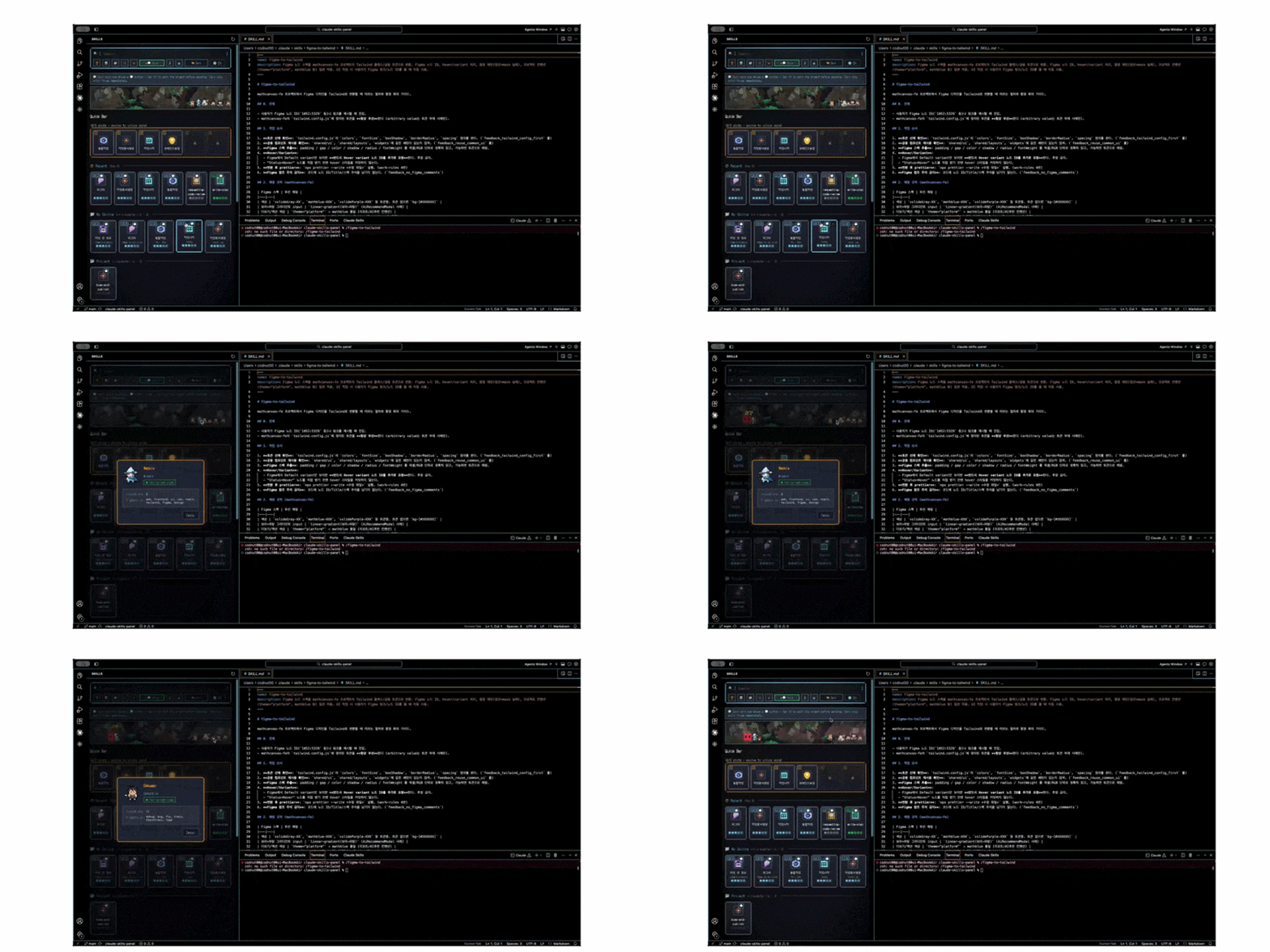
Every class your buddy has ever invoked lives in a small pixel diorama above the Quick Bar. They idle, walk back and forth, react to clicks. Wide panels show it inline; narrow panels (Activity Bar) collapse the yard into a 🐾 View buddies button that opens a modal version.
Click any buddy → see that buddy's class info (sprite, role, invocation count, trigger keywords, "★ Your current class" if it matches yours).
Custom backdrop — drop an image at assets/buddy-yard-bg.{png,jpg,jpeg,webp,gif} and the panel auto-applies it as a cover-fitted background. Forest, dusk, dungeon — your call.
🗡️ Side-scroller fights while Claude works
Enable Settings → Buddy actions and the yard reacts to whether Claude Code is actually busy:
- The panel polls
~/.claude/projects/*.jsonlmtime every 5s (metadata only, no content read) - While Claude is working: a red pixel monster fades in on the left, the active fighter (the buddy whose class matches the running command) dashes from the right cluster to the monster's side and runs its class strike (sword swing / fireball / shuriken volley / …), the others cheer in place. Yellow damage numbers float up — and 18% of the time you get a pink CRIT.
- When the task ends: monster fades out, every buddy plays a celebrate hop, a ✓! bubble floats above each, a 3-tone 8-bit chime fires, and a
🎉 Task complete!toast appears.
Works with both the Claude Code CLI and the Claude Code IDE extension — both write to the same ~/.claude/projects/ tree.
Per-class strike motions — six archetypes, assigned by class: lunge (dash slash), stomp (leap and slam), jab (rapid pokes), cast (spell wind-up), throw (projectile whip), channel (float and pulse). Melee classes dash to point-blank; ranged classes hold position and fire from behind.
Impact feedback — shockwave rings, white-hot flashes, spark bursts, a draining monster HP bar, plus screen shake and a CRIT! flourish on critical hits. Victory ends with a confetti burst and a brightness flash.
⚡ Model power aura
The buddies visibly get stronger with whatever model Claude Code is currently running — read from message.model in the session transcript, shown as a label under the yard.
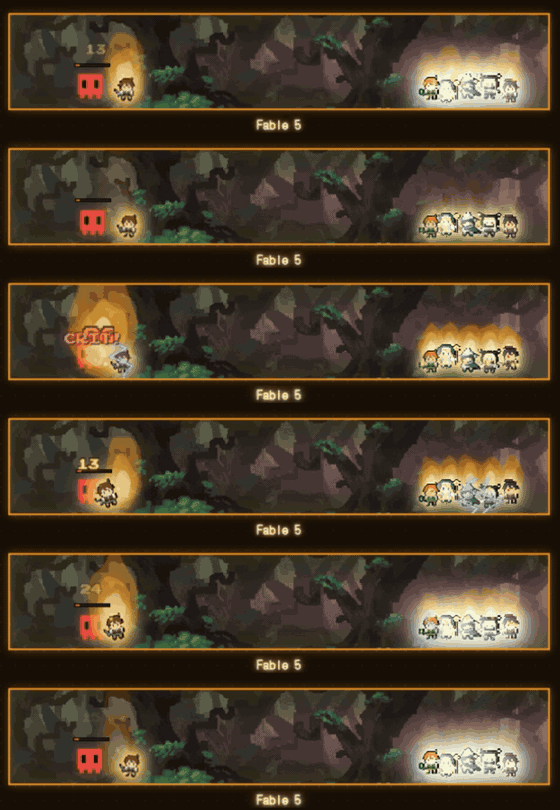
| Tier | Model | Aura |
|---|---|---|
| 1 | Haiku | Soft grey glow |
| 2 | Sonnet | Blue pulse |
| 3 | Opus | Gold pulse |
| 4 | Fable / Opus 5 | Platinum crackle + golden flame aura + blue lightning arcs + the whole yard glows |
🎬 Recording the demos
Two command-palette entries stage the scene so you can capture it without waiting for a real task:
| Command | What it does |
|---|---|
Claude Skills: 🎬 Demo Fight (next class) |
Starts a fight; run again to rotate the active fighter through every class |
Claude Skills: 🎬 Demo Aura (next model tier) |
Cycles Haiku → Sonnet → Opus → Fable so you can compare auras back to back |
Claude Skills: 🎬 Demo Fight Stop |
Ends with the victory flourish |
🎨 Pixel-art UI
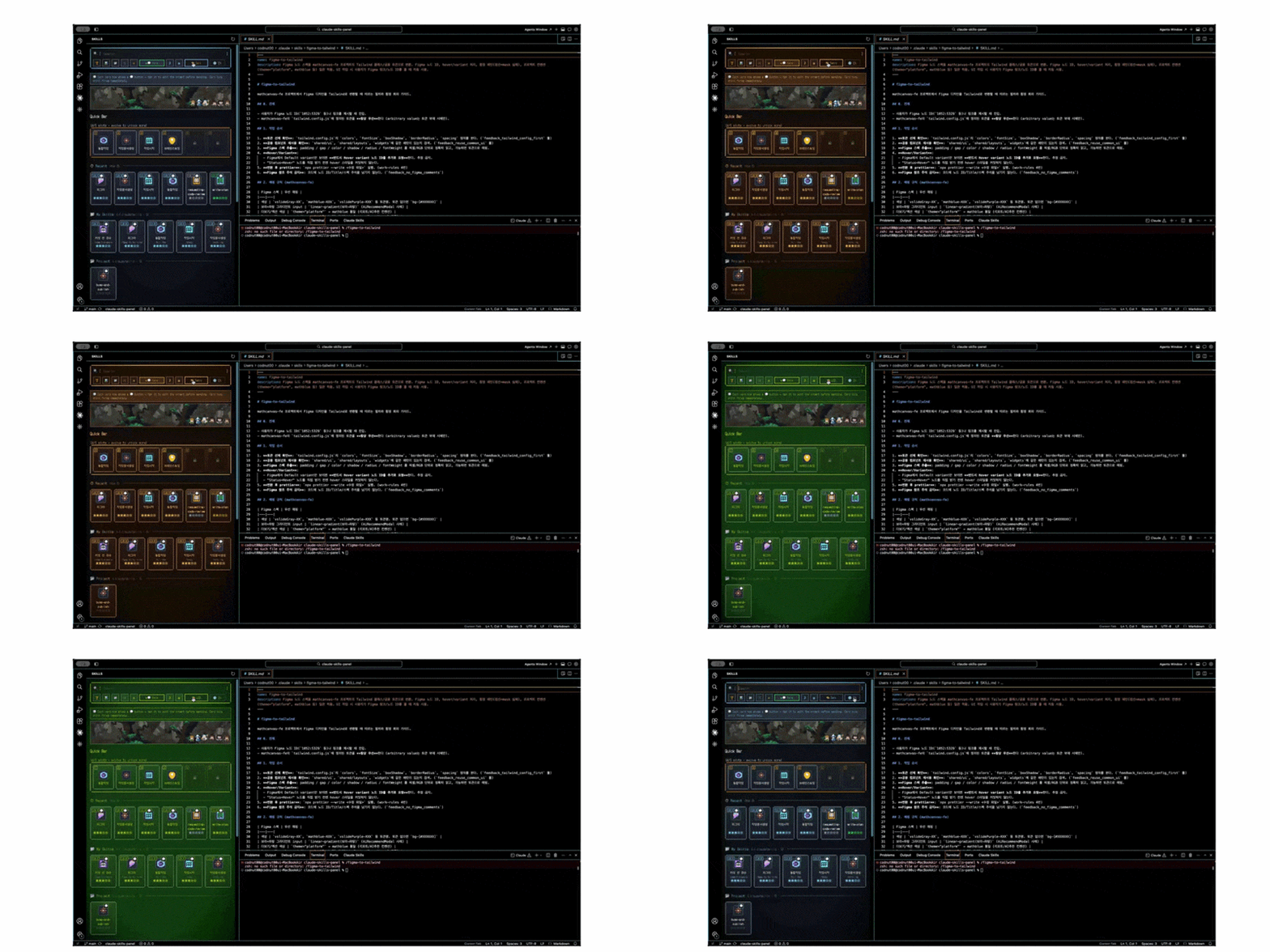
| Theme cycle (Dark / Retro CRT / Gameboy LCD) | Locale switch (EN / 한국어 / 日本語 / 中文) |
|---|---|
 |
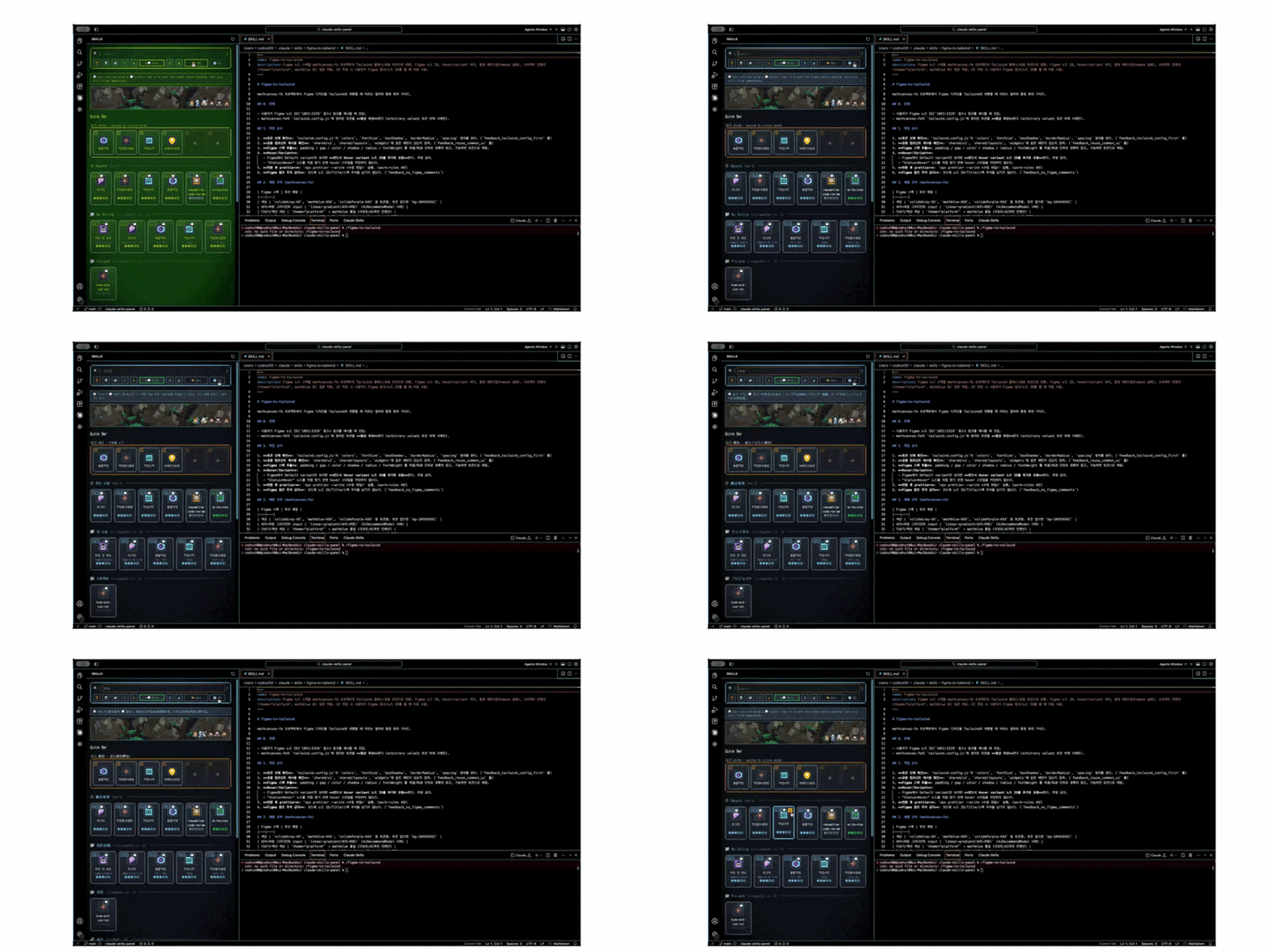 |
- Pixel fonts: DotGothic16 (Korean) + Press Start 2P (English)
- 62 custom spark-style icons — one per skill category, consistent dark frame
- 3 themes — Dark / Retro CRT / Gameboy LCD (toggle in toolbar)
- CRT effects — scanlines + vignette (toggleable)
- 8-bit sounds — hover, click, level-up, task-complete chime (toggleable)
- Animations — chamfer corners, sparkle hover, ripple on click, staggered card entrance, side-scroller combat
Keyboard Shortcuts (optional)
Add to Preferences: Open Keyboard Shortcuts (JSON):
[
  { "key": "cmd+shift+1", "command": "claudeSkills.quickSlot1" },
  { "key": "cmd+shift+2", "command": "claudeSkills.quickSlot2" },
  { "key": "cmd+shift+3", "command": "claudeSkills.quickSlot3" },
  { "key": "cmd+shift+4", "command": "claudeSkills.quickSlot4" },
  { "key": "cmd+shift+5", "command": "claudeSkills.quickSlot5" },
  { "key": "cmd+shift+6", "command": "claudeSkills.quickSlot6" }
]
Development
git clone https://github.com/parksubeom/claude-skills-panel
cd claude-skills-panel
npm install

npm run build:pixels   # pixel icon set
npm run build:spark    # 62 spark-style skill icons
npm run build:buddy    # 10-class buddy sprites (apprentice → legend share the same art)
npm run package        # build all + package .vsix

# Manual publish (CI handles this on tagged releases)
npx ovsx publish -p $OVSX_PAT       # OpenVSX (Cursor / Windsurf / VS Codium)
npx vsce publish -p $VSCE_PAT       # VS Code Marketplace
Releasing
Push a vX.Y.Z tag — GitHub Actions builds, packages, and publishes to both marketplaces in parallel.
See .github/workflows/publish.yml for the full pipeline.
Links
- Issues / feature requests — GitHub Issues
- Changelog — CHANGELOG.md
- OpenVSX listing — https://open-vsx.org/extension/parksubeom/claude-skills-panel
- VS Marketplace listing — https://marketplace.visualstudio.com/items?itemName=parksubeom.claude-skills-panel
Star history
If this saved you from typing /full-flow for the 38th time today, a ⭐ helps other Claude Code users find it.
Translations
- 🇺🇸 English (this file)
- 🇰🇷 한국어 (README.ko.md)
License
MIT © parksubeom