Agent Grid


Run terminal-first AI workflows inside one persistent VS Code workspace.
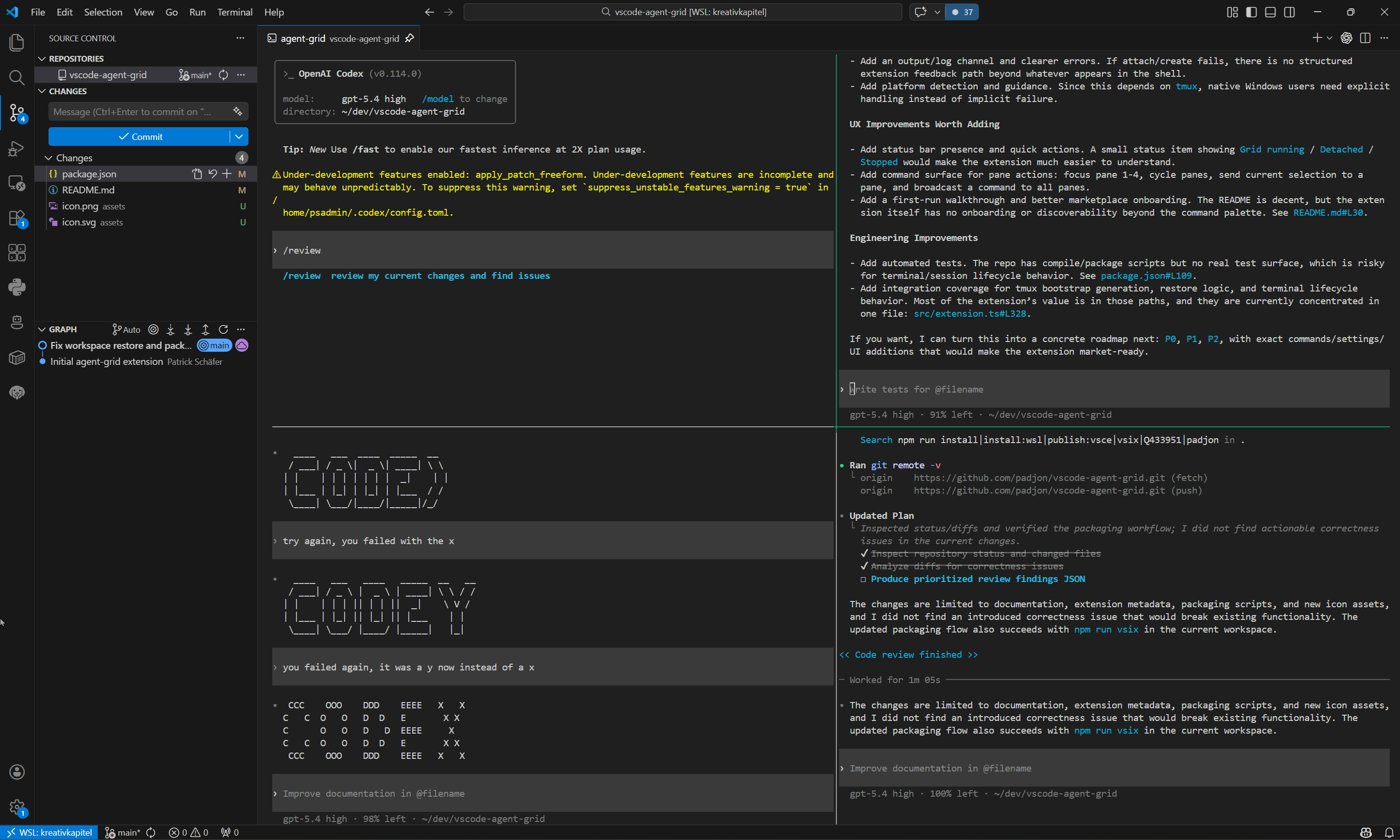
Agent Grid turns one native terminal tab into a tmux-backed workspace for Claude Code, Codex, Gemini CLI, Aider, Goose, test runners, and project commands. It keeps each workflow in a fixed lane, restores the workspace when VS Code comes back, and stays inside the editor instead of pushing you into separate apps or scattered terminal tabs.
Please tell us about issues and feature wishes on GitHub or via mail at info@devsheep.de.
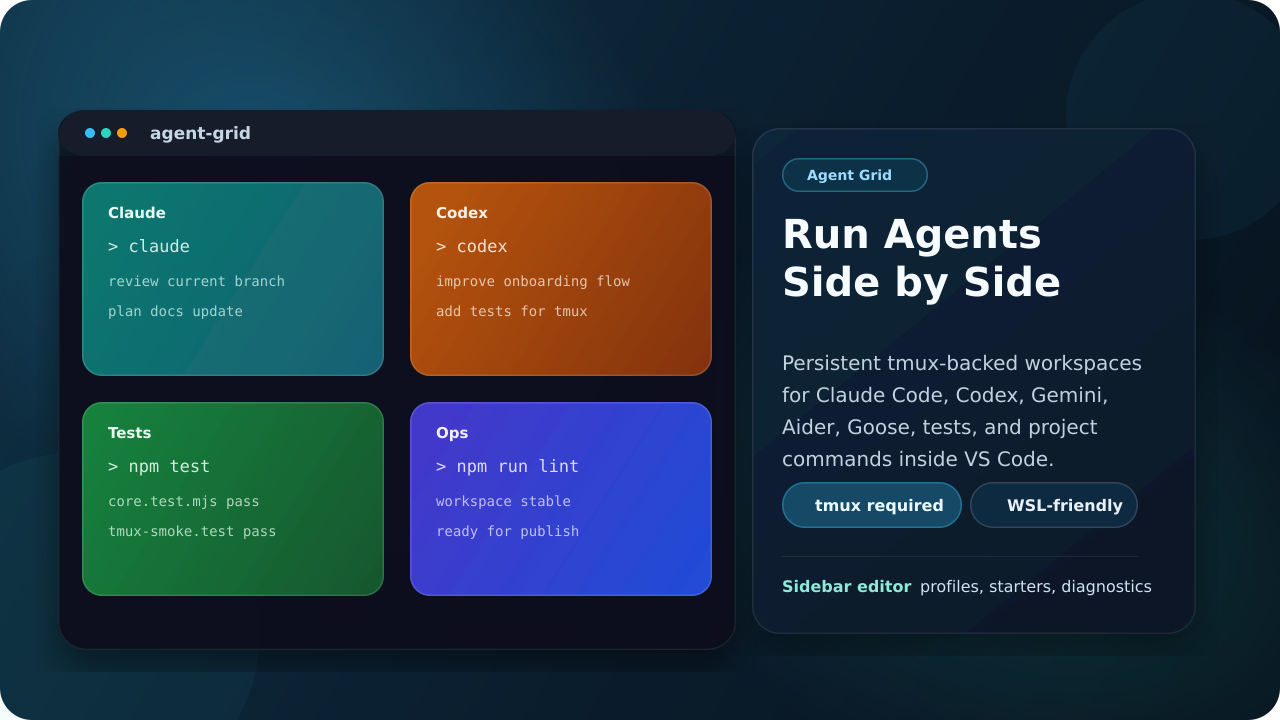
Why Install It
- Keep multiple agents and tasks visible at once inside VS Code
- Reopen the same workspace quickly instead of rebuilding your terminal layout
- Use a committed repo config so a team can share the same setup
- Stay terminal-native with tmux instead of moving to a custom webview UI
Best Fit
Agent Grid is built for developers who already like terminal-first tools:
- Claude Code
- OpenAI Codex
- Gemini CLI
- Aider
- Goose
- your own test, lint, build, or ops commands
What You Get
- One pinned VS Code terminal tab named
agent-grid
- A tmux-backed pane workspace with configurable layouts
- A sidebar-first setup UI with
Default Setup, saved profiles, and detected starters
- Automatic attach when a matching tmux session already exists
- Optional startup commands for each pane on fresh workspace creation
- Restore on the next VS Code start when the workspace was left open
- Detected CLI starters that can replace the current editor contents
- Named profiles that you can save, update, delete, and select as the active setup
- Optional
.agent-grid.json repo sharing in an advanced section
- Live layout switching without recreating panes
- Temporary hiding and restoring of live panes in the current tmux session
- Example docs for team onboarding and WSL
Real Workspace
Requirements
tmux is required- Windows support is WSL-first. Native Windows terminals are not the target runtime for this extension
If tmux is missing, Agent Grid will guide you toward the right install path for your environment.
Quick Start
- Install
tmux
- Open a project in VS Code
- Open the
Agent Grid sidebar in the activity bar
- Run
Configure Workspace
- Choose
Default Setup or a profile as the active setup
- Edit the panes directly in the sidebar form
- Create the workspace
The command palette is intentionally smaller now. The main entry points are Agent Grid: Configure Workspace and Agent Grid: Create or Recreate Workspace.
Custom Setup
Configure Workspace is the main path now:
- choose the active setup at the top:
Default Setup or a saved profile
- optionally load a detected starter into the current editor
- shape the grid directly in the sidebar by choosing rows and columns, then merging or splitting cells
- edit pane names, startup commands, and working directories directly in the sidebar
- save the current setup, save it as a new profile, or update/delete the selected profile
- create or recreate the workspace from that active setup
Default Setup is your base configuration across workspaces. Profiles are named reusable setups that you can switch to without losing the default.
The sidebar also has:
Apply To All for startup commandsSend Now to broadcast a command to every live pane- live layout switching without recreating tmux panes
- temporary hide/show for running panes, with hidden panes shown in the UI
That active setup is what Agent Grid uses when you create or reattach the workspace.
Repo Config
Repo sharing is now an advanced option.
If you switch the advanced storage mode to Shared In Repo, Agent Grid saves the default setup or profile into .agent-grid.json so the repository can share it.
.agent-grid.json is the shared base config for the repository- personal settings are still used when repo sharing is not selected
- the advanced storage hover explains the repo-sharing behavior in the sidebar
Example .agent-grid.json:
{
  "grid": {
    "rows": 2,
    "cols": 3,
    "areas": [
      { "x": 0, "y": 0, "width": 2, "height": 1 },
      { "x": 2, "y": 0, "width": 1, "height": 1 },
      { "x": 0, "y": 1, "width": 1, "height": 1 },
      { "x": 1, "y": 1, "width": 2, "height": 1 }
    ]
  },
  "terminals": [
    {
      "name": "Claude",
      "startupCommand": "claude",
      "cwd": "${workspaceFolder}"
    },
    {
      "name": "Codex",
      "startupCommand": "codex",
      "cwd": "${workspaceFolder}"
    },
    {
      "name": "Tests",
      "startupCommand": "npm run test:watch",
      "cwd": "${workspaceFolder}"
    },
    {
      "name": "Shell",
      "startupCommand": "",
      "cwd": "${workspaceFolder}"
    }
  ],
  "profiles": [
    {
      "name": "Review Mode",
      "grid": {
        "rows": 2,
        "cols": 2,
        "areas": [
          { "x": 0, "y": 0, "width": 1, "height": 1 },
          { "x": 1, "y": 0, "width": 1, "height": 1 },
          { "x": 0, "y": 1, "width": 1, "height": 1 },
          { "x": 1, "y": 1, "width": 1, "height": 1 }
        ]
      },
      "terminals": [
        {
          "name": "Codex",
          "startupCommand": "codex",
          "cwd": "${workspaceFolder}"
        },
        {
          "name": "Claude",
          "startupCommand": "claude",
          "cwd": "${workspaceFolder}"
        },
        {
          "name": "Tests",
          "startupCommand": "npm test",
          "cwd": "${workspaceFolder}"
        },
        {
          "name": "Shell",
          "startupCommand": "",
          "cwd": "${workspaceFolder}"
        }
      ]
    }
  ]
}
Support
Agent Grid keeps support tools out of the main configuration flow, but they are still available when something breaks:
Agent Grid: Run Environment Check refreshes the output-channel diagnosticsAgent Grid: Export Support Bundle opens a markdown bundle with environment state, effective config, active setup, and live pane stateAgent Grid: Open Issue Tracker opens the GitHub issue templatesAgent Grid: Email Feedback opens a mail draft to info@devsheep.de
Use the Safe for Public Issue export mode for GitHub issues. It redacts absolute local paths by default.
Please send bug reports and feature wishes either through GitHub issues or directly by mail to info@devsheep.de.
That gives users and maintainers one consistent artifact for setup, WSL, tmux, restore, and live pane state issues.
Guides And Examples
Example Configuration
{
  "agentGrid.tmuxCommand": "tmux",
  "agentGrid.grid": {
    "rows": 2,
    "cols": 3,
    "areas": [
      { "x": 0, "y": 0, "width": 2, "height": 1 },
      { "x": 2, "y": 0, "width": 1, "height": 1 },
      { "x": 0, "y": 1, "width": 1, "height": 1 },
      { "x": 1, "y": 1, "width": 1, "height": 1 },
      { "x": 2, "y": 1, "width": 1, "height": 1 }
    ]
  },
  "agentGrid.terminals": [
    {
      "name": "Claude",
      "startupCommand": "claude",
      "cwd": "${workspaceFolder}"
    },
    {
      "name": "Codex",
      "startupCommand": "codex",
      "cwd": "${workspaceFolder}"
    },
    {
      "name": "Tests",
      "startupCommand": "npm run test:watch",
      "cwd": "${workspaceFolder}"
    },
    {
      "name": "Ops",
      "startupCommand": "npm run lint -- --watch",
      "cwd": "${workspaceFolder}"
    }
  ]
}
Supported placeholders inside cwd and startupCommand:
${workspaceFolder}${workspaceFolderBasename}${userHome}
agentGrid.layout still exists as a legacy preset shorthand for older configs, but the sidebar now writes agentGrid.grid for custom shapes.
Startup Behavior
agentGrid.autoRestore: reopen the workspace on the next VS Code start when it was left openagentGrid.promptOnboarding: show or suppress the first-run setup prompt
The sidebar is the product now.
At the top you choose the active setup:
Default Setup- or one of your saved profiles
Below that you can optionally use Start from:
Custom- detected CLI starters for tools that are actually installed
Starters are only templates for the current editor. Profiles are your saved reusable setups.
The editor itself lets you:
- shape the layout visually with rows, columns, merge, and split
- see a graphical preview of visible and hidden panes
- edit pane names, startup commands, and working directories
- apply one startup command to all panes
- save the current setup
- save as a new profile
- update or delete the active profile
- save and create the workspace in one step
Live workspace controls in the sidebar:
- broadcast a command to all visible panes
- switch layouts without recreating panes
- hide a live pane temporarily
- restore hidden panes later
Repo sharing stays in the advanced storage section. That writes the setup into .agent-grid.json for team use.
Commands
Visible in the command palette:
Agent Grid: Configure WorkspaceAgent Grid: Create or Recreate WorkspaceAgent Grid: Run Environment Check
Available from the sidebar support area:
- guide
- support bundle export
- GitHub issues
- email feedback
Command Behavior
Agent Grid: Create or Recreate Workspace
- creates the tmux workspace if it does not exist yet
- focuses the existing terminal tab when it is already open
- offers to attach when the tmux session is still running without the tab
- rebuilds the session when you choose recreate
Agent Grid: Run Environment Check
- writes the current environment, tmux detection, layout, active setup, and session state into the
Agent Grid output channel
- helps users diagnose missing tmux, wrong runtime, or detached-session states
- includes repo config and live pane state when available
Agent Grid: Open Getting Started Guide
- opens the built-in walkthrough from the VS Code walkthrough UI
- gives first-time users a short path through configuration and workspace creation

