Academic PDF Viewer is a VS Code PDF reader focused on paper-reading workflows. It opens .pdf files directly in a PDF.js-based custom editor and adds citation-aware previews and navigation behavior on top of the standard PDF viewer experience.
Features
Opens PDFs as the default custom editor in VS Code.
Uses the full PDF.js viewer interface for search, zoom, outline, page navigation, text selection, and annotation layers.
Highlights native PDF citation/link annotations.
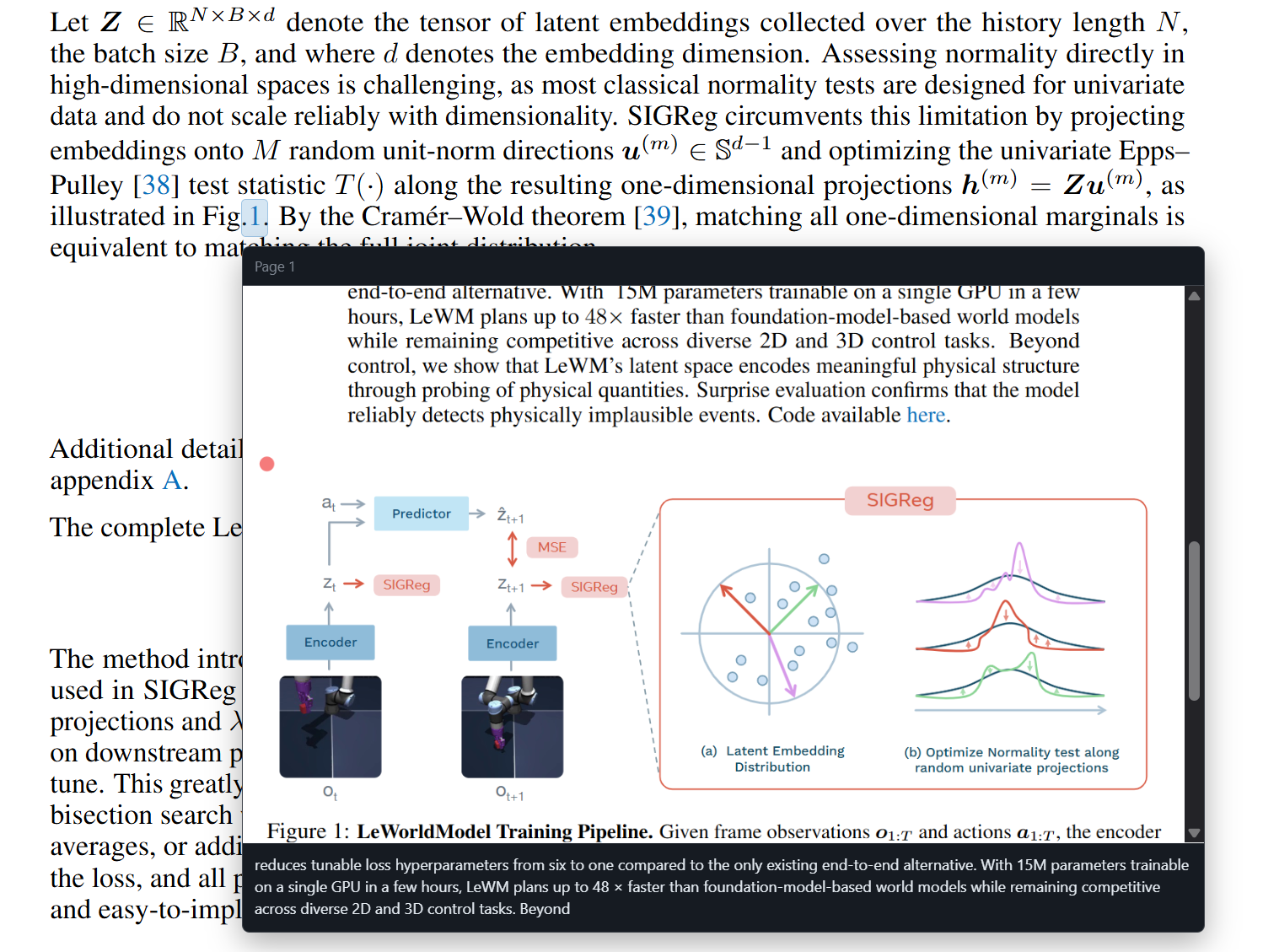
Shows a hover preview for citation targets, including a cropped page image and nearby text.
Clicks citation overlays to jump to the target reference or figure location.
Maintains an internal PDF navigation history for Alt+Left and Alt+Right.
Improves Ctrl/Cmd+Wheel zoom responsiveness inside the webview.
Keeps Ctrl/Cmd+Shift+P available for the VS Code command palette instead of PDF printing.
Usage
Open any .pdf file in VS Code. The extension registers Academic PDF Viewer as the default PDF custom editor.
Keyboard shortcuts:
Alt+Left: navigate back within the PDF viewer history.
Alt+Right: navigate forward within the PDF viewer history.
Ctrl/Cmd+Wheel: zoom around the mouse position.
Ctrl/Cmd+Shift+P: open the VS Code command palette.
Citation Preview
The current release uses citation and link annotations already embedded in the PDF. Many publisher and LaTeX-generated papers include these links for references, figures, equations, or sections. When such links are available, Academic PDF Viewer draws a lightweight overlay and shows a preview of the destination on hover.
PDFs without embedded citation/link annotations are still readable as normal PDFs, but citation previews may not appear.
Known Limitations
Citation detection currently depends on native PDF link annotations.
Preview quality depends on the PDF's embedded link destinations and text layer.
GROBID-based citation extraction is not included in this release.
Development
npm install
npm run compile
npm run lint
Launch the extension host from VS Code with F5, then open a PDF file.