Skip to content
| Marketplace
Sign in
Visual Studio Code>AI>RelayCode - GPU Inference for Coding AgentsNew to Visual Studio Code? Get it now.
RelayCode - GPU Inference for Coding Agents

RelayCode - GPU Inference for Coding Agents

OpenGPU Network

|
13 installs
| (1) | Free
Route Claude Code and Copilot through open-source models via RelayGPU — with live pricing, usage tracking, and promo credits
Installation
Launch VS Code Quick Open (Ctrl+P), paste the following command, and press enter.
Copied to clipboard
More Info

RelayCode — GPU Inference for Coding Agents

Run Claude Code and GitHub Copilot on powerful open-source models like DeepSeek and Qwen — at a fraction of the cost. RelayCode connects your existing AI coding tools to the OpenGPU relay network, so you get fast inference, real-time usage tracking, and free promo credits on signup. No config files, no CLI flags, no separate proxy to manage.

RelayCode Overview

How It Works

  • Install the extension — RelayCode runs a lightweight local bridge inside VS Code. Nothing to configure.
  • Connect your account — Sign up or log in to get free promo credits instantly.
  • Pick a model — Choose from top open-source models with live pricing per token.
  • Keep coding — Claude Code and Copilot work exactly as before, just cheaper.

Key Features

  • Open-source models — Route to DeepSeek, Qwen, and other high-performance models
  • One-click toggle — Switch between Relay and Anthropic from the status bar
  • Free promo credits — Get started immediately with credits on signup
  • Live balance tracking — See your remaining credits in real time
  • AI labor time tracking — Know exactly how much compute your agents are using
  • Per-model analytics — Break down usage and cost by model
  • Works with your tools — Runs alongside Claude Code and GitHub Copilot

Getting Started

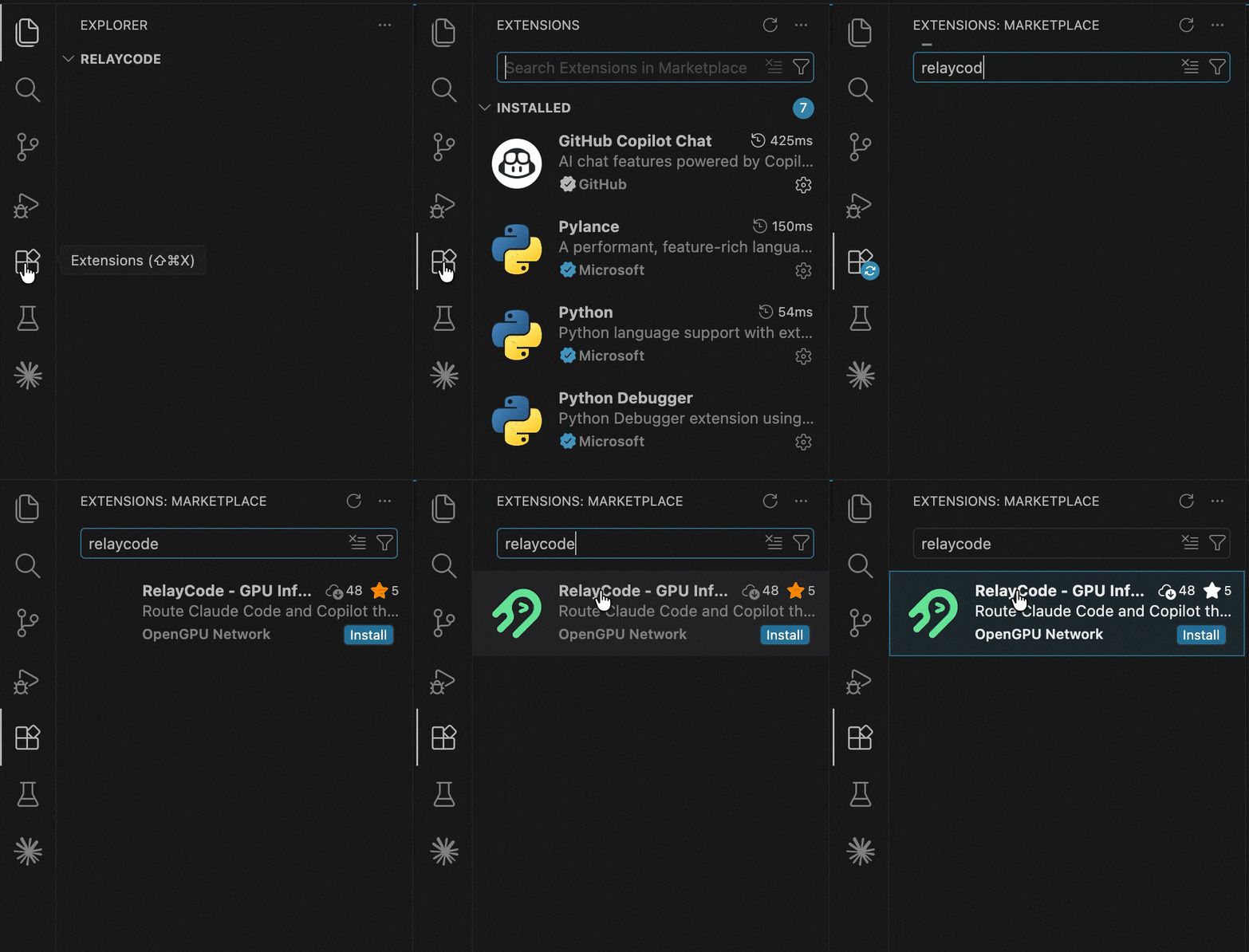
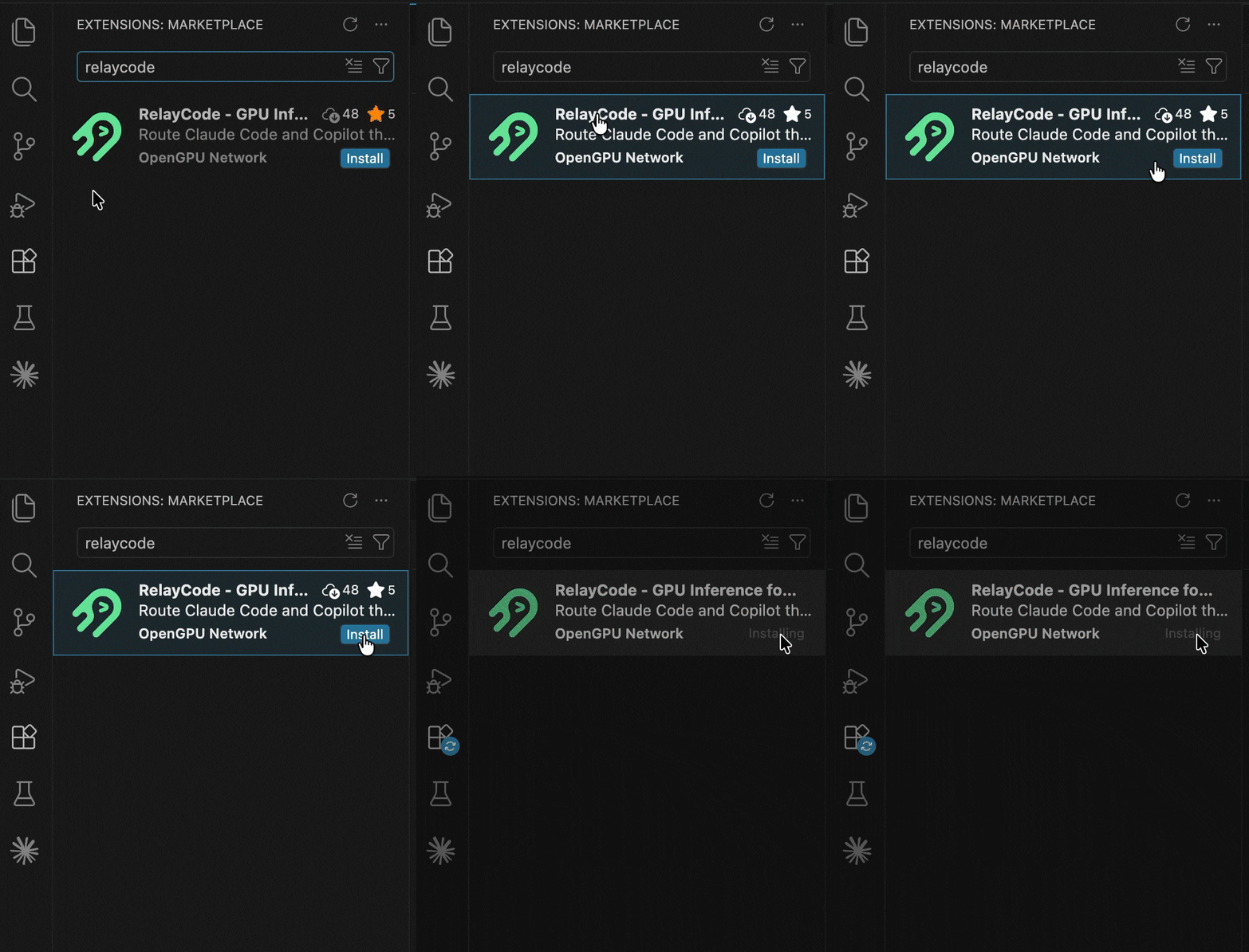
  1. Install RelayCode from the VS Code Marketplace.

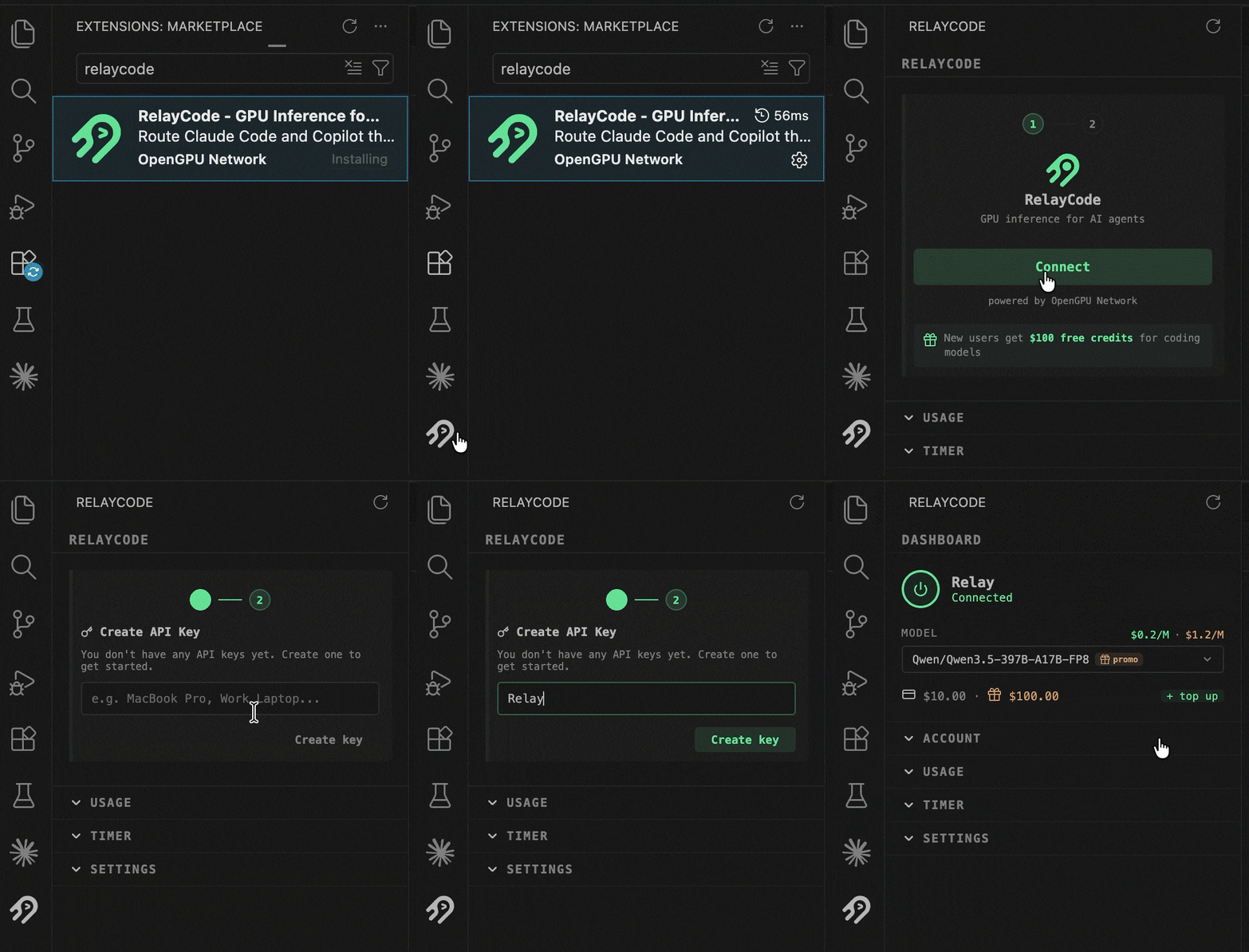
  2. Click "Connect" in the sidebar to create your account or log in.

    Connect

  3. Enter your API key to link your RelayGPU account.

    API Key

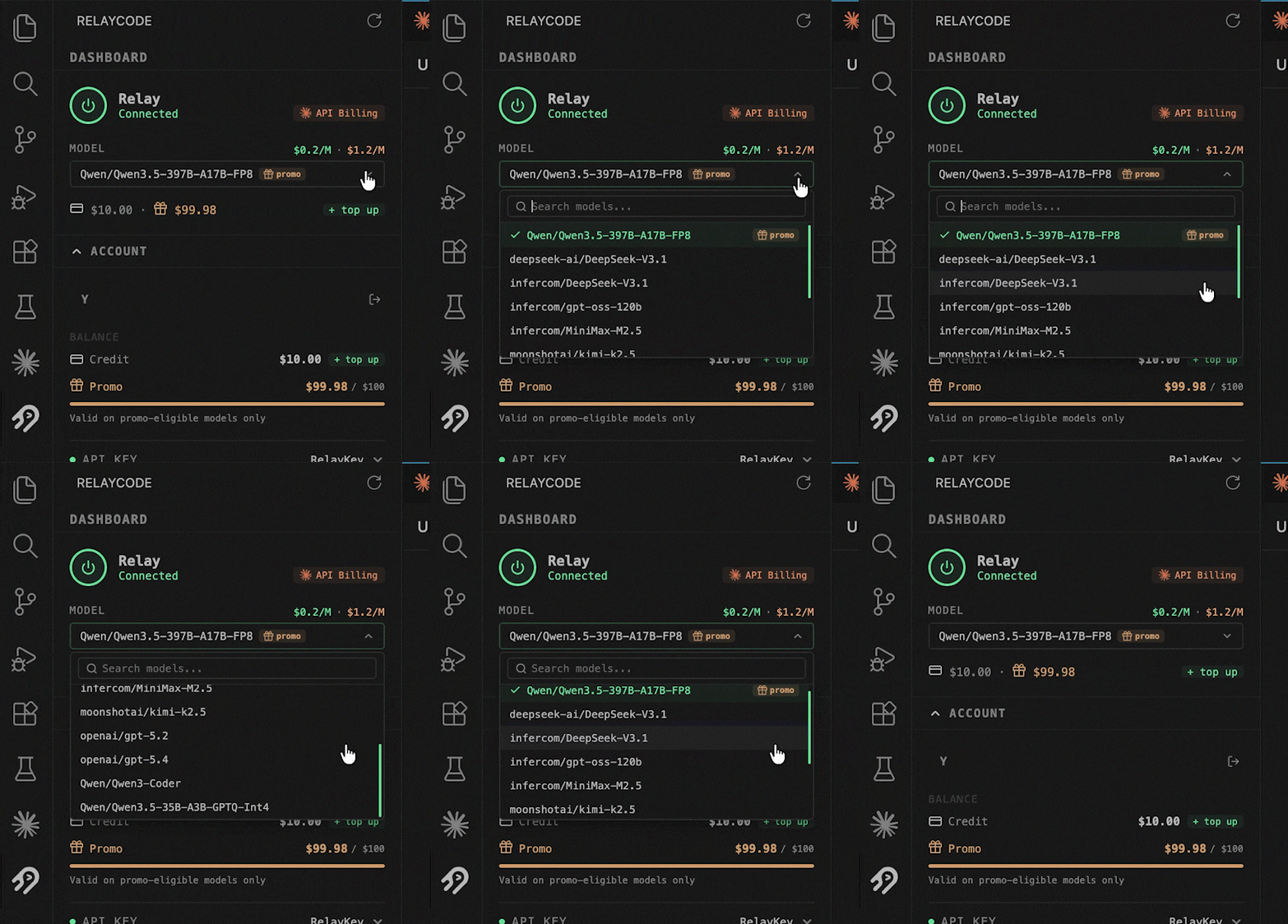
  4. Select a model from the dropdown — pricing is shown for each option.

    Model Selector

  5. Use Claude Code or Copilot as usual. Requests are automatically routed through your selected model.

Features in Detail

Model Selection

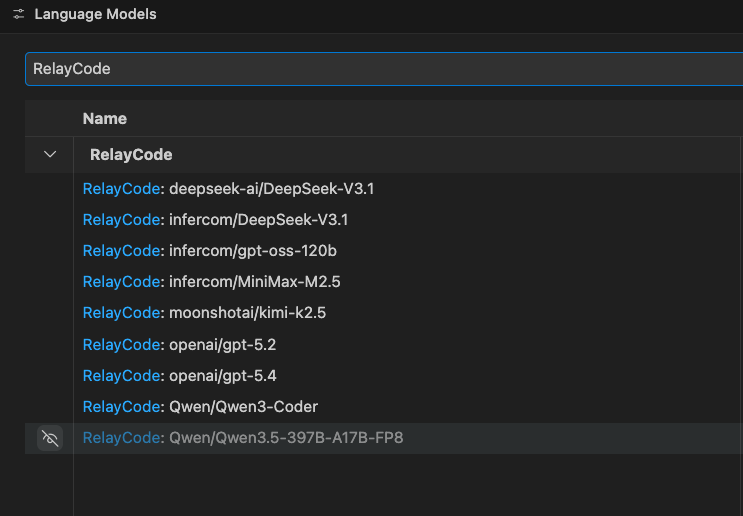
Pick from a curated list of open-source models. Each option shows live per-token pricing so you always know what you're paying before you start.

Models

Credits & Promo

Every new account receives free promo credits. Your remaining balance updates in real time as you code — no surprises.

Credits

AI Labor Tracking

See exactly how much compute time your coding agents consume. Track session duration and total labor across your projects.

AI Labor

Usage Analytics

Break down spending by model, by day, and by session. Understand where your credits go and optimize accordingly.

Usage

Requirements

  • VS Code 1.104.0 or later
  • Claude Code CLI installed

Built on the OpenGPU Network

  • Contact us
  • Jobs
  • Privacy
  • Manage cookies
  • Terms of use
  • Trademarks
© 2026 Microsoft