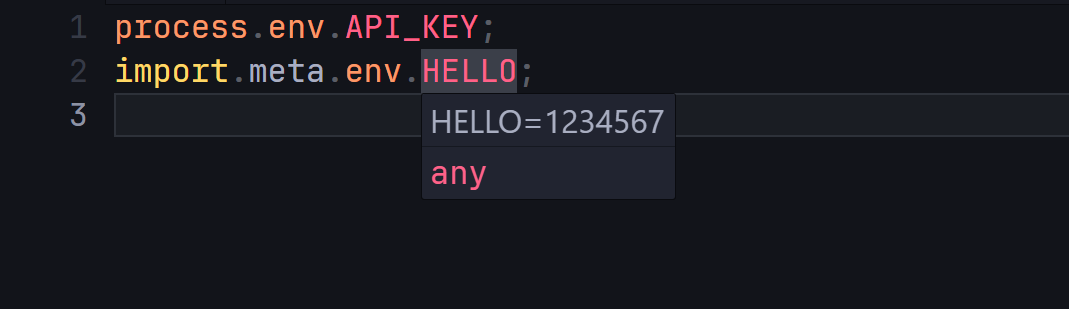
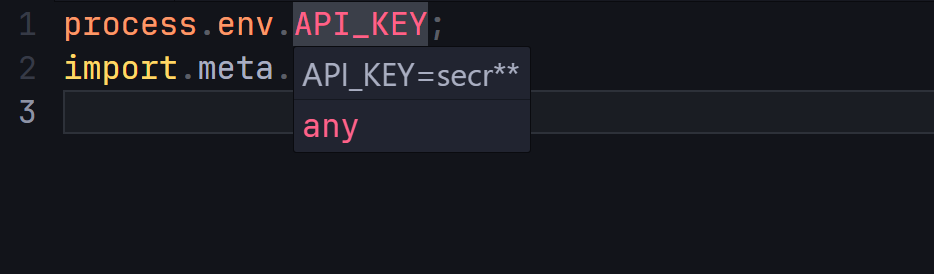
Env Previewer is a lightweight Visual Studio Code extension that lets you instantly preview environment variable values by simply hovering over them in your code. Perfect for debugging or quick checks without switching between files.
🚀 Usage
Make sure you have a .env file located at the root of your project
Hover over any variable reference, a tooltip will show its value
To hide sensitive data (replace values with *):
Open the command palette (Ctrl + P / Cmd + P)
Run: Env Previewer: Toggle variables visibility
Features
Preview on Hover – Instantly display the value of any environment variable when hovering over its name in your code.
Toggle Visibility – Hide or show variable values with a single command (great for streaming or recording)
Refresh Variables – Reload your environment variables automatically without restarting VS Code
⚠️ Known Limitations
...
💡 Feedback & Contributions
Found a bug or have an idea to improve the extension?
Open an issue or pull request on GitHub!