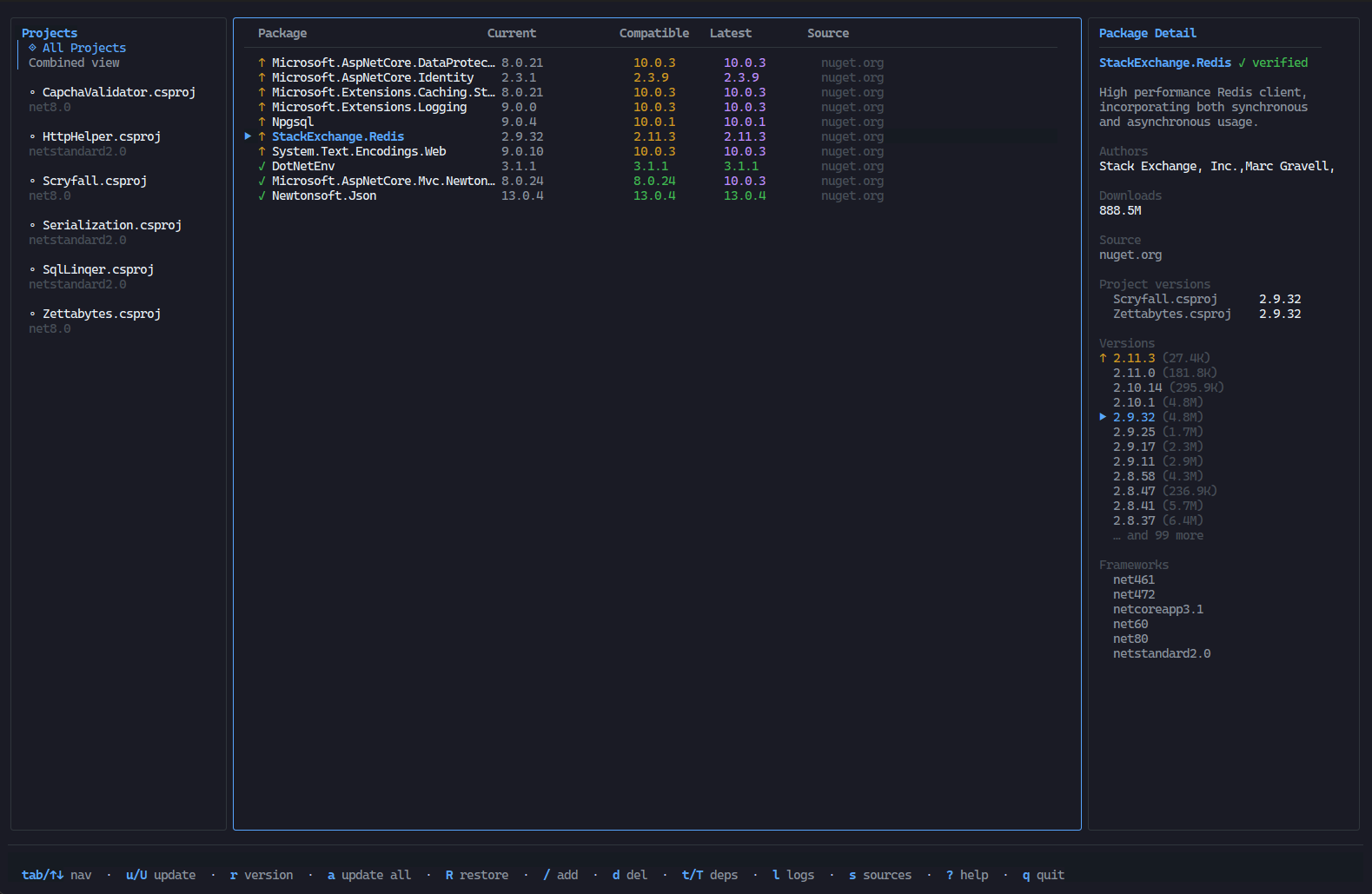
Features
|
Feature |
Description |
| 📁 |
Browse projects |
Scans recursively for .csproj / .fsproj / .vbproj files, with support for Central Package Management (Directory.Build.props) and imported .props files |
| 🚀 |
Live version status |
Fetches latest versions from NuGet v3 API |
| 🛡️ |
Vulnerability & deprecation tracking |
Surfaces CVE advisories and deprecated status per package version, with severity-coloured indicators. Packages from private/Azure feeds are automatically enriched with vulnerability data from nuget.org |
| ⬆️ |
Update packages |
Bump to the latest compatible or latest stable version |
| 📋 |
Version picker |
Choose any specific version with target-framework and vulnerability indicators |
| 🌳 |
Dependency tree |
View declared and full transitive dependency trees |
| ➕ |
Add packages |
Search NuGet and add new package references |
| 🔄 |
Bulk operations |
Update a package across all projects at once |
| 🔧 |
Restore |
Run dotnet restore without leaving the TUI |
| 🌐 |
Multi-source |
Respects NuGet.config and global NuGet source configuration. Private feed packages are supplemented with metadata from nuget.org |
| 🔗 |
Clickable hyperlinks |
Package names, advisory IDs, versions, and source URLs are clickable in terminals that support OSC 8 hyperlinks |
| 🎨 |
Themes |
Built-in colour themes: auto, dracula, nord, everforest, gruvbox |
| ↔️ |
Responsive layout |
Columns hide progressively on narrow terminals to keep the UI usable at any width |
Requirements
Installation
Install this extension from the VS Code Marketplace
Install the guget CLI:
Linux / macOS:
curl -fsSL https://raw.githubusercontent.com/nulifyer/guget/main/install.sh | bash
Windows (PowerShell):
irm https://raw.githubusercontent.com/nulifyer/guget/main/install.ps1 | iex
Or download from the Releases page.
Usage
Command palette:
- Open a folder containing
.csproj, .fsproj, or .vbproj files
- Open the command palette (
Ctrl+Shift+P / Cmd+Shift+P)
- Run "Guget: Manage NuGet Packages"
Explorer context menu:
Right-click any .csproj, .fsproj, or .vbproj file in the explorer and select "Guget: Manage NuGet Packages" to open guget scoped to that project's directory.
Editor title button:
When viewing a .csproj, .fsproj, or .vbproj file, click the guget icon in the editor title bar.
Status bar:
When a workspace contains .NET project files, a guget item appears in the status bar. Click it to launch guget.
guget opens as a full editor tab with complete keyboard support.
Extension Settings
| Setting |
Default |
Description |
guget.binaryPath |
"" |
Absolute path to the guget binary. Leave empty to auto-detect from PATH. |
guget.verbosity |
"warn" |
Log verbosity level: none, error, warn, info, debug, trace |
guget.theme |
"auto" |
Color theme passed to guget (auto, dracula, nord, everforest, gruvbox, etc.) |
guget.sortField |
"status" |
Initial sort field: status, name, source, current, available |
guget.sortDirection |
"asc" |
Initial sort direction: asc, desc |
guget.additionalArgs |
[] |
Additional CLI arguments to pass to guget |
Keybindings
| Key |
Action |
Tab / Shift+Tab |
Cycle panel focus |
↑ / k / ↓ / j |
Navigate |
u / U |
Update to latest compatible — this / all projects |
a / A |
Update to latest stable — this / all projects |
v |
Open version picker |
r / R |
Run dotnet restore — selected / all projects |
/ |
Search and add a new package |
d |
Remove package |
t / T |
Dependency tree / transitive tree |
l |
Toggle log panel |
s |
Toggle sources panel |
? |
Toggle help overlay |
Esc / q |
Quit (main) / Close (overlay) |
| |