SuperLogger — All-in-One Universal Logger for Visual Studio Code

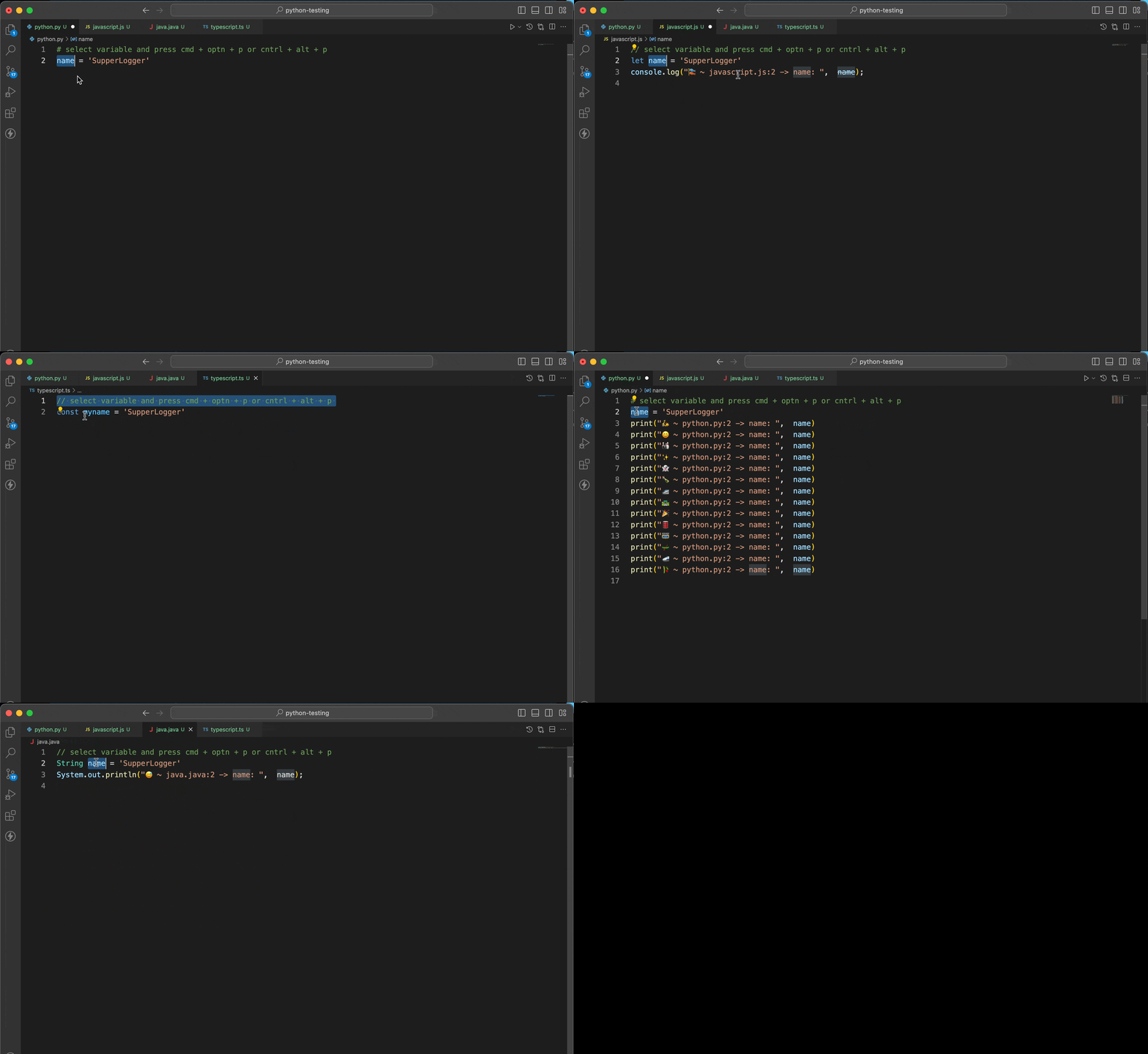
SuperLogger manages the whole life cycle of a debug log in 32 languages: insert
a contextual log with one shortcut, silence every log before you commit, restore
them when you come back, or delete them all in one go.
💡 Think of SuperLogger as Turbo Console Log for every language — one set of
shortcuts, idiomatic output everywhere.








Shortcuts
| Action |
macOS |
Windows / Linux |
| Insert log below the selection |
cmd + alt + p |
ctrl + alt + p |
| Insert log above the selection |
cmd + alt + shift + p |
ctrl + alt + shift + p |
Quick console.log (JS/TS family) |
cmd + alt + k |
ctrl + alt + k |
| Toggle every log in the file |
cmd + alt + shift + k |
ctrl + alt + shift + k |
| Open the action hub |
cmd + alt + shift + l |
ctrl + alt + shift + l |
Everything is also available from the Command Palette under SuperLogger, from
the editor right-click menu, and from the status bar entry.
Commands
| Command |
What it does |
SuperLogger: Insert Log Below |
Log the selection (or the word under the cursor) after the statement. |
SuperLogger: Insert Log Above |
Same, placed before the statement. |
SuperLogger: Insert Log With Level... |
Pick log / info / warn / error / debug for this one log. |
SuperLogger: Quick console.log (JS/TS) |
Plain console.log, no emoji or breadcrumb. |
SuperLogger: Comment All Logs |
Comment out every log statement in the file. |
SuperLogger: Uncomment All Logs |
Bring the commented ones back. |
SuperLogger: Toggle All Logs |
Flip whichever state the logs are in. |
SuperLogger: Delete All Logs |
Remove them, after a confirmation prompt. |
SuperLogger: Show All Actions |
Quick pick with everything above. |
SuperLogger: Show Welcome Hub |
Reopen the welcome page. |
Multiple cursors are supported: every selection gets its own log, inserted as a
single undo step.
Features
- One shortcut, 32 languages — idiomatic output per runtime, not a
console.log shim (print, println!, fmt.Printf, IO.inspect, NSLog, …).
- Log life cycle — comment, restore or delete every log in a file, including
multi-line log statements.
- Log levels —
warn and error route to the language's error stream where
one exists (System.err, std::cerr, eprintln!, Console.Error, IO.warn).
- Language-id based detection — untitled buffers and notebook cells work, not
just saved files with a known extension.
- Safe output — labels are escaped per language quoting rules, so generated
Go/Rust/Java logs compile.
- Emoji and jokes, if you want them; fully switchable.
Supported Languages
Astro, C, C#, C++, Dart, Elixir, Go, Groovy, Haskell, Java, JavaScript,
JavaScript React, Julia, Kotlin, Lua, Objective-C, Perl, PHP, PowerShell, Python
(incl. Jupyter cells), R, Ruby, Rust, Scala, Shell (sh/bash/zsh), SQL, Svelte,
Swift, TypeScript, TypeScript React, Vue, Zig.
Missing yours? Open an issue —
adding a language is a single entry in src/languages.ts.
Configuration
Tune SuperLogger under Settings → Extensions → SuperLogger:
| Setting |
Default |
Purpose |
superLogger.includeEmoji |
true |
Prefix logs with a random emoji. |
superLogger.includeFileMetadata |
true |
Embed file:line in the label. |
superLogger.insertJokeComment |
false |
Add an upbeat comment above each log. |
superLogger.prefix |
"" |
Custom label prefix, e.g. DEBUG. |
superLogger.separator |
" ~ " |
Joins emoji / prefix / breadcrumb / name. |
superLogger.logLevel |
log |
Default severity for generated logs. |
superLogger.insertPosition |
below |
Where the log lands. |
superLogger.cleanupScope |
all-logs |
Set to superlogger-only so the cleanup commands leave hand-written logs alone. |
superLogger.showStatusBarItem |
true |
Status bar entry. |
superLogger.showWelcomeMessage |
true |
Welcome hub on install/upgrade. |
Example
def calculate_sum(a, b):
    result = a + b
    # Select `result`, press ctrl/cmd + alt + p:
    print('🚀 ~ your-file.py:3 ~ result:', result)
    return result
let total = items.len();
// ctrl/cmd + alt + p, with superLogger.logLevel = "error":
eprintln!("🔥 ~ main.rs:1 ~ total: {:?}", total);
Installation
Install from the Visual Studio Code Marketplace,
or search for "SuperLogger" in the Extensions view.
Development
npm install
npm run compile
npm run lint
npm test          # downloads VS Code and runs unit + integration tests
To reuse an already installed VS Code instead of downloading one:
VSCODE_TEST_EXECUTABLE="/Applications/Visual Studio Code.app/Contents/MacOS/Electron" npm test
The pure logic in src/languages.ts, src/format.ts and src/scan.ts imports no
vscode API, so it can also be exercised directly with Mocha.
If SuperLogger helps you, consider sponsoring nuhmanpk on GitHub.
Contributing
Contributions welcome — fork, change, open a pull request. Bug reports and
language requests go in issues.
License
MIT.
Made with ❤️ by Nuhman. Happy Coding 🚀


