Snapcraft IntellisenseSchema validation and IntelliSense for snapcraft.yaml project files. Provides autocompletion, validation, and hover documentation based on the official Snapcraft documentation. Installation Launch VS Code Quick Open ( Ctrl+P), paste the following command, and press enter.Copied to clipboard |

Snapcraft YAML Support for VS Code
VS Code IntelliSense support for editing
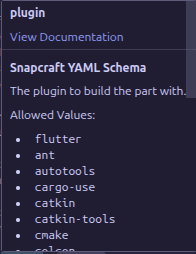
Autocomplete, validation, and documentation links via hover and the Command Palette. Features
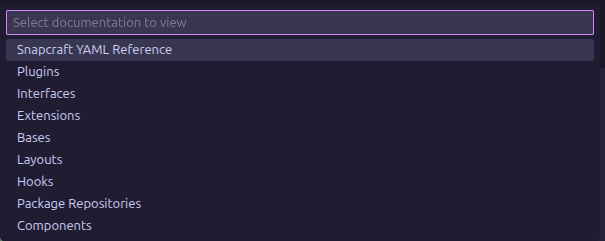
CommandsTo quickly access documentation from the Command Palette:
JSON Schema and updatesThe extension is powered by a dynamically generated JSON schema: https://github.com/nooreldeensalah/snapcraft-intellisense/blob/main/schemas/snapcraft.json The schema is generated by parsing the official Snapcraft documentation and the Snapcraft codebase, then kept in sync through CI workflows and automated releases. You can also use this schema directly to override or pin Snapcraft validation in your editor. LicenseMIT |