N|SolidProduction Node.js diagnostics and package security in your editor — from Node.js core contributors Installation Launch VS Code Quick Open ( Ctrl+P), paste the following command, and press enter.Copied to clipboard |

N|SolidNode.js Production Benchmarking, Diagnostics, Telemetry, and Security
Overview | Core Capabilities | Documentation | Requirements | Getting Started | Configuration | Data and Telemetry | License | Help and Feedback OverviewN|Solid connects your workspace to the N|Solid Console and surfaces runtime insights, package intelligence, and AI-assisted workflows inside VS Code. It is the only tool that brings runtime-connected inline package security and accurate pre-production function benchmarking directly into the editor.
Core CapabilitiesTelemetryLive N|Solid telemetry is displayed in a dedicated VS Code sidebar so you can track application health without switching to the browser. Metrics include CPU usage, heap memory, event loop utilization, connected process counts, and vulnerability counts per application. N|Solid also surfaces anomaly context from telemetry patterns — CPU spikes, heap growth, and event loop degradation — with one-click "Ask AI" prompts that launch AI-driven diagnostic workflows. NCM — Package SecurityNCM adds package intelligence directly to the development workflow. Review dependency risk, security posture, and package trust information while working in NCM actions include running security audits, inspecting package health, evaluating upgrade paths, and asking AI-assisted questions about dependency quality. Package imports are inspectable through code lenses, letting you run vulnerability reports directly from the editor. BenchmarksGenerate benchmarks for JavaScript and TypeScript functions from the editor or the Benchmark commands support optimization workflows by comparing original and optimized implementations with A/B validation, preserving benchmark results for later review. ReportsAnalysis reports are saved as local Markdown files under the workspace EventsInspect process-level event data from N|Solid to understand runtime incidents, correlate behavior, and investigate issues from within the editor. The Events view groups event data by application and event type, helping you scan recent operational signals and launch deeper AI-assisted event analysis when needed. AssetsWork with V8 diagnostic assets directly from the extension — CPU profiles, heap snapshots, and heap profiles. Capture performance and memory data, download assets locally, open them in the editor, and launch AI-assisted asset analysis. Agent SkillsN|Solid installs and configures the NodeSource AI Toolkit so agents can use the N|Solid Console MCP, Benchmark MCP, and NCM MCP from the workspace. Chat commands cover workflows such as:
Requirements
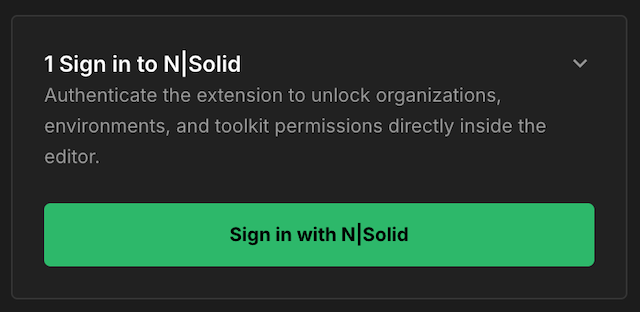
Getting StartedGet up and running with N|Solid in five steps. 1. Install N|Solid from the VS Code MarketplaceSearch for N|Solid in the extensions tab of VS Code and install the extension. Next, follow the steps on the Welcome tab of the extension. 2. Sign in to N|SolidReturning N|Solid users — Log in using the same credentials as your console. New users — Create a new account through any of the available sign-up methods (Email, SAML, GitHub, Google, Azure). Any plan tier will provide you with the credentials needed to sign in.
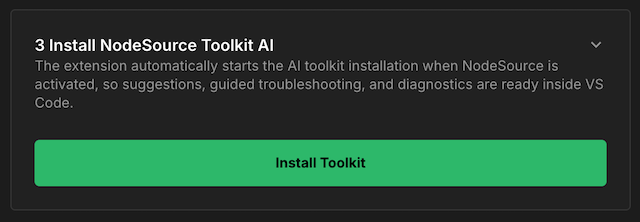
Signing in through the extension automatically populates your console connection details into the extension configuration. 3. Install the NodeSource AI ToolkitClick the installation button in the Welcome view to install and configure the necessary tools for the N|Solid Console MCP, NodeSource Benchmarking MCP, and Node Certified Modules (NCM) MCP.
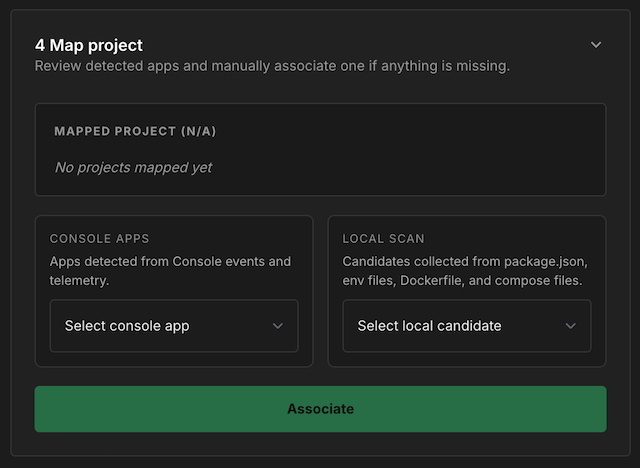
4. Map your applicationMap any single application to your extension based on apps connected to your configured console, or candidates collected from your repository (
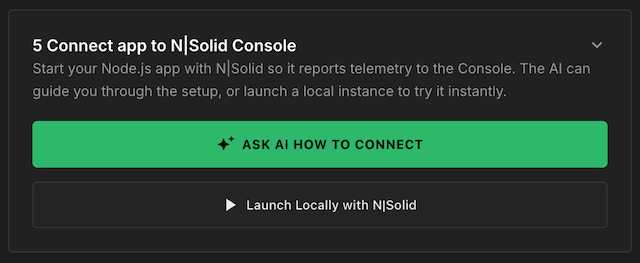
Mapping an application pins its telemetry and asset information to the top of your N|Solid views for quick access. 5. Connect your appN|Solid includes quickstart actions that help connect a workspace Node.js application to the N|Solid Console. After signing in, use these actions from the Welcome view's Connect app to N|Solid Console step or from the Telemetry empty state.
Ask AI How to ConnectSelect Ask AI How to Connect for guided setup of the project or deployment files in your workspace. N|Solid opens an Use this when you want the AI agent to explain required changes before applying them, adapt setup to containers or orchestration, or prepare deployment configuration for a non-local environment. Launch Locally with N|SolidSelect Launch Locally with N|Solid to run the current workspace application with the N|Solid runtime immediately. N|Solid reads the workspace After you choose a script, N|Solid opens a terminal and runs: The command uses your N|Solid SaaS token and launches the selected npm script through N|Solid so the process reports telemetry to the console. Once telemetry is detected, the application appears in the Telemetry view. ConfigurationAll settings are under the
See the full list of settings in the N|Solid section of VS Code Settings ( Data and TelemetryN|Solid collects anonymous usage telemetry to help improve the extension. Telemetry export is active only when all of these are true:
What is sent: Extension lifecycle events, chat command categories, prompt lengths, NCM workflow events, counts, booleans, file sizes, package manager names, lockfile types, language IDs, asset types, and coarse error categories. What is not sent: Package names, versions, asset IDs, URLs, file paths, prompts, report content, application names, process IDs, organization IDs, tokens, connection strings, stack traces, or raw error messages. You can disable telemetry at any time by setting See LicenseThis extension is distributed under the N|Solid Extension End User License Agreement. MarketplacesN|Solid is available on the following IDE marketplaces:
Help and FeedbackReport issues, request features, or share feedback through the NodeSource Support Portal or email support@nodesource.com. Built by NodeSource |