A pure black VSCode theme suite featuring three color themes, custom file/folder icons, and 120+ product UI icons.
Features
Color Themes
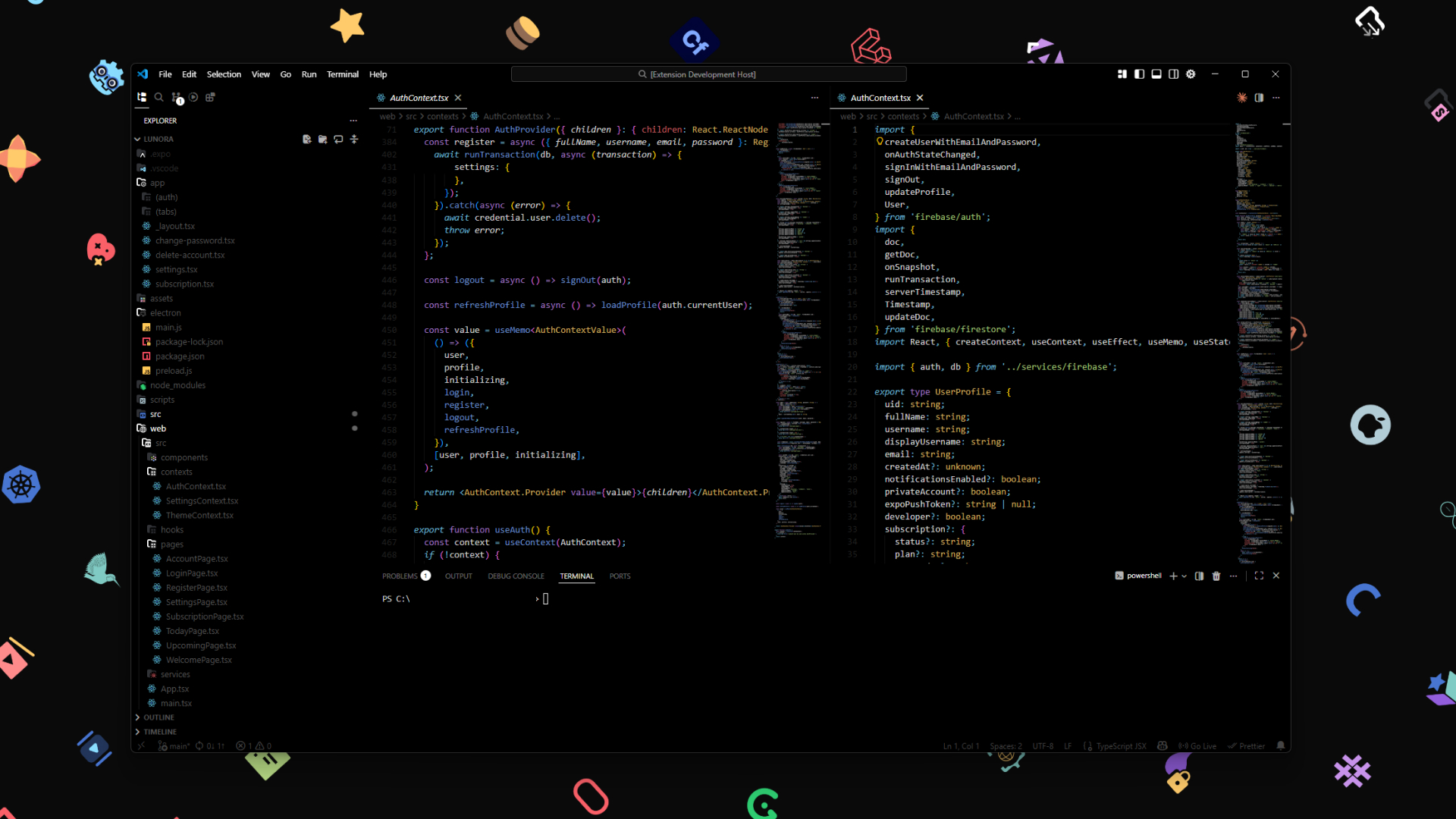
Polar Black Default Color - Muted, easy-on-the-eyes syntax palette on pure black.
| Token |
Color |
| Strings |
#a3c679 |
| Keywords |
#6ebad7 |
| Functions |
#6a90d0 |
| Storage |
#a178c4 |
| Types/Classes |
#d5b05f |
| Numbers |
#cd775c |
| Booleans |
#d6808f |
| Comments |
#45454A |
Polar Black Vibrant Color - Same structure, cranked-up saturated colors for maximum pop.
| Token |
Color |
| Strings |
#7EE787 |
| Keywords |
#56D4F0 |
| Functions |
#5C9EFF |
| Storage |
#BD7EFF |
| Types/Classes |
#FFD64F |
| Numbers |
#FF8C42 |
| Booleans |
#FF6B8A |
| Comments |
#555560 |
Polar Black Ice Color - Same code colors as Default, with a frosty blue-white UI accent.
| Element |
Color |
| UI accent |
#B8DCE8 |
| Foreground |
#D8EDF5 |
| Sidebar text |
#4A5866 |
| Subtle bg |
#0D1820 |
All three themes share:
- True black background (
#000000) - OLED friendly
- Same muted code syntax palette (Default & Ice) or vibrant palette (Vibrant)
- Buttons, badges, active borders, tabs, links tinted by the theme accent
File & Folder Icons
- Hundreds of file type icons (JavaScript, TypeScript, Python, Rust, Go, and more)
- Context-aware folder icons (components, api, config, tests, etc.)
- Carbon variant - Dark folder icons
- White accents - For perfect visibility on dark themes
Product UI Icons
- 120+ custom icons in a dedicated font
- Covers all core VS Code UI: explorer, search, source control, debug, extensions, settings, terminal, and more
- GitLens integration icons included
- Pure white on black - consistent with the theme
Installation
From VSIX
- Download the
.vsix file
- Open VS Code
- Press
Ctrl+Shift+P
- Type "Extensions: Install from VSIX"
- Select the downloaded file
From Command Line
code --install-extension polar-black-icons-0.0.3.vsix
Activation
Color Theme
- Press
Ctrl+Shift+P > "Color Theme"
- Select Polar Black Default Color, Polar Black Vibrant Color, or Polar Black Ice Color
File Icon Theme
- Press
Ctrl+Shift+P > "File Icon Theme"
- Select Polar Black Icons
Product Icon Theme
- Press
Ctrl+Shift+P > "Product Icon Theme"
- Select Polar Black Product Icons
Philosophy
Polar Black is for developers who want:
- Maximum contrast for reduced eye strain
- Minimal UI distractions - white accent only
- Clean aesthetics - pure black and white chrome
- OLED-friendly - true black saves battery
- Colorful code - because code shouldn't be boring
Development
Testing
Press F5 in VS Code to open an Extension Development Host window.
Packaging
npx @vscode/vsce package
Contributing
Issues and pull requests welcome at GitHub.
License
MIT
Made with care for developers who love the dark side. © NionX01 all right deserved.


