Nifty Diagrams: PlantUML, Graphviz & D2 Preview
PlantUML, Graphviz (DOT) and D2 diagrams rendered on your machine: live preview beside the editor, SVG and PNG export, diagrams in the Markdown preview, errors in Problems. No server needed.
Maintained. No sign-in. No telemetry. Works in VS Code, Cursor, Windsurf, VSCodium and other editors that use Open VSX.
Your diagrams are rendered on your own machine: PlantUML with Java, Graphviz with the WebAssembly build that comes with the extension (or your own dot), and D2 with the d2 program. Nothing is sent to a server unless you set one yourself. For Mermaid, use Nifty Mermaid; this extension covers PlantUML, Graphviz (DOT) and D2.
Features

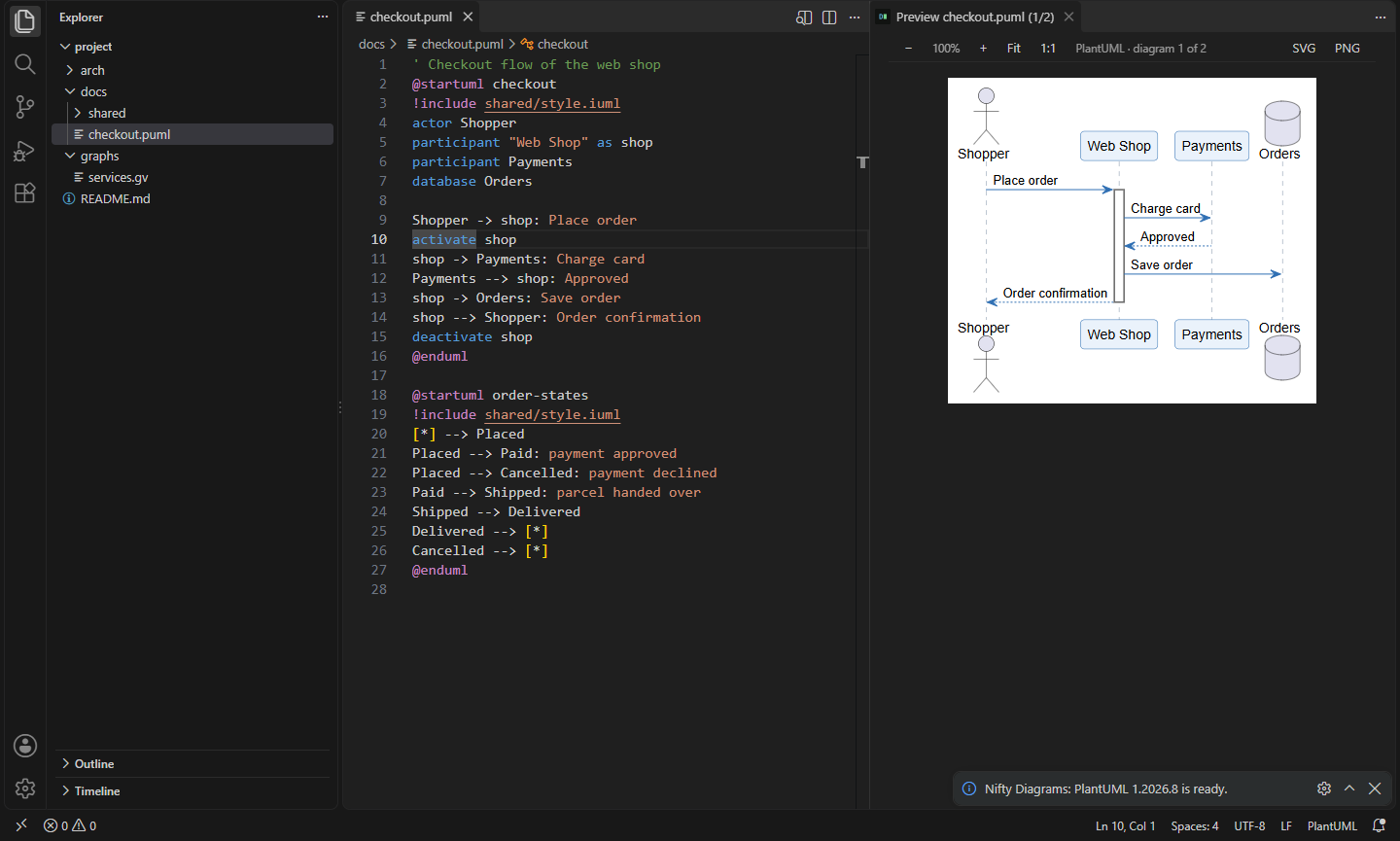

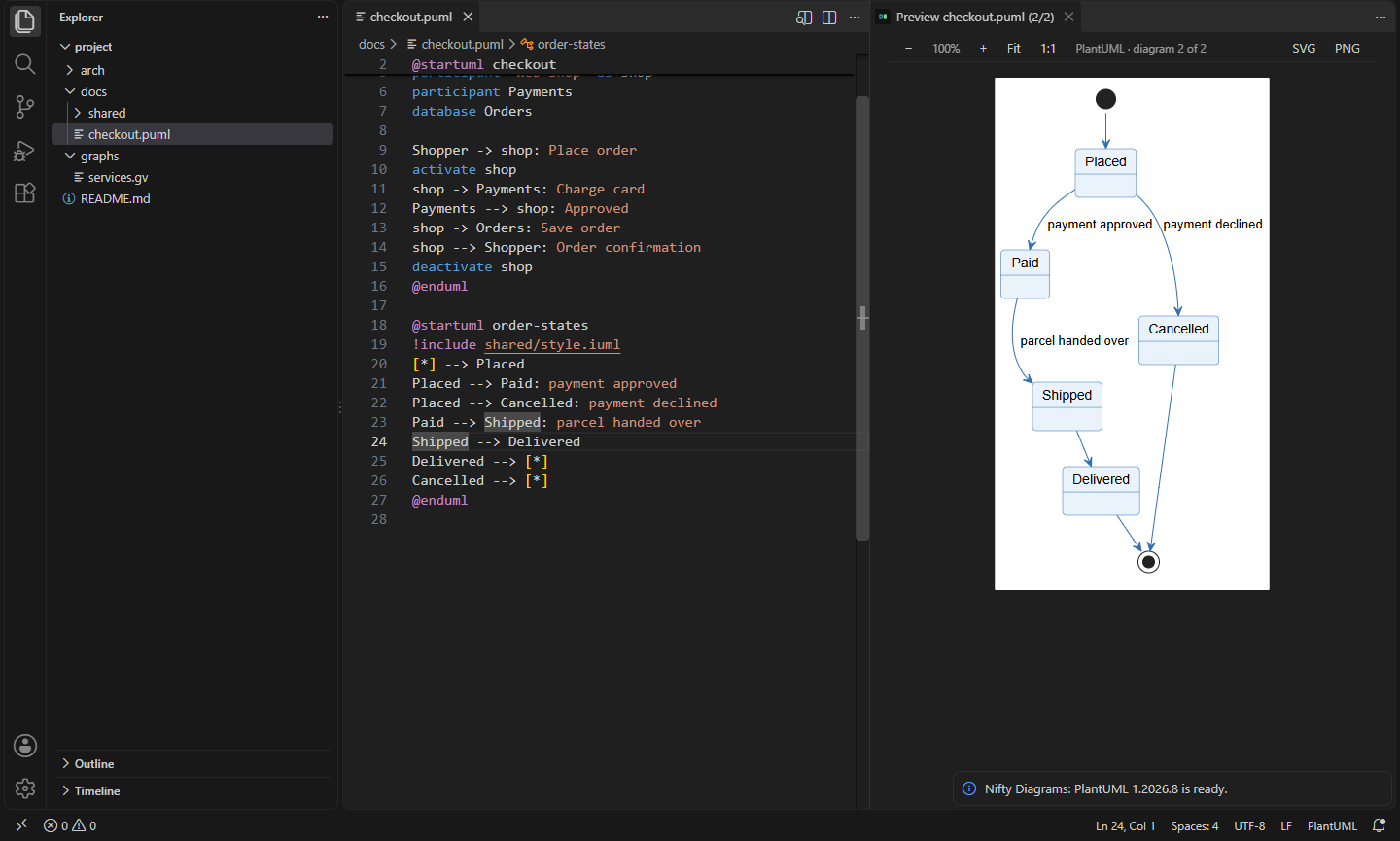
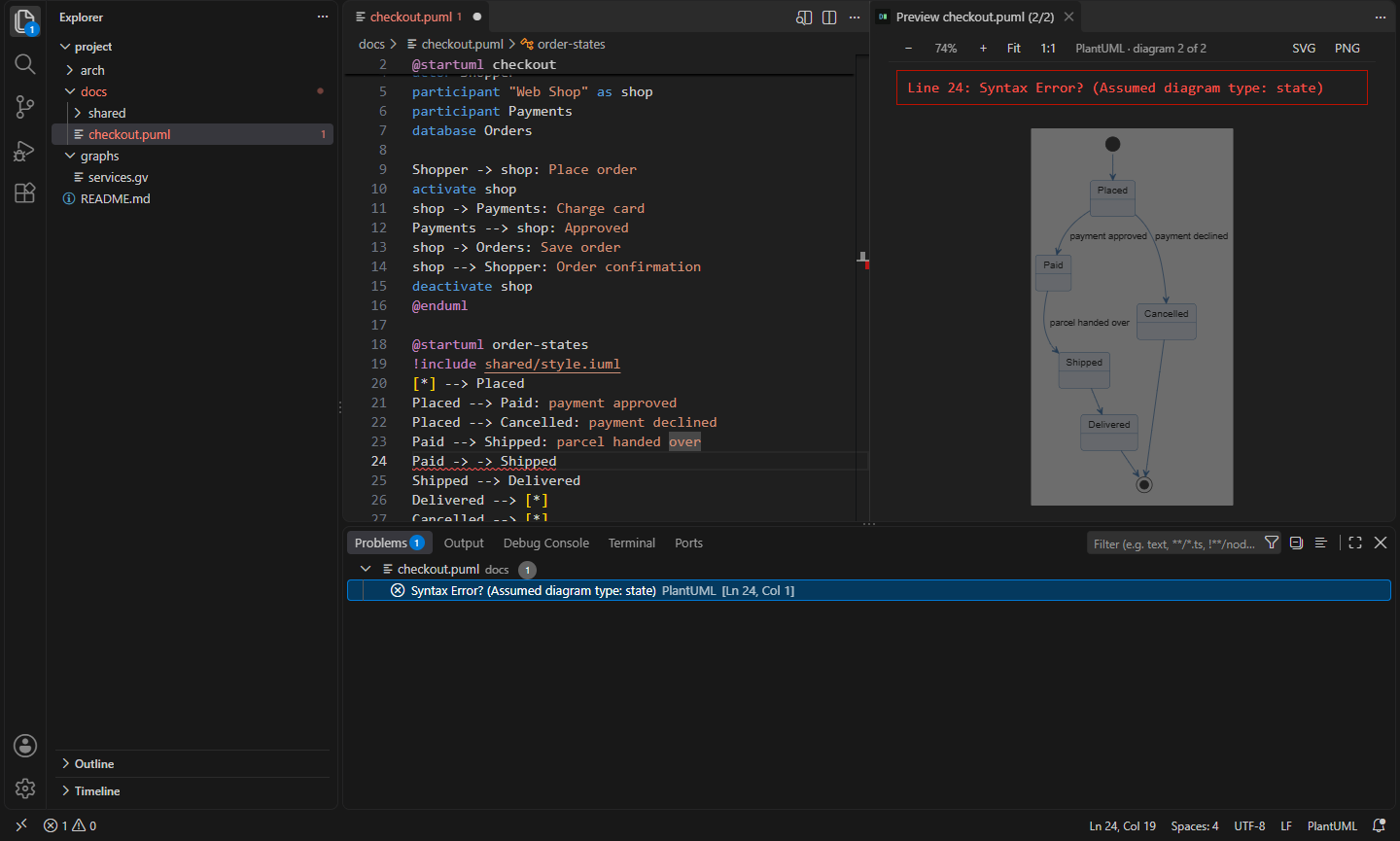


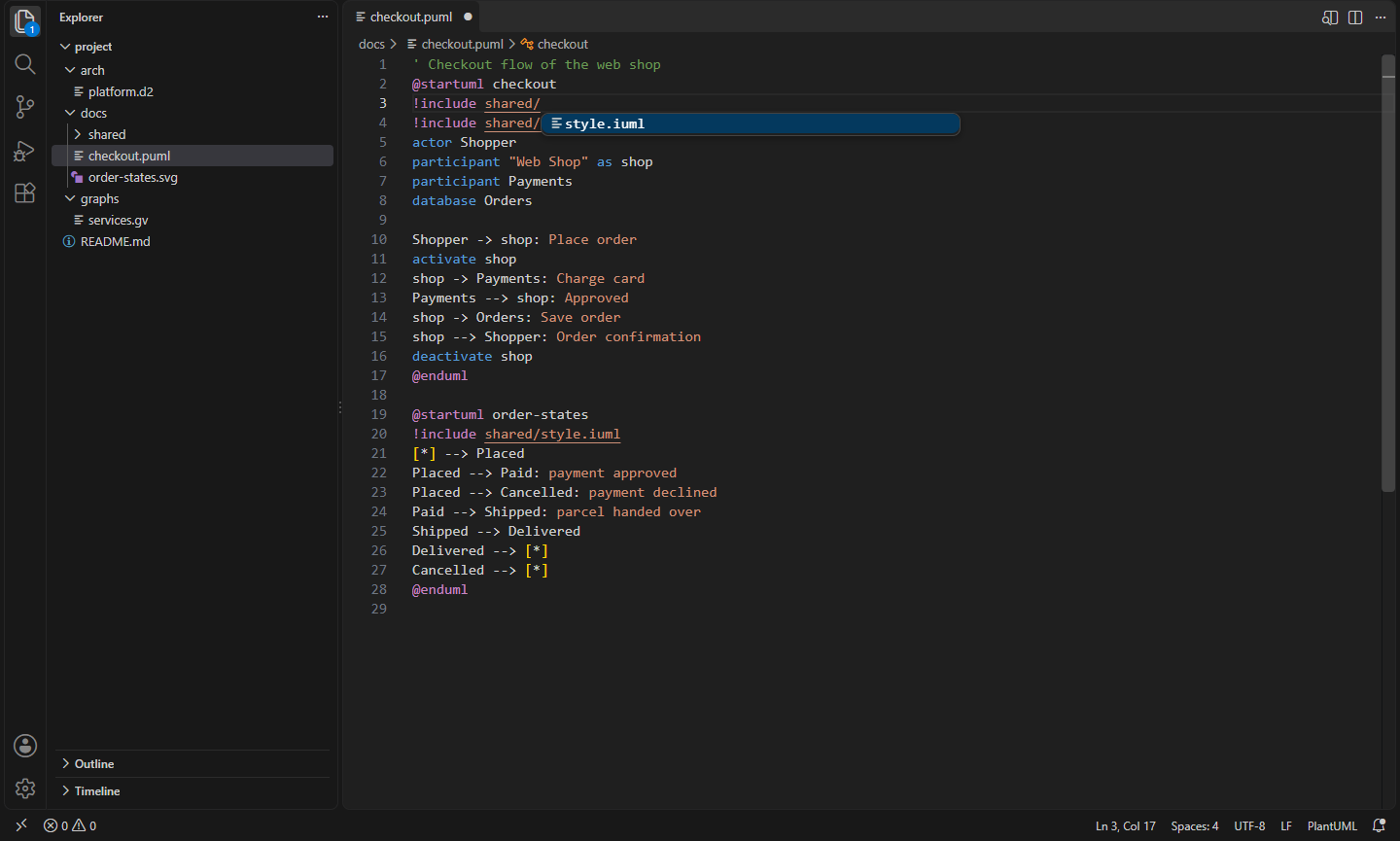
- Live preview beside the editor. Open a
.puml, .dot/.gv or .d2 file and press Ctrl+K V (or the preview button in the title bar). The diagram redraws as you type. Zoom with the buttons or Ctrl+mouse wheel, drag to pan, double-click to fit. Each file gets its own preview, so you can keep several open.
- The diagram at the cursor. In a PlantUML file with several
@startuml blocks, or a Markdown file with several diagrams, the preview follows your cursor.
- Errors in Problems. A syntax error shows in the preview and is marked on its line of your file, for PlantUML, Graphviz and D2.
- Export the diagram to SVG or PNG next to the source file (or into a folder you choose), named after the file or the
@startuml name. Export All Diagrams in File saves every block at once. Or copy the SVG to the clipboard.
- Diagrams in the Markdown preview.
```plantuml, ```dot and ```d2 blocks render in VS Code's own Markdown preview, locally, cached by content so unchanged diagrams don't render again. Each block gets Preview · Export SVG · Export PNG links in the editor.
- PlantUML without a server. The first time you need it, the extension offers to download
plantuml.jar (1.2026.8) from Maven Central. Nothing is downloaded until you click Download, and the file is checked against its published checksum and the one built into the extension. Or point it at your own jar. Class and component diagrams use Graphviz when you have it and PlantUML's built-in Smetana layout when you don't.
- Graphviz everywhere. DOT renders with the WebAssembly Graphviz that comes with the extension, so it works with nothing installed and in the browser. If
dot is on your PATH, it's used instead (native PNG export).
- D2 with the
d2 program on your PATH, or downloaded on request from D2's GitHub release (0.9.0, checked against the release's SHA256SUMS). Layout (dagre or ELK), theme and sketch mode are settings.
!include help. Paths complete as you type after !include, and Ctrl+click opens the included file. @startuml blocks show in the Outline.- Syntax highlighting and snippets for PlantUML, DOT and D2 files and for the fenced blocks in Markdown.
- Works in the browser on vscode.dev and github.dev for Graphviz. PlantUML there needs a PlantUML server you choose; D2 needs the desktop.
Commands
| Command |
What it does |
Nifty Diagrams: Open Preview to the Side |
Preview the diagram at the cursor, redrawn as you type (Ctrl+K V) |
Nifty Diagrams: Export Diagram as SVG |
Save the diagram at the cursor as SVG next to the file (or in nifty.diagrams.export.folder) |
Nifty Diagrams: Export Diagram as PNG |
The same as PNG |
Nifty Diagrams: Export All Diagrams in File |
Save every diagram in the file as SVG or PNG |
Nifty Diagrams: Copy Diagram as SVG |
Copy the SVG markup to the clipboard |
Nifty Diagrams: Download PlantUML (plantuml.jar) |
Download plantuml.jar from Maven Central, checking its checksum |
Nifty Diagrams: Download D2 |
Download d2 from its GitHub release, checking its checksum |
Nifty Diagrams: Show Diagram Tools |
Which Java, plantuml.jar, dot and d2 are used, with downloads for missing ones |
Nifty Diagrams: Refresh Diagrams |
Draw the previews and Markdown diagrams again (after changing an included file) |
Nifty Diagrams: Show Output |
The exact command lines run, and download logs |
Settings
| Setting |
Default |
What it does |
nifty.diagrams.plantuml.server |
empty |
Render PlantUML on this server instead of locally. Every diagram you preview is sent there; you're asked once before the first one goes |
nifty.diagrams.plantuml.jarPath |
empty |
Your own plantuml.jar (empty: the downloaded one) |
nifty.diagrams.plantuml.javaHome |
empty |
JDK to run PlantUML with (empty: JAVA_HOME, then PATH) |
nifty.diagrams.plantuml.layout |
auto |
auto (Graphviz if installed, else Smetana), graphviz or smetana |
nifty.diagrams.plantuml.includePaths |
[] |
Extra folders for !include |
nifty.diagrams.plantuml.jvmArgs |
[] |
Extra Java options, e.g. -DPLANTUML_LIMIT_SIZE=8192 |
nifty.diagrams.graphviz.renderer |
auto |
auto (dot if installed, else WebAssembly), dot or wasm |
nifty.diagrams.graphviz.dotPath |
empty |
Path to dot (empty: PATH) |
nifty.diagrams.graphviz.engine |
dot |
Layout engine: dot, neato, fdp, sfdp, circo, twopi, osage, patchwork |
nifty.diagrams.d2.path |
empty |
Path to d2 (empty: PATH, then the downloaded one) |
nifty.diagrams.d2.layout |
dagre |
D2 layout engine: dagre or elk |
nifty.diagrams.d2.theme |
0 |
D2 theme id |
nifty.diagrams.d2.sketch |
false |
Hand-drawn look for D2 |
nifty.diagrams.background |
white |
Background behind diagrams in previews and PNG exports |
nifty.diagrams.export.folder |
empty |
Where exports go (empty: next to the source; relative paths are relative to the workspace folder) |
nifty.diagrams.pngScale |
2 |
Pixel density of PNGs drawn from SVG (D2, WebAssembly Graphviz) |
nifty.diagrams.markdownPreview |
true |
Render diagram blocks in the Markdown preview |
nifty.diagrams.codeLens |
true |
Preview and export links above Markdown diagrams |
nifty.diagrams.renderDelay |
500 |
Milliseconds after typing before the preview redraws |
nifty.diagrams.timeoutSeconds |
30 |
Stop a diagram tool that runs longer than this |
nifty.diagrams.download.enabled |
true |
Offer to download plantuml.jar and d2 when they're missing |
nifty.diagrams.download.repository |
Maven Central |
Maven mirror for plantuml.jar |
nifty.diagrams.download.d2Releases |
GitHub |
Mirror of D2's release downloads |
Requirements
- PlantUML: Java 11 or newer (a JDK or JRE). Graphviz is optional.
- Graphviz: nothing;
dot is used if you have it.
- D2: nothing to install by hand; the extension can download
d2 for Windows, macOS and Linux (x64 and Arm64).
Install
- VS Code: search for "Nifty Diagrams" in the Extensions view, or install from the Visual Studio Marketplace.
- Cursor, Windsurf, VSCodium, Kiro, Antigravity: install from Open VSX.
Privacy
This extension collects no telemetry and needs no account. Diagrams are rendered on your machine. It connects to the internet only when you click Download (Maven Central for plantuml.jar, GitHub for d2), or when you set nifty.diagrams.plantuml.server, which sends your PlantUML diagrams to that server. A diagram can itself point at remote images or icons (for example a D2 icon: URL), which the tools then fetch.
- Nifty Mermaid: Mermaid Diagram Preview & Export: Mermaid diagrams with no account: live preview beside .mmd files and Markdown, diagrams in the Markdown preview, syntax highlighting, and export to SVG or PNG. (Open VSX)
- Nifty C# Templates: New Class, Record & Namespace: New C# class, interface, record, enum, test and controller files with the right namespace, plus namespace syncing. (Open VSX)
- Nifty Colors: Swatches & Picker in Every Language: Colour swatches and VS Code's picker in any file: CSS, Tailwind, Flutter, Swift, Android, C# and Unity colours. Convert formats and check WCAG contrast on hover. (Open VSX)
- Nifty CSS Variables: Custom Property IntelliSense: IntelliSense for CSS custom properties across your project: complete var(--…), see resolved values and colour swatches, go to definitions, catch undefined variables, and browse a colour palette. (Open VSX)
- Nifty Docstrings: Doc Comments for Python, PHP, Rust and Go: Type three quotes under a Python function and get a Google, NumPy or Sphinx docstring with its arguments, types, returns and raises. PHPDoc, Rust and Go doc comments too. (Open VSX)
- Nifty Markdown: TOC, Lists, Shortcuts & Paste: Markdown editing that keeps up: table of contents, section numbers, smart lists and task toggles, formatting keys, image paste, link checks and completions, and math in the preview. (Open VSX)
See all 100+ Nifty extensions and web tools at https://getnifty.dev
| |

