ArchTect — Visual Architecture IDE for VS Code
Visual architecture modeling with live Structurizr DSL synchronization. Design visually. Keep architecture as code.





ArchTect is a visual architecture IDE for software architecture modeling inside VS Code. Model architecture visually while keeping the underlying Structurizr DSL synchronized automatically.
- Edit the diagram visually → the DSL updates live
- Edit the DSL → the diagram updates instantly
- Use AI to generate, query, and evolve the architecture
- Explore the architecture through multiple visualization modes
- Generate documentation and exports directly from the model
All without leaving VS Code.
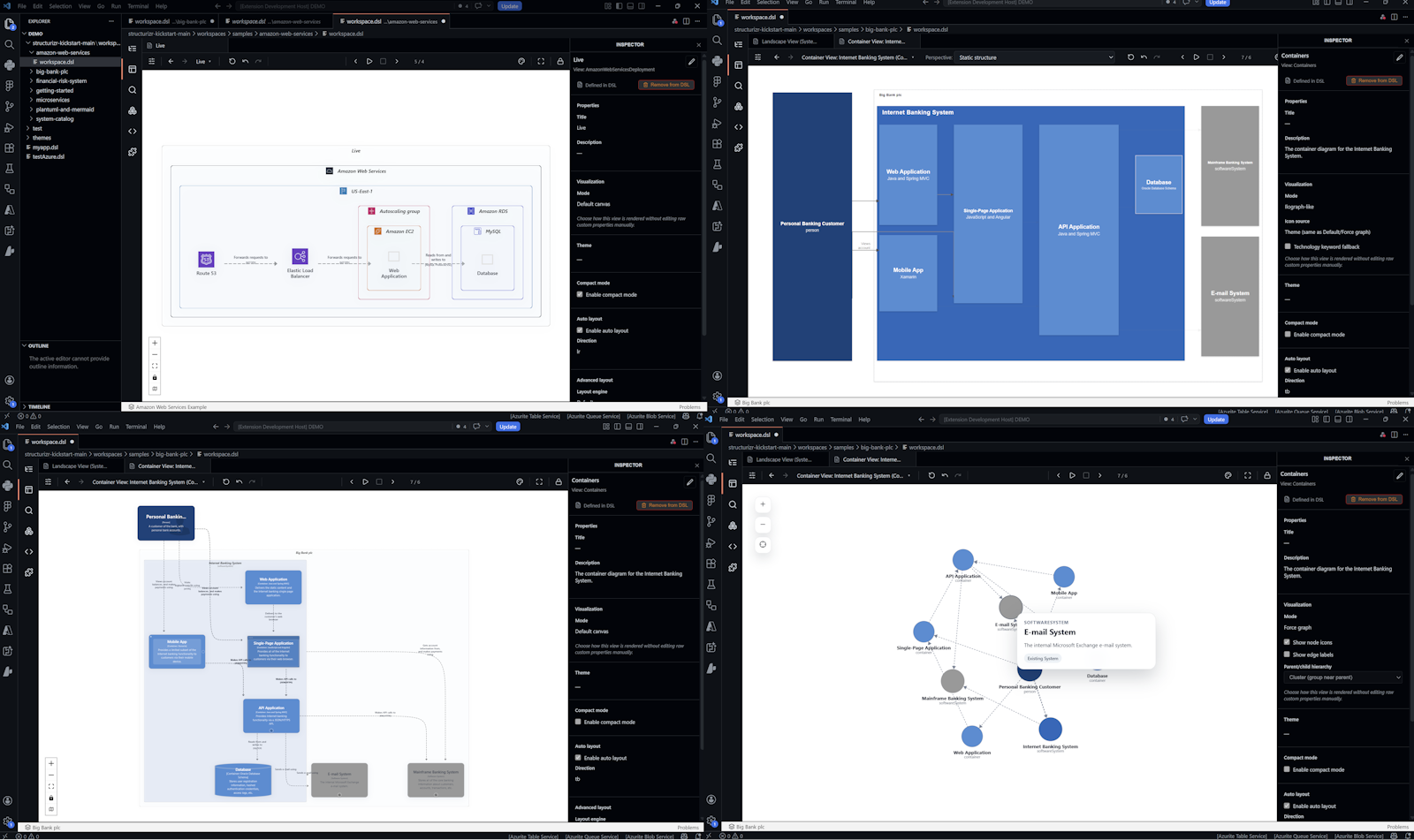
Why ArchTect?
Most diagramming tools separate diagrams from architecture code. ArchTect keeps architecture visual, editable, versionable, and synchronized.
Key Capabilities
- Live bidirectional synchronization between visual diagrams and Structurizr DSL
- Architecture as code using Structurizr DSL and the C4 model
- Manual layout for freely positioning, resizing, and arranging elements per view, with auto-layout still available on demand
- AI-assisted architecture workflows directly inside VS Code
- Multiple visualization modes for exploration and analysis
- Integrated MCP server for AI agents and automation
- arc42 documentation generation
- Export support for Mermaid, PlantUML, Draw.io, SVG, PNG, and more
Getting Started
Open an Existing Structurizr DSL
- Open a
.dsl file in VS Code
- Click the ArchTect icon in the editor toolbar
- The visual canvas opens alongside the DSL
Create a New Architecture
- Open the Command Palette
- Run:
ArchTect: New Project
- Start modeling visually or with AI
Live Bidirectional Sync
Edit visually → the DSL updates automatically. Edit the DSL → the diagram updates instantly. One source of truth. Always synchronized.
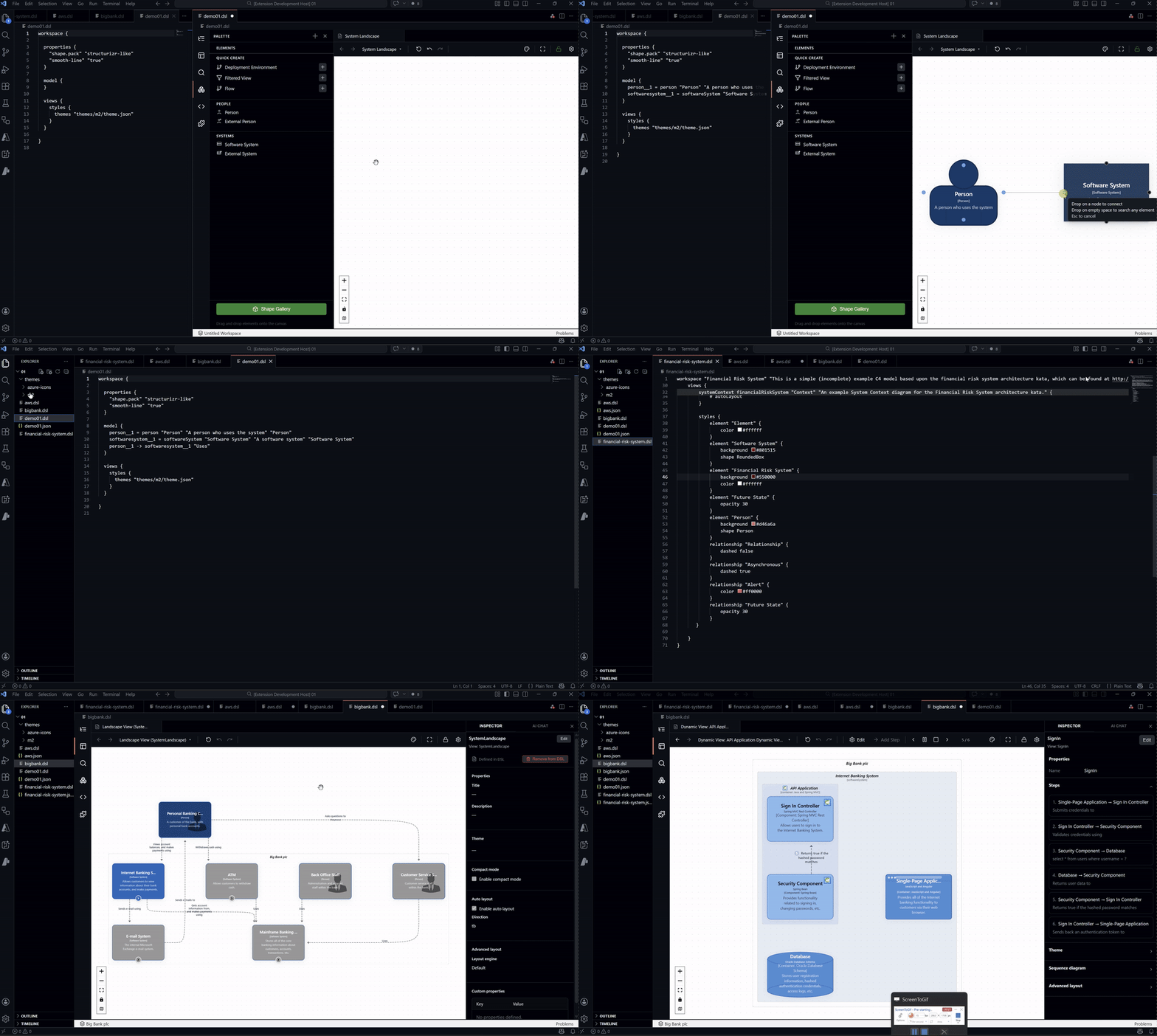
Supported C4 View Types
| View Type |
Description |
| System Landscape |
Full portfolio and system relationships |
| System Context |
External users, systems, and dependencies |
| Container |
Services, APIs, databases, frontends |
| Component |
Internal modules and sub-services |
| Deployment |
Infrastructure and environments |
| Dynamic |
Runtime interaction flows |
| Filtered |
Views filtered by tags or rules |
Visualization Modes
Explore the same architecture through multiple visual perspectives.
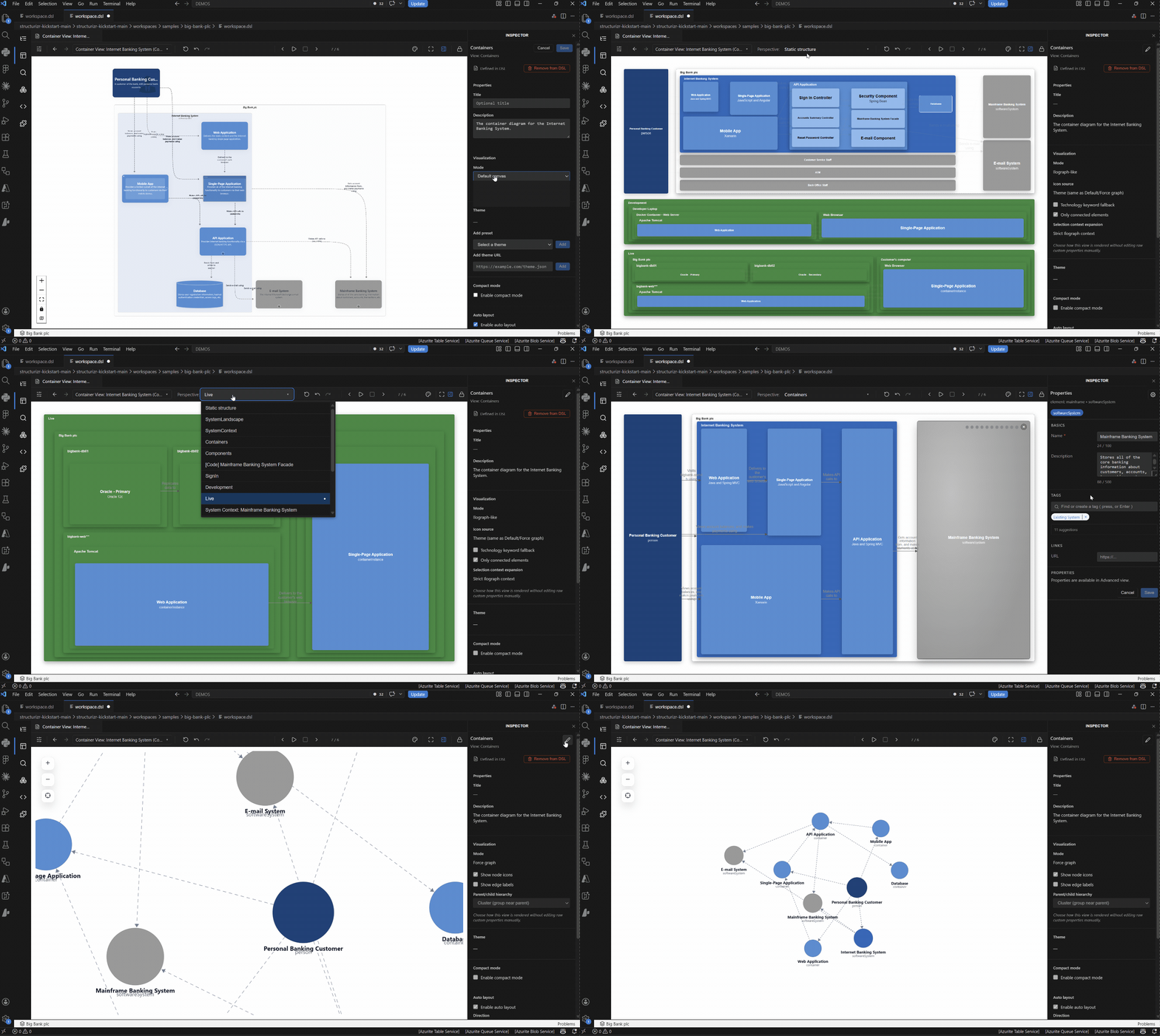
C4 Canvas
Traditional C4 diagrams with automatic layout support:
Includes compact mode for large architectures.
Relationship Explorer
Interactively navigate architecture dependencies and relationships.
- Drill down into systems
- Explore upstream and downstream dependencies
- Traverse relationships across the full architecture model
Force Graph
Physics-based graph exploration for large systems and dependency analysis. Useful for:
- Spotting clusters
- Dependency analysis
- Discovering hidden relationships
- Large-scale architecture exploration
Themes and Icon Packs
Apply themes visually or through AI workflows. Supported styles include:
- Azure
- AWS
- Generic cloud
- C4 shapes
- Compact glyph views
Example:
@archtect apply the azure-icons theme and suggest icons for each container
AI-Assisted Architecture Workflows
Use @archtect directly inside Copilot Chat (Agent Mode). The assistant understands:
- The active workspace
- The visible view
- The Structurizr DSL
- The architecture model
- ArchTect MCP tools
No copy-pasting required.
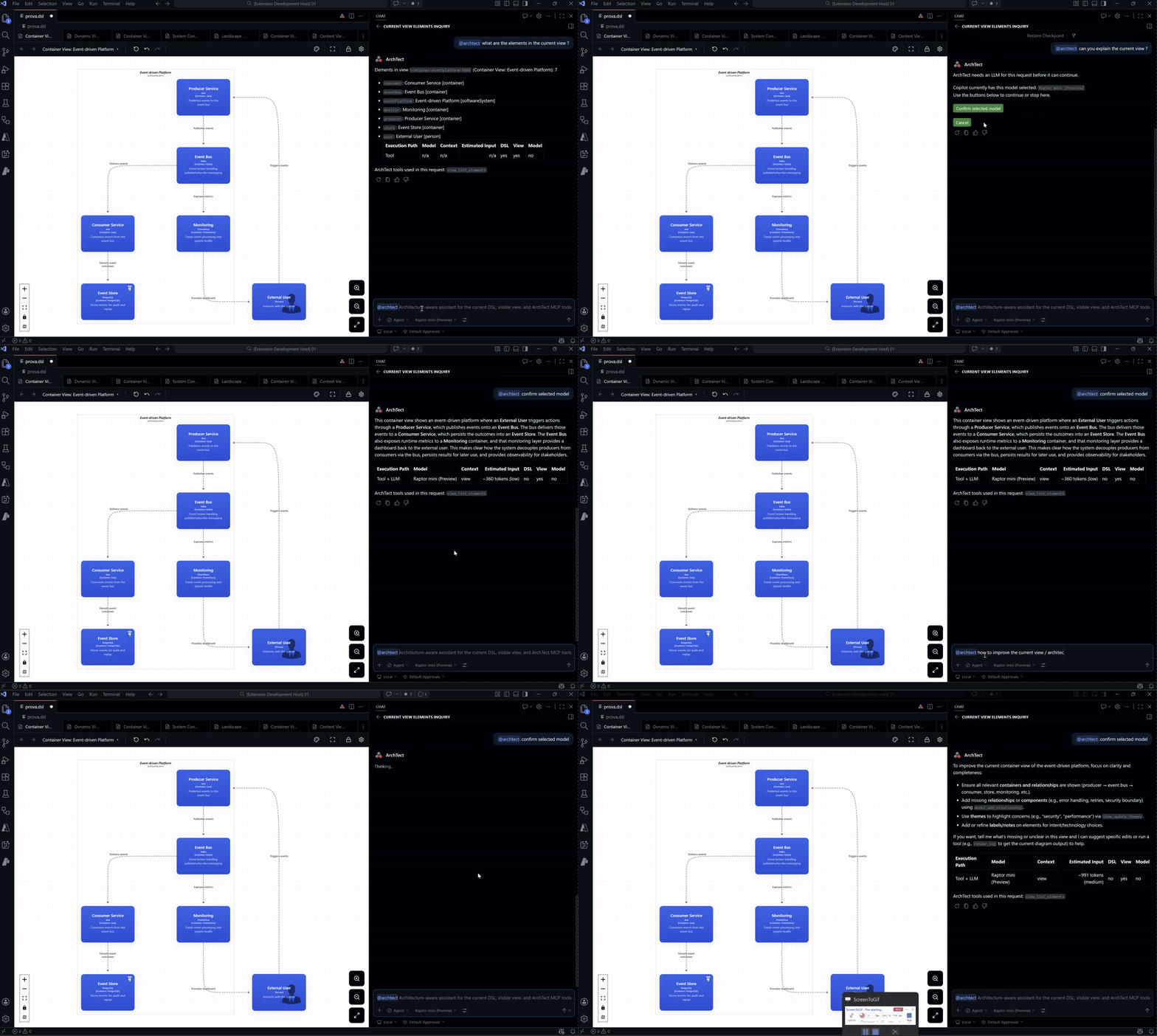
Example Prompts
@archtect create a container architecture for an event-driven system

@archtect add a payment service connected to the order service

@archtect create a deployment architecture for Azure with VNets and container instances

@archtect model a login flow as a dynamic view

@archtect analyze downstream dependencies of the api container

@archtect generate arc42 documentation for this workspace

@archtect apply the azure-icons theme

@archtect change the current view to compact mode
Safe AI Changes
AI-generated modifications are previewed before being applied. Nothing is written automatically.
- Review generated changes
- Click Keep Changes
- Roll back anytime
Example:
@archtect undo the last change
arc42 Documentation Generation
Generate architecture documentation directly from the model.
@archtect generate arc42 documentation for this workspace
Features:
- All 12 arc42 sections
- Embedded SVG diagrams
- Markdown generation
- One-click export
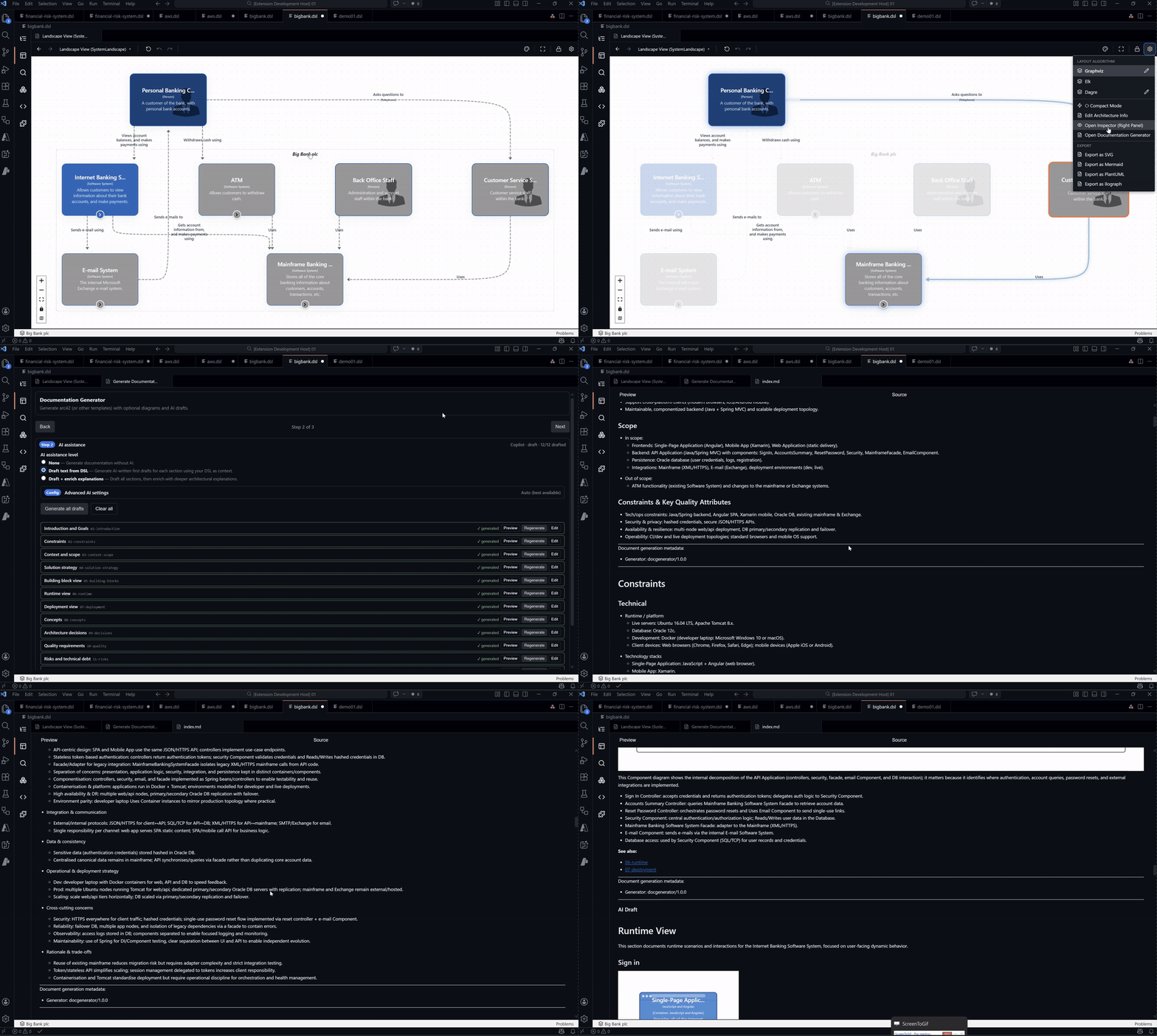
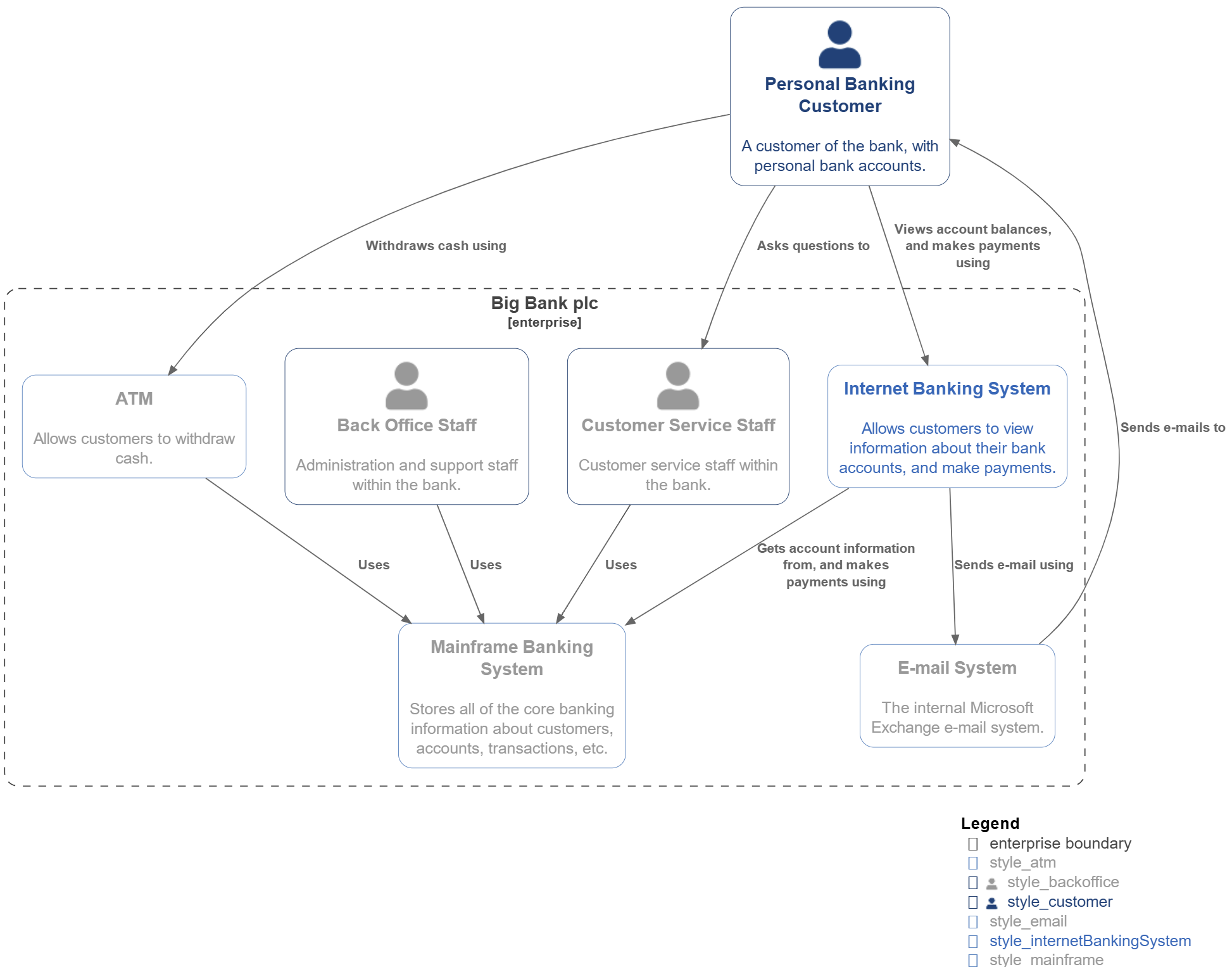
Export architecture diagrams and models to multiple formats.
| Format |
Usage |
| SVG / PNG |
Documentation and presentations |
| PlantUML |
Confluence, GitLab, and Wiki integration |
| Mermaid |
GitHub Markdown and Notion native diagrams |
| Draw.io |
Editable diagrams.net files |
| Ilograph |
Compatible format for interactive exploration |
MCP Server for AI Agents
ArchTect exposes architecture operations through a built-in MCP server. Compatible with:
- Claude Code
- Cursor
- MCP-compatible agents
- VS Code MCP ecosystem
Default endpoint:
http://127.0.0.1:33335/rpc
Setup
Claude Code
Run:
ArchTect: MCP Configure Claude Code
Cursor / Other Clients
Run:
ArchTect: MCP Configure Client
MCP Capabilities
- Model editing
- Relationship management
- Deployment modeling
- View management
- Styling and themes
- DSL / AST operations
- Documentation generation
- Dependency analysis
- Rendering and exports
- Navigation
Configuration
| Setting |
Default |
Description |
archtect.mcp.enabled |
true |
Enable MCP server |
archtect.mcp.port |
33335 |
MCP server port |
archtect.showSidebar |
false |
Show ArchTect sidebar |
Resources
Apache License 2.0 © Nicola Bitetti

