spine animation preview for vscode
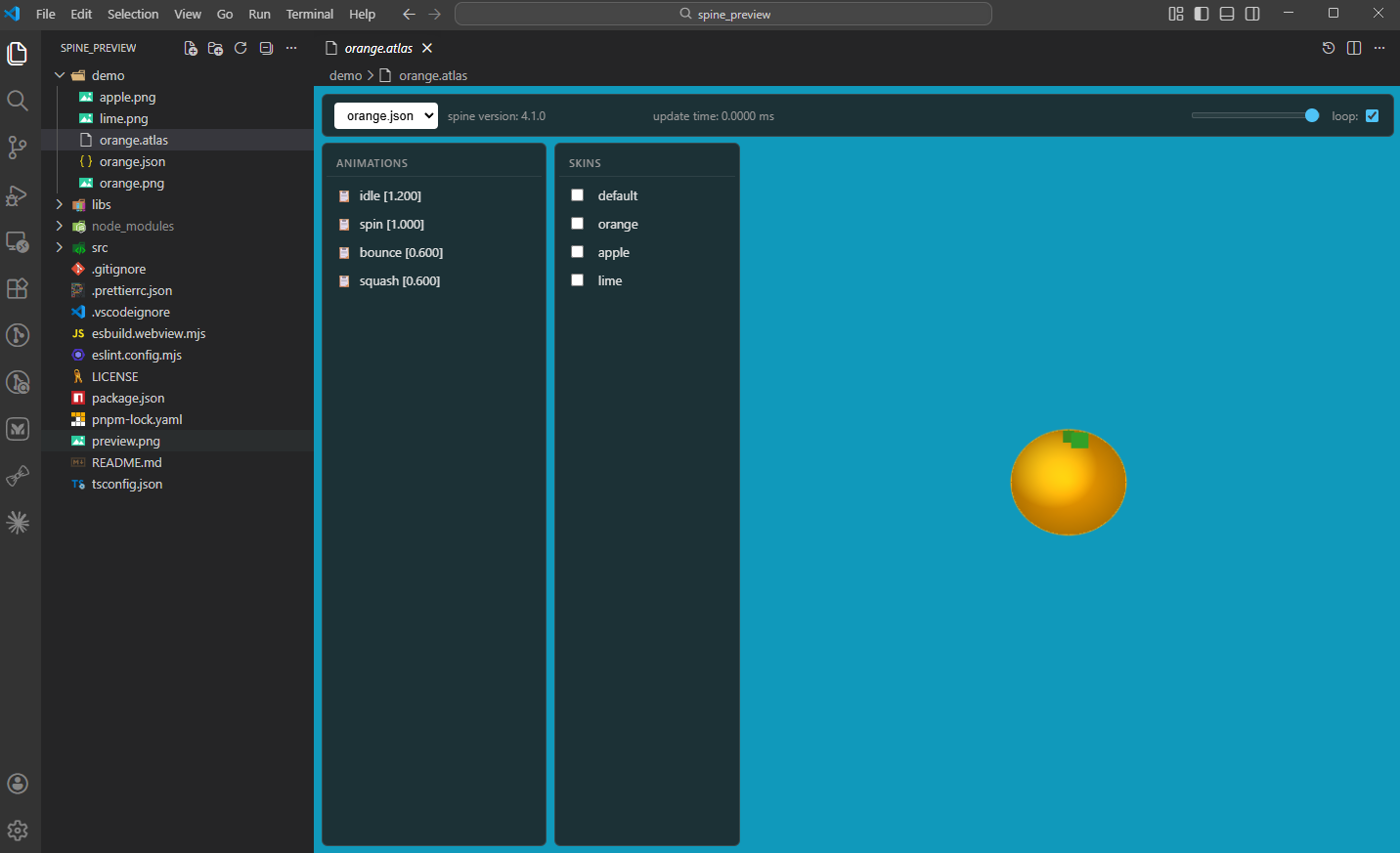
usage
Open any .atlas file. Every Spine skeleton (.json) next to it is loaded and
listed in the dropdown, so one atlas can serve several skeletons.
panels
- Animations - click one to play it on the selected track, hover to list its events
- Skins - tick several at once to composite them
- Tracks - which track the next animation is set on
- Timeline - transport, scrubber, playback speed from 0.1x to 5x, and loop
- Event markers sit under the scrubber; click one to jump to it, and events
authored on the same frame share a marker
- Fired events pop up above the timeline and flash the marker they came from
Loop governs playback only: scrubbing and stepping stop on the first and last
frame rather than wrapping around.
controls
- Mouse wheel - zoom towards the cursor (5% to 800%)
- Shift + left-click drag - pan the animation
- Middle-click drag - pan the animation
- Double-click the canvas - reset zoom and pan
- Right-click an animation - copy its name
- Space - play / pause
- Left / Right arrow - step one frame, forward reporting the events it crosses
build
pnpm install
pnpm run pack
vscode
Extensions -> install from VSIX -> repo folder
install from vscode market
vscode marketplace
| |


