REQVYN
Send. Inspect. Repeat.
A local-first, open-source API client for Visual Studio Code. No accounts, no cloud, no telemetry.
Website ·
VS Code Marketplace ·
Documentation



REQVYN lets you build, send and test HTTP requests without leaving the editor. Collections are plain JSON files (one file per request) that you can review in pull requests and share through Git. Secrets stay in the operating system keychain, through VS Code SecretStorage.
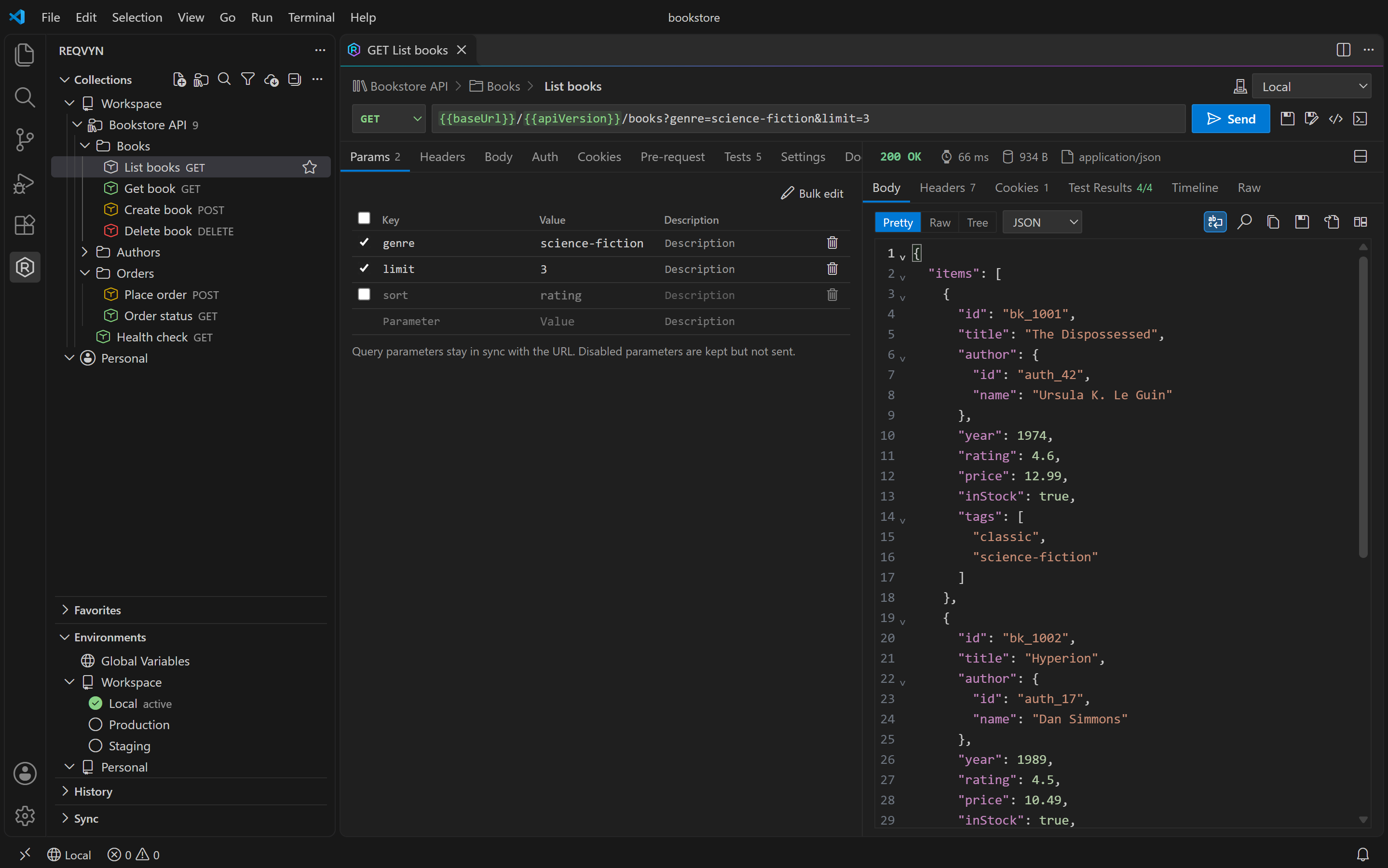
Screenshots
|
|
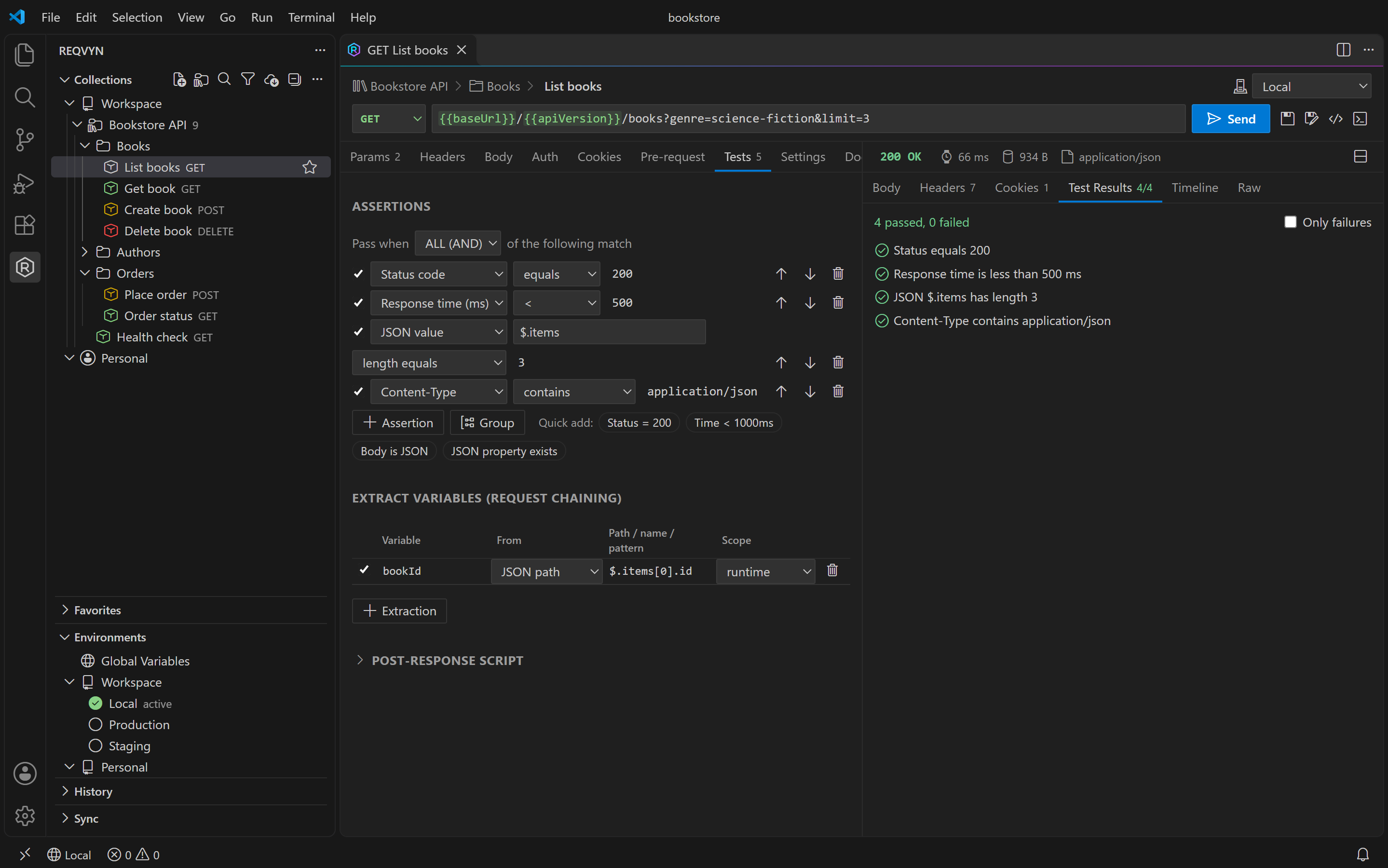
Tests without code: assertion builder and request chaining |
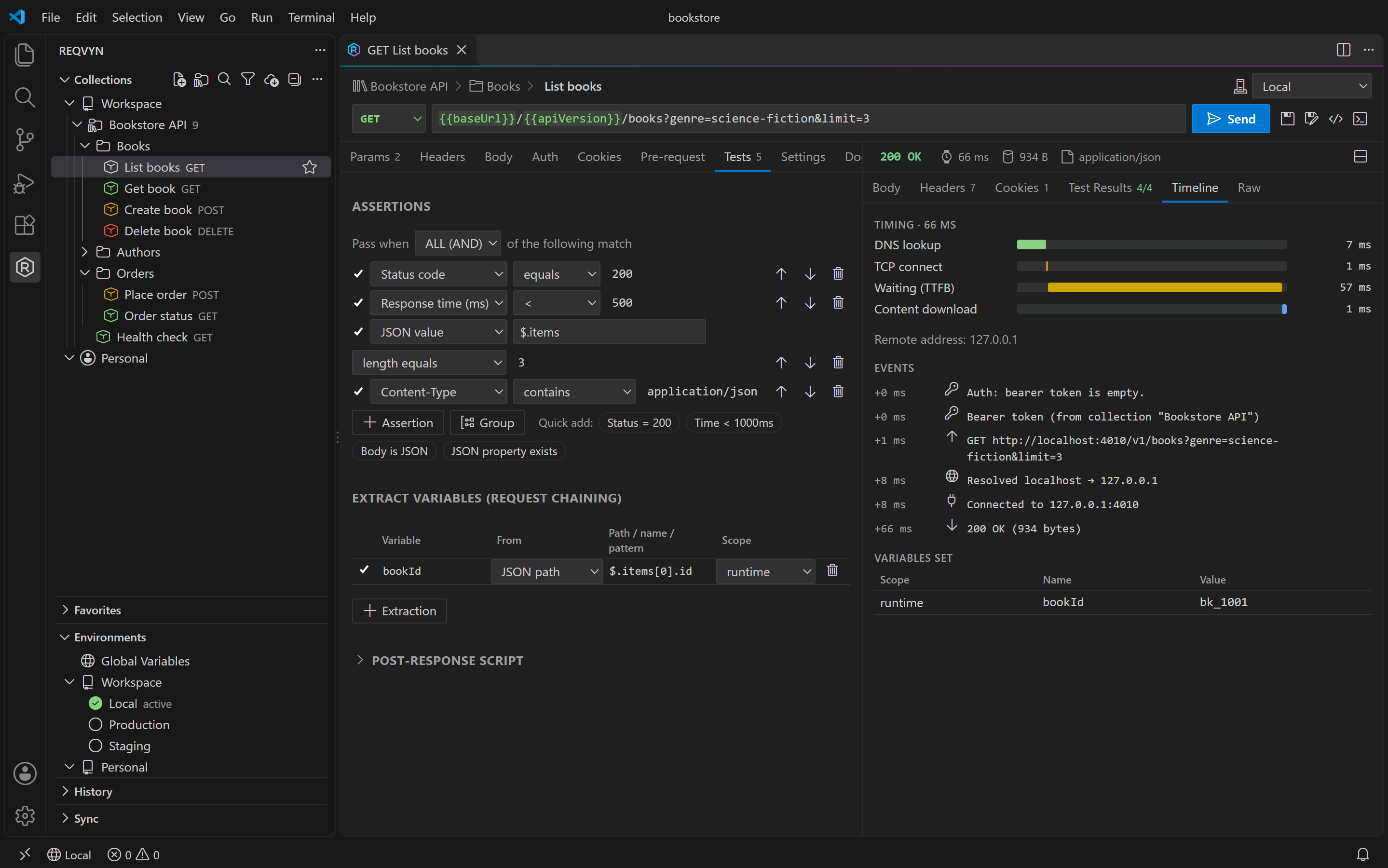
Timeline: timing breakdown, events and variables set |
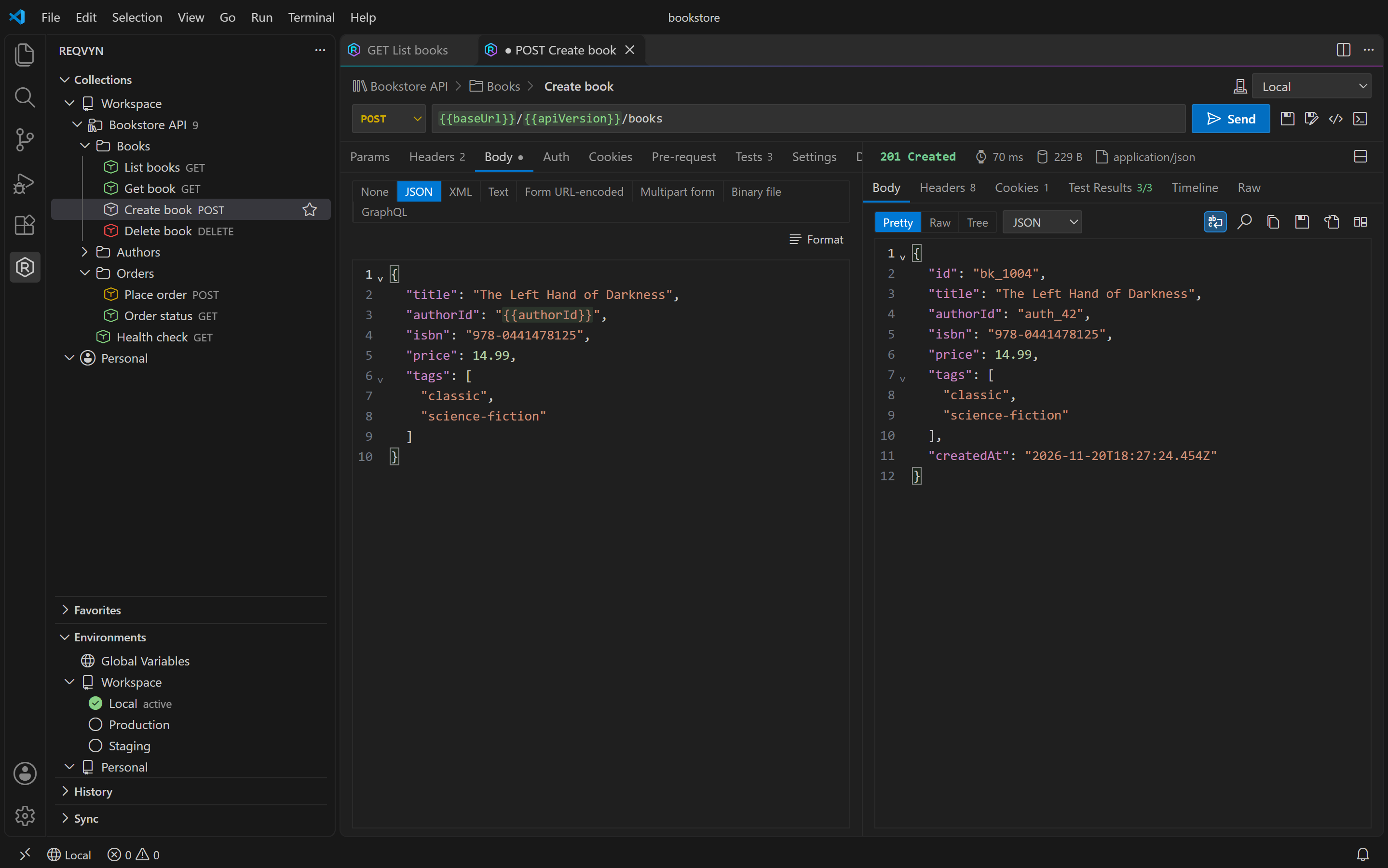
Request bodies: JSON with variables and dynamic values |
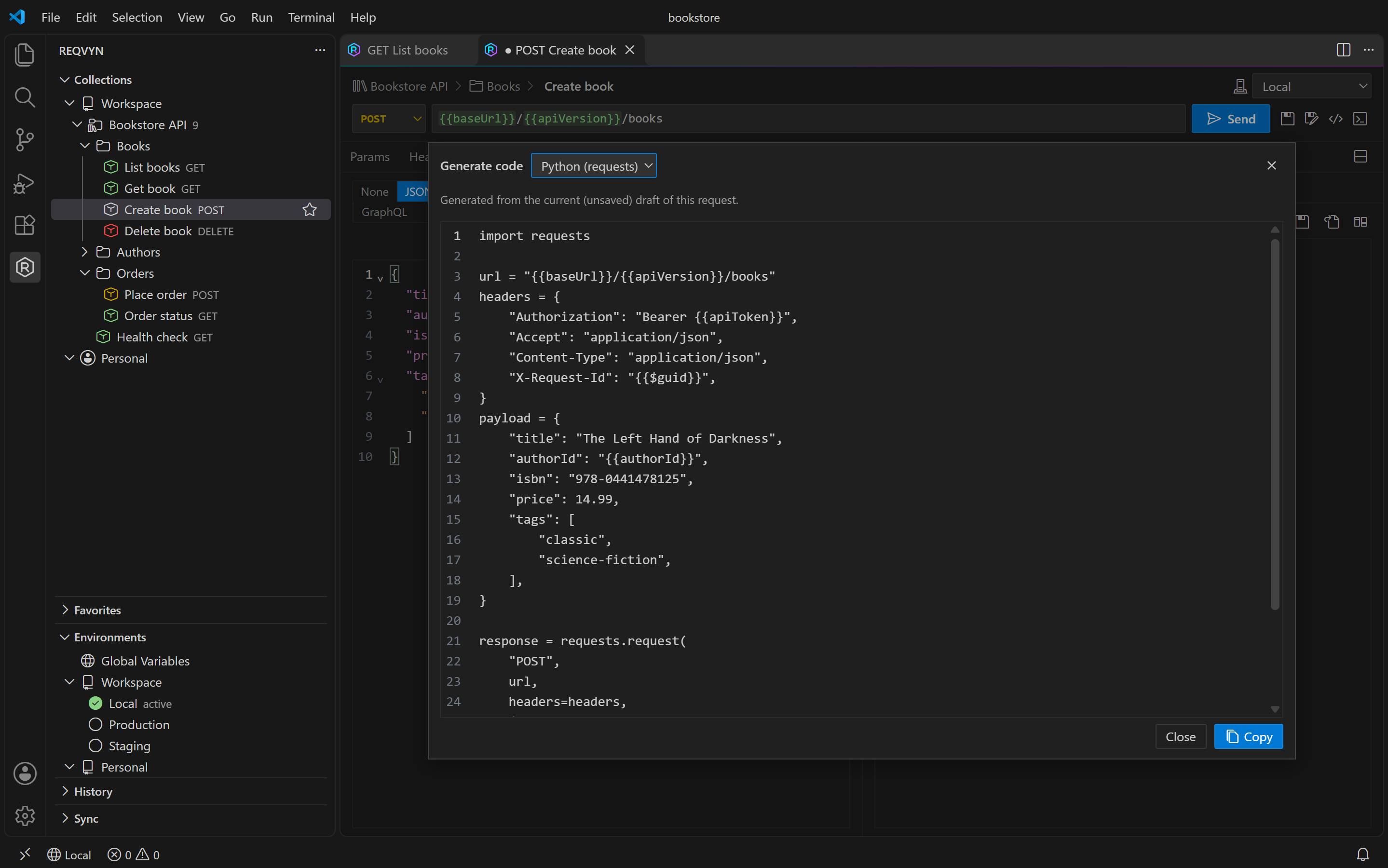
Code generation: cURL, JavaScript, Python, C# and more |
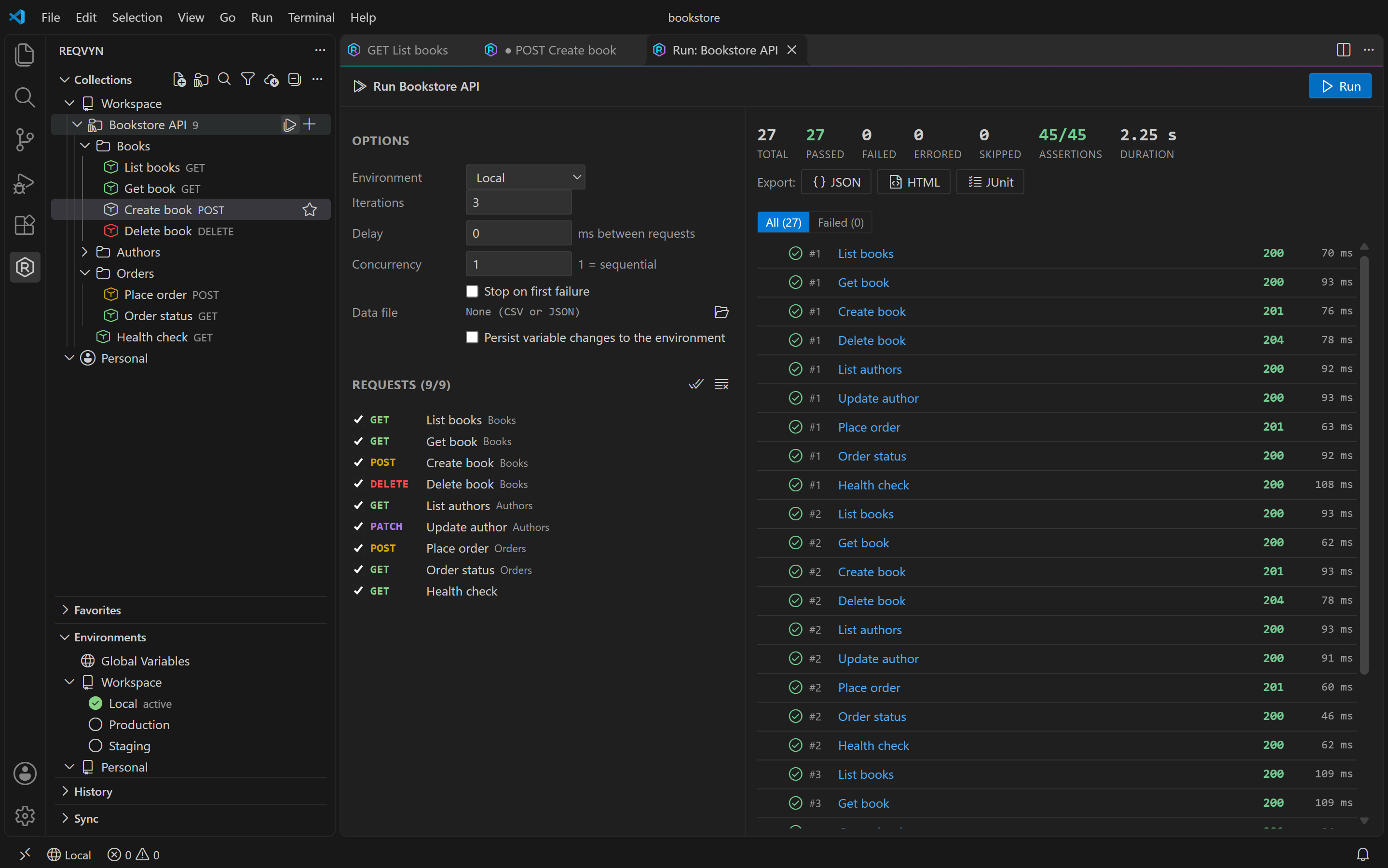
Collection runner: iterations, results and JSON/HTML/JUnit reports |
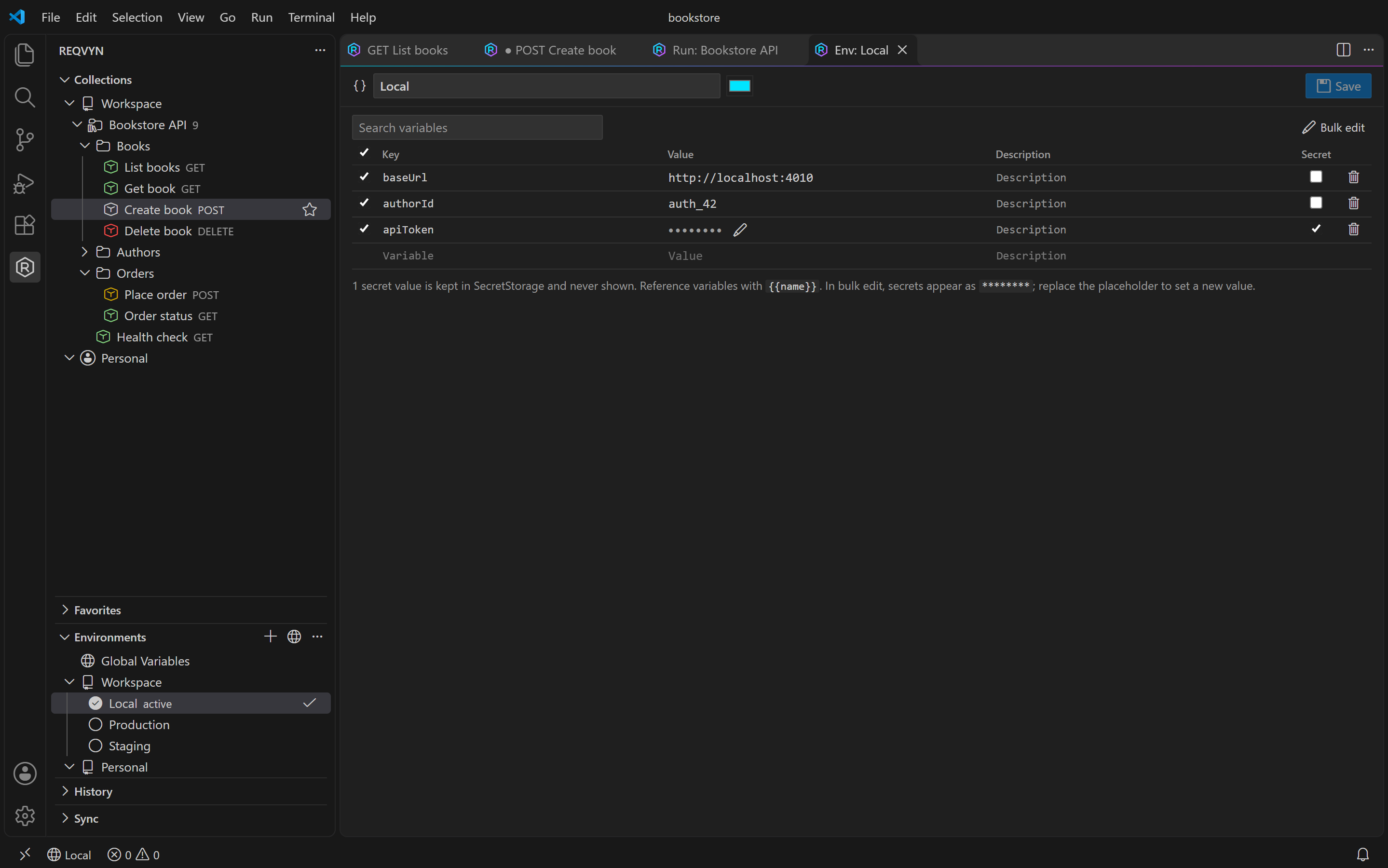
Environments: variables, with secrets kept in SecretStorage |
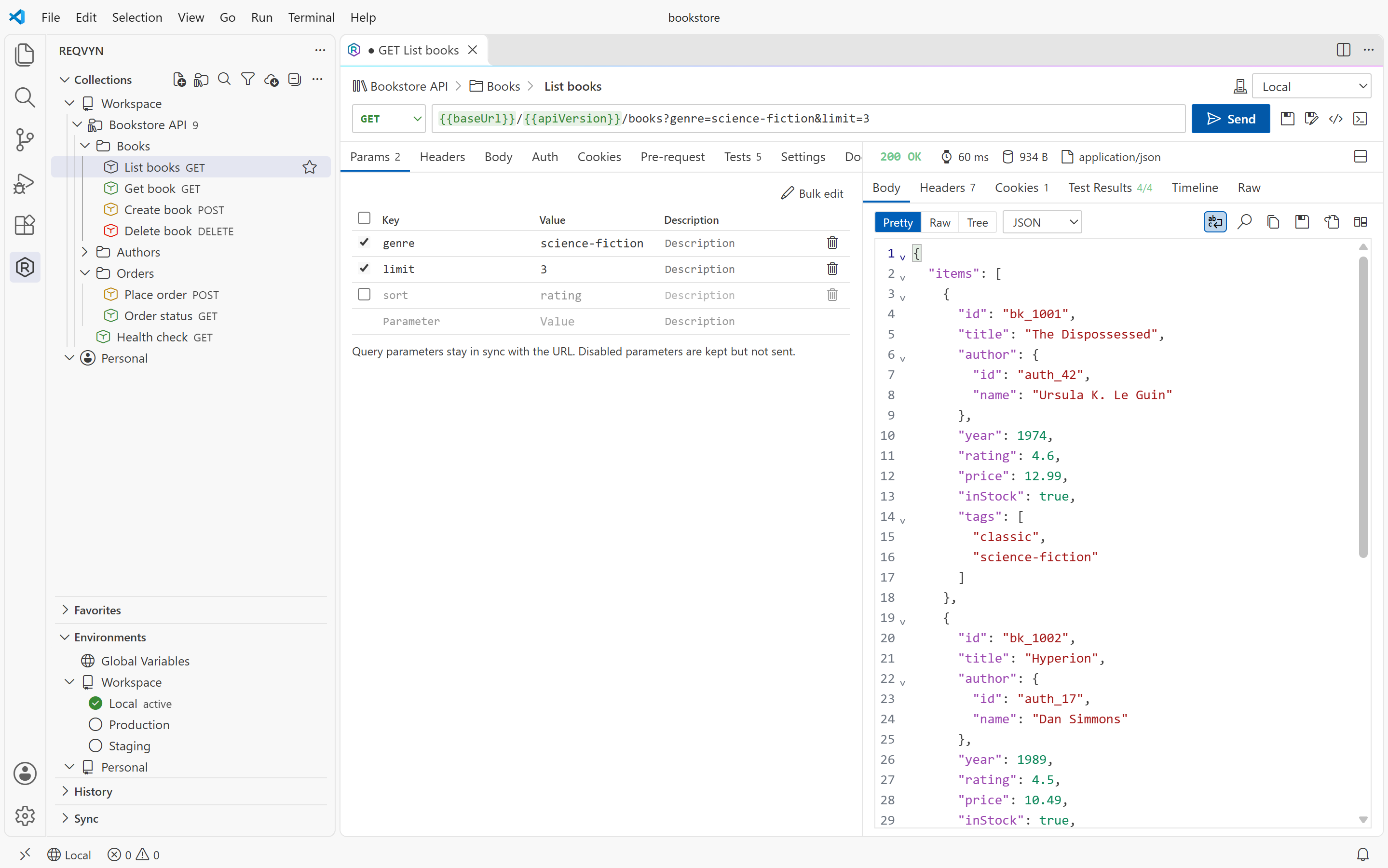
REQVYN follows your VS Code theme:
Highlights
- Requests: REST and GraphQL with every common body type: JSON, XML, text, form-urlencoded, multipart (with files), binary files and GraphQL. You get a CodeMirror editor with variable highlighting and autocompletion.
- Responses: pretty-printed JSON with a tree view, headers, cookies, a timing breakdown and a sandboxed HTML preview. You can open a response in an editor or compare two responses in VS Code's diff view.
- Collections: nested folders and drag & drop, with collection- and folder-level settings (variables, headers, auth and scripts that requests inherit). Duplicate, rename, favorites, filter and quick open (
Ctrl+Alt+R) are all there.
- Environments: global, collection, environment and runtime variables with a documented precedence, plus dynamic variables such as
{{$guid}} or {{$timestamp}}. Secret values live in SecretStorage.
- Authentication: Basic, Bearer, API key, Digest, JWT (HMAC/RSA/ECDSA), AWS Signature v4 and client certificates (PEM/PFX). OAuth 2.0 supports the authorization code (with PKCE), client credentials, device code and password grants. Auth can be inherited from a folder or collection.
- Testing without code: an assertion builder for status, headers, JSON path, body, cookies and response time, with AND/OR groups. Extractions chain values from one response into the next request.
- Scripts (optional): pre-request and test scripts run in an isolated worker with time and memory limits. Scripts have no file system or network access and run only in trusted workspaces.
- Collection runner: iterations, CSV/JSON data files, delays, concurrency and stop-on-first-failure. Reports export as JSON, HTML or JUnit XML.
- Import: Postman (v2/v2.1), Insomnia (v4), Thunder Client, Bruno, Hoppscotch, OpenAPI 3.x (JSON/YAML), cURL and REQVYN packages. Pasting a cURL command from the clipboard also works. An OpenAPI-based collection can be refreshed from its spec.
- Export: REQVYN JSON, Postman v2.1, OpenAPI 3 (JSON/YAML), cURL scripts and shareable
.reqvyn packages. Secret values are never exported.
- Code generation: cURL, JavaScript/TypeScript/Node fetch, Python requests, C# HttpClient and PowerShell.
- Sync: sync collections with a local folder or a Git repository through a provider SDK, with three-way merge and conflict resolution. Third-party extensions can add their own providers.
- CLI for CI/CD:
reqvyn run, validate, import, export and list, using the same engines as the extension.
- MCP server (optional): off by default. Write and network access each need an explicit opt-in, and secrets are never returned.
- Network: HTTP(S) proxy with
noProxy, custom CA certificates, a cookie jar, redirect control and size limits. TLS verification is never silently disabled.
Getting started
- Install the extension (see development for building the
.vsix yourself).
- Open the REQVYN view in the activity bar.
- Click New Request, enter a URL and press
Ctrl+Enter (Cmd+Enter on macOS).
- To share requests with your team, run REQVYN: Initialize Workspace Storage (.reqvyn). Collections are then stored in
.reqvyn/ inside your workspace, ready to commit.
The full walkthrough is in docs/getting-started.md.
Privacy and security
- Everything runs locally, with no REQVYN server, no account and no telemetry.
- Secret values (passwords, tokens, secret variables, OAuth tokens) are stored only in VS Code SecretStorage. Collection files contain
{{$secret:…}} references instead.
- In untrusted workspaces, scripts and sync providers are disabled. Security-relevant settings such as TLS verification and proxy are read only from user settings.
- Webviews use a strict Content Security Policy with no remote content.
See SECURITY.md for the threat model and how to report vulnerabilities.
Documentation
| Topic |
Document |
| Getting started |
docs/getting-started.md |
| Collections |
docs/collections.md |
| Environments and variables |
docs/environments.md |
| Authentication |
docs/authentication.md |
| Tests, chaining and scripts |
docs/testing.md |
| Sharing collections |
docs/collection-sharing.md |
| Sync providers |
docs/sync-providers.md |
| Provider SDK |
docs/provider-sdk.md |
| Storage format |
docs/storage-format.md |
| CLI |
docs/cli.md |
| MCP server |
docs/mcp.md |
| Development (build, debug, test, package, publish) |
docs/development.md |
| Architecture and feature matrix |
ARCHITECTURE.md |
Known limitations
The following are not implemented yet:
- WebSocket, gRPC, SSE and NTLM auth.
- External
$ref resolution in OpenAPI.
- Swagger 2.0 import.
- Importing saved Postman example responses.
Other limitations:
.reqvyn packages are checked for integrity with a content hash; they are not cryptographically signed. ZIP64 archives are not supported.- OpenAPI refresh works with local spec files only.
- Undo/redo is available inside editors (CodeMirror) and for deleted table rows. There is no global undo across requests.
The full list is in ARCHITECTURE.md and CHANGELOG.md.
Contributing
Contributions are welcome. See CONTRIBUTING.md.
If REQVYN saves you time, you can support its development on Ko-fi.
License
MIT
| |

