Compatible VsCode ^1.44.0 or upper
Custom Css Sorter - VScode Extension
Custom Rules when you sort your Css properties
In CSS you can select multiple lines of css and sorter using custom rules.


Install
Click to extension tab and search Custom Css Sorter and install it reload your editor. Or use this Custom Css Sorter.
How to Use - Configuration
Go to Settings Custom Css Sorter open settings.json and add to the array custom properties (example: "content", "position", "display", "font") for apply the custom order that you decided or add one element "alphabetical" for use the alphabetic order in css.
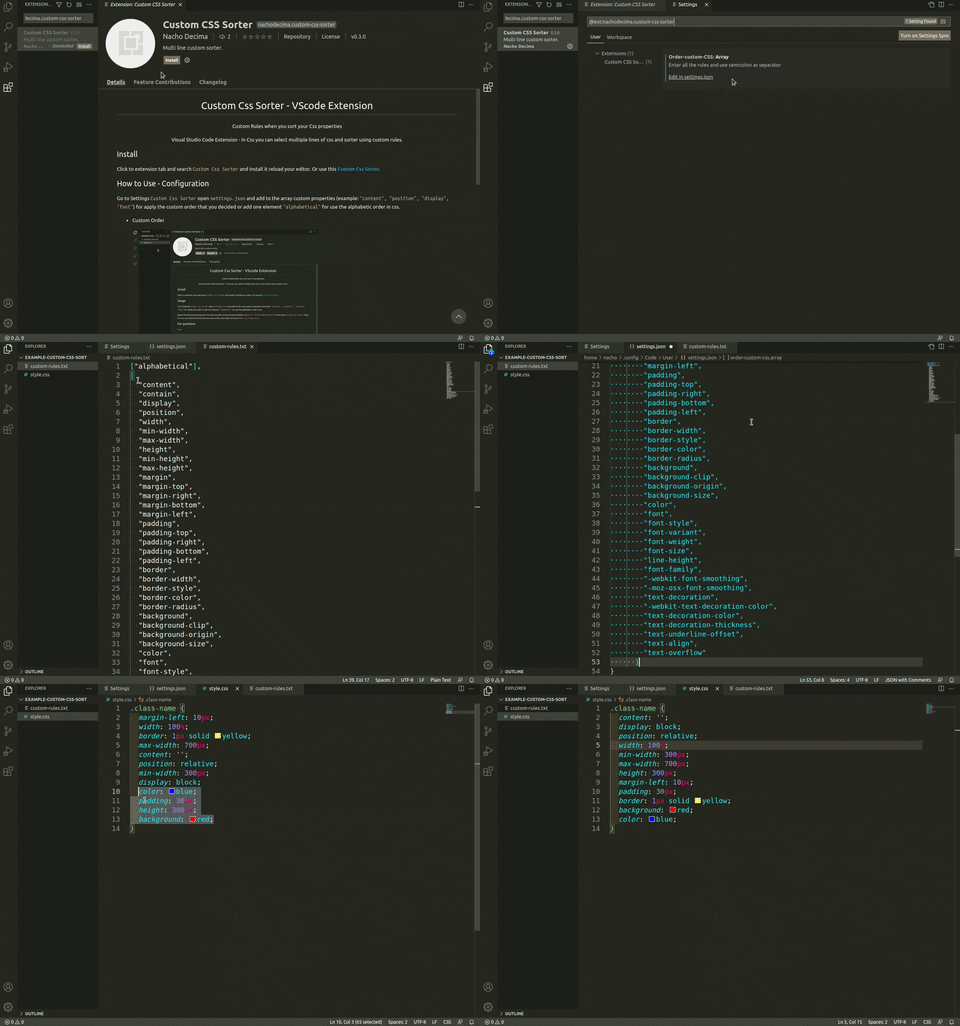
{
  ...,
  "order-custom-css.array": [
    "content",
    "contain",
    "display",
    "position",
    "width",
    "min-width",
    "max-width",
    "height",
    "min-height",
    "max-height",
  ]
}
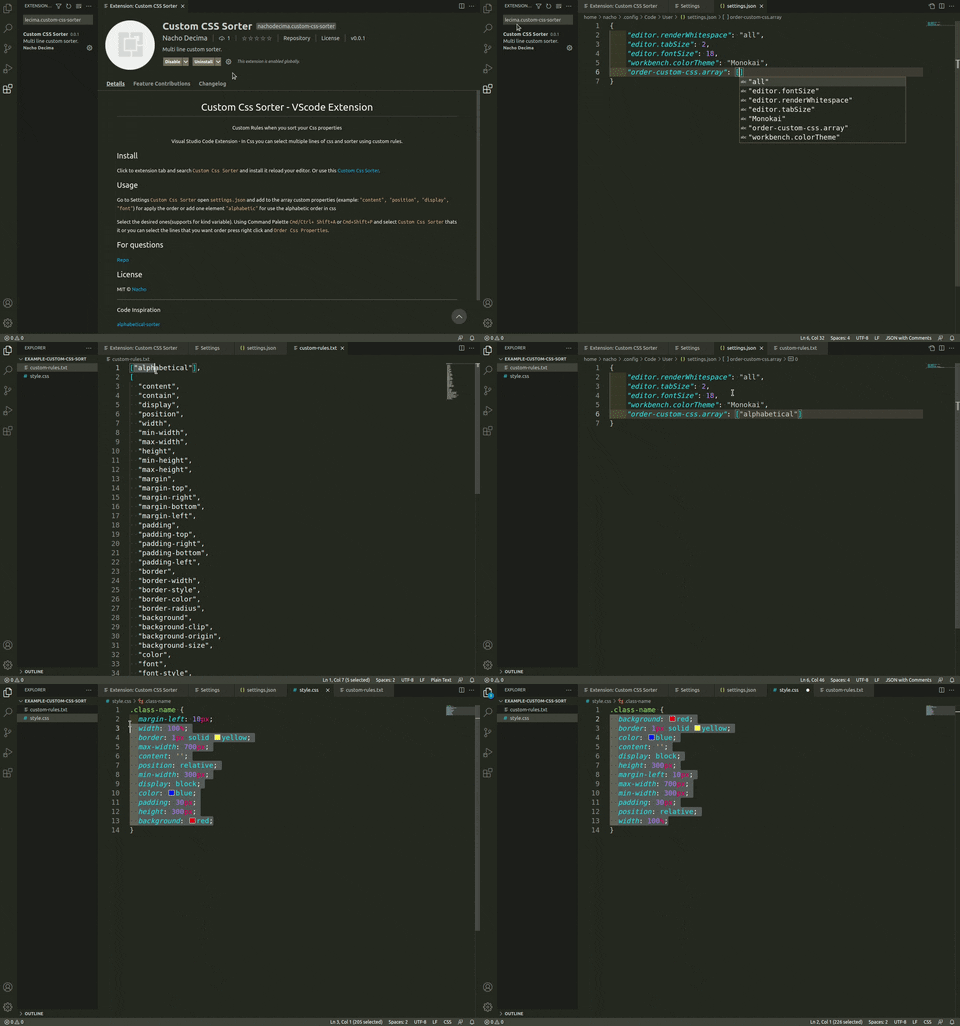
{
  ...,
  "order-custom-css.array": ["alphabetical"]
}
If you are using some js template example EJS you can configure the open/close tag and string tag
{
  ...,
  "order-custom-css.array": ["alphabetical"],
  "order-custom-css.openTemplate":  "<%",
  "order-custom-css.closeTemplate": "%>",
  "order-custom-css.openTemplateString": "<%-"
}
How to Use - Execution
Select the desired ones(supports for kind variable).
Using Command Palette Cmd/Ctrl+ Shift+A or
Cmd+Shift+P and select Custom Css Sorter thats it or you can select the lines that you want order press right-click and then click in Order Css Properties.
For questions
Repo
License
MIT © Nacho
Code Inspiration
alphabetical-sorter
Thanks To:
Jose Di Marco


