Skip to content
| Marketplace
Sign in
Visual Studio Code>Visualization>DebriefNew to Visual Studio Code? Get it now.
Debrief

Debrief

Muath Zaher

|
6 installs
| (0) | Free
Narrated code walkthroughs — Your AI agent explains what it built, step by step, with voice narration.
Installation
Launch VS Code Quick Open (Ctrl+P), paste the following command, and press enter.
Copied to clipboard
More Info

Debrief

Narrated code walkthroughs in VS Code — Your AI agent explains what it built, step by step, with voice narration.

Watch the demo

What It Does

After your AI agent finishes a task, Debrief gives you a guided tour of the changes. It opens each file, highlights the relevant code, and narrates what was done and why — like having the agent sit next to you and walk you through it.

  • Voice narration — AI-generated speech explains each change naturally
  • Accurate highlights — Files are snapshotted automatically, so highlights stay correct even if you edit the code later
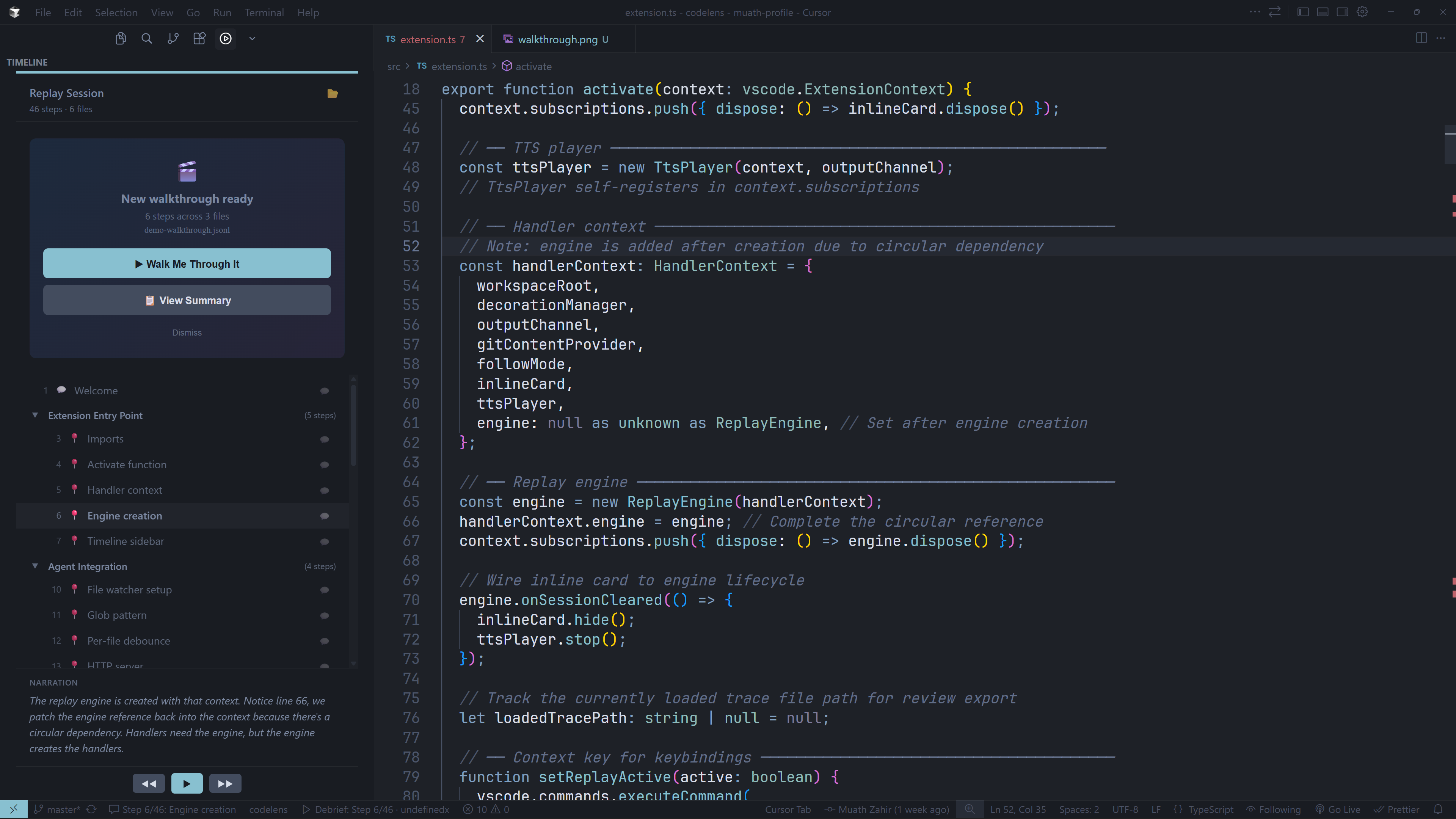
  • Automatic detection — Debrief notifies you when a new walkthrough is ready
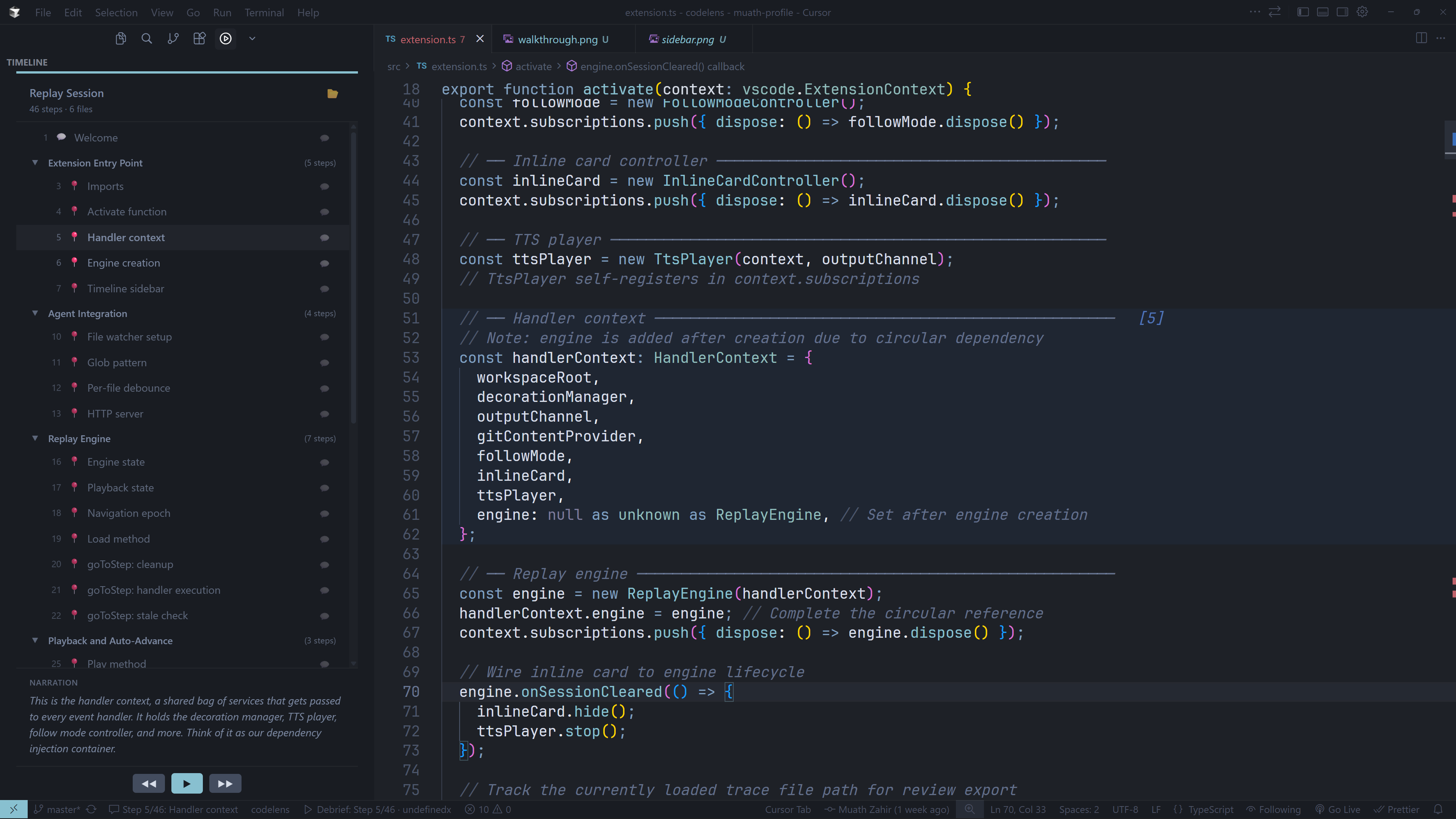
  • Timeline view — See all steps at a glance in the sidebar
  • Step comments — Leave feedback on any step, saved to the trace file
  • Pin to commit — Lock a trace to a git commit for sharing with your team
  • Keyboard navigation — Alt+Left/Right to move between steps

Walkthrough notification

Timeline sidebar

Getting Started

1. Install and configure

Install Debrief from the VS Code Marketplace, then set your OpenAI API key:

  • VS Code Settings → search debrief.openaiApiKey → paste your key
  • Or set the OPENAI_API_KEY environment variable

2. Give your agent the skill

Debrief works with any AI coding assistant — Claude Code, Cursor, Windsurf, Gemini CLI, and more. Install the trace authoring skill so your agent knows how to create walkthroughs:

npx skills add MuathZahir/debrief

3. Ask your agent to debrief you

After your agent completes a task, use the /debrief command to generate a walkthrough:

/debrief              # Walks through everything the agent did
/debrief auth         # Walks through only the auth-related changes
/debrief fix login    # Walks through the login bug fix

Debrief detects the trace file automatically and prompts you to start. Click "Walk Me Through It" and the narrated walkthrough begins.

4. Or load a trace manually

Open the Debrief panel in the sidebar and click Load Replay, or use Ctrl+Shift+P → "Debrief: Load Replay".

Keyboard Shortcuts

Shortcut Action
Alt+Right Next step
Alt+Left Previous step
Space Play / Pause (when timeline focused)

Requirements

  • VS Code 1.85.0+
  • OpenAI API key (for TTS voice narration)

License

MIT — see LICENSE for details.


Works with any AI coding assistant.

  • Contact us
  • Jobs
  • Privacy
  • Manage cookies
  • Terms of use
  • Trademarks
© 2026 Microsoft