Vellum Theme
한국어
A curated collection of 11 VS Code themes — from warm parchment lights to deep contrast darks — with live color customization.
Themes
Light
Ivory Light
Warm ivory parchment tones, easy on the eyes.
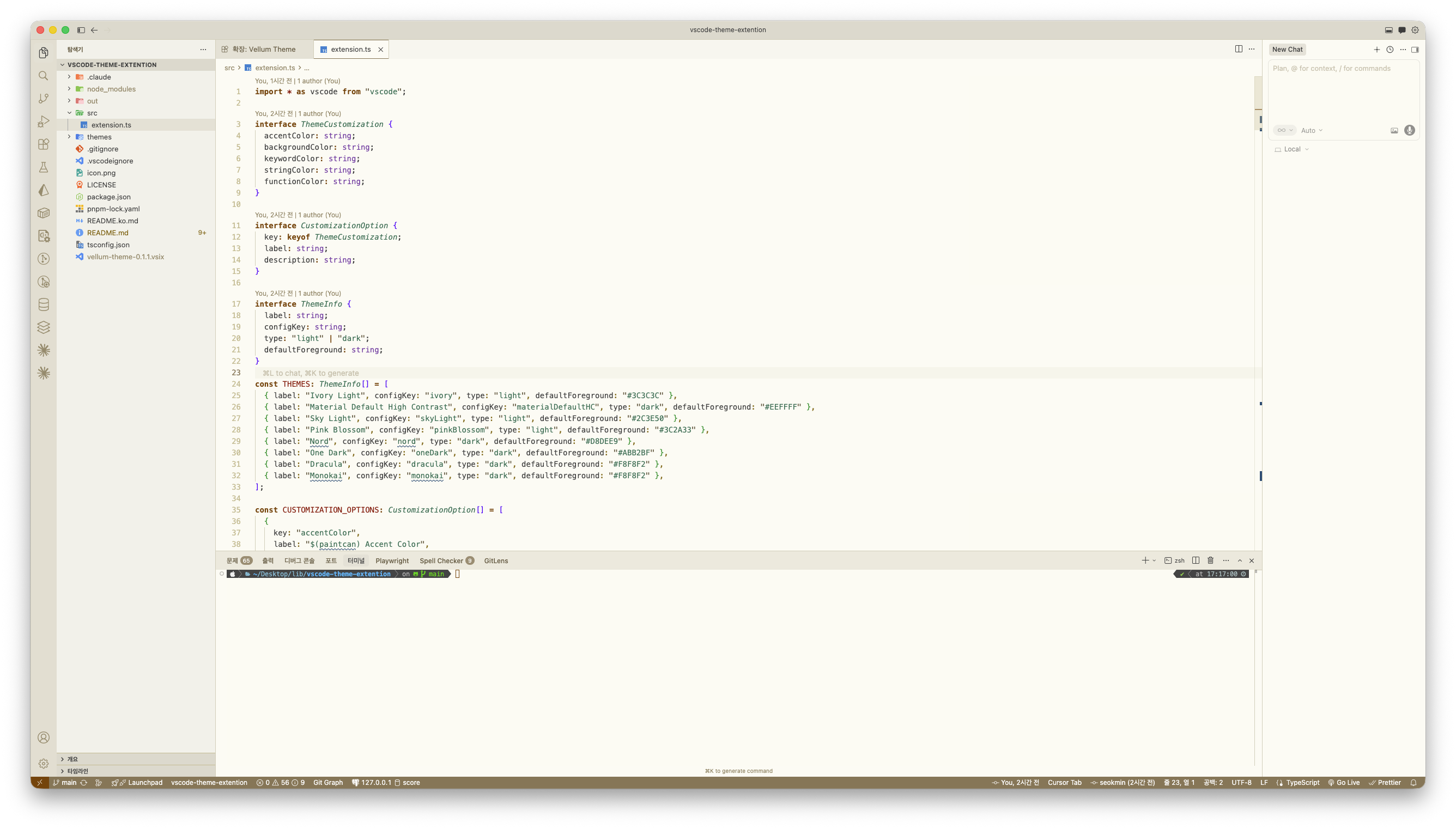
Ivory Light — Dark Terminal
Same as Ivory Light but with a dark warm-brown terminal panel for better visibility of terminal UI elements.
Sky Light
Cool sky-blue accents on a clean white base.
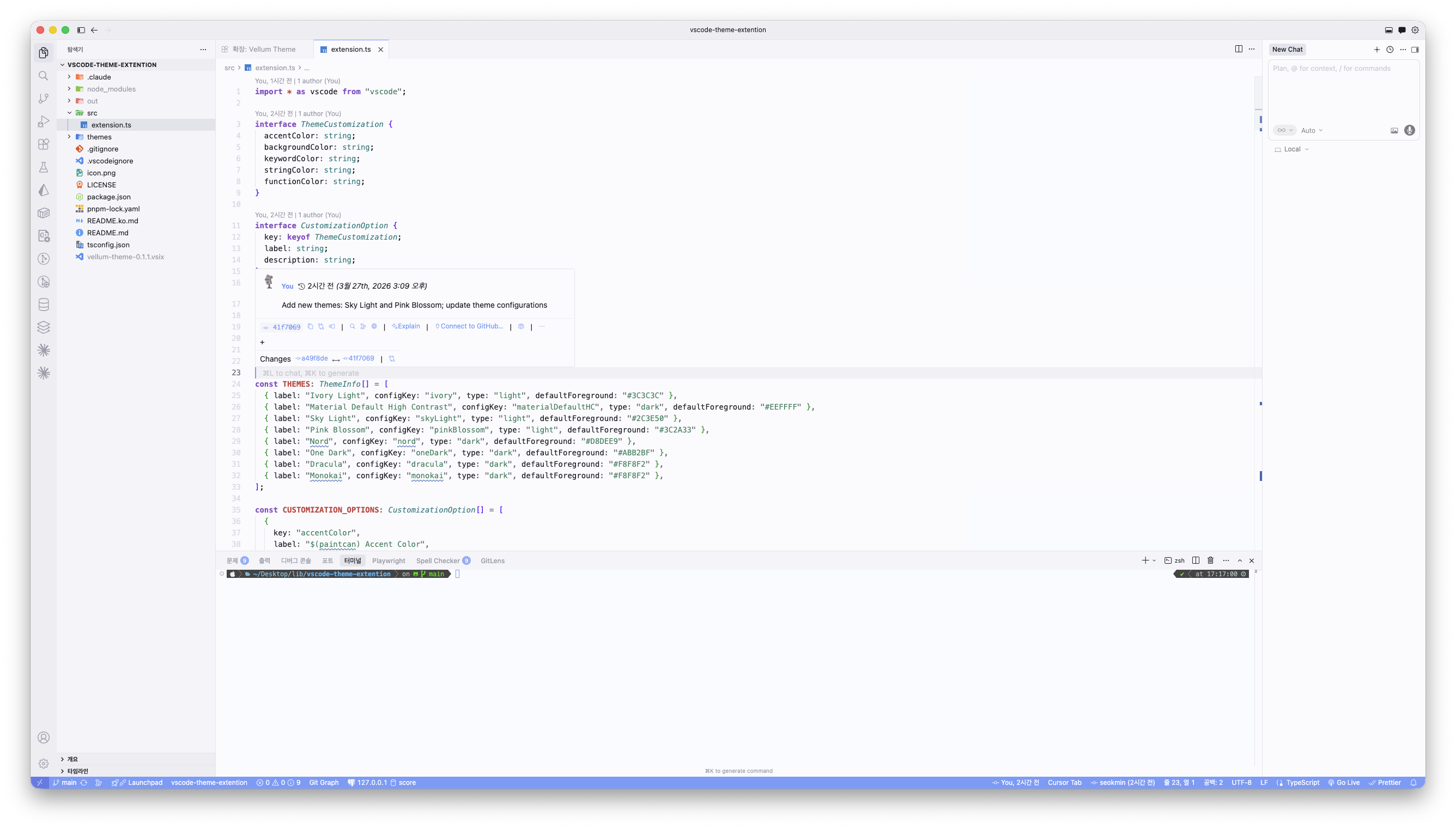
Sky Light — Dark Terminal
Same as Sky Light but with a dark blue-grey terminal panel for better visibility of terminal UI elements.
Pink Blossom
Soft rose accents with a gentle warm background.
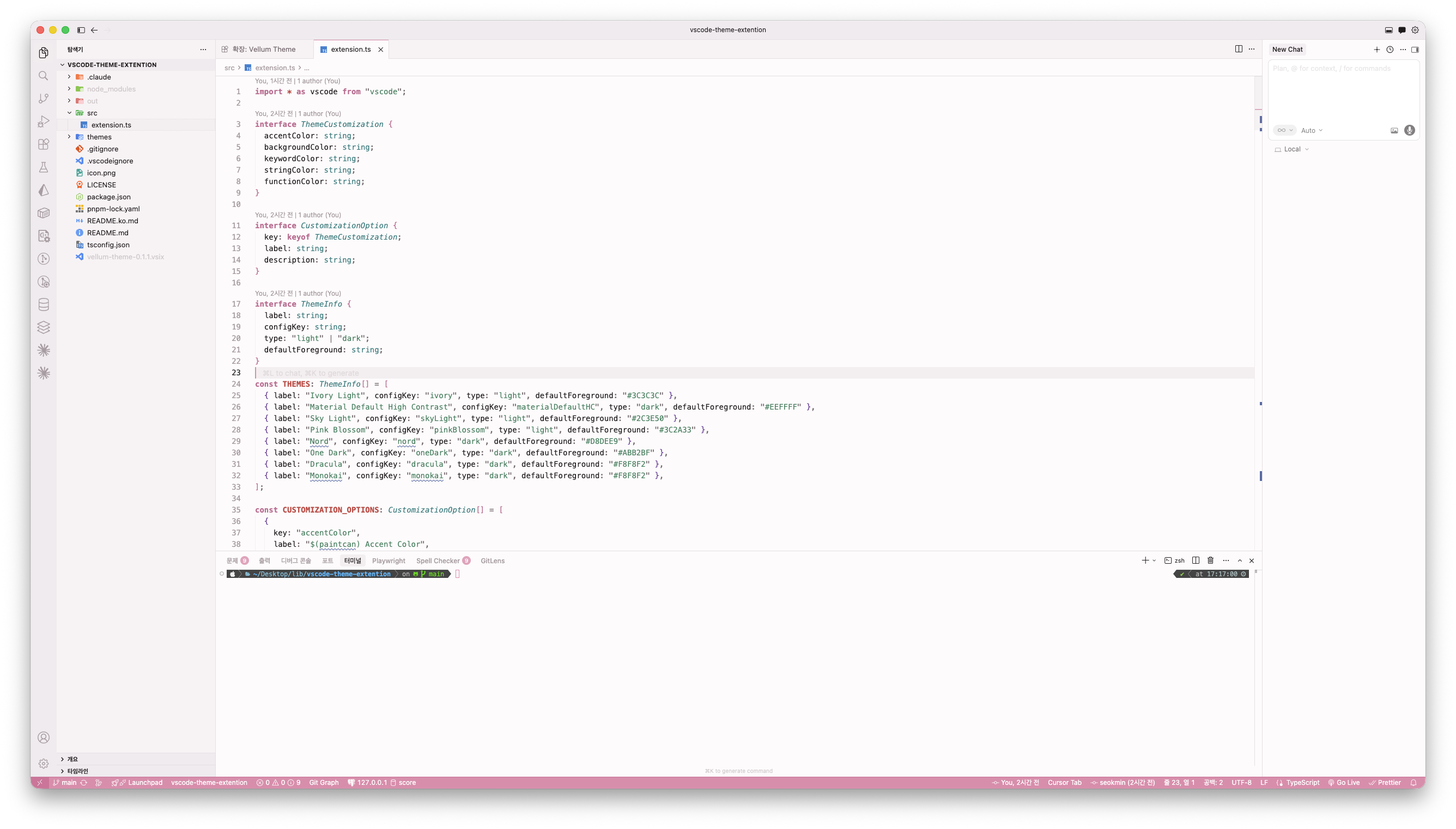
Pink Blossom — Dark Terminal
Same as Pink Blossom but with a dark warm terminal panel for better visibility of terminal UI elements.
Dark
Material Default High Contrast
Material Design, high contrast black.
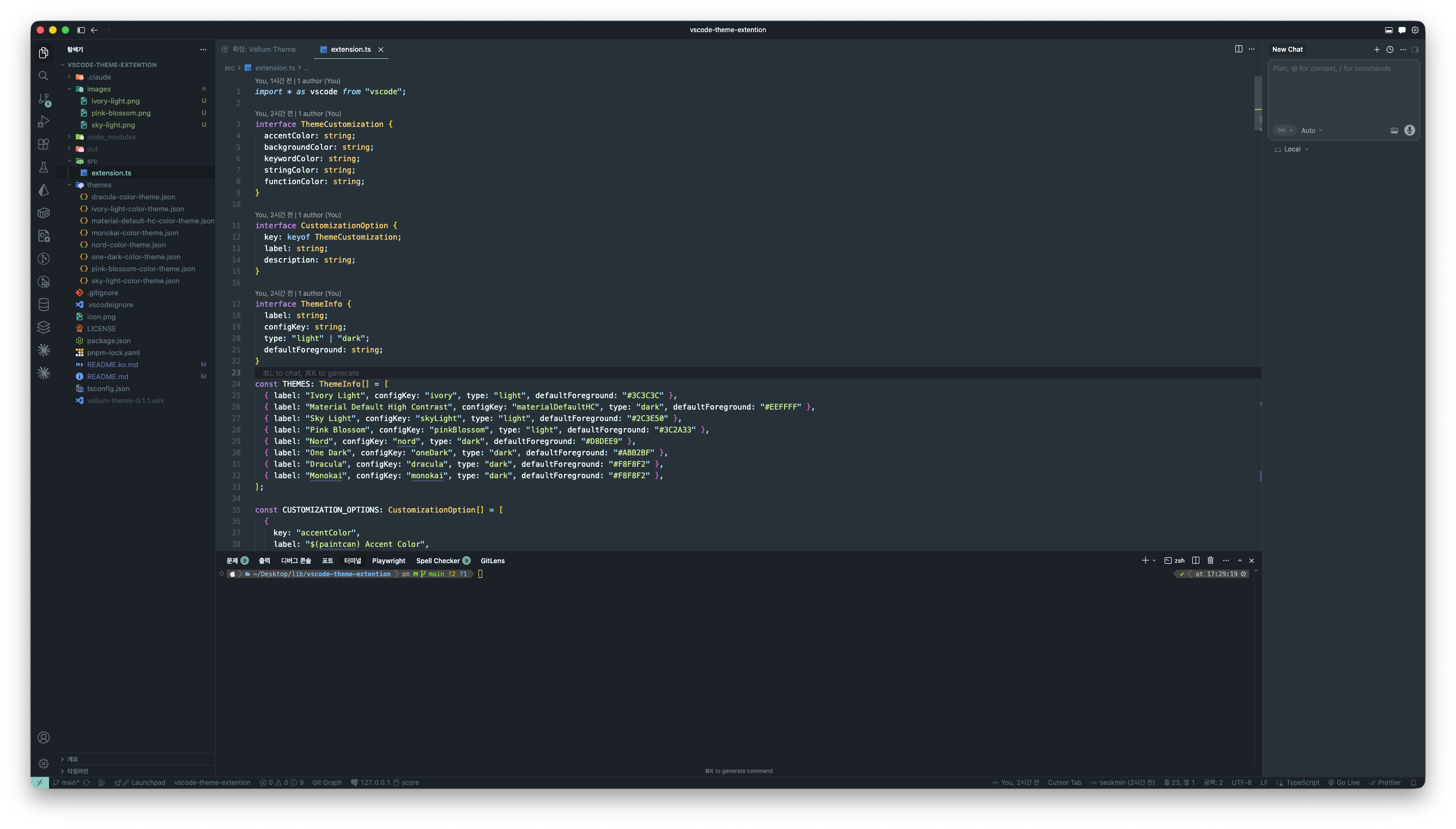
Nord
Arctic, blue-tinted palette.
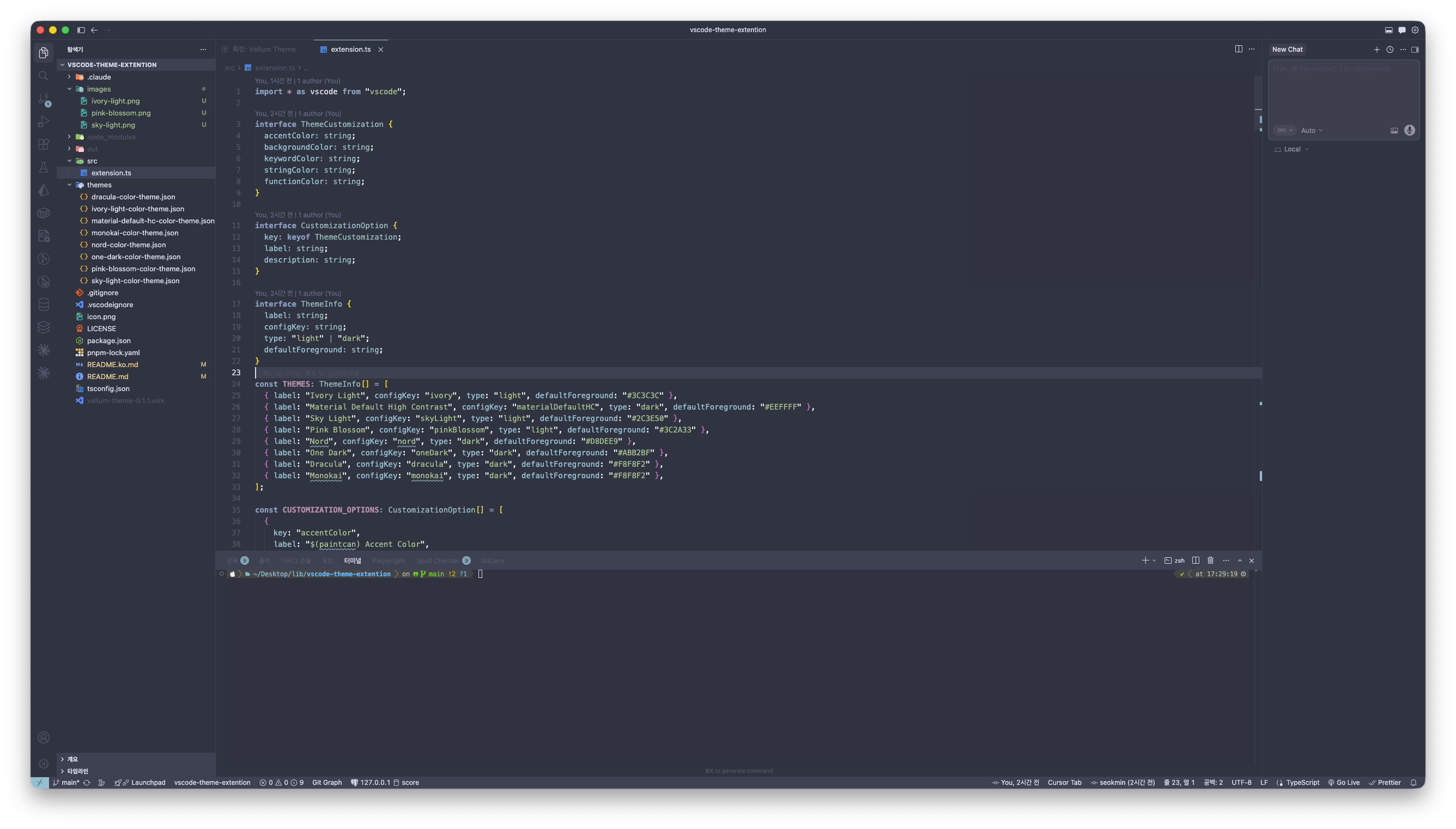
One Dark
Atom-inspired balanced dark.
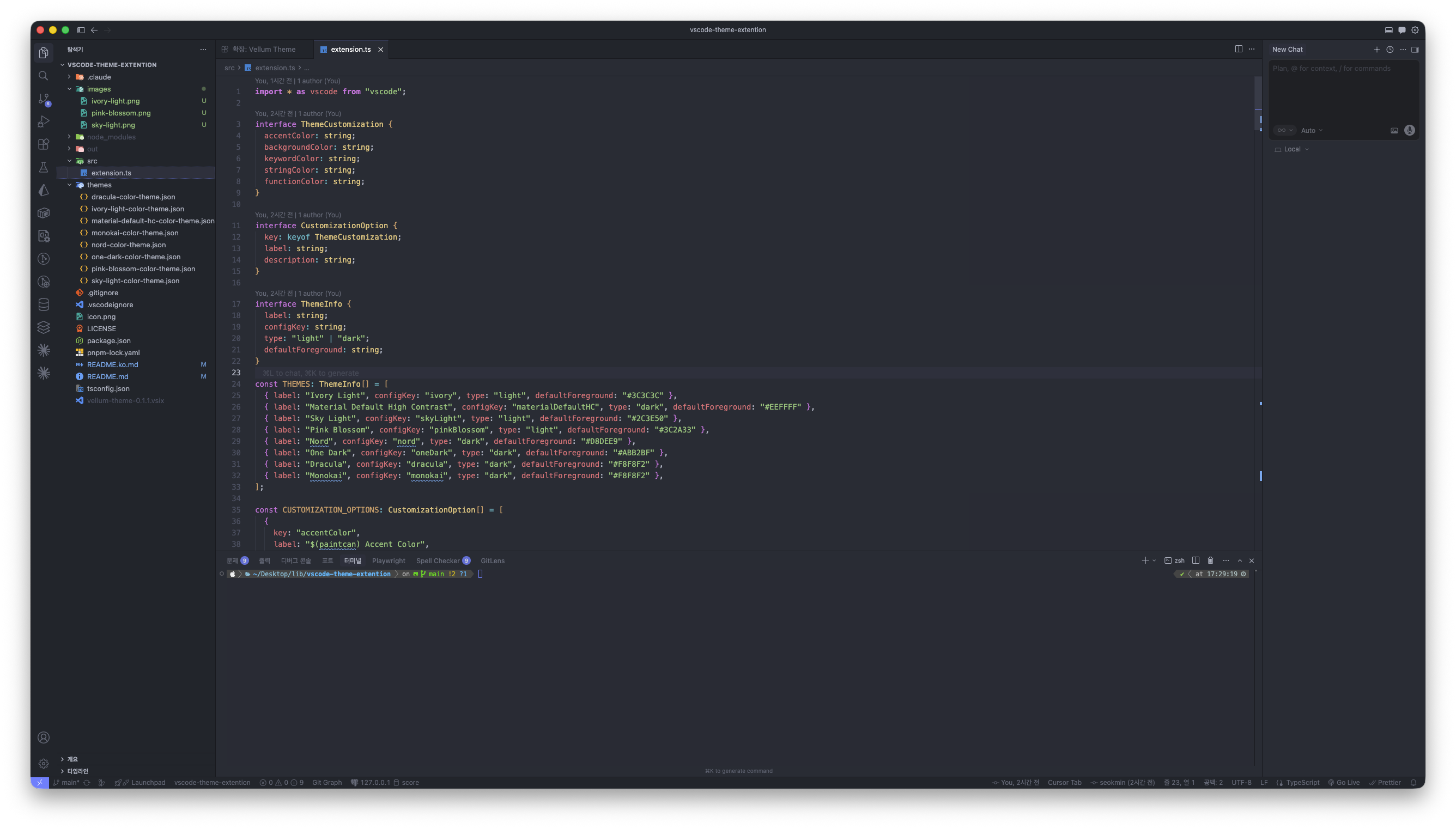
Dracula
Purple-accented dark classic.
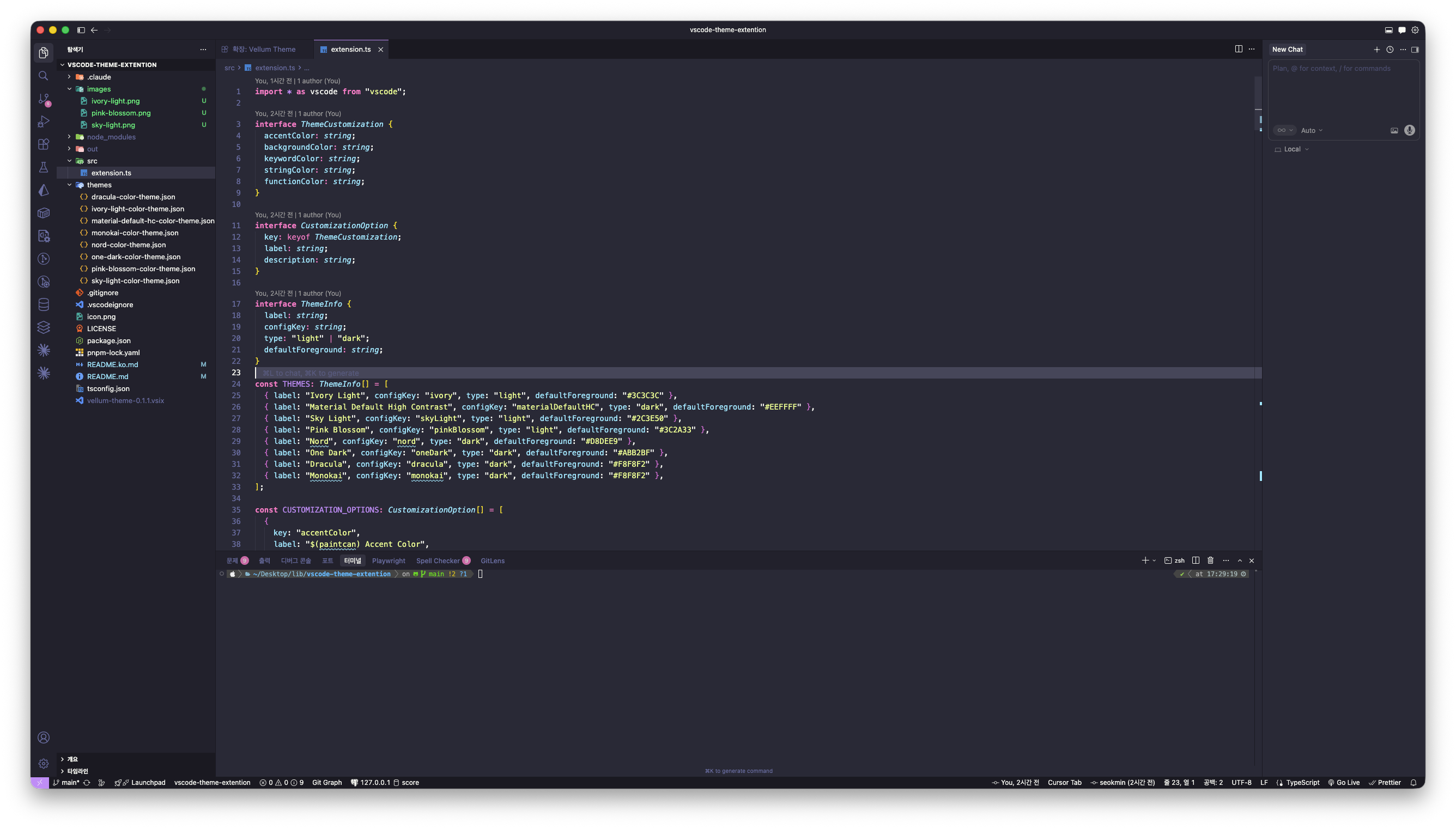
Monokai
Vibrant syntax on dark background.
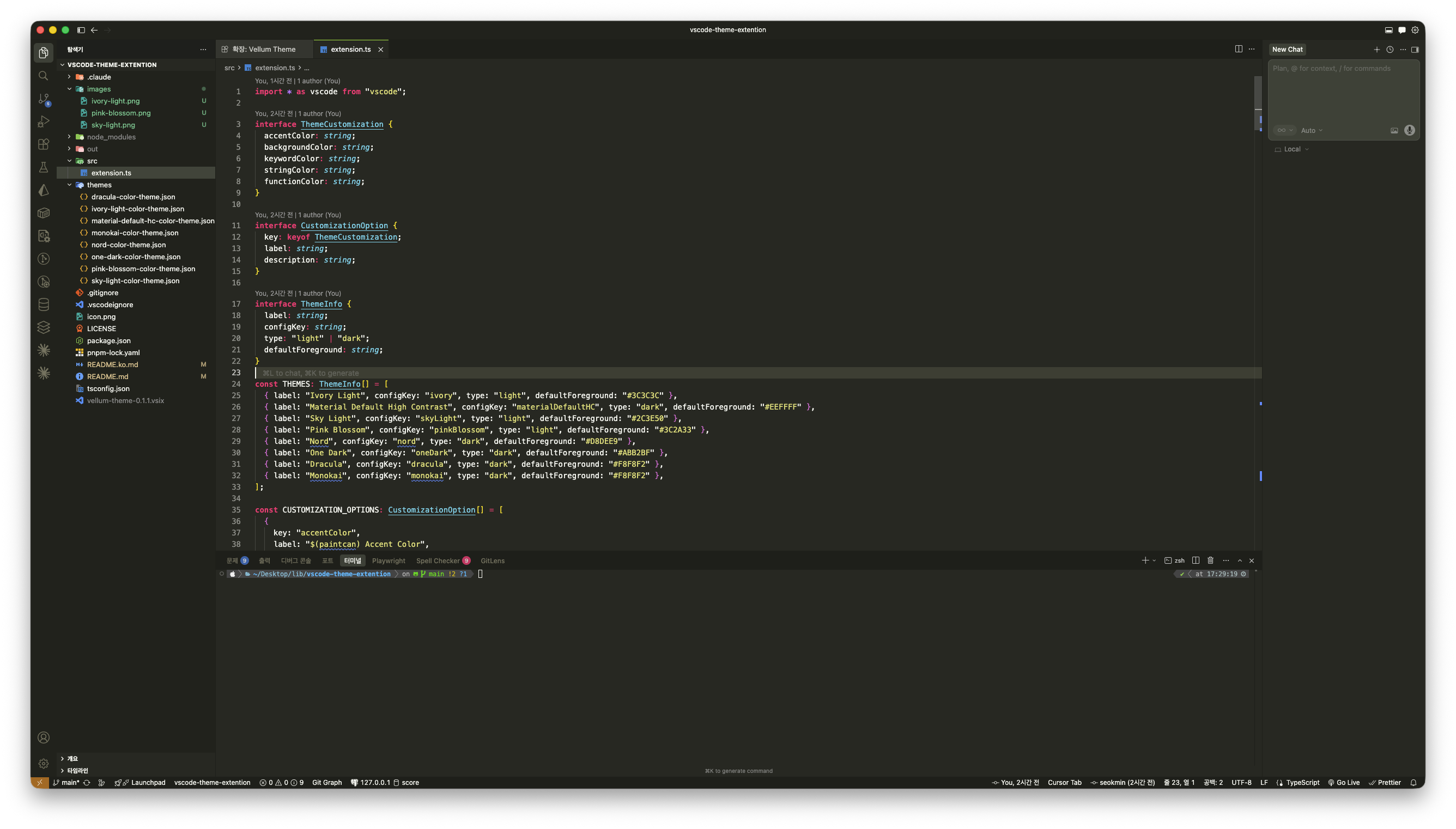
Installation
From Marketplace
- Open the Extensions panel (
Cmd+Shift+X on Mac / Ctrl+Shift+X on Windows/Linux)
- Search for Vellum Theme
- Click Install
Or install directly from the Visual Studio Marketplace.
From VSIX
code --install-extension vellum-theme-0.1.1.vsix
Build from Source
pnpm install
pnpm run compile
pnpm run package
code --install-extension vellum-theme-*.vsix
Applying a Theme
Cmd+K Cmd+T (Mac) / Ctrl+K Ctrl+T (Windows/Linux) → Select from the list:
- Ivory Light
- Ivory Light — Dark Terminal
- Sky Light
- Sky Light — Dark Terminal
- Pink Blossom
- Pink Blossom — Dark Terminal
- Material Default High Contrast
- Nord
- One Dark
- Dracula
- Monokai
Customization
Command Palette
Cmd+Shift+P (Mac) / Ctrl+Shift+P (Windows/Linux) → Vellum Theme: Customize Colors- Choose what to customize:
- Accent Color — Status bar, badges, buttons
- Background Color — Editor background
- Keyword Color —
if, const, return, etc.
- String Color — String literals
- Function Color — Function/method names
- Enter a hex color code (e.g.
#FF5370)
settings.json
{
  // Example: Sky Light customization
  "vellumTheme.skyLight.accentColor": "#64A3F8",
  "vellumTheme.skyLight.backgroundColor": "#F5F9FD",
  "vellumTheme.skyLight.keywordColor": "#1565C0",
  "vellumTheme.skyLight.stringColor": "#2E7D32",
  "vellumTheme.skyLight.functionColor": "#6A1B9A",

  // Example: Pink Blossom customization
  "vellumTheme.pinkBlossom.accentColor": "#E08BAB",
  "vellumTheme.pinkBlossom.backgroundColor": "#FDF5F7",
  "vellumTheme.pinkBlossom.keywordColor": "#AD1457",
  "vellumTheme.pinkBlossom.stringColor": "#2E7D32",
  "vellumTheme.pinkBlossom.functionColor": "#4527A0",
}
Fine-grained Overrides
{
  "workbench.colorCustomizations": {
    "[Sky Light]": {
      "editor.background": "#F0F5FF",
      "statusBar.background": "#5B99E6",
    },
  },
  "editor.tokenColorCustomizations": {
    "[Pink Blossom]": {
      "textMateRules": [
        {
          "scope": ["variable.parameter"],
          "settings": { "foreground": "#9C3B6B", "fontStyle": "italic" },
        },
      ],
    },
  },
}
Reset
Cmd+Shift+P / Ctrl+Shift+P → Vellum Theme: Reset to Defaults
Configuration Reference
Ivory Light
| Key |
Default |
Description |
vellumTheme.ivory.accentColor |
#8B7355 |
Accent |
vellumTheme.ivory.backgroundColor |
#FDFAF3 |
Background |
vellumTheme.ivory.keywordColor |
#7C3F00 |
Keywords |
vellumTheme.ivory.stringColor |
#2D6A4F |
Strings |
vellumTheme.ivory.functionColor |
#1A5276 |
Functions |
Sky Light
| Key |
Default |
Description |
vellumTheme.skyLight.accentColor |
#7BB5E8 |
Accent |
vellumTheme.skyLight.backgroundColor |
#F5F9FD |
Background |
vellumTheme.skyLight.keywordColor |
#1565C0 |
Keywords |
vellumTheme.skyLight.stringColor |
#2E7D32 |
Strings |
vellumTheme.skyLight.functionColor |
#6A1B9A |
Functions |
Pink Blossom
| Key |
Default |
Description |
vellumTheme.pinkBlossom.accentColor |
#E08BAB |
Accent |
vellumTheme.pinkBlossom.backgroundColor |
#FDF5F7 |
Background |
vellumTheme.pinkBlossom.keywordColor |
#AD1457 |
Keywords |
vellumTheme.pinkBlossom.stringColor |
#2E7D32 |
Strings |
vellumTheme.pinkBlossom.functionColor |
#4527A0 |
Functions |
Material Default High Contrast
| Key |
Default |
Description |
vellumTheme.materialDefaultHC.accentColor |
#82AAFF |
Accent |
vellumTheme.materialDefaultHC.backgroundColor |
#000000 |
Background |
vellumTheme.materialDefaultHC.keywordColor |
#FF5370 |
Keywords |
vellumTheme.materialDefaultHC.stringColor |
#C3E88D |
Strings |
vellumTheme.materialDefaultHC.functionColor |
#82AAFF |
Functions |
Nord
| Key |
Default |
Description |
vellumTheme.nord.accentColor |
#88C0D0 |
Accent |
vellumTheme.nord.backgroundColor |
#2E3440 |
Background |
vellumTheme.nord.keywordColor |
#81A1C1 |
Keywords |
vellumTheme.nord.stringColor |
#A3BE8C |
Strings |
vellumTheme.nord.functionColor |
#88C0D0 |
Functions |
One Dark
| Key |
Default |
Description |
vellumTheme.oneDark.accentColor |
#61AFEF |
Accent |
vellumTheme.oneDark.backgroundColor |
#282C34 |
Background |
vellumTheme.oneDark.keywordColor |
#C678DD |
Keywords |
vellumTheme.oneDark.stringColor |
#98C379 |
Strings |
vellumTheme.oneDark.functionColor |
#61AFEF |
Functions |
Dracula
| Key |
Default |
Description |
vellumTheme.dracula.accentColor |
#BD93F9 |
Accent |
vellumTheme.dracula.backgroundColor |
#282A36 |
Background |
vellumTheme.dracula.keywordColor |
#FF79C6 |
Keywords |
vellumTheme.dracula.stringColor |
#F1FA8C |
Strings |
vellumTheme.dracula.functionColor |
#50FA7B |
Functions |
Monokai
| Key |
Default |
Description |
vellumTheme.monokai.accentColor |
#F92672 |
Accent |
vellumTheme.monokai.backgroundColor |
#272822 |
Background |
vellumTheme.monokai.keywordColor |
#F92672 |
Keywords |
vellumTheme.monokai.stringColor |
#E6DB74 |
Strings |
vellumTheme.monokai.functionColor |
#A6E22E |
Functions |
Development
pnpm run compile   # TypeScript compile
pnpm run watch     # Watch mode
pnpm run lint      # ESLint
pnpm run package   # Build .vsix
Supported Languages
JavaScript, TypeScript, Python, Rust, Go, Java, C/C++, HTML, CSS, JSON, Markdown, YAML, Shell, and all languages using VS Code TextMate grammars.
License
MIT
The "Material Default High Contrast" theme is based on Material Theme by Mattia Astorino, licensed under Apache 2.0.

