Skip to content
| Marketplace
Sign in
Visual Studio Code>Programming Languages>Laravel Playground (Code Runner)New to Visual Studio Code? Get it now.
Laravel Playground (Code Runner)

Laravel Playground (Code Runner)

Deepak M S

|
2 installs
| (0) | Free
Run Laravel code quickly. Run Laravel code directly from editor.
Installation
Launch VS Code Quick Open (Ctrl+P), paste the following command, and press enter.
Copied to clipboard
More Info

Laravel Playground 🚀

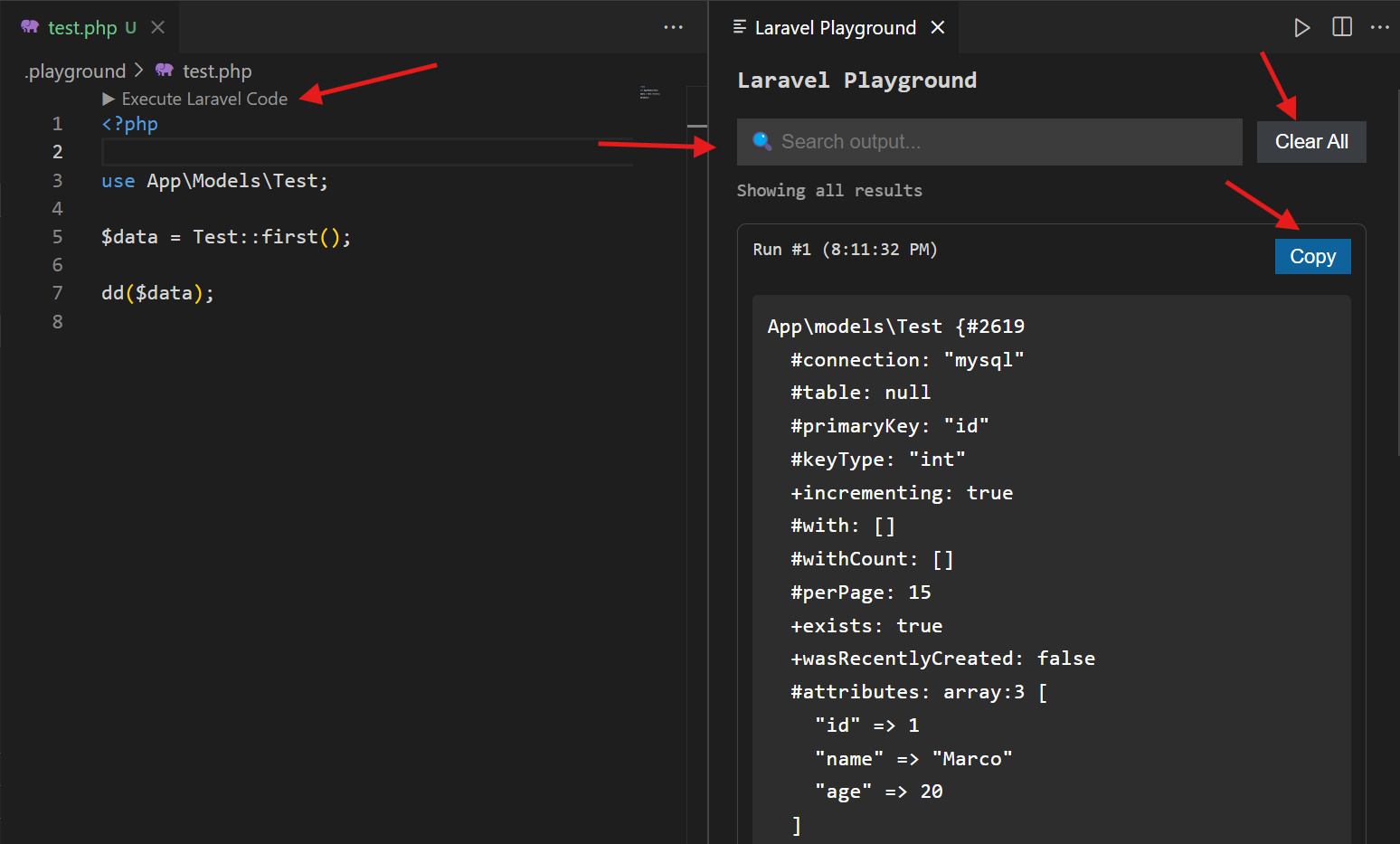
Laravel Playground (Code Runner) is a VS Code extension that lets you run Laravel code instantly inside Visual Studio Code.

💡 Download and install from the VS Code Marketplace:
🔗 Install Laravel Playground from Marketplace


screenshot
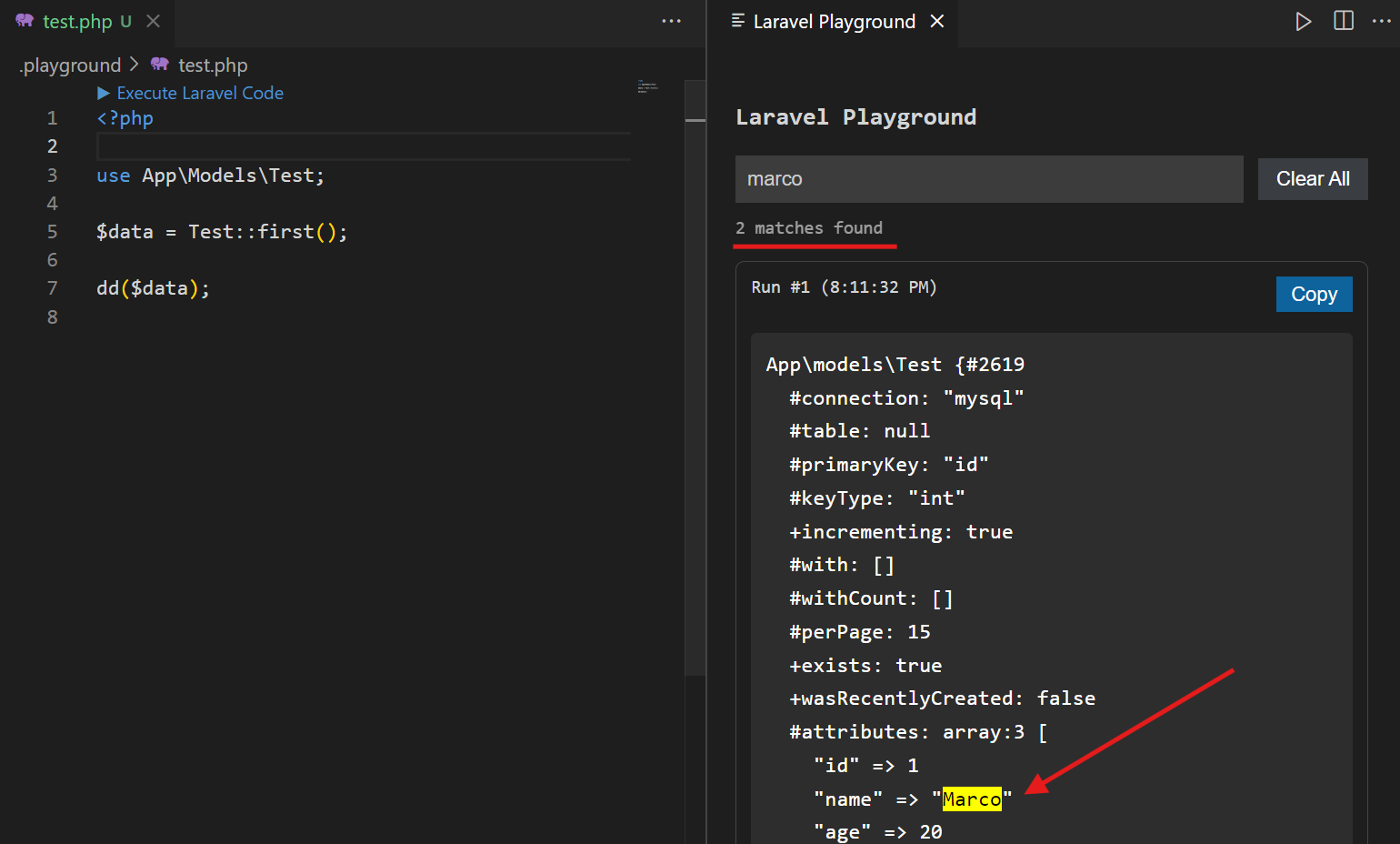
screenshot


✨ Features

  • ▶ Run Laravel code directly from the editor
  • 📂 Auto creates .playground/test.php for experiments
  • ⚡ Instant execution using PHP CLI
  • 🧠 Full Laravel boot (Models, DB, Facades)
  • 📊 Output panel with:
    • JSON viewer
    • HTML preview
    • Error display
  • 🔍 Global search with highlight
  • 📋 Copy output
  • 🧹 Clear all results
  • 🕘 Output history tracking

📦 Local Installation

From VSIX

To create VSIX file follow this steps

  1. Step 1: Install packaging tool npm install -g vsce
  2. Step 2: Package extension vsce package This will create "laravel-playground-0.0.1.vsix"

After

  1. Open VS Code
  2. Press Ctrl + Shift + P
  3. Select Install from VSIX
  4. Choose the .vsix file

🚀 Usage

1. Open Playground

Ctrl + Shift + P → Open Laravel Playground
  • Contact us
  • Jobs
  • Privacy
  • Manage cookies
  • Terms of use
  • Trademarks
© 2026 Microsoft