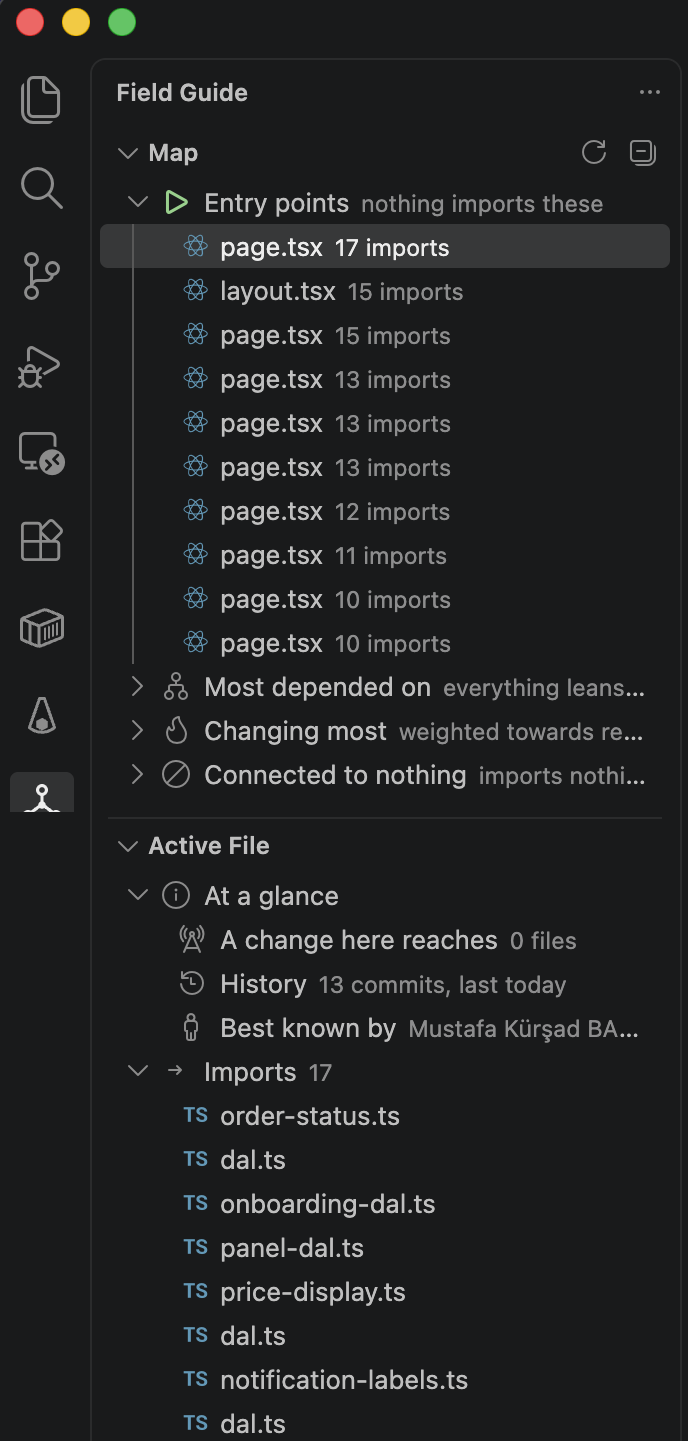
Field GuideA field guide to any codebase, written by the code itself: what depends on what, what changes together, and who knows it. Installation Launch VS Code Quick Open ( Ctrl+P), paste the following command, and press enter.Copied to clipboard |

Field Guide
A field guide to any codebase, written by the code itself.
Why I wrote itThe first week on an unfamiliar codebase is spent asking questions nobody has written down. Where does this start. What breaks if I touch this. Why do these two files always seem to change together. Who do I ask about this part. The usual answer is documentation, and documentation has one fatal property: it starts going stale the moment it is written. The architecture diagram in the wiki describes a system that existed eighteen months ago, and everybody knows it, so nobody trusts it, so nobody updates it. The answers are already in the repository. The import graph knows what depends on what. The commit history knows what changes together, how often each file is touched, and who has touched it. Neither can go stale, because neither is written down — both are derived, every time you ask. So this reads them instead of asking you to maintain a document. What it doesIt tells you where to start readingTwo lists, both derived: the files nothing imports, which is where execution begins, and the files everything leans on. This is hono, a repository neither of us wrote: Four hundred files, and three of them carry the whole design. That is the first thing worth knowing and the last thing anyone writes down. It tells you what a change will reachNot a text search for the file name — the actual import chain, followed all the way, nearest first: That is this repository describing itself. In the editor the same figure sits above the file you are looking at, as one line: It finds the couplings nothing else can seeThis is the half that cannot be done with static analysis. Files that are committed together over and over, whether or not they refer to each other: Three runtime adapters in hono implementing the same feature separately. None of them imports another, so no compiler, linter or dependency graph will ever connect them — but change one and there is a two in three chance the others need the same change. Nobody writes that down either. You learn it by breaking it. It tells you where the knowledge has goneOwnership is worked out from lines written, and reported only when it is actually a problem — one person wrote nearly all of a file and has stopped contributing: On a small team one person owning a file is the normal state, so flagging that would fire on everything and be read as noise. The signal is the person having gone. It answers the same questions for a coding agentThe same analysis runs as an MCP server, so an agent can ask directly instead of grepping its way to a worse answer. Six tools: An agent that asks InstallingField Guide needs Node 20 or newer and git on the In VS CodeFrom the Marketplace — the search box in the Extensions view, or: Or take the signed VSIX from Releases: Or build it yourself: The first minute. Open a repository and click the Field Guide icon in the activity bar. The first index takes a few seconds on a small repository and rather longer on a large one — reading the git log is two thirds of it — and it is written to a cache outside the working tree, so every later start is quick. Then:
If the view says there is no repository, the folder is not one, or it is not trusted yet — see the note at the end of this section. Anything that goes wrong is written to View → Output → Field Guide, at warning level, so it is visible without changing a setting. In Claude CodeThe MCP server ships as one self-contained file, so there is nothing to build: Then ask about a repository in plain language. The agent has six tools — In any other MCP clientIt speaks stdio and takes the repository as its argument: With no argument it maps whichever repository the working directory is in. A word about workspace trustThe extension does nothing until you trust the folder, and that is not a formality: a
repository's own SettingsEvery feature can be switched off on its own.
In a multi-root workspace each repository is indexed separately, in its own process, with its own cache. How the numbers are worked outThe import graph is resolved through the TypeScript compiler's own module resolution rather than a reimplementation of it, so Change frequency is a commit count with each commit weighted by how recent it is, halving every 90 days. A raw count ranks by age on any long-lived repository: a file rewritten heavily five years ago and untouched since would outrank the one the team is fighting with this month. Coupling is a conditional probability — of the commits that touched A, what share also touched B — reported in both directions, because the relationship is usually lopsided. Pairs seen fewer than three times, or under 30% confidence, are dropped. Commits touching more than 25 files are excluded outright: a formatter run or a dependency bump couples everything it touches to everything else it touches, and all of it is spurious. Ownership is weighted by lines added rather than by commits, because someone who wrote a file in two large commits knows it better than someone who adjusted an import in ten small ones. Bus factor is the fewest people who between them account for half the file. Freshness is established rather than assumed. Before answering, it checks PrivacyNo telemetry. No network requests. Not as a policy — there is no code anywhere in this project that opens a socket. What it returns is a different question, and worth being precise about. In the editor the answers stay on your machine. Through the MCP server they become part of your agent's conversation, and that conversation goes wherever your agent already sends it — so treat them exactly as you treat the code the agent is already reading. Author names appear in ownership output; email addresses are used as an identity key and are never rendered. Text that comes out of a repository — file paths, module specifiers, author names — is escaped before it is shown. A module specifier can carry a newline while looking entirely ordinary in the source, and printed verbatim it produces a line indistinguishable from one this program wrote. For a tool whose whole purpose is being pointed at code you have not read, that is worth closing. The index is cached outside the working tree, so nothing appears in What it does not do yet
One thing it reports that you might not expect: imports whose capitalisation differs from the file on disk. They work on macOS and Windows and fail on Linux, so they are a portability bug that a CI run would otherwise find later and more expensively. Development
If you want to work on it, see CONTRIBUTING.md. LicenseMIT © Mustafa Kürşad BAŞER |