
RepoChat
Chat with your repo's collaborators without leaving VS Code.
No invite link. No room key. The room is the repository.




Watch the 20-second video with sound · Website
Why RepoChat
Your team already has a place to chat, but it doesn't know what a file, a line or a pull request is. RepoChat lives in the editor, so the conversation sits next to the code it's about.
- Zero setup. Sign in with GitHub. If you can push to the repo you have open, you're in its chat.
- Access follows GitHub. Add someone to the repo and they can join. Remove them and they're out.
- Built around code. Share a selection, a pull request, a screenshot or a file in one step.
What you can do
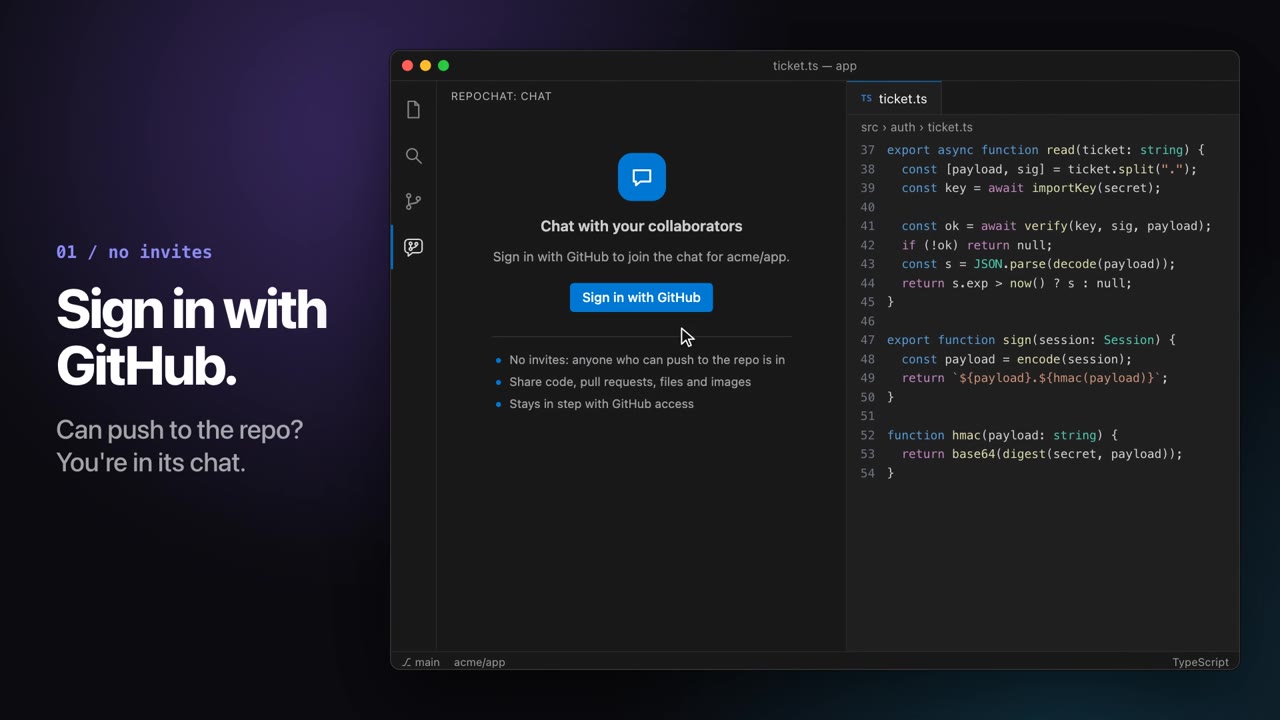
Sign in, and you're in
No invites to send or accept. The repo's collaborators are the members.
|
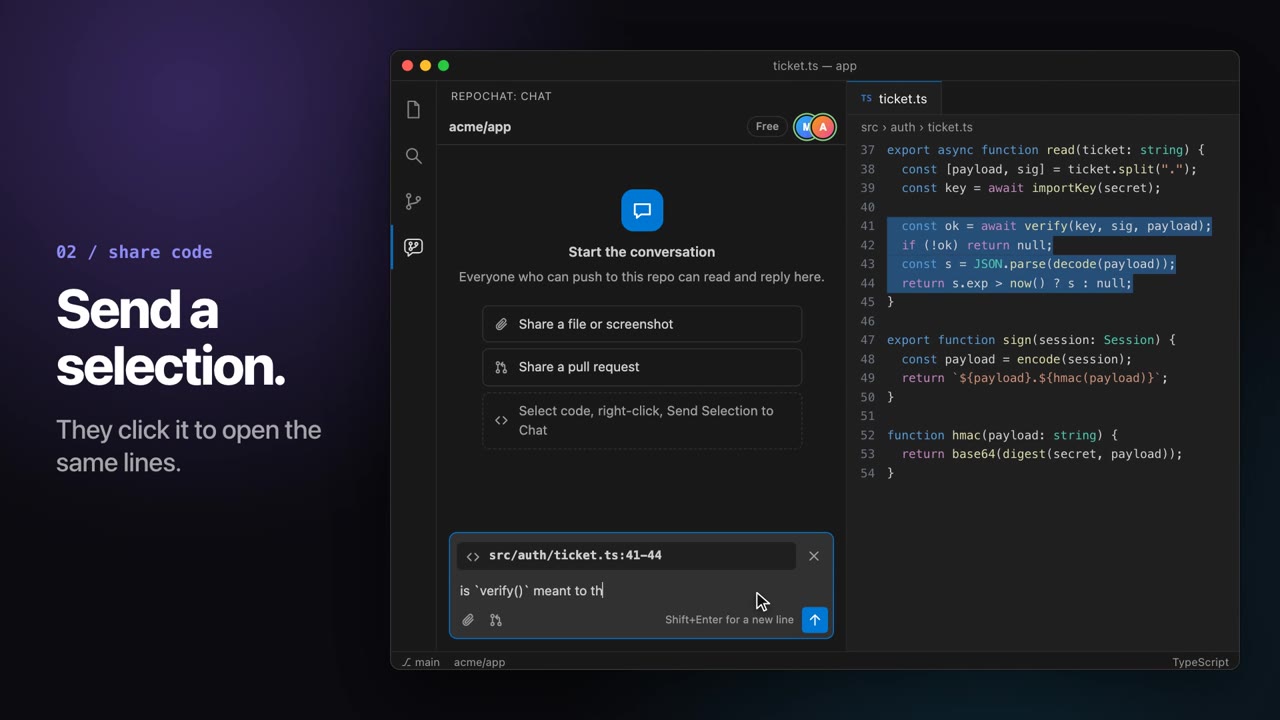
Send a selection
Select code, right-click, Send Selection to Chat. Your teammate clicks the snippet and lands on the same lines.
|
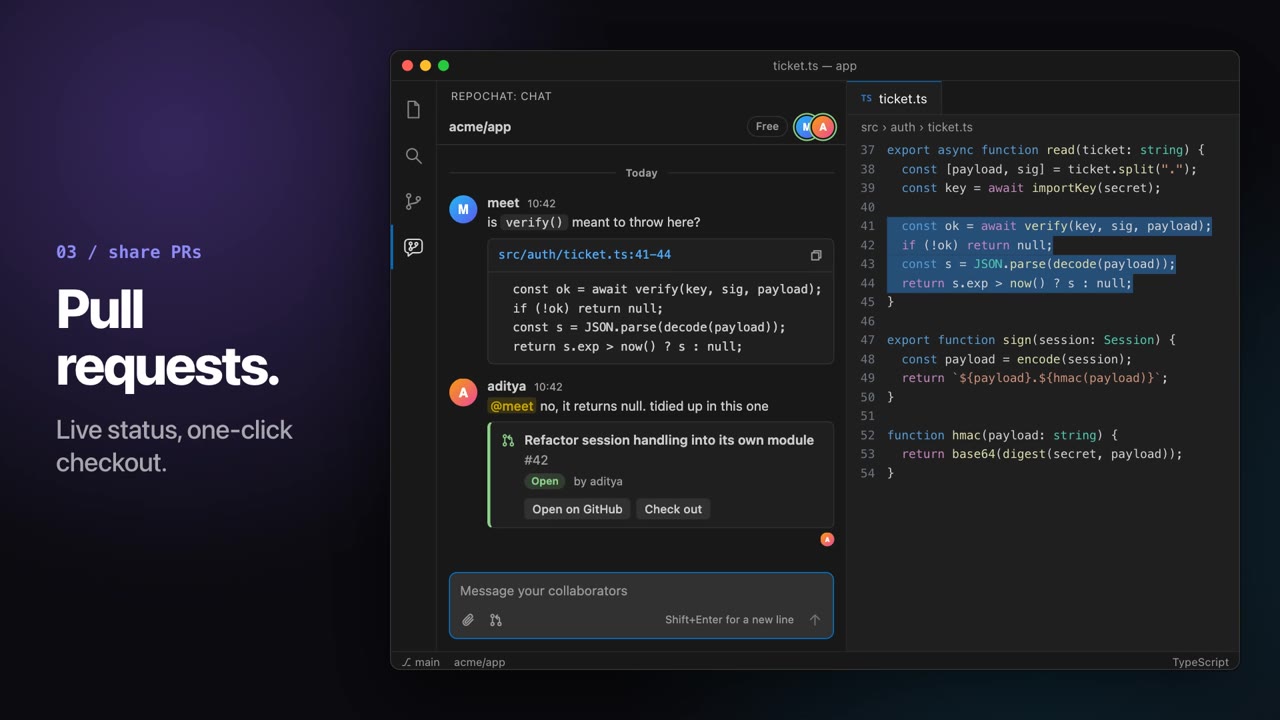
Pull requests as cards
Share a PR and it shows live status. Open it on GitHub or check the branch out in one click.
|
And the things you'd expect
- Paste a screenshot or drop a file
- A chime, a popup and an unread count for new messages
- Read receipts and typing indicators
- Edit or delete what you sent
@mentions, links and code blocks- Follows your VS Code theme, light or dark
|
Get started
- Install RepoChat.
- Open a repo that is a clone of a GitHub repository.
- Click the RepoChat icon in the activity bar and sign in with GitHub.
When a teammate does the same on the same repo, you're in the same room.
Commands
| Command |
What it does |
RepoChat: Send Selection to Chat |
Attach the selected code, with a link back to its lines. Also in the editor's right-click menu. |
RepoChat: Share Pull Request |
Pick one of the repo's open pull requests to share. |
RepoChat: Share File |
Upload a file or image. |
RepoChat: Upgrade Plan |
See the plans for this repo. |
RepoChat: Reconnect |
Reconnect and re-check your access. |
Press ↑ in an empty message box to edit your last message.
Settings
| Setting |
Default |
|
repochat.notifications.sound |
true |
Play a sound when a message arrives and you aren't looking at the chat. |
repochat.notifications.popup |
true |
Show a popup when the chat panel isn't open. |
repochat.serverUrl |
hosted service |
The RepoChat server to connect to. |
Plans
|
Free |
Team |
Org |
| Price |
$0 |
$4 per user / month |
$8 per user / month |
| Public repos |
Everyone |
Everyone |
Everyone |
| Private repos |
2 people |
Everyone on one repo |
Every repo your org owns |
| History |
30 days |
Full |
Full |
| File size |
10 MB |
25 MB |
25 MB |
One person pays for the repo or the organisation; everyone else just joins. Team is also available yearly at $40 per user.
Privacy and safety
- RepoChat stores the messages, files and snippets you choose to share, and nothing else from your repository.
- Your GitHub token is used to check your access and to load pull requests. It is not stored on our servers.
- Anyone can report a message, and a repo's admins can delete any message in their chat.
Read the privacy policy and the terms and content rules.
Questions
Why does it ask for the GitHub repo permission?
GitHub needs it to answer "can this person push to this private repository?". RepoChat never writes to your repositories.
Who can read a repo's chat?
Only people with push access to that repository. Read-only access to a public repo isn't enough.
Something's wrong, or you have an idea?
Write to contact@dashovia.app.
Made by Dashovia Innovations. Not affiliated with GitHub or Microsoft.

