Unroll
Read agent transcripts, eval runs and trajectory datasets in VS Code.
Unroll shows each agent run as a conversation: messages, reasoning, tool calls and their results, in order. Every step links to the JSON record and line it came from, so anything you read can be checked against the file. When a file holds many runs, Unroll lists them with their outcomes and lets you select the ones worth reading by any field. Files are read locally and nothing is sent anywhere.
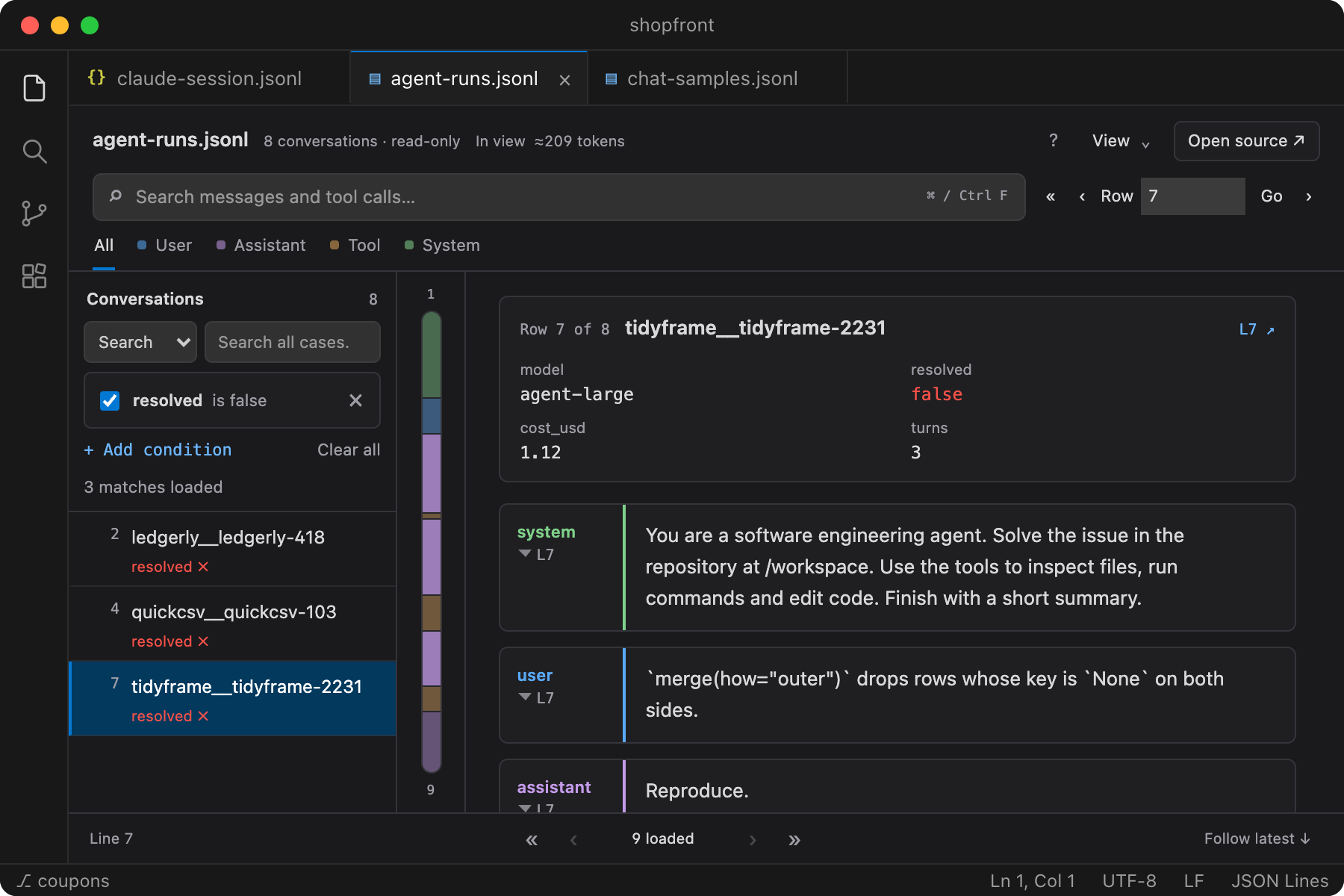
- Pick the runs to read. In SWE-agent, OpenHands, τ-bench and similar results, add conditions such as
resolved is false or metadata.judge.score > 0.8, then step through the matching runs.
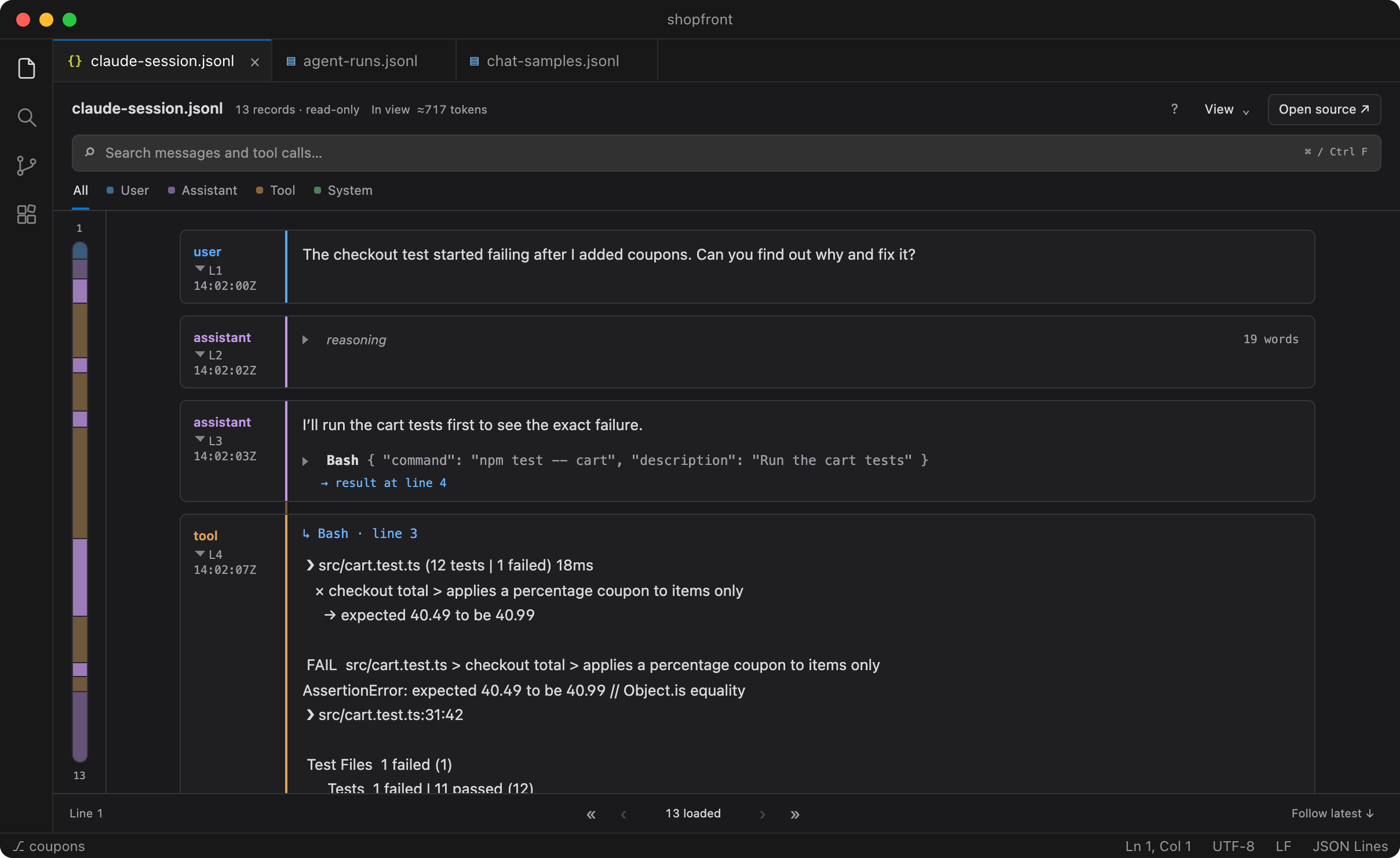
- Follow each tool call to its result. Arguments are shown as fields instead of escaped JSON, and a call can be viewed next to its output even when the output arrives many steps later.
- Check any step against the source. Show the exact record behind a message, or open its line in the file beside the preview.
- Search the whole file. Message text, tool names, arguments and results are all searchable, and long searches can be stopped and resumed.
- Open large files. Saved JSONL of any size opens from disk. In benchmarks, a 110 MB log with 110,000 messages shows its first messages in under a second.
- Keep data where it is. There is no account, server or telemetry. Over Remote SSH or WSL, files are read on the remote machine.
Get started
- Install Unroll from the Visual Studio Marketplace, or search for Unroll in the VS Code Extensions view. For an offline install, download the VSIX from GitHub Releases and choose … → Install from VSIX… in the Extensions view.
- Right-click a
.jsonl, .ndjson or .json file and choose Unroll: Open as Agent Trace. The editor's preview icon, the Command Palette and Reopen Editor With… work too. Your usual text editor stays the default.
To try it without your own data, download one of the made-up examples: a dataset of eight agent runs, a Claude Code session or a chat dataset.
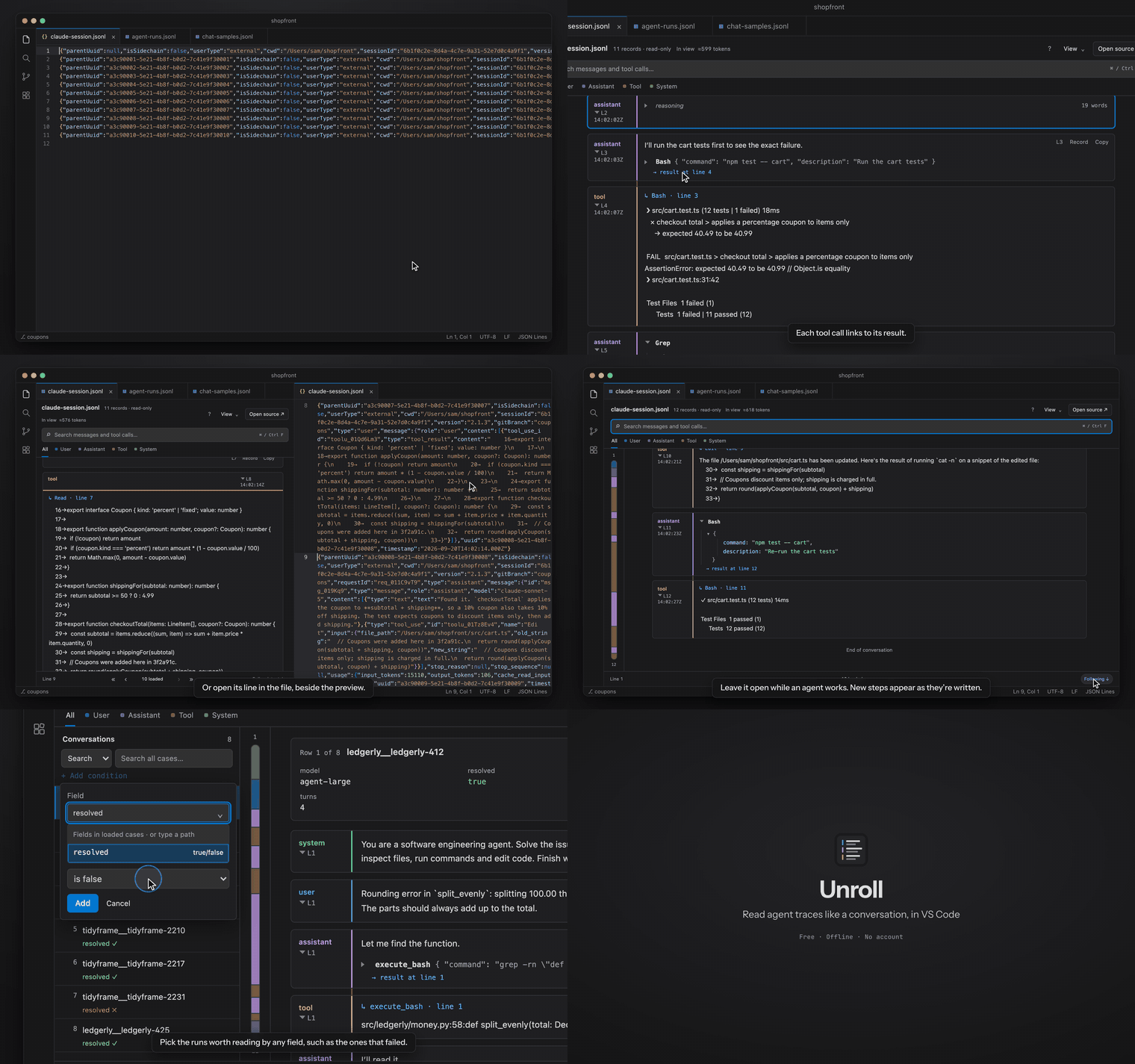
Watch the one-minute walkthrough with captions · Read the guide
Working with runs
- Run list. When each row of a file is a full run, Unroll lists the runs with their id and outcome (
resolved, success, reward, exit_status and similar). Each run's other fields, such as model, cost or a generated patch, appear above its conversation.
- Conditions. Stack conditions on any field, including nested metadata. Unroll offers only the comparisons that fit what a field holds, and value suggestions come from the whole file with a count for each. Match all or any conditions, pause one, or edit it in place. Shift+J and Shift+K move between matching runs.
- Reading a run. Reasoning is folded with its length shown. Long messages start as a preview, and Read full text opens the complete message in sections. Read in context shows a search hit with the turns around it, and Back to results returns you to the list.
- Provenance. Line numbers always refer to the original file, including in filtered views. Tool calls and results are matched by their IDs; when a match is ambiguous, Unroll leaves the call unlinked rather than guessing. Records it doesn't recognize are kept under View → Show events.
- Runs in progress. Leave a file open while an agent writes to it. New steps appear as they're written, and F follows the latest.
| Source |
Recognized content |
| Trace datasets |
One run per row or array item: SWE-agent, OpenHands, τ-bench, AgentInstruct, Hermes, xLAM and Agent-SafetyBench-style (thought / action / environment) shapes |
| Claude Code / Anthropic |
Message envelopes, text, thinking, tool use and tool results |
| Codex / OpenAI Responses |
Response items, messages, function calls, custom tools and outputs |
| OpenAI Chat Completions |
Role/content messages and tool calls |
| Gemini |
Model messages, parts, function calls and responses |
| Vercel AI SDK |
Text, reasoning and tool parts |
| OpenTelemetry GenAI |
Input and output message attributes on spans |
| LangChain / LangGraph |
Human, AI and tool messages, including nested state dumps |
| ShareGPT / chat datasets |
Conversation and message envelopes |
Files can be JSONL, NDJSON or a single JSON array, including JSON files that wrap their rows in one key. Log formats change between tool versions, so a file may only partly match; anything unrecognized is still available as raw events. Inspect eval logs and Parquet files aren't supported.
Investigations (experimental)
Investigations let you ask a language model about a run or a dataset, for example why a run failed or how often agents edit tests before running them. The model reads the file through read-only tools and cites the steps it relied on. For questions about how often something happens, it asks you to label a random sample of runs; the estimate and its 95% interval come from your labels, not the model's.
Investigations are off by default, and nothing else in Unroll needs them.
- Run Unroll: Enable Investigations (Experimental)…, which explains what is sent before anything changes.
- Run Unroll: Choose Investigation Model… to connect GitHub Copilot or another VS Code language model, the Anthropic API, or any Responses or Chat Completions endpoint, including a local server. Keys are kept in VS Code's secret storage and used only for the endpoint they were entered for.
- Add steps with X, Ctrl/Cmd-click or a text selection, then press A to ask. I shows the investigation panel.
When you ask, excerpts of the file are sent to the model you chose, and you confirm each new remote provider first. Investigations run only in trusted workspaces, and their settings can be changed only in your user settings, so a repository you open can't turn them on or redirect them. Model-provider code isn't loaded until you turn them on. Results are saved in Unroll's private storage unless you set Save To to workspace. See the guide for details.
Data handling
Reading a file sends nothing anywhere.
- Investigations are the only feature that contacts a model, and only after you turn them on and ask. Native OpenAI requests use
store: false; account-level data controls still apply.
- Unroll never runs the tool calls recorded in a transcript and never edits your trace files.
- It doesn't load remote images from trace content. Links open only when you click them.
- In a remote workspace (SSH, containers, WSL), the file is read on the remote machine, where VS Code runs its extensions.
See the privacy page for details.
Keyboard shortcuts
Press ? in the preview for the full list.
| Keys |
Action |
| J / K |
Next / previous step |
| N / P |
Next / previous tool call |
| Shift+J / Shift+K |
Next / previous run in a dataset |
| R |
Show the original record |
| O |
Open the step's line in the file |
| / or Ctrl/Cmd+F |
Search |
| Esc |
Clear search and filters |
| F |
Follow the newest steps |
| C |
Show or hide the run list |
| T |
Show or hide the map |
Single-letter shortcuts are ignored while you type in a field. Every shortcut is a VS Code command named Unroll: …, so you can rebind it.
Requirements and limits
- Desktop VS Code 1.96 or newer on Windows, macOS or Linux. The browser-only vscode.dev isn't supported.
- Saved
.jsonl and .ndjson files have no size limit. .json files, unsaved edits and virtual filesystems are read into memory, up to 100 MB by default (Unroll: Max File Size MB).
- The In view total estimates the size of the loaded messages in tokens, words or characters. It isn't a whole-file count or billed usage.
- Unroll follows your VS Code theme, including light, dark and high contrast. Times are shown in UTC.
Feedback
Report a bug or an unsupported format with your extension version, VS Code version, OS and a small sanitized example. Issues are public, so don't attach credentials or private transcripts.
Unroll is a preview release under the MIT license. The GitHub repository has documentation, examples and release builds; the source code is maintained privately. Provider and benchmark names describe compatible formats and don't imply affiliation.
| |

