Flutter Intl EditorA GUI for VS Code for editing Flutter Intl .arb files Installation Launch VS Code Quick Open ( Ctrl+P), paste the following command, and press enter.Copied to clipboard |


Flutter Intl Editor
Manage your Flutter internationalization ( 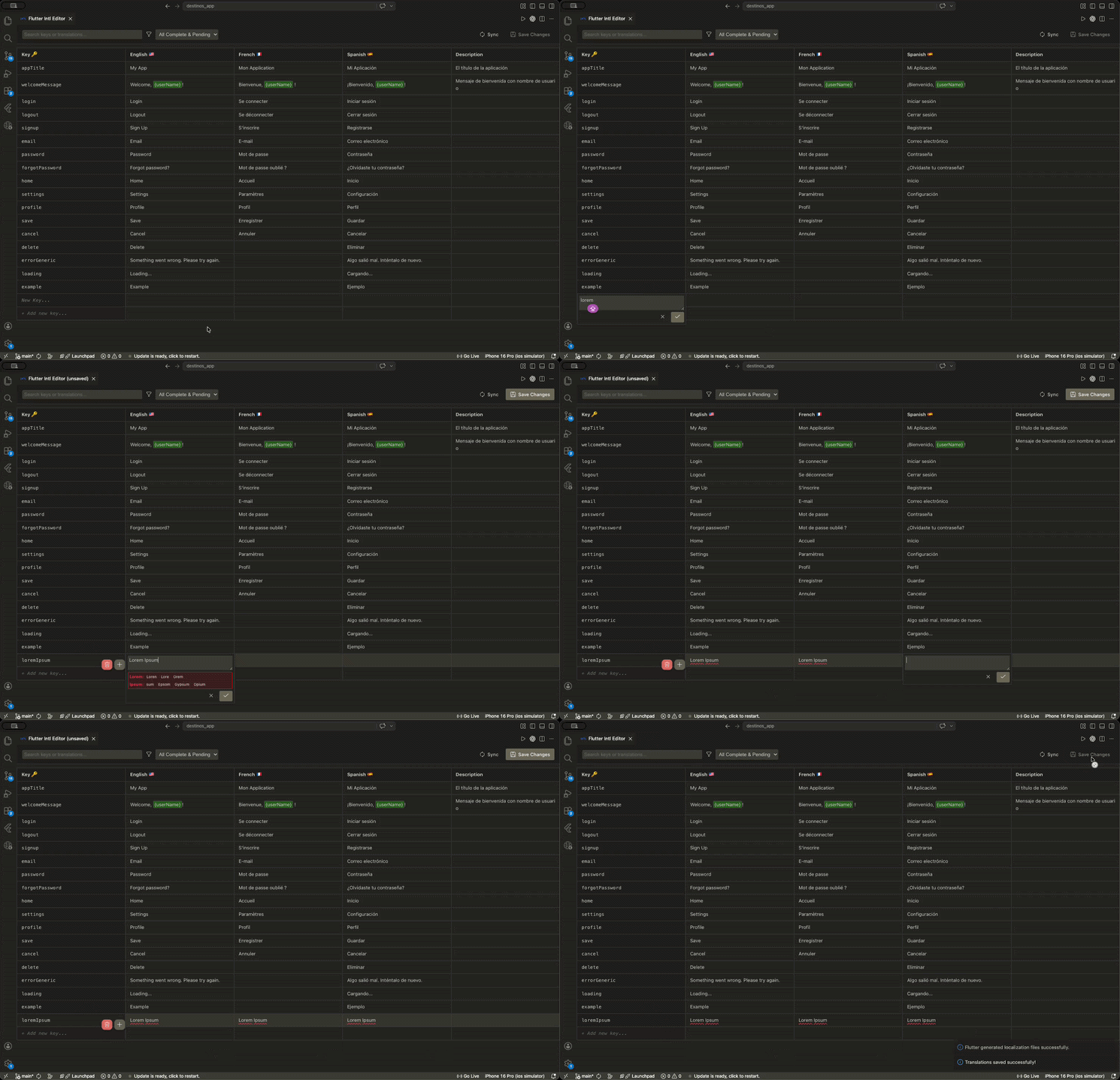
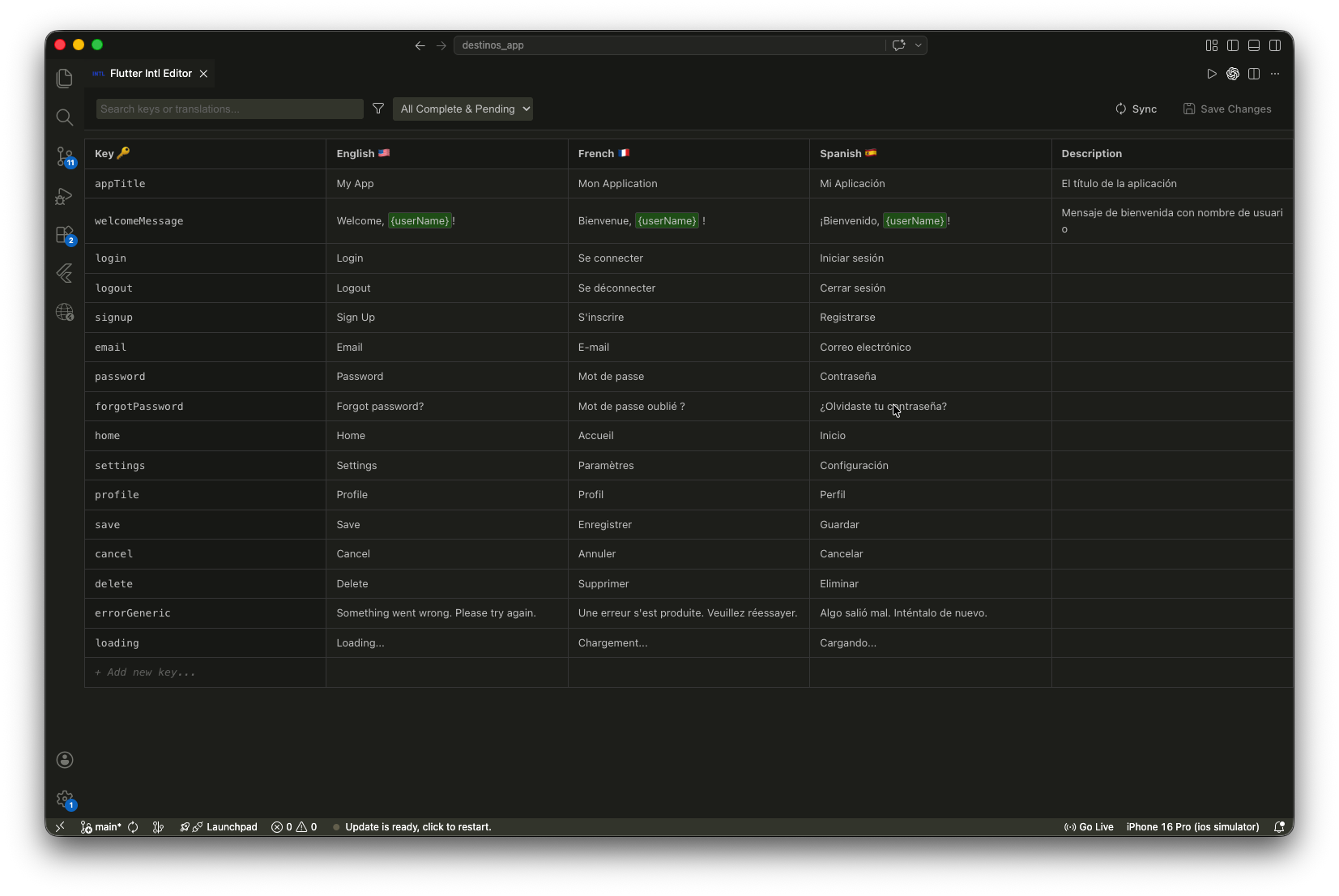
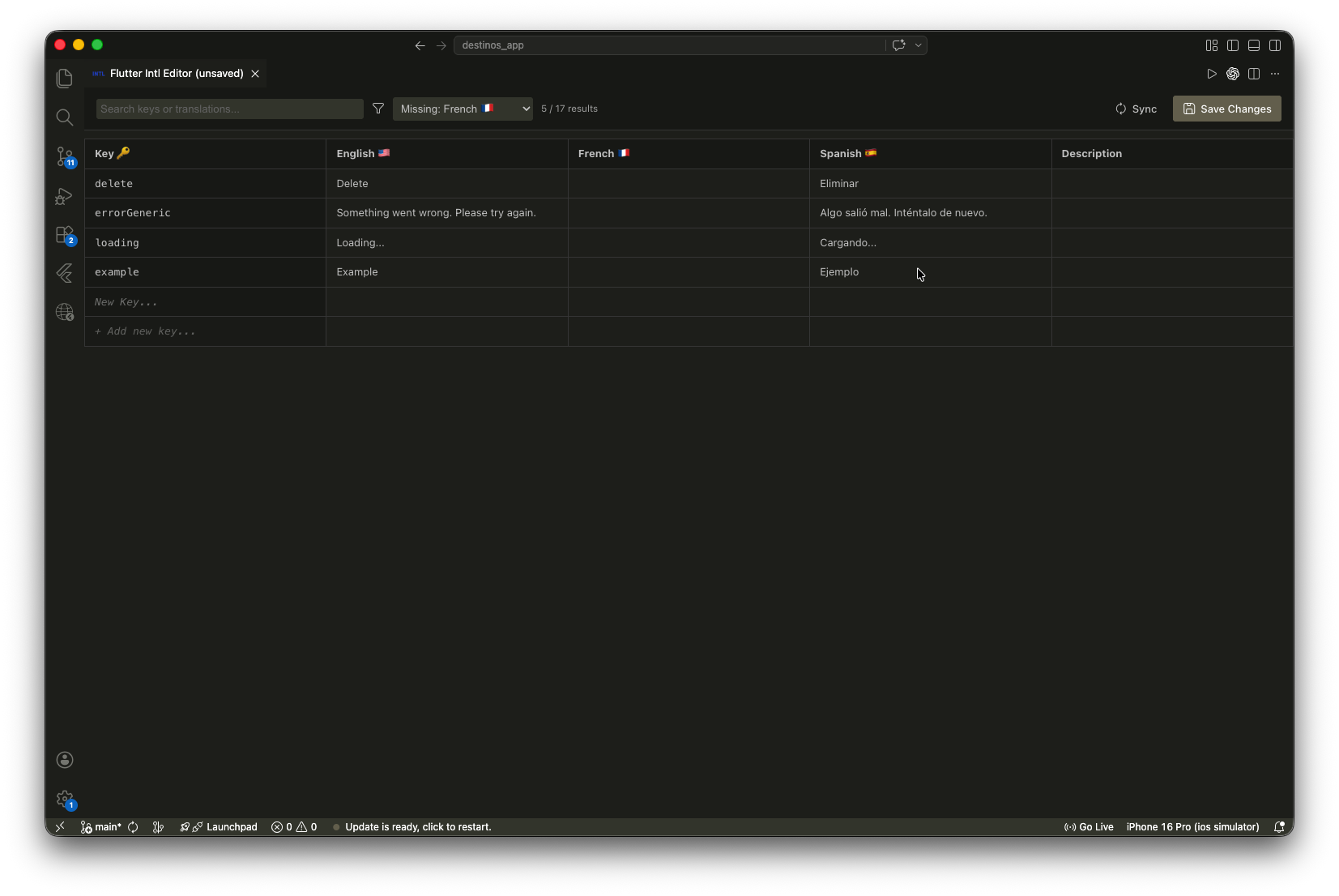
✨ Features📊 Unified Table InterfaceView and edit all your 🔍 Search & Smart Filters
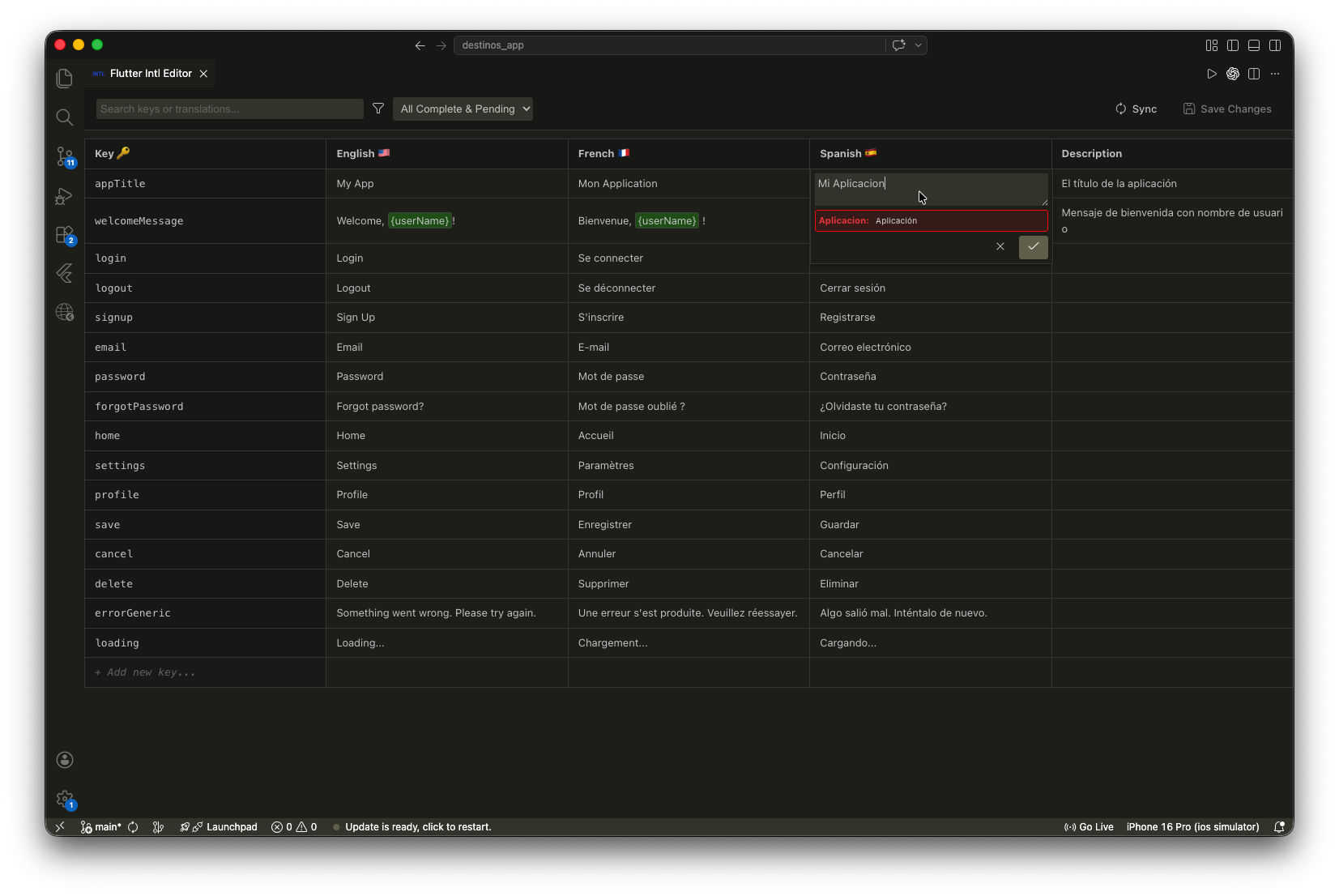
🛠️ Built-in Grammar CheckCatch typos and grammar issues as you type with the integrated real-time checking.
⌨️ Keyboard NavigationNavigate your translations like a pro. Supports 📝 Comments SupportKeep your context! Edit and view ARB comments ( ↩️ Undo & RedoMade a mistake? You have full session history. Quickly undo or redo any change before saving to disk. 🚀 Getting Started
📖 Notes & Requirements
📄 LicenseThis project is licensed under the MIT License. |