MCUHex — STM32 Flash & Live Variable MonitorStart MCUHex from VS Code: open the web dashboard for your own ELF and board, or try an interactive local demo — STM32 / ARM Cortex-M with ST-Link, J-Link or DAPLink. Installation Launch VS Code Quick Open ( Ctrl+P), paste the following command, and press enter.Copied to clipboard |

MCUHex for VS Code — flash & read live STM32 variables
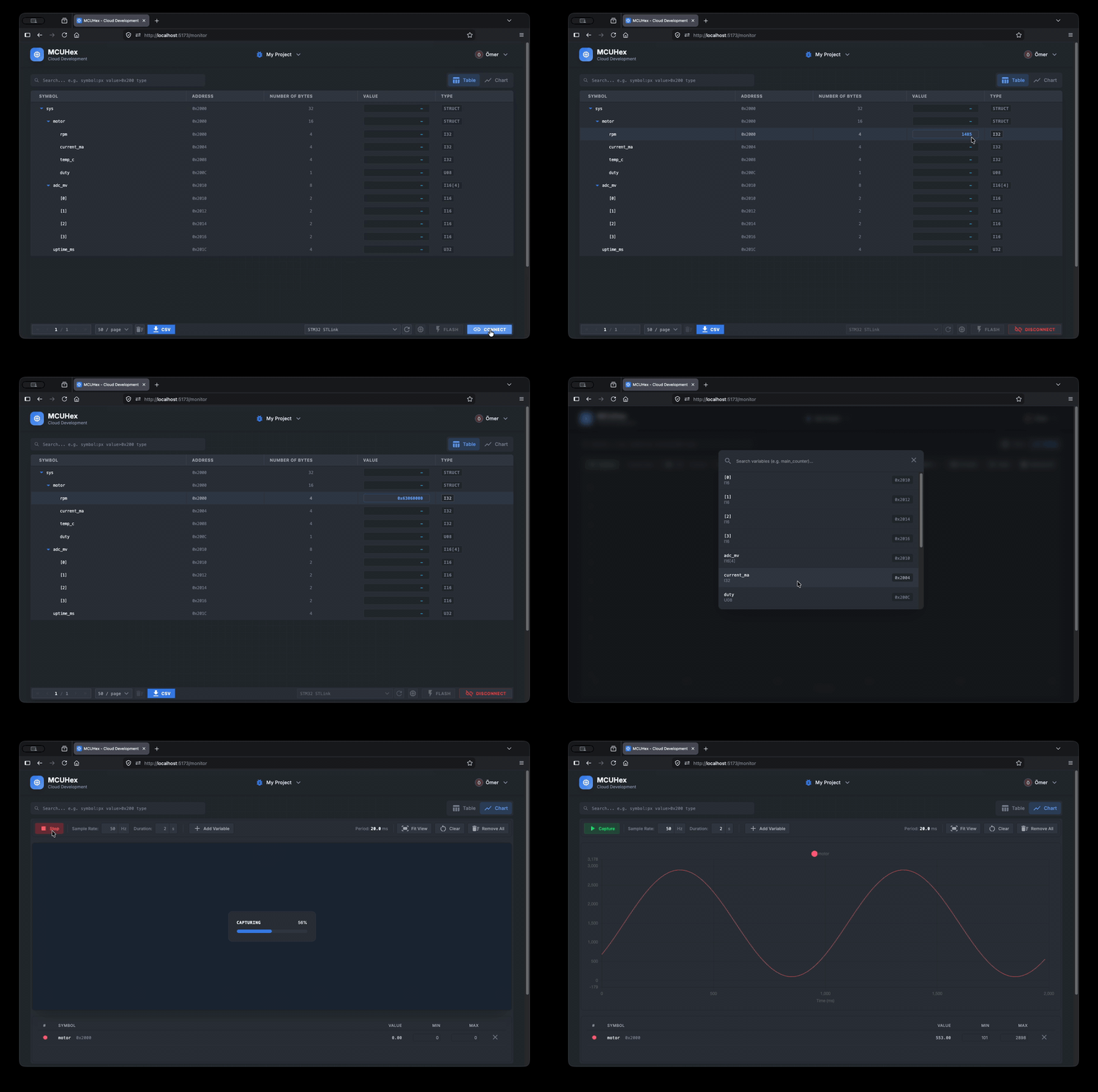
Stop firing up STM32CubeIDE just to peek at one variable. MCUHex flashes your firmware and reads live MCU variables over SWD — in hex or decimal, with waveform capture. This extension is your on-ramp: open the dashboard for your own firmware, or try the interactive demo inside VS Code. No heavy IDE, no multi-gigabyte toolchain. Built for ARM Cortex-M / STM32.
🚀 Use your own firmware in the MCUHex dashboard — create a project, upload your ▶️ Watch the 60-second walkthrough — or open the MCUHex panel in the sidebar and try the demo, embedded right in VS Code. Why MCUHex
How it works
The SDK ships for macOS (Apple Silicon) and Windows (x64). Open VSX/Linux or remote-editor users can still open the web dashboard, but the local SDK demo does not run on Linux hosts yet. Try it before you wire anything upOpen the MCUHex panel in the sidebar for an interactive demo — no board required. When you're ready for your own firmware, you're one click from the full web app. Unlock the full board on the webThe sidebar is your on-ramp; the heavy lifting lives in the web app. Point MCUHex at your firmware and sign in to unlock:
→ Start with your own firmware on the web Commands
PrivacyThis extension collects no telemetry. The link to the web app carries passive
|