
 | Orbit — Collaborative Task BoardsOrbit — collaborative task boards, inside your IDE. Installation Launch VS Code Quick Open ( Ctrl+P), paste the following command, and press enter.Copied to clipboard |

🛰️ Orbit — Collaborative Task BoardsYour team's project boards, right inside your editor.Kanban, sprints, docs, and two‑way GitHub sync — without leaving VS Code, Cursor, Windsurf, or any VS Code–compatible IDE.
😖 The problemYour work lives in the editor. Your team's tasks live in a browser tab you keep forgetting to open. Every status update, every "what's next?", every ticket link means a context switch — and context switches are where focus goes to die. ✨ The solutionOrbit puts the whole project workspace inside your IDE. Same board, same real‑time data as the Orbit web app — now one click away in your sidebar. Update a task while the code is still in front of you, and your teammates see it instantly.
🎯 Features
Everything is real‑time: a change in the extension shows up in the web app (and vice‑versa) within moments. 🏗️ How it worksThe extension renders the real Orbit UI in a webview that talks straight to Firebase for live data, and routes server features (AI, GitHub, uploads) through the extension host to your Orbit deployment. 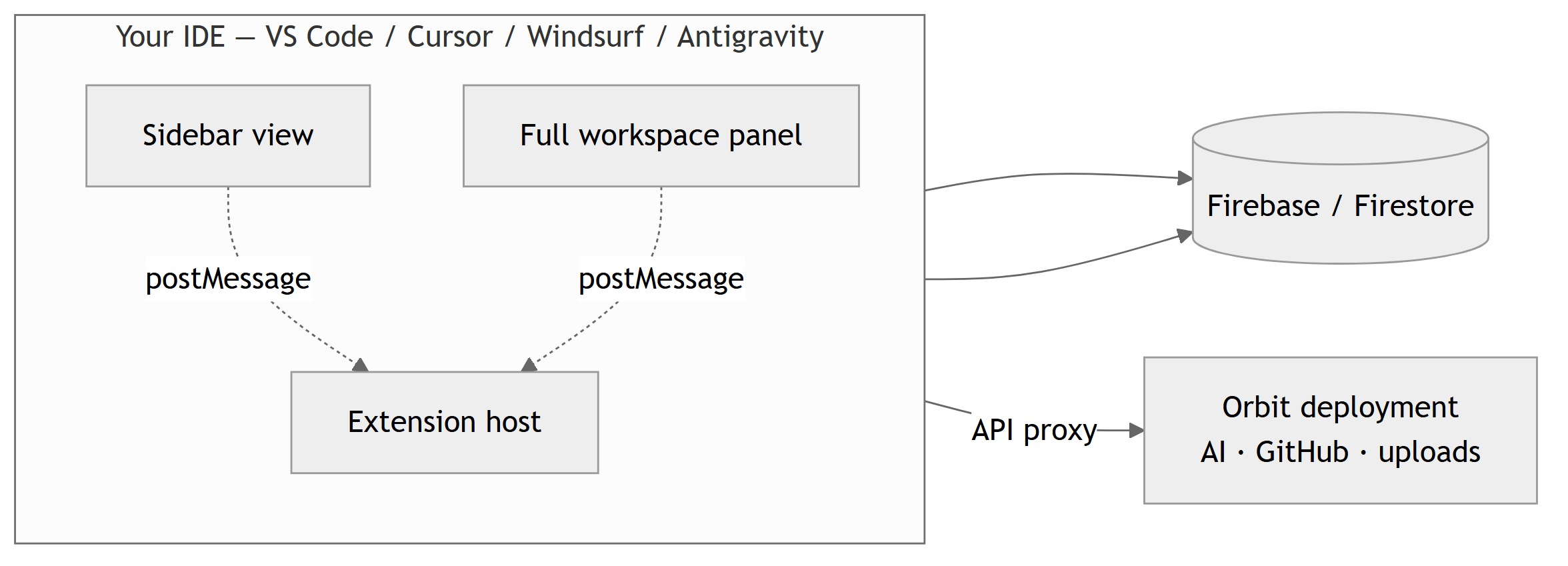
🔐 Signing inEmail/password works instantly. Google uses a secure browser round‑trip (webviews can't open OAuth popups), handing a one‑time session token back to your editor via a deep link. 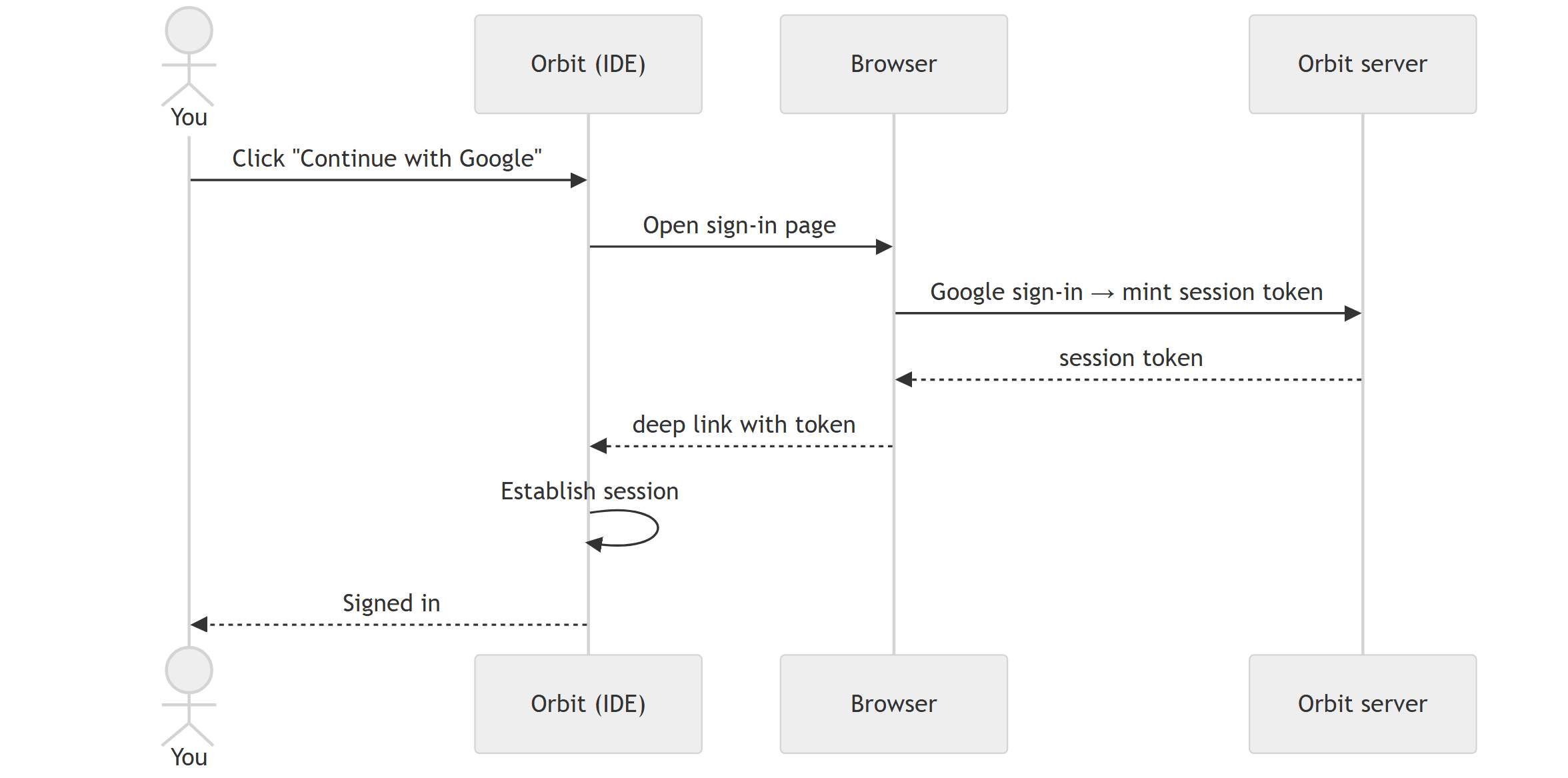
🐙 GitHub Projects syncConnect a repo once, map your columns to a GitHub Status field, and Orbit keeps tasks and GitHub issues in lock‑step — in both directions. 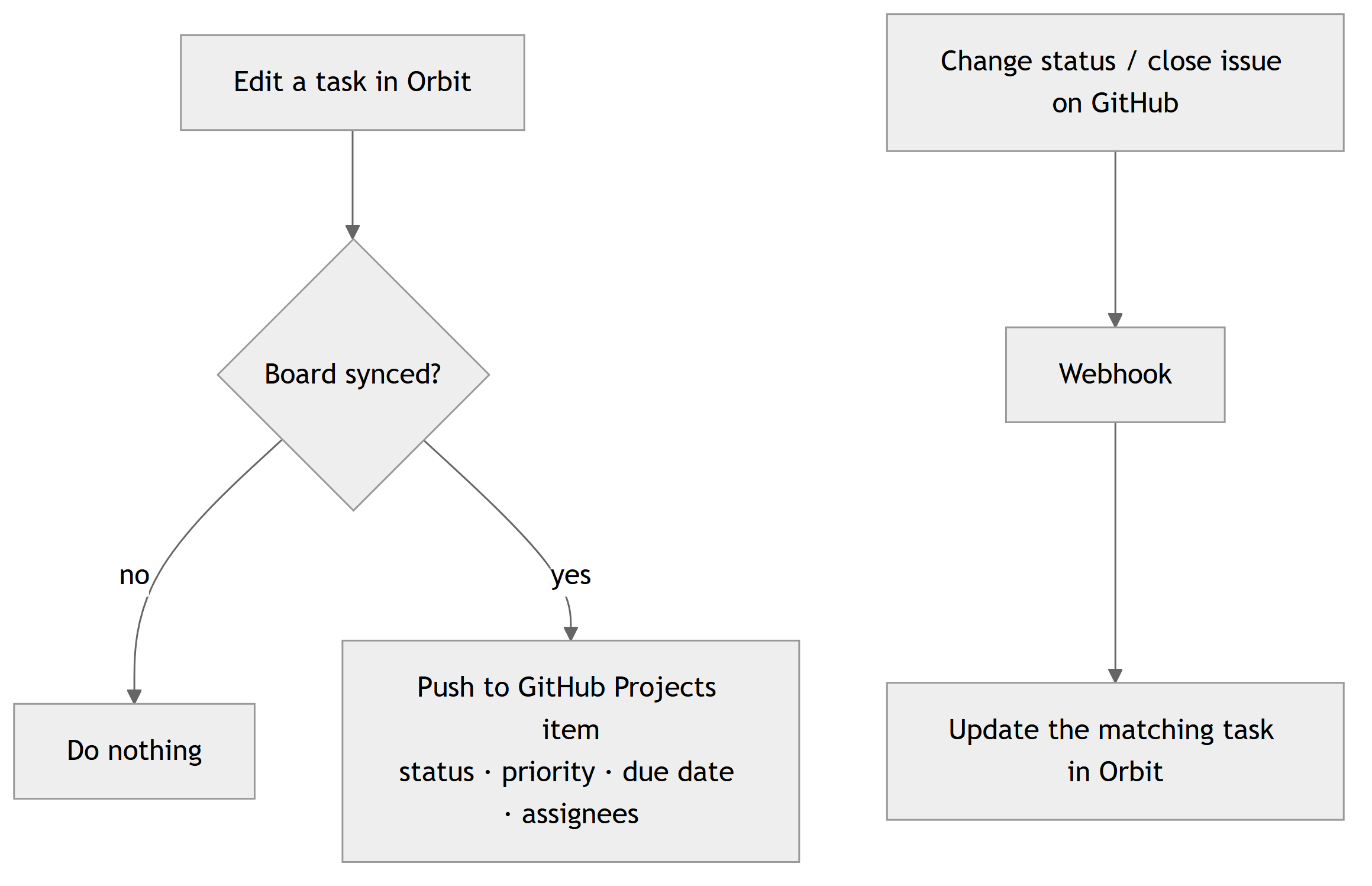
🚀 Getting started
⚙️ Configuration
❓ FAQ & troubleshootingDoes it work in Cursor / Windsurf / VSCodium? Yes — it's published to Open VSX, which those editors use. Is my data stored by the extension?
No. The extension is a client for your Orbit workspace (Firebase). Your session token is kept in the editor's encrypted Google sign‑in didn't come back to my editor.
Approve the "Open …" prompt your OS shows, and keep the editor open during the round‑trip. If it 404s, your GitHub “does not have the correct permissions.” Projects V2 requires a GitHub OAuth App (not a GitHub App). See your deployment's setup. 🧩 Built for every editorOrbit uses only the stable VS Code extension API and ships a single package to both registries, so it behaves identically across the VS Code family. Made with 💚 by the Orbit team · Web app · Report an issue |


