syntask
Learning hovers for C# syntax features: context-aware explanations for keywords, modifiers, language constructs, and compiler errors/warnings, powered by Roslyn.
What it does
Hover over any C# keyword and get a concise teaching explanation with examples. The extension understands syntax context: abstract on a class gets a different explanation than abstract on a method.
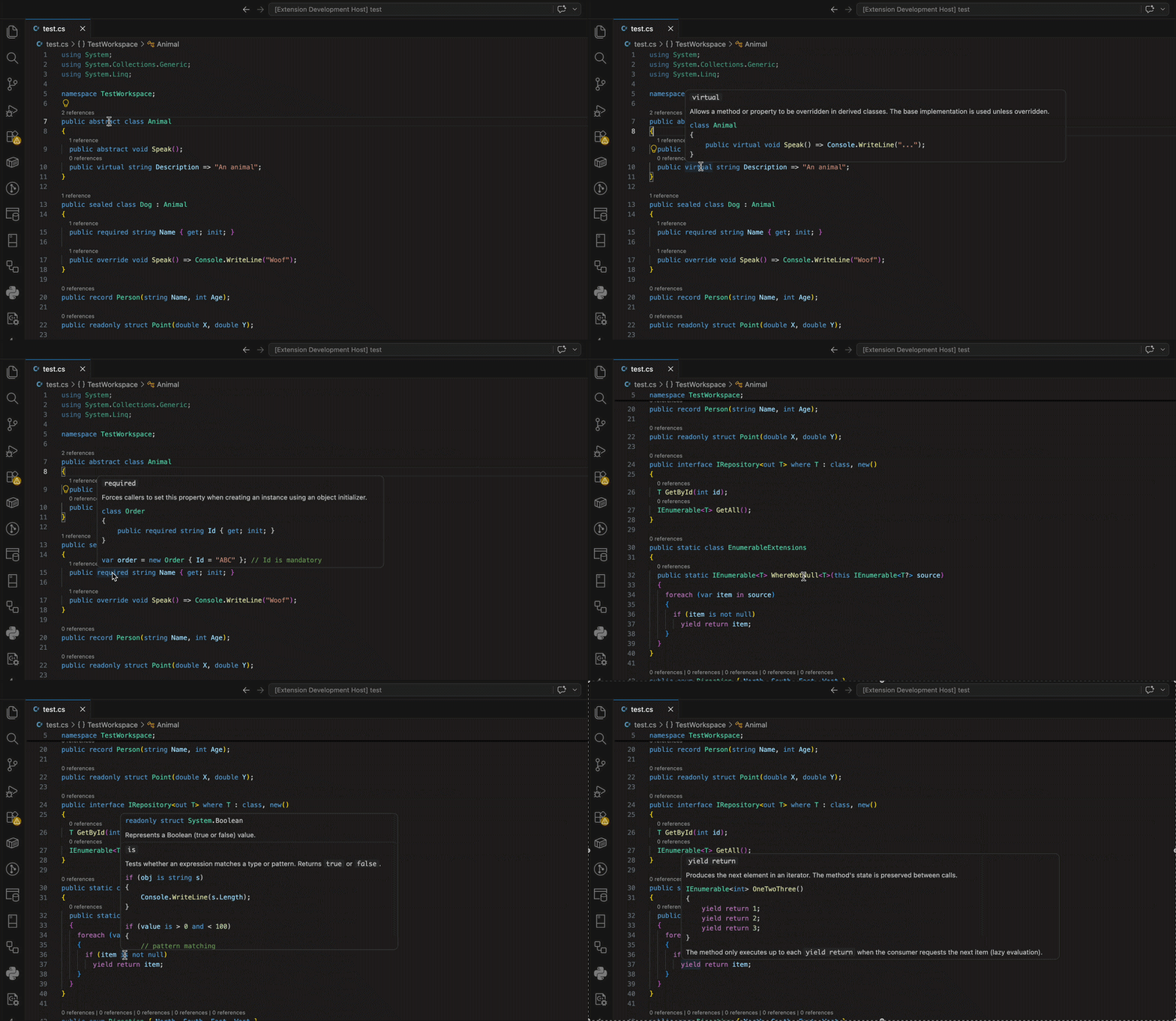
Features
- 45+ keywords covered:
abstract, sealed, virtual, override, async, await, record, required, init, partial, static, readonly, const, yield, is, as, where, when, delegate, event, and more
- Semantic analysis:
var shows the inferred type, default shows the resolved value, nameof shows the string result
- Compiler diagnostic explanations: explain errors and warnings at the cursor from the command palette or hover
- Context-aware: same keyword → different explanation depending on syntax position
- Local-only: all analysis runs on your machine via Roslyn. No code is sent anywhere.
- No AI or LLM!: No LLMs were harmed during the making of this extension. But seriously, no AI/LLM is used to generate the information: it's all Roslyn-based.
Settings
| Setting |
Default |
Description |
syntask.enabled |
true |
Enable/disable learning hovers |
syntask.triggerMode |
hover |
hover for automatic, commandOnly for manual only |
syntask.diagnosticExplanations.enabled |
true |
Enable compiler diagnostic explanations |
syntask.detailLevel |
beginner |
Controls explanation verbosity |
syntask.includeExamples |
true |
Include code examples in explanations |
Commands
- syntask: Explain Syntax at Cursor: opens a full syntax explanation in a new tab
- syntask: Explain Error at Cursor: opens a compiler diagnostic explanation in a new tab
Requirements
No .NET SDK installation is required (the extension ships with a self-contained Roslyn backend).
Privacy
This extension analyzes C# source locally only. It does not send code to any remote service. The Roslyn analysis runs as a local .NET process within your workspace.
Troubleshooting
Hovers not appearing?
- Check that
syntask.enabled is true
- Check the "syntask" output channel for server errors
Slow first hover?
- The .NET process starts on first use. Subsequent hovers are fast.
Known Limitations
- Syntax-only for most keywords (no project/solution context)
var inference requires basic type resolution; complex generics may show ?- Does not replace the C# extension's symbol hovers: it adds teaching content alongside them
| |

