

|
 PDF Viewer & Editor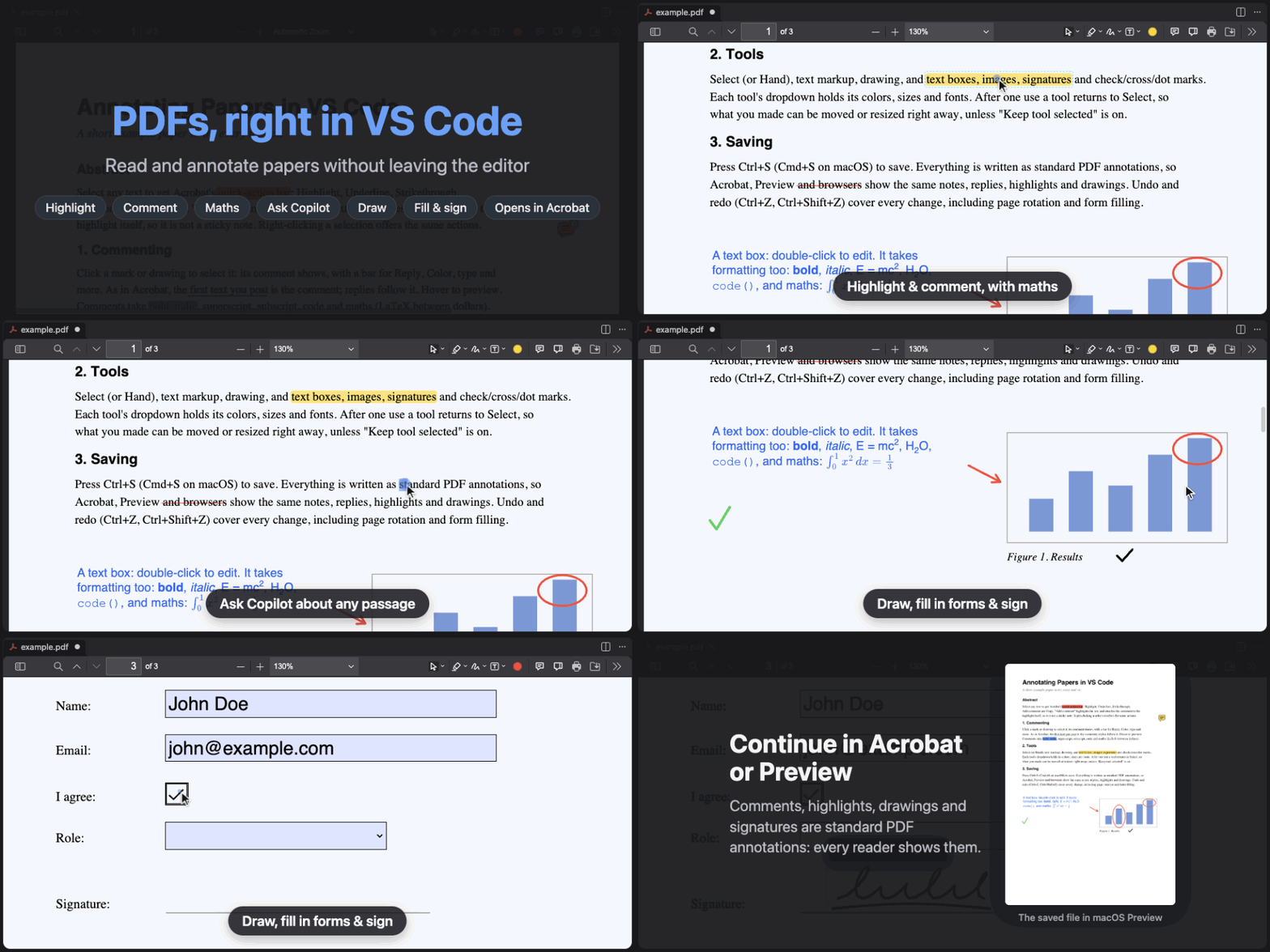




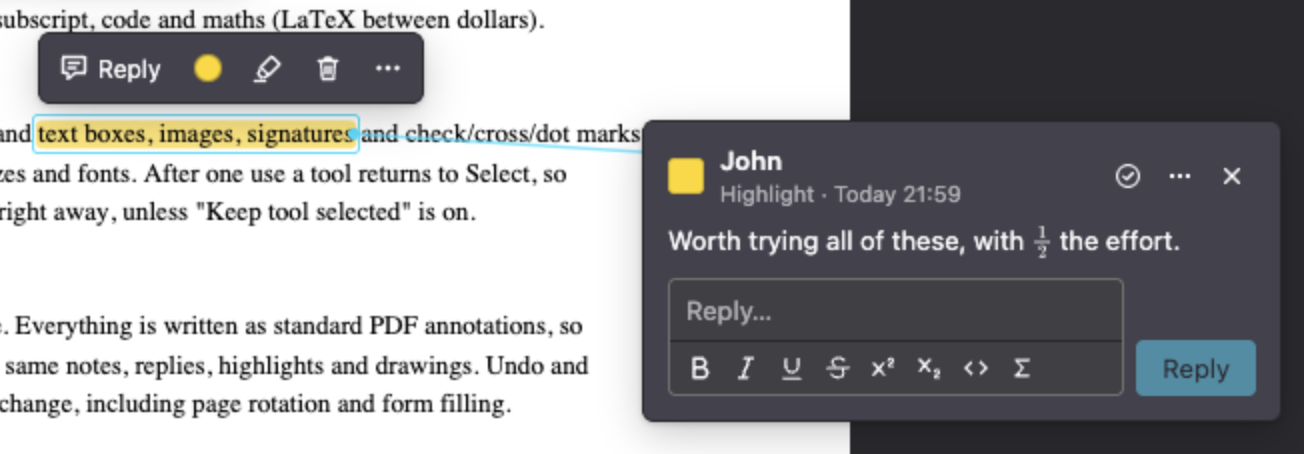
| 🖍️ Annotate | Highlight, underline, comment, reply and resolve |
| ✍️ Rich text | Bold, italic, code and $\LaTeX$ in comments and text boxes |
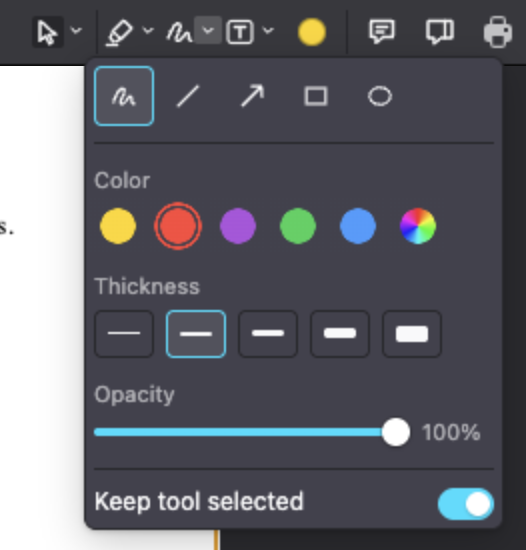
| 🎨 Draw | Pen, shapes, arrows, images, and text boxes in six fonts |
| 🖊️ Fill & sign | Forms, signatures and ✓ ✗ marks |
| ✨ Copilot | Explain or summarize a passage with Copilot; @pdf in Copilot Chat |
| 📄 Pages | Rotate, reorder, insert, print; undo everything |
[!NOTE] The PDF's own text and images cannot be edited
Examples
| Comments beside the page | Tool customization dropdown |
|---|---|
 |
 |
Shortcuts
| Key | Action |
|---|---|
Ctrl/Cmd+S · Ctrl/Cmd+P |
Save · print |
Ctrl/Cmd+Z · Ctrl/Cmd+Shift+Z |
Undo · redo (in a text field: the typing) |
Del · Esc |
Delete the selection · close, cancel or deselect |
S · H |
Select · Hand (pan) |
Ctrl/Cmd+B · I · U |
Bold · italic · underline while writing |
Ctrl/Cmd+Enter |
Post a comment or reply |
Settings
| Setting | Default | Description |
|---|---|---|
pdf-editor.authorName |
OS user name | Author of new comments and annotations |
pdf-editor.presetColors |
5 colors | Name=#RRGGBB presets shared by every tool |
pdf-editor.defaultZoomValue |
auto |
Zoom when opening a PDF |
pdf-editor.sidebarViewOnLoad |
0 |
Side panel when opening a PDF |
pdf-editor.printCommand |
default PDF app | Command that prints the file path given to it, e.g. lpr |
pdf-editor.copilot.model |
a Copilot model | Model for Ask Copilot, as picked with PDF: Choose Copilot Model... |
[!TIP] Ask Copilot and
Development Notes
Install the latest version of Node.js LTS and the dependent packages (note all packages install locally into node_modules/ so no virtual environment is needed):
make setup
Windows: install Node.js LTS from nodejs.org manually, then use
make install(requires Git Bash or WSL).
npm run test                          # run tests + generate coverage report
npm run package                       # compile → out/ and build .vsix (what gets published)
npx semantic-release --dry-run        # preview next release version and notes
[!TIP] You can run
make cleanto clean up compiled/generated files.
Open extension.ts and press F5 (fn + F5 if on Mac) to launch VS Code Extension Development Window with the extension loaded.
How it works?
| Concern | Owner |
|---|---|
| Pages, text selection, links, forms, find, thumbnails | pdf.js, the unmodified release (resources/pdf.js) |
| Reading and writing annotations | the extension host, with pdf-lib (src/pdf/) |
| Drawing and editing annotations | the viewer layer (resources/viewer/) |
| Undo/redo, dirty state, save, hot exit | VS Code's custom-editor edit stack (src/editor/) |
Ask Copilot, @pdf |
VS Code's Language Model and Chat APIs (src/copilot/) |
The host reads the annotations it manages into a JSON model and gives pdf.js the file without them, so nothing is drawn twice; one codec per kind (src/pdf/kinds.ts) writes standard PDF keys and appearance streams, so every reader shows the same thing. Saving merges the model back and leaves untouched annotations byte-identical. All saved types are standard PDF annotations, from Highlight to FreeText (maths drawn as vector outlines) to image Stamps.
src/              # extension host: commands, host <-> viewer messages
  editor/         # custom editor, save, undo
  pdf/            # annotation codecs, read, write
  copilot/        # @pdf chat participant
resources/viewer/ # the webview UI
scripts/          # downloads, example.pdf, media
test/             # unit and e2e tests
License
This extension is under MIT license. Note that pdf.js (Apache-2.0) and MathJax (Apache-2.0) are bundled unmodified, as are the Roboto, Lora and Comic Neue fonts (SIL Open Font License; each license is in resources/fonts).