clear-resume
Browse your Claude Code handovers and resume one in a fresh conversation.
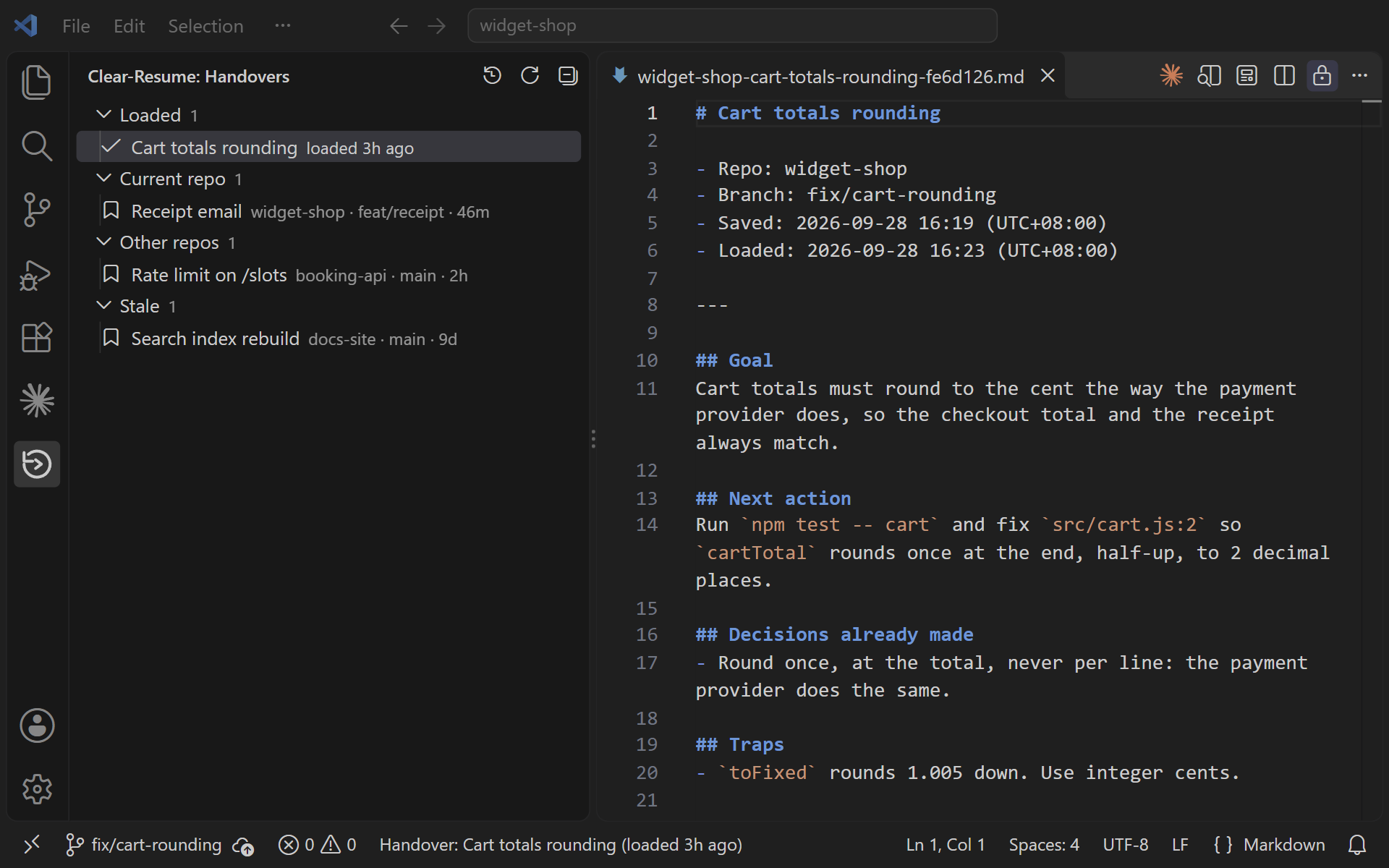
A handover is a short brief a session writes about its own work, so the next
session can carry on without the conversation that produced it. This extension
lists them in a VS Code sidebar. The clear-resume plugin
writes them and loads them automatically when you /clear.
It needs that plugin. Install it first, in Claude Code:
claude plugin marketplace add https://github.com/m4cd4r4/clear-resume
claude plugin install clear-resume@clear-resume
What it gives you
- A Handovers sidebar, grouped into Current repo, Other repos and Stale.
- A Loaded group at the top lists the handovers loaded in the last 24 hours. Click
one to open its readable copy.
- A status-bar item names the handover loaded most recently in this repo, such as
Handover: Cart totals rounding (loaded 3h ago). Click it to open the same copy.
- Resume opens a Claude Code tab with that handover's prompt pre-filled and
not submitted, so you read it before you send it.
- Pin keeps a handover out of the stale and delete timers.
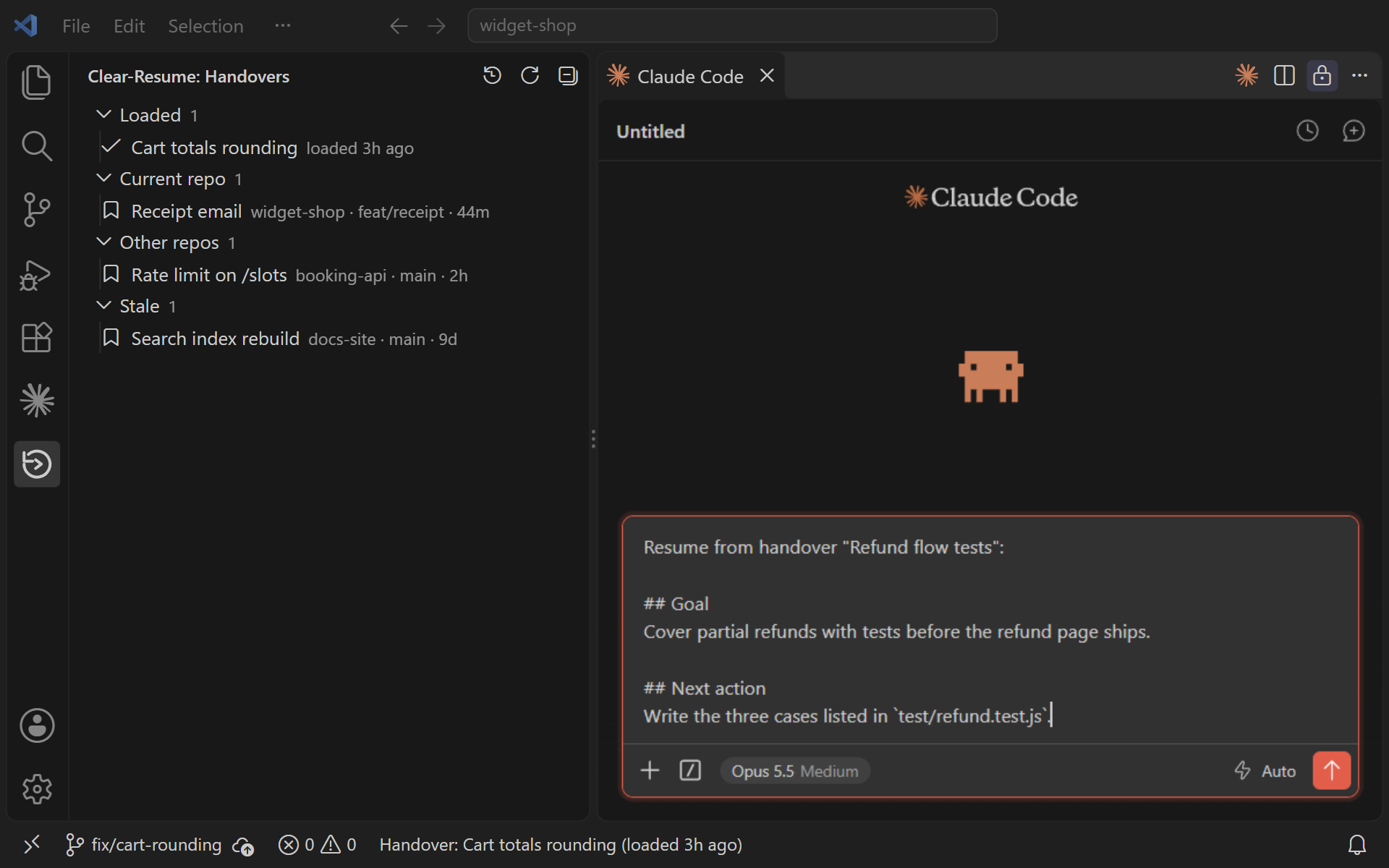
The plugin handles the usual case: you write a handover, type /clear, and the next
session in that folder loads it automatically. The sidebar is for the rest: an older
handover, one from another repo, or one you want to read before resuming.
Settings
| Setting |
Default |
What it does |
clearResume.storePath |
~/.clear-resume |
Folder holding the handover store. |
clearResume.showArchived |
false |
Show archived handovers (loaded, resumed or replaced by a newer save) in the tree. |
The extension does not read Claude Code's settings. If you moved the store with
CLEAR_RESUME_HOME there, set clearResume.storePath to the same folder.
Privacy
The store is plain JSON files on disk, one per handover. Nothing leaves your
machine unless you set up syncing.
Once the store is synced, a resume, pin, unpin or delete in the sidebar pushes it
to your git remote in the background.

