



Companion for Claude Code - Subagent Tree & Live Thinking
Companion for Claude Code is an extension for Anthropic's official Claude Code.
It is built on the same public @anthropic-ai/claude-agent-sdk. It adds its own
panel that runs its own chat and shows the parts of a long run that you usually
cannot see: what the subagents are doing right now, what the model is thinking,
how the plan is going, and how much each step cost.
What only this panel does
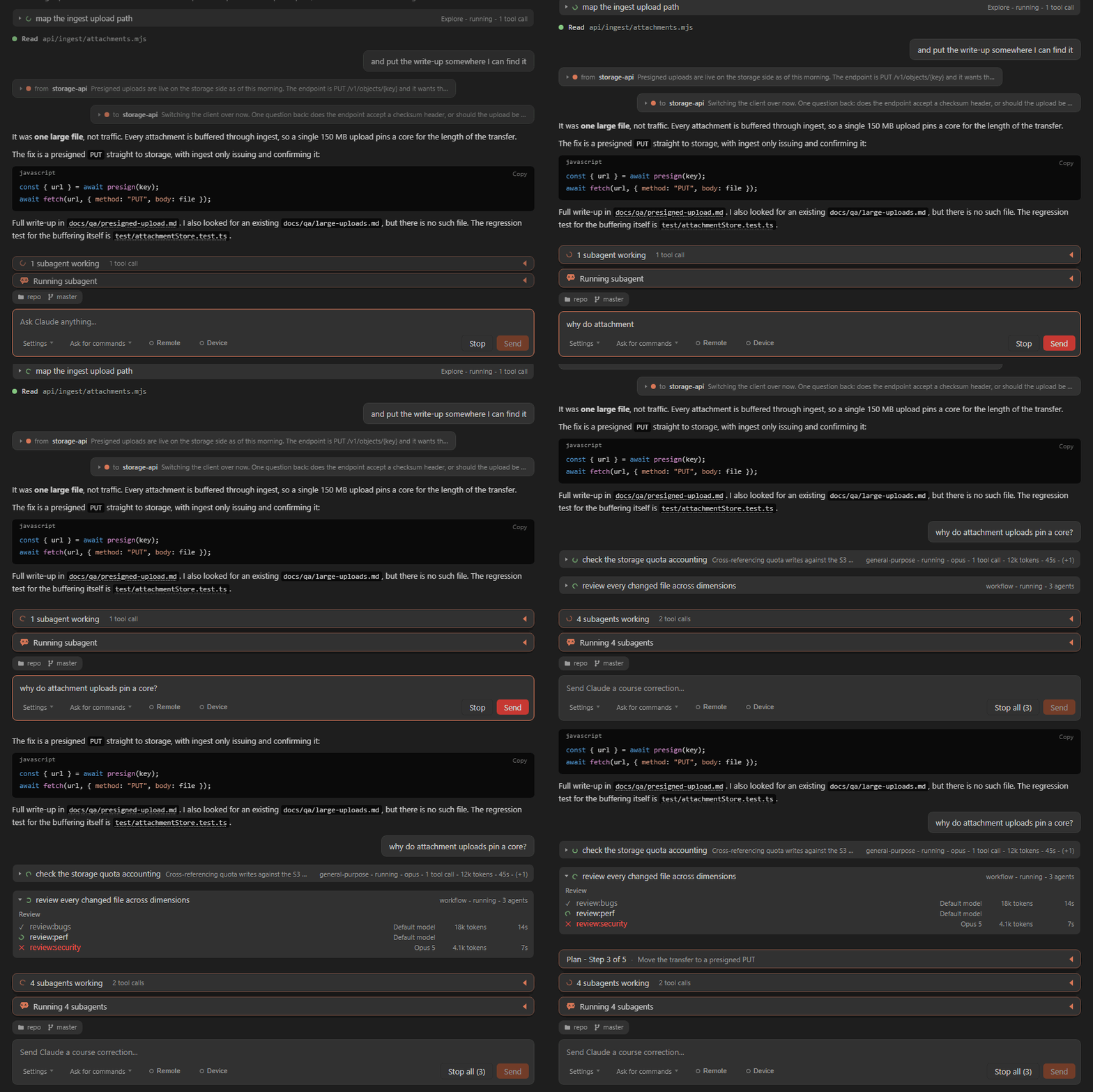
Live Subagent Tree. A big task can start smaller agents to do parts of
the work. This panel shows them all in a tree. For each one you see its name,
if it is still working, and how many tokens it used. You can stop any one of
them, so you always know what is going on.
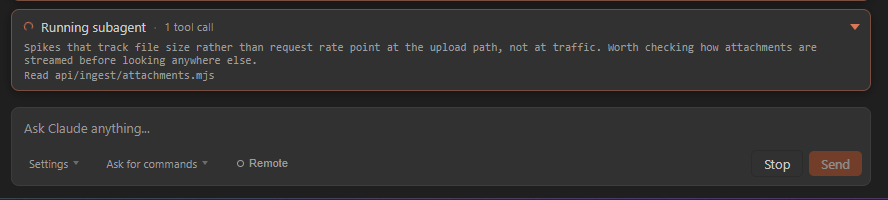
Live Thinking. You can watch the model think while it works. The words
come in slowly, so a long thought is easy to read. You can show one line, a
few lines, or all of it.
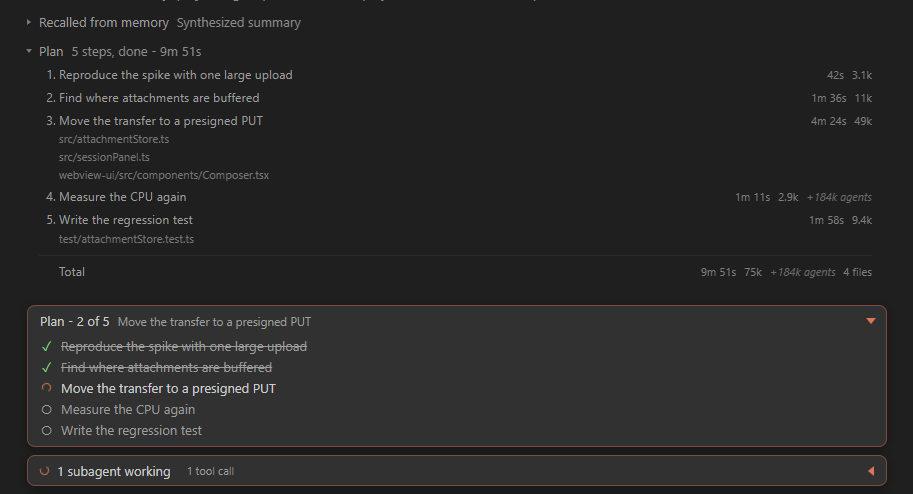
Task Planner. The model makes a to-do list and keeps it at the top of the
chat. Each step gets a check when it is done. When it finishes, you can see
how long each step took and how many tokens it used. If the work moves on and
the plan is stale, there is an x to put it away - Claude is told, so it does
not simply record the same plan again.
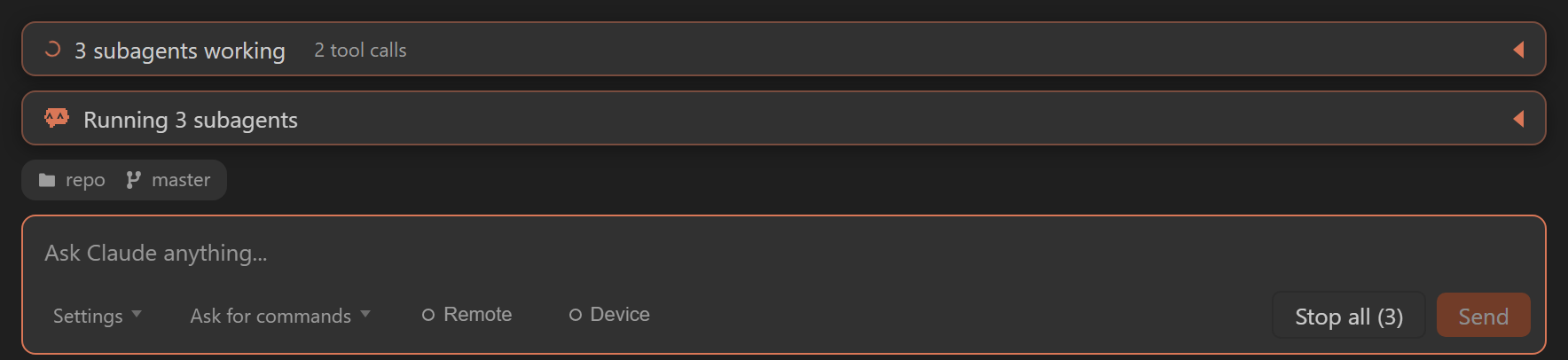
Where the session is working, and a worktree for it. A row above the
message box says which folder this session is in and which branch it is on,
and follows a checkout you make in Source Control while the tab is open.
Before you have said anything, the worktree pill is an offer: press it and
this session moves into a git worktree of its own - same tab, same window -
so an agent can work on a branch while you carry on in yours. It turns
orange once you are in one, because the rest of VS Code still shows the main
checkout.

Stop All. Some agents keep working in the background after a turn ends.
One button stops all of them at once.
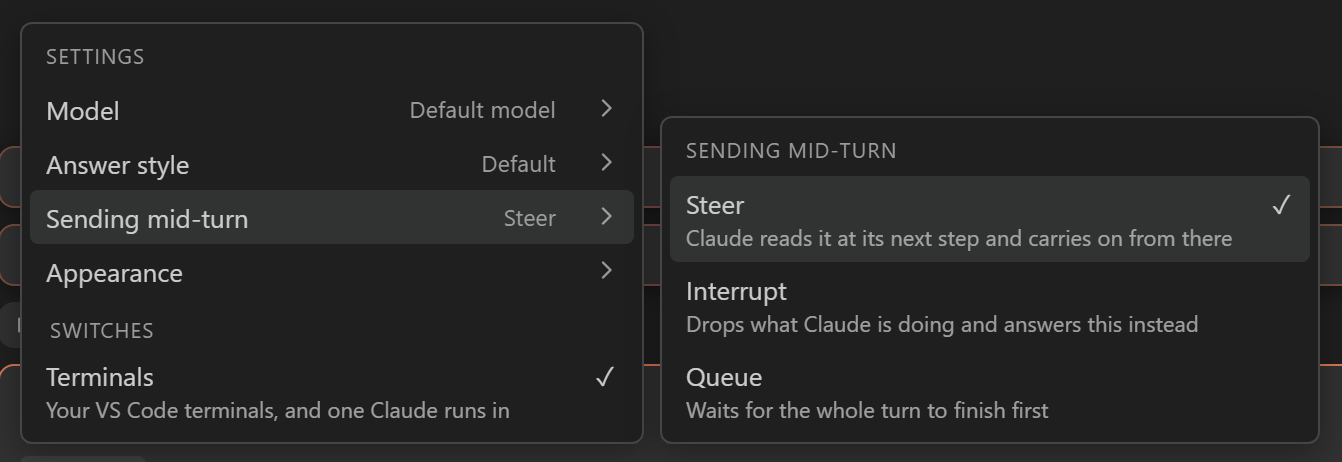
Send Modes - Steer, Interrupt, Queue. You can send a message while the
model is still working. Steer adds it to the work now. Interrupt stops
the work now. Queue waits until the work is done. You pick the one you want
for each message. A message that is still waiting says in queue, and stops
saying it the moment Claude picks it up - so you never have to guess whether
it landed.

Slash commands show their work. A command like /code-review does its
thinking in a session of its own. Instead of a long silence, you get a box
named after the command that fills in as it goes: what it reads, what it
runs, what it concludes. It is drawn differently from the agents Claude
starts for itself, because this one is something you asked for by name.

Remote Control. Turn on one switch to open the session in the Claude app
on your phone. From the phone you can type, allow a tool, change the model, or
stop the work. It is full control, not just reading.

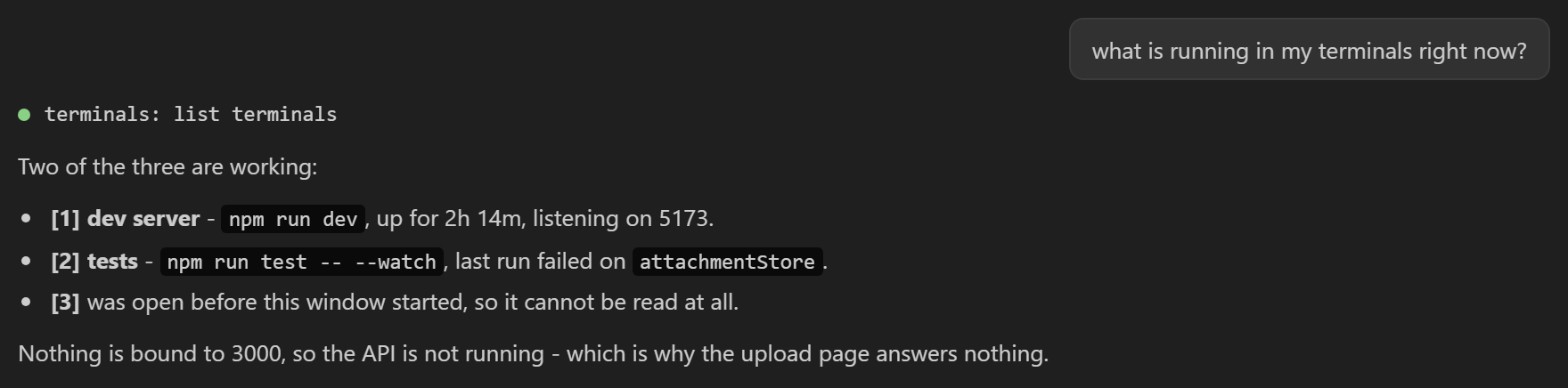
Claude sees your VS Code terminals. Ask what is running and it looks: the
command, how long it has been going, what it printed, and how it ended. So it
can read a failing build or a dev server log itself instead of asking you to
paste it, and it will not start a second server on a port you already have
one on. Only the terminals inside VS Code - a separate console window is
invisible to it - and one that was already open before the window started is
reported as unreadable rather than as idle. There is a switch in Settings if
you would rather it did not look.
Messages between sessions. Claude can send a message to another Claude
session on your machine - a tab beside this one, or one working in a different
folder. It arrives in the chat as a card that says who it came from, sitting
where it landed rather than at the bottom. Each card is one line until you
click it, so a long exchange between two of them does not take over the
screen, and what Claude sends is shown the same way.


Workflows as a table. When a run fans out to many agents at once, each one
gets a row: what ran, which model, the tokens, the time, with a tick when it
is done. Hover a row to see the prompt that agent was sent and what it
answered.

Everything the official extension does, too
Chat in an editor tab, with live Markdown replies and code blocks you can copy
Asks you before it runs a tool

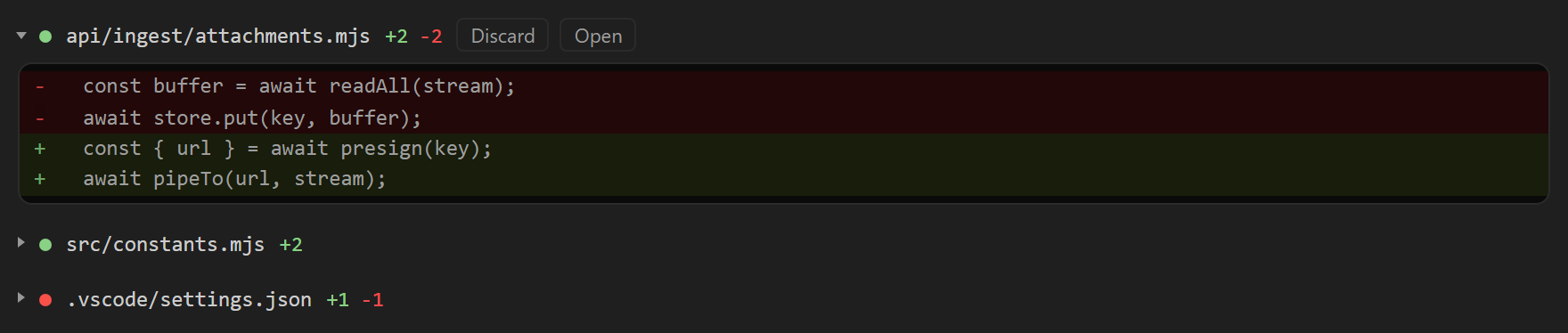
Shows file changes as a diff, and lets you undo them
Plan mode: you see and agree the plan before the work starts
Slash commands - agents, skills, and more
Add files with @, paste or drop images, and send the file you have open

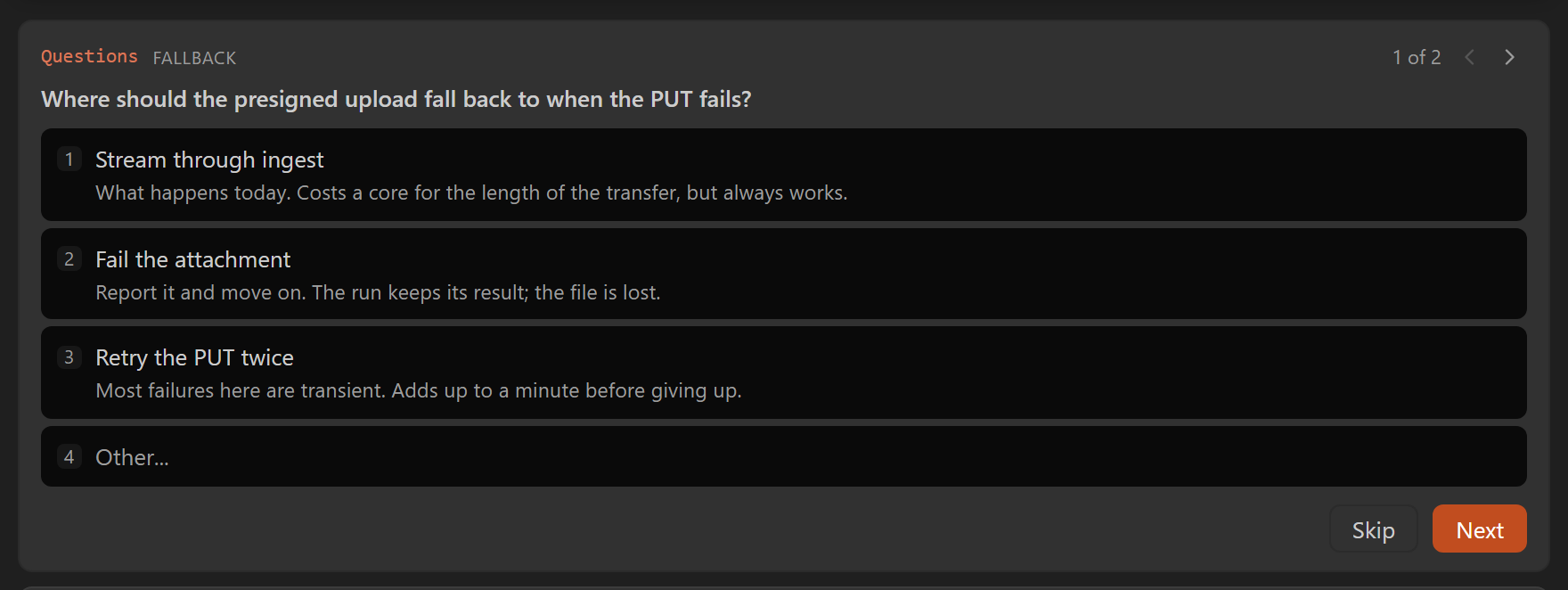
Answer the model's questions right in the panel
Shows the cost, the tokens, and how full the context is

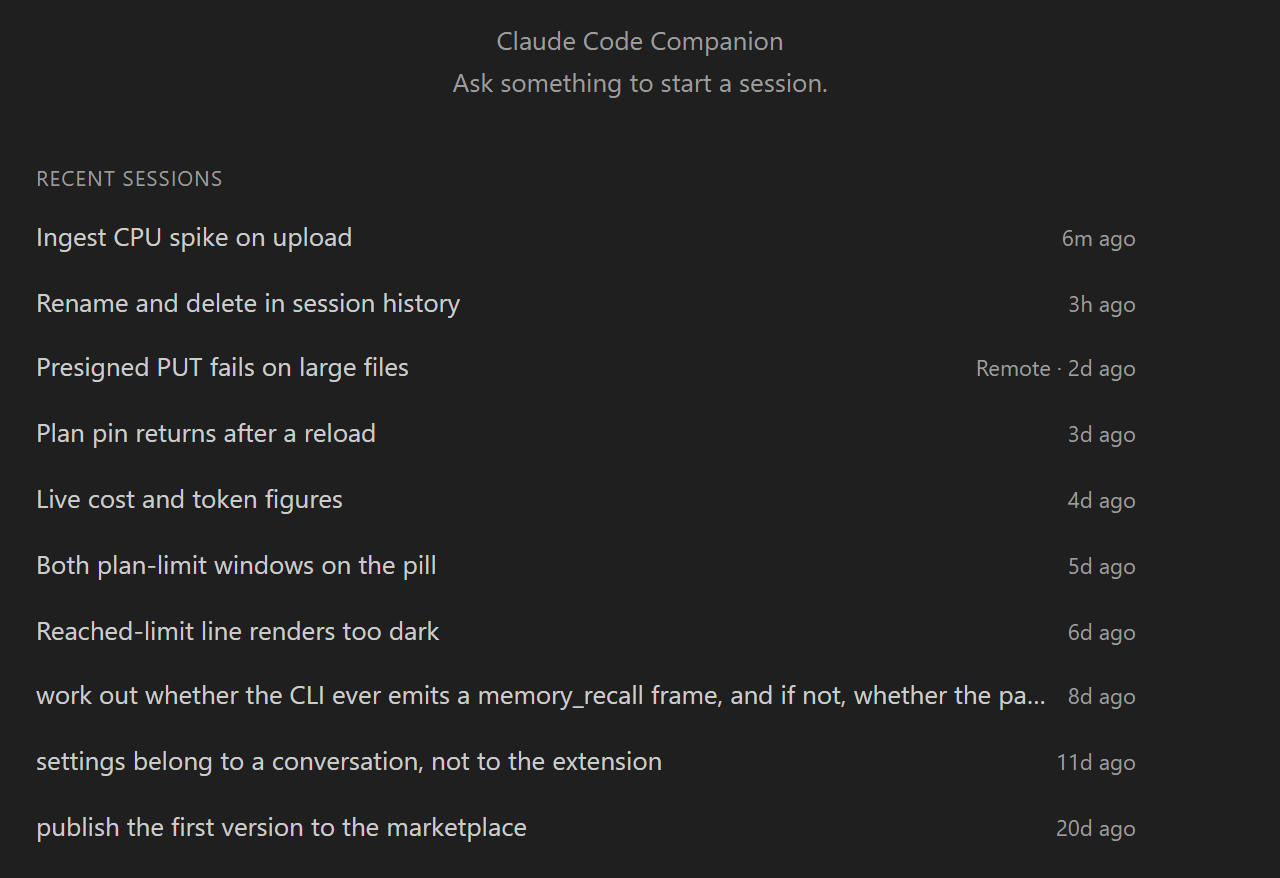
Past sessions: open, rename, and go back to them
Voice input (dictation)
Follows your VS Code theme, light or dark
Small things you feel every day
Web search with its sources. When the model searches the web, you see how
many sources it found and which sites they came from. Click one to open it.

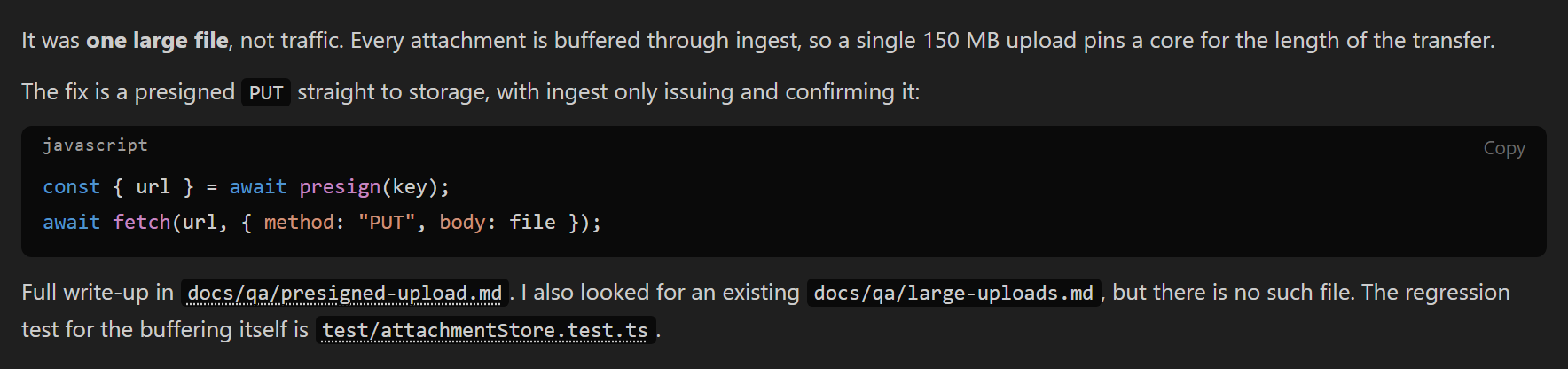
File names you can click. When the model writes a file name in its answer,
the panel checks that the file is really there and makes it a link. Click it
to open the file, at the right line.
A line where the chat was compacted. When old messages are summarised to
free up room, you see where it happened and how much was saved.

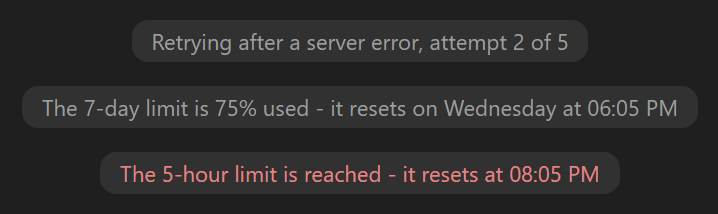
You know it is waiting, not stuck. If the model has to wait or try again,
the panel says that instead of looking frozen.
Your own answer to a question. Every question card has an "Other" row, so
you are never stuck with only the options the model thought of.
An MCP server can ask you too. When a server needs a form filled in or a
sign-in page opened, it shows as a card in the chat instead of failing
quietly.
Copy a reply with its formatting. Tables, lists and bold paste as they
look into Google Docs, Word, Notion or Slack, and as Markdown into an editor.
A dot on the tab that wants you. A blue dot on a session's tab says
Claude is waiting for your answer, or finished while you were looking
elsewhere.
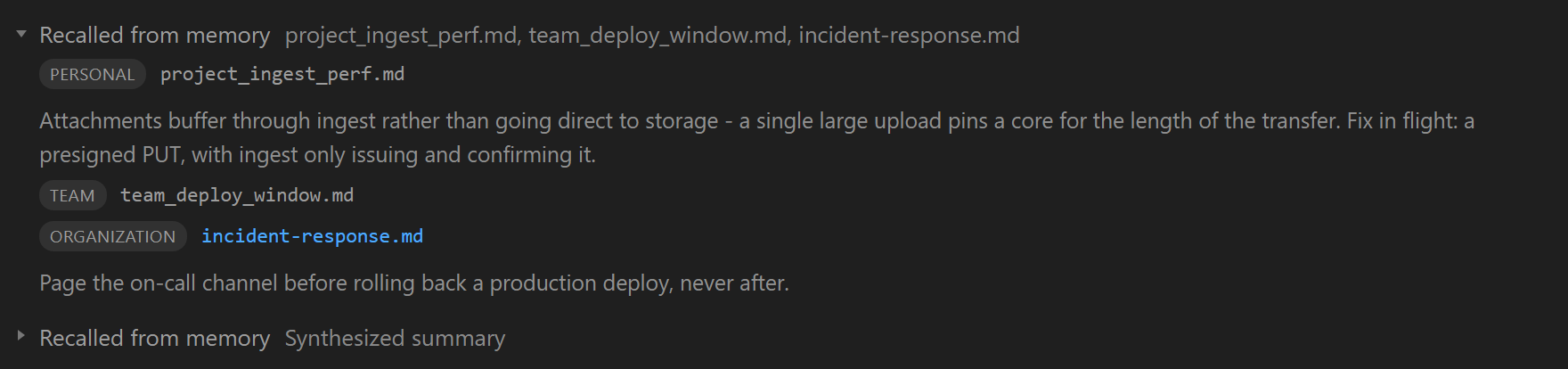
What it recalled from memory. When Claude reads something out of its
memory, the panel shows which files it came from and what it took from each.
An arrow back to the newest message. Scroll up a long way and it appears
over the chat. Click it to come back; it goes away by itself once you are
there.
Every tab keeps its own settings. Choose one model in one tab and another
in the next; reload the window and each comes back the way you left it. A new
tab opens with whatever you chose last.
Click any image to see it big.
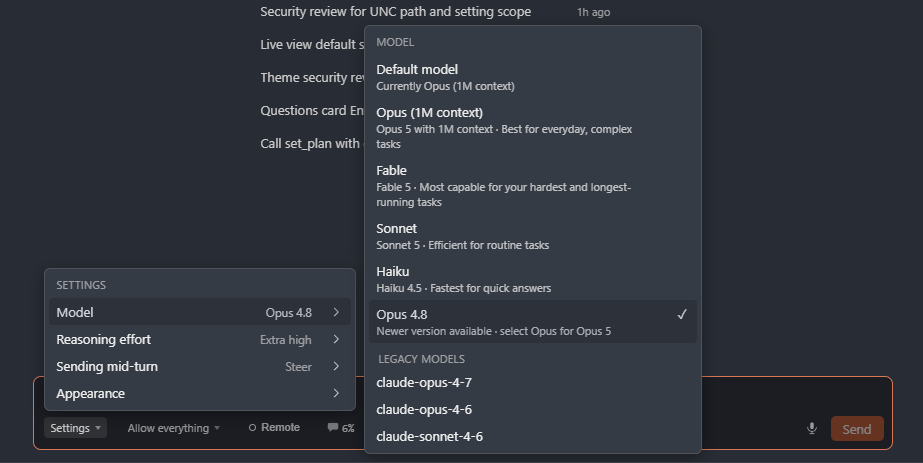
Open the settings menu in the message box to set:
- Model - all the models Claude Code offers, plus other Anthropic models you
add yourself (see
claudeCodeCompanion.olderModels below).
- Reasoning effort - how hard the model thinks, from low to extra high.
- Answer style - Default, Concise, Explanatory, Learning or Proactive, plus
any style you have written yourself in
.claude/output-styles/. Concise trims
the talking rather than the work, Explanatory says why as it goes, Learning
teaches while it works and asks you to write some of the code yourself, and
Proactive gets on with it instead of asking about routine decisions. It is
chosen as a session starts, so a change applies from the next one. Under
Default the row also names what that turns out to be, since a style set in
your own ~/.claude/settings.json is one the panel would otherwise have no
way to tell you about.
- Sending mid-turn - Steer, Interrupt or Queue (see above).
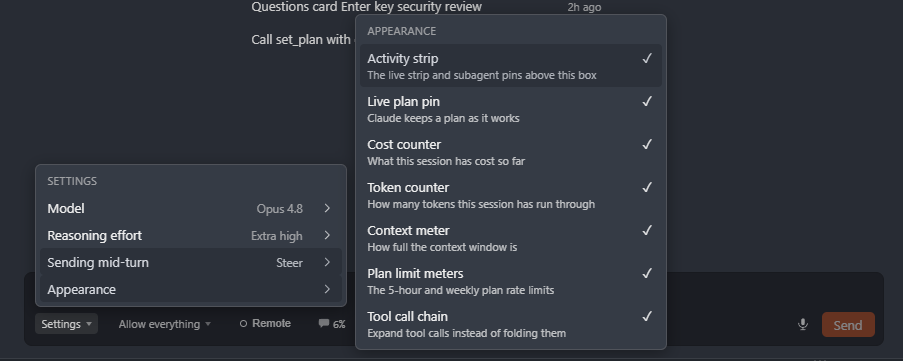
- Appearance - turn parts of the panel on or off:
- Activity strip - the live strip and subagent list above the box
- Live plan pin - keep the plan at the top while the model works
- Cost counter - what this session has cost
- Token counter - how many tokens it has used
- Context meter - how full the context is
- Plan limit meters - your 5-hour and weekly limits
- Tool call chain - open tool calls instead of folding them
- Microphone - speak into the message box instead of typing. Off until
you turn it on; see the last section of this page for why.
- Remote and Device - the two controls that reach other devices. One
that is connected stays on screen either way.
Next to the menu you can also set the permission mode - ask before each
tool, allow edits, or allow everything.
What it needs
Claude Code itself. If you use the official extension, you already have it. If
not, install it once:
curl -fsSL https://claude.ai/install.sh | bash
or with npm:
npm install -g @anthropic-ai/claude-code
If your copy is in a special place, set claudeCodeCompanion.claudePath in
Settings.
Getting started
Click the Claude Code Companion icon on the left side bar and start a new
session. It opens in an editor tab. You can also press Ctrl+Alt+C
(Cmd+Alt+C on a Mac).
Settings
claudeCodeCompanion.claudePath - where the claude program is, if it is in
a special place.claudeCodeCompanion.olderModels - extra model names to add under the ones
Claude Code shows.claudeCodeCompanion.dictationLanguage - the language the microphone listens
for.claudeCodeCompanion.remoteAtStartup - open every new session on claude.ai
right away, so you can read and answer it from your phone. Off by default.
Read this before you turn it on: it lets your phone control this computer,
and anyone signed in to that account can control it too.
Your Claude account, and what this does with it
This panel is a window onto Claude Code, not a second way into Claude. Nearly
everything here works by running the claude program exactly as Anthropic
published it, and drawing what it reports.
- It never asks you for a password, a token or an API key, and it reads
none to run a session. Signing in happens in Claude Code's own flow, in your
browser, on Anthropic's pages. Your usage is billed to you by Anthropic under
the plan you already have.
- There is no account here and no server here. This extension has no
backend, nothing to sign up for, and nowhere of its own to send anything.
- No telemetry, no analytics, no crash reporting. There is no such library
in it, and the panel itself cannot reach the network at all - it is loaded
under a
default-src 'none' Content Security Policy.
- Nothing of yours is uploaded, indexed or copied anywhere beyond what
Claude Code itself does with the folder you opened.
- What it keeps, it keeps on this machine, in VS Code's own storage: your
settings, the model list, the rate-limit figures on the bar, and any image
you drop on the message box. That is the whole list.
Two features are the exception, and both are off until you turn them on:
- Microphone (Settings > Appearance) sends what you say to Anthropic's
speech service, using the Claude sign-in already on this machine.
- Remote (the button by the message box) opens a session on claude.ai under
that same sign-in, so you can read and answer it from your phone. It is a
two-way channel: anyone signed in to that account can then drive this
computer.
Both reach api.anthropic.com and nowhere else. Those two, and Claude Code
itself, are every outbound connection this extension is capable of making.
Not affiliated with, endorsed by or sponsored by Anthropic. Claude and Claude
Code are Anthropic's.
| |

