Markdown Prettier



The markdown preview VS Code deserves. Syntax highlighting, Mermaid diagrams, GitHub callouts, slide presentations, inline editing, and AI-powered improvements — all in one beautifully crafted extension.
Why Markdown Prettier?
Most markdown previewers stop at basic rendering. Markdown Prettier goes further — it turns your .md files into a fully interactive workspace with a polished dark UI, live editing, scroll sync, presentation mode, and 20+ slash commands that make writing markdown a joy.
Features at a Glance
|
Feature |
Highlights |
| Preview |
Syntax Highlighting |
highlight.js + Atom One Dark, all major languages |
|
GitHub Callouts |
NOTE, TIP, IMPORTANT, WARNING, CAUTION |
|
Mermaid Diagrams |
Flowchart, Sequence, Class, State, ER, Gantt, Pie, Git graph |
|
Rich Text |
Bold highlight, mark (==text==), tables, task lists |
|
|
H1–H6 hierarchy, frontmatter stripping, light & dark mode |
| UX |
Table of Contents |
Auto-generated, searchable, collapsible, resizable |
|
Scroll Sync |
Bi-directional editor ↔ preview sync |
|
Presentation Mode |
--- as slide separators, keyboard navigation |
|
Font Size Controls |
A+/A− with session persistence |
|
PDF Export |
One-click via headless Chrome |
|
Inline Editing |
Double-click edit + Ask Claude AI improvement |
|
Live Preview |
Real-time updates on every keystroke |
| Commands |
20+ Slash Commands |
Headings, code blocks, tables, diagrams, callouts — with rich autocomplete previews |
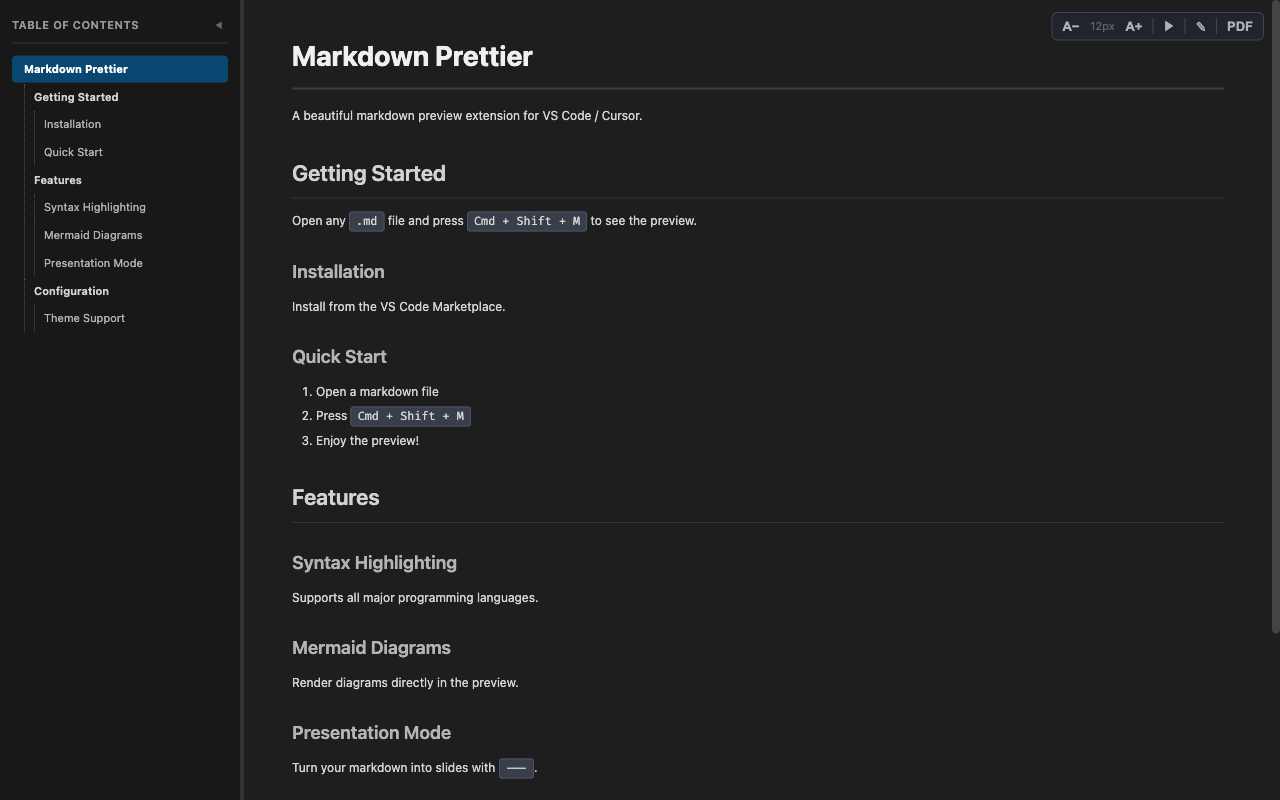
Preview
Everything you write is rendered beautifully — code, diagrams, callouts, and more.
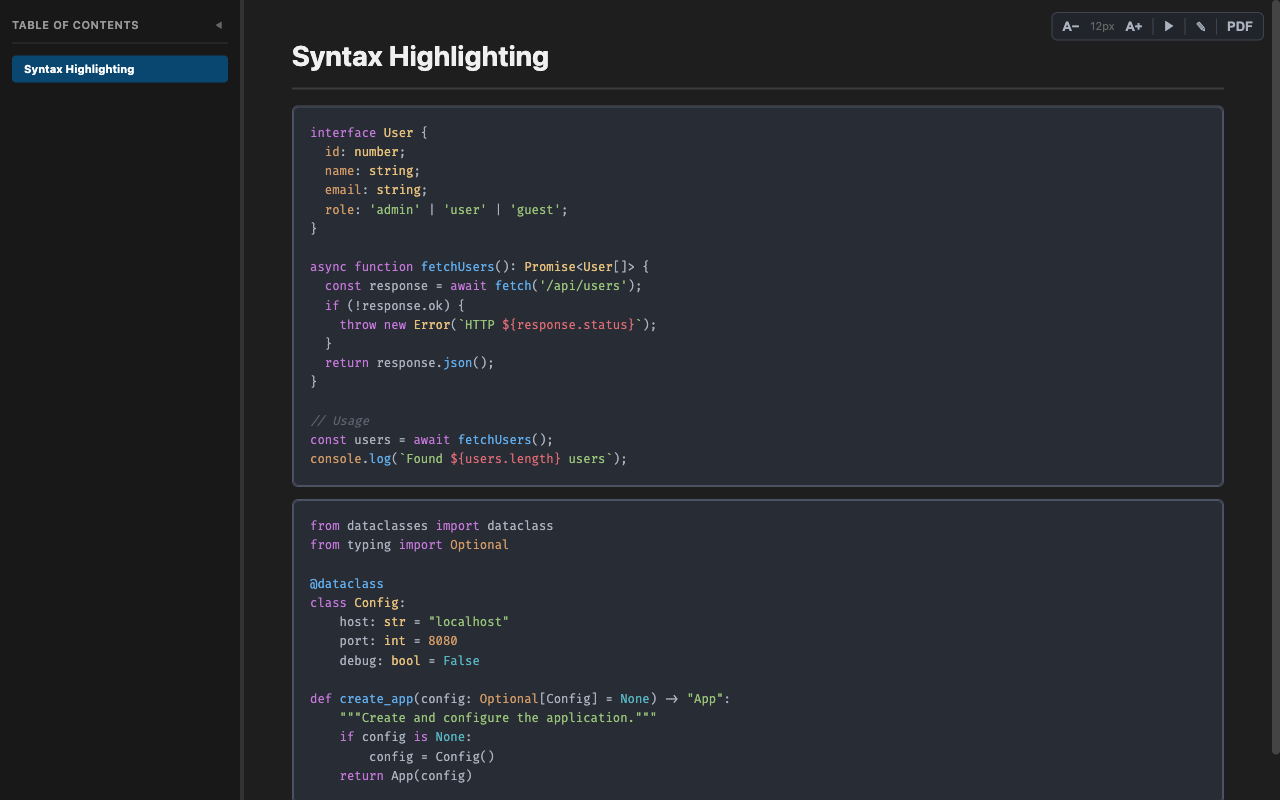
Syntax Highlighting
Full syntax highlighting powered by highlight.js with the Atom One Dark theme. TypeScript, Python, Go, Rust, Dockerfile, SQL, and many more — all rendered with precision.
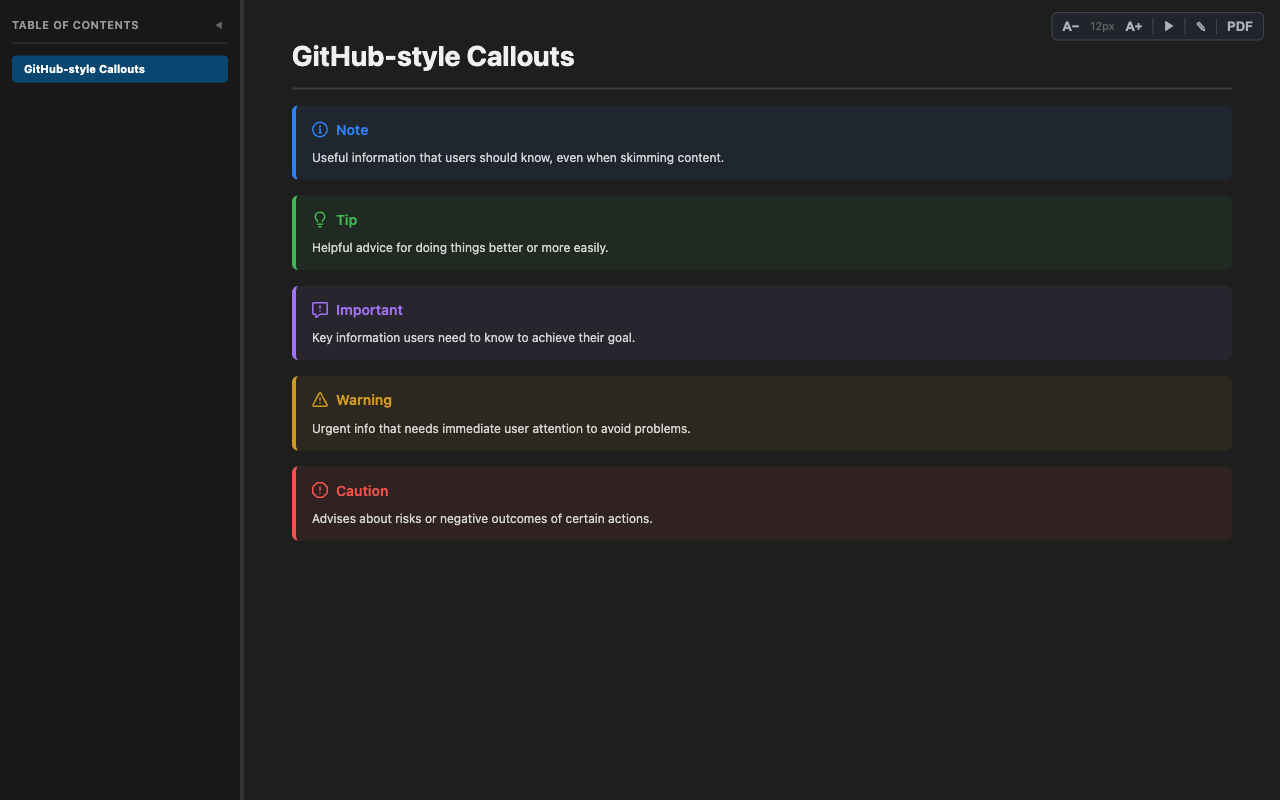
GitHub-style Callouts
[!NOTE], [!TIP], [!IMPORTANT], [!WARNING], and [!CAUTION] — rendered with styled icons and colors, just like GitHub.
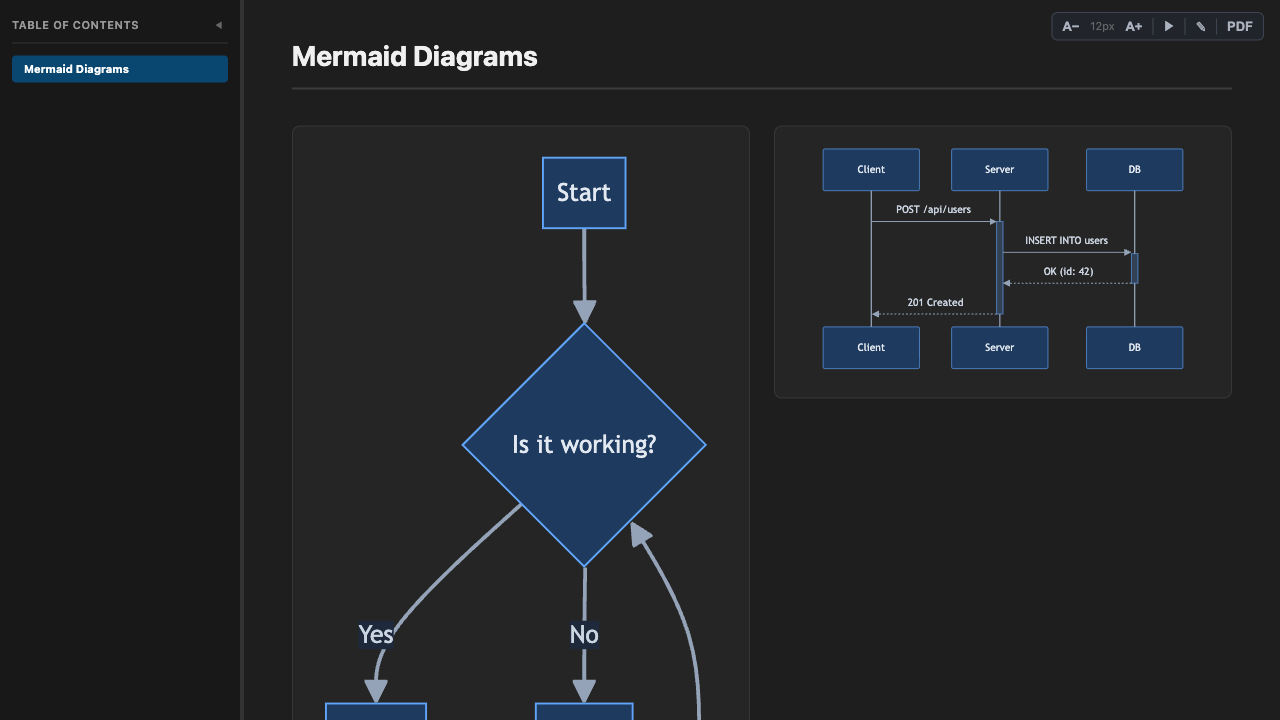
Mermaid Diagrams
Write Mermaid diagrams and see them rendered instantly — flowcharts, sequence diagrams, class diagrams, state diagrams, ER diagrams, Gantt charts, pie charts, and git graphs. Theming automatically adapts to dark and light modes.
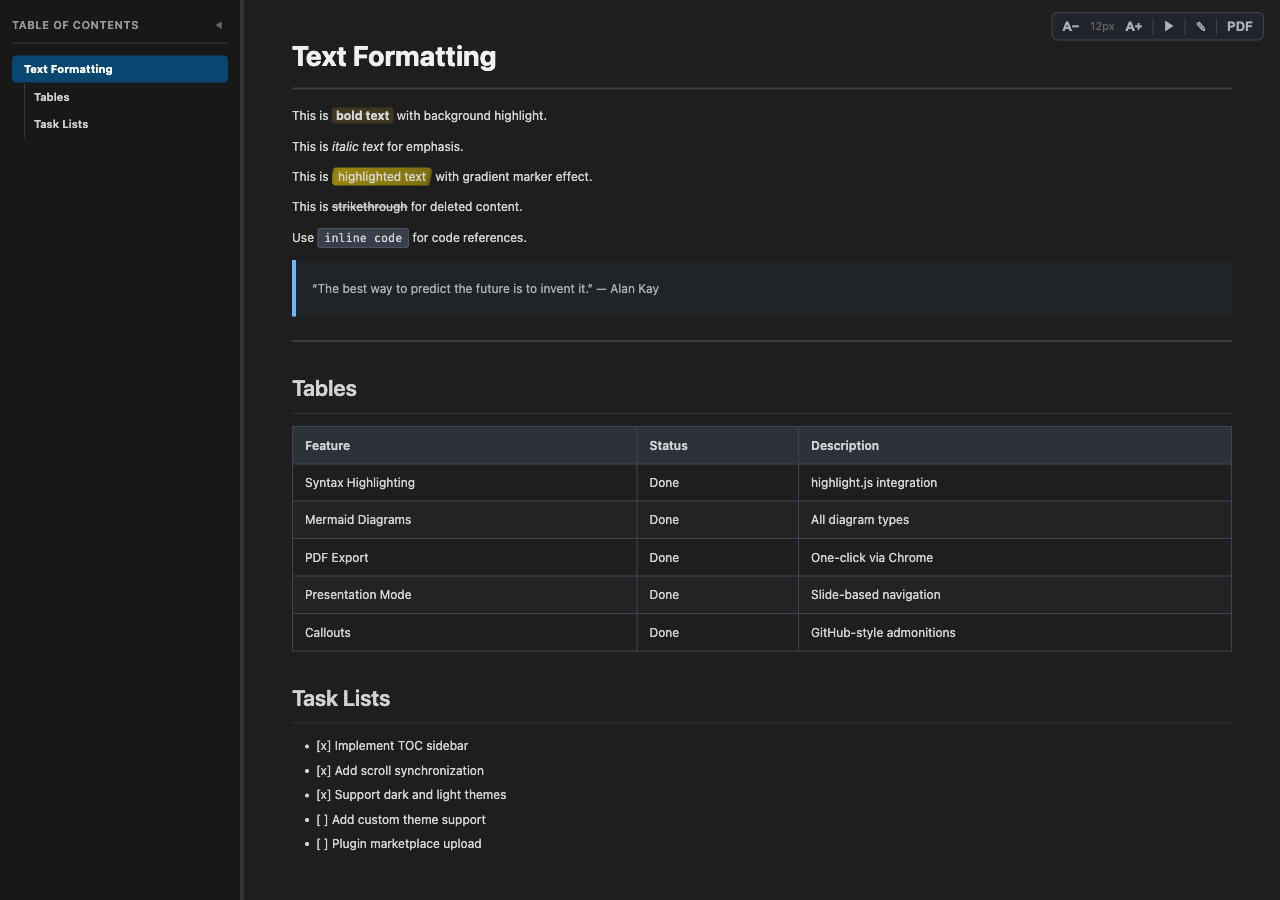
Rich Text Formatting
Every formatting element is carefully styled for readability:
- Bold with subtle background highlight · Italic · ~~Strikethrough~~ ·
inline code
==highlighted text== with gradient marker effect (via markdown-it-mark)- Blockquotes with accent border · Tables with alternating row colors · Task lists with checkboxes
- H1–H6 heading hierarchy with distinct color scaling
- YAML frontmatter automatically hidden · Images with responsive sizing
- Full light & dark mode support across all elements
Convenience & UX
A smart, auto-generated sidebar that makes navigating long documents effortless:
- Click-to-scroll with smooth animation and active section highlighting
- Search & filter headings instantly
- Collapsible with toggle button · Drag-resizable width (120px – 500px)
- Hierarchical indent guides · Supports both ATX (
#) and Setext heading styles
Scroll the editor and the preview follows. Scroll the preview and the editor follows. Feedback loop prevention ensures smooth, glitch-free sync in both side-by-side and full-screen modes.
Presentation Mode
Turn any markdown file into a slide deck — no extra tools needed:
--- horizontal rules become slide separators- Navigate with Arrow keys, Space, Home/End · Press ESC to exit
- Smooth sliding transitions with a slide counter
Font Size Controls
A+ / A− buttons in the top-right corner scale all content proportionally (10px–20px). Your preference persists across sessions.
PDF Export
Export your markdown to PDF with one click. Uses headless Chrome/Chromium/Edge/Brave — full styling, Mermaid diagrams, callouts, and smart page breaks are all preserved.
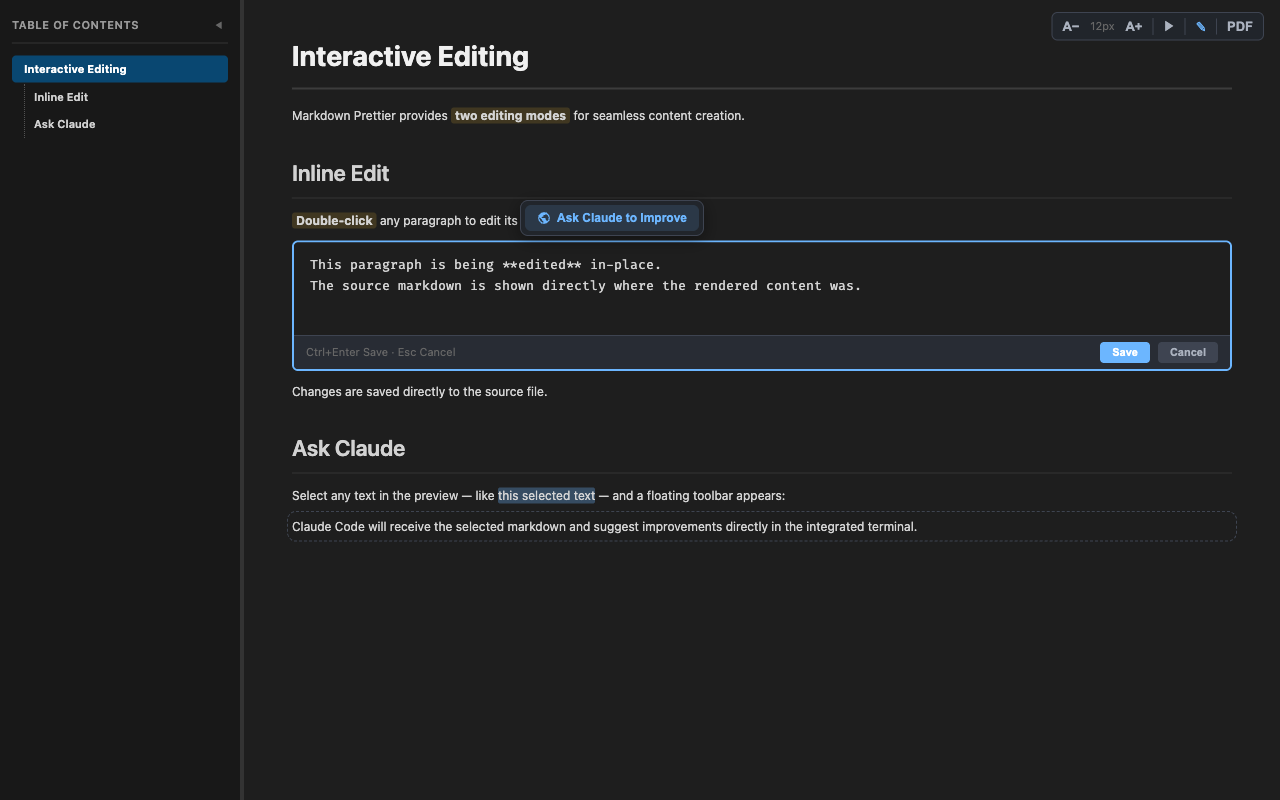
Inline Editing & Ask Claude
Edit markdown without leaving the preview:
- Double-click any block to edit in-place (Ctrl+Enter to save, Esc to cancel)
- Full edit mode via the ✎ button — edit the entire document with Ctrl+S
- Ask Claude to Improve — select text, click the floating toolbar, and let AI refine your writing
Live Preview
Every keystroke updates the preview in real-time. Switch between markdown files and the preview follows automatically.
Slash Commands
Type / in any markdown file to access 20+ snippet commands with rich autocomplete previews.
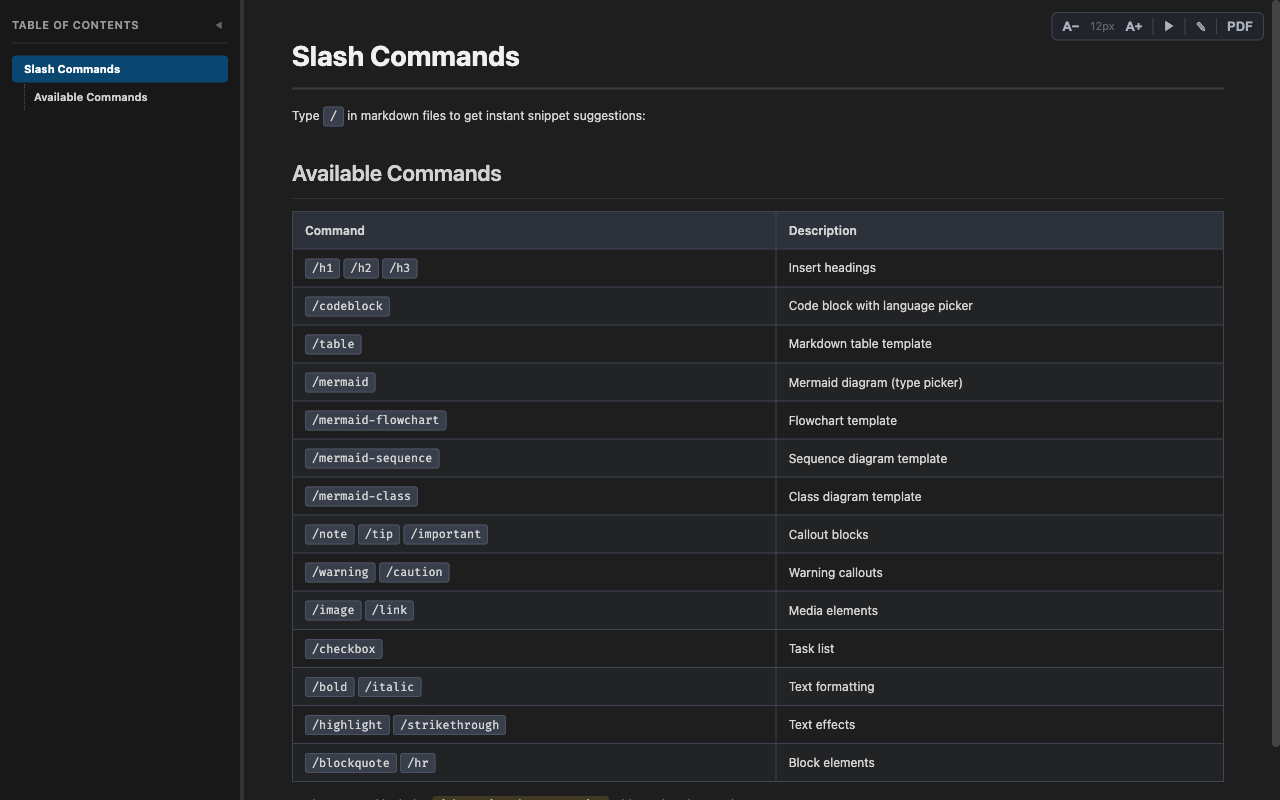
| Command |
Description |
/h1 /h2 /h3 /h4 |
Insert headings |
/codeblock |
Code block with language picker (JS, TS, Python, Bash, JSON, HTML, CSS, Dockerfile, YAML, Go, Rust, Java, SQL) |
/table |
Markdown table template |
/mermaid |
Mermaid diagram with type picker |
/mermaid-flowchart /mermaid-sequence /mermaid-class |
Specific diagram templates |
/note /tip /important /warning /caution |
GitHub-style callout blocks |
/image /link |
Media elements |
/checkbox |
Task list |
/bold /italic /highlight /strikethrough |
Text formatting |
/blockquote /hr |
Block elements |
Every command includes rendered preview examples and mermaid.ink diagram previews right in the autocomplete popup.
Getting Started
- Install from the VS Code Marketplace
- Open any
.md file
- Press
Cmd + Shift + M (macOS) / Ctrl + Shift + M (Windows/Linux) — or click the MD icon in the editor title bar
That's it. Your markdown is now beautiful.
Keyboard Shortcuts
| Shortcut |
Action |
Cmd/Ctrl + Shift + M |
Open Markdown Preview |
In Presentation Mode:
| Shortcut |
Action |
← / → |
Previous / Next slide |
Space |
Next slide |
Home / End |
First / Last slide |
ESC |
Exit presentation mode |
Architecture
flowchart LR
    A[TypeScript] --> B[VS Code Extension API]
    B --> C[Webview Panel]
    C --> D[markdown-it]
    C --> E[highlight.js]
    C --> F[mermaid.js]

    style A fill:#3178c6,stroke:#5a9fd4,color:#fff
    style B fill:#007acc,stroke:#3aa3e8,color:#fff
    style C fill:#2d333b,stroke:#768390,color:#fff
    style D fill:#4ecdc4,stroke:#7edcd6,color:#fff
    style E fill:#45b7d1,stroke:#75cde0,color:#fff
    style F fill:#ff6b6b,stroke:#ff9999,color:#fff

    linkStyle default stroke:#58a6ff,stroke-width:2px
License
MIT

