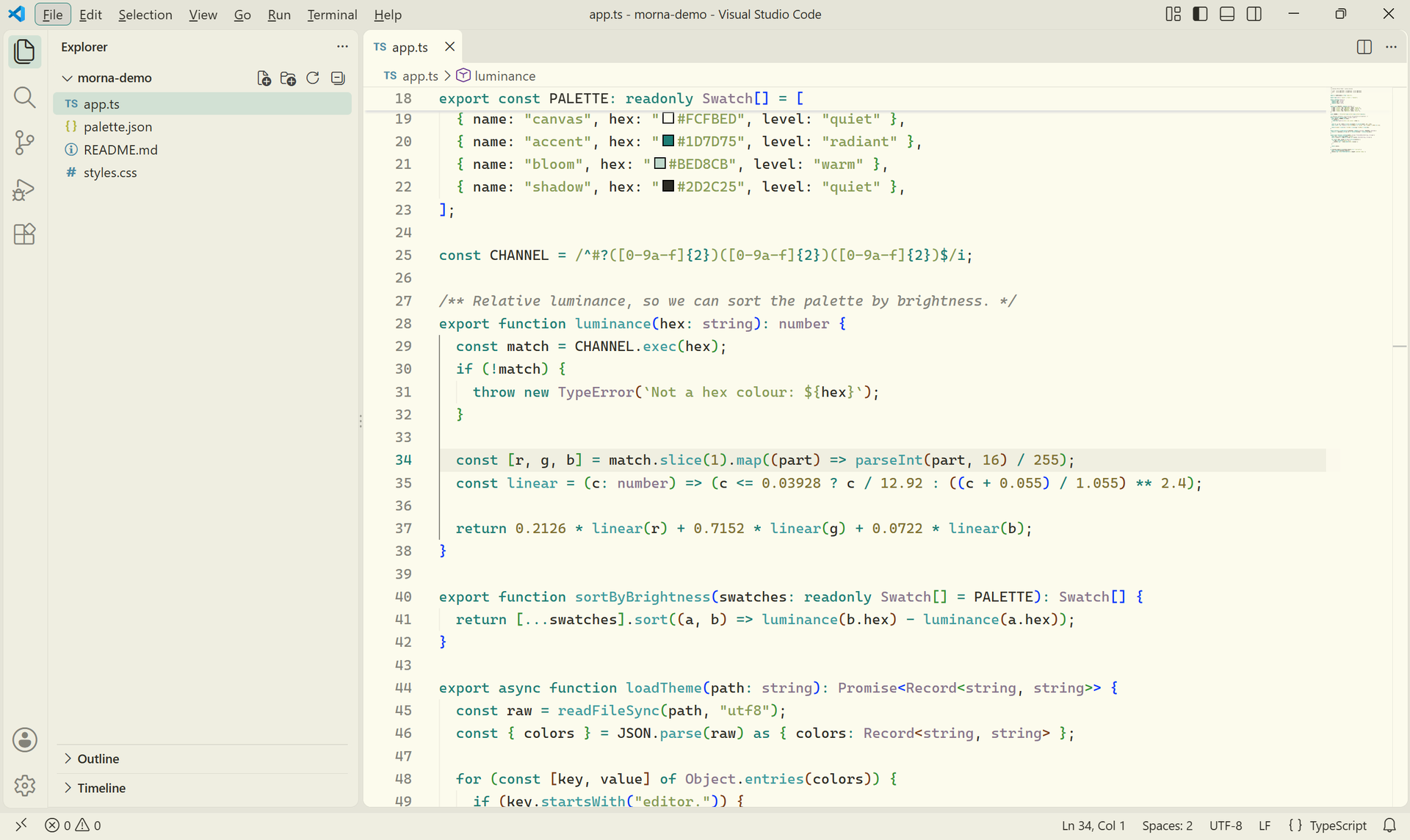
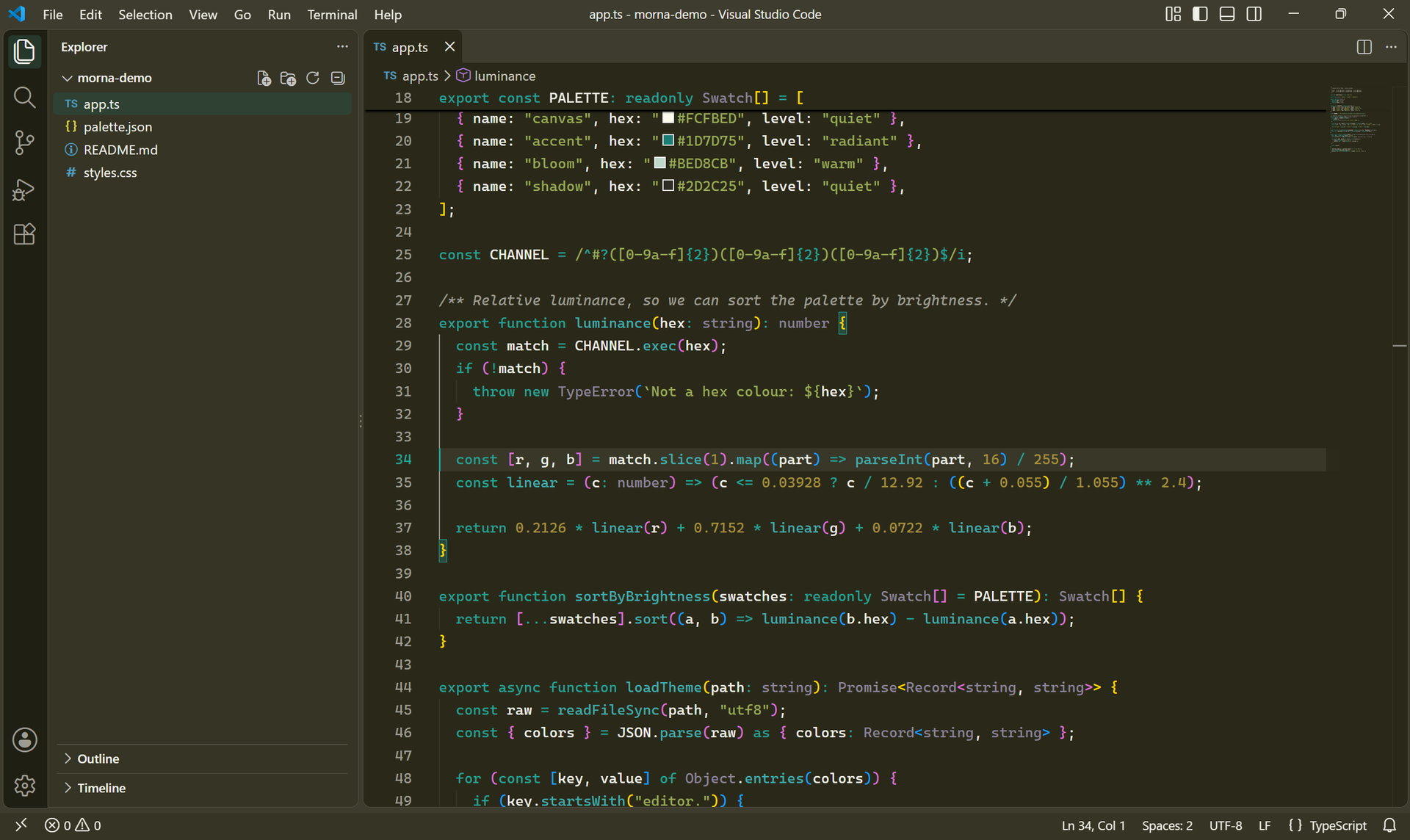
Two themes in one extension: Luminous Morna Theme Light and Luminous Morna Theme Dark.
Warm neutral canvas - cream paper in light mode, deep olive in dark mode.
One teal accent drives the cursor, badges, buttons, active tab and breadcrumbs.
Muted syntax palette (plum, moss, gold, slate) that stays easy on the eyes.
Scrollbars, indentation guides and selection colours tuned per variant.
Screenshots
Light
Dark
Palette
Role
Light
Dark
Editor background
#FCFBED
#2A2919
Foreground
#2D2C25
#F1F0E9
Accent
#1D7D75
#25A096
Selection
#BED8CB
#294A3C
Install
Open the Extensions view in VS Code (Ctrl+Shift+X).
Search for Luminous Morna Theme and install it.
Run Preferences: Color Theme (Ctrl+K Ctrl+T) and pick
Luminous Morna Theme Light or Luminous Morna Theme Dark.
License
Released under the Non-Commercial License - free for personal, educational and
non-commercial use. Commercial use requires prior written permission; see LICENSE.