AI CLI PROThe Ultimate Agentic AI Command Center. Seamlessly orchestrate Antigravity CLI, Gemini, Claude Code, GitHub Copilot, and Local LLMs (Ollama) with Zero-Config Autonomous Provisioning. Boost productivity with Auto-Dev agents and frontier AI models. Installation Launch VS Code Quick Open ( Ctrl+P), paste the following command, and press enter.Copied to clipboard |

✨ AI CLI PRO
The Enterprise-Grade Agentic AI Command Center. One Click Away.
⚡️ Core Capabilities
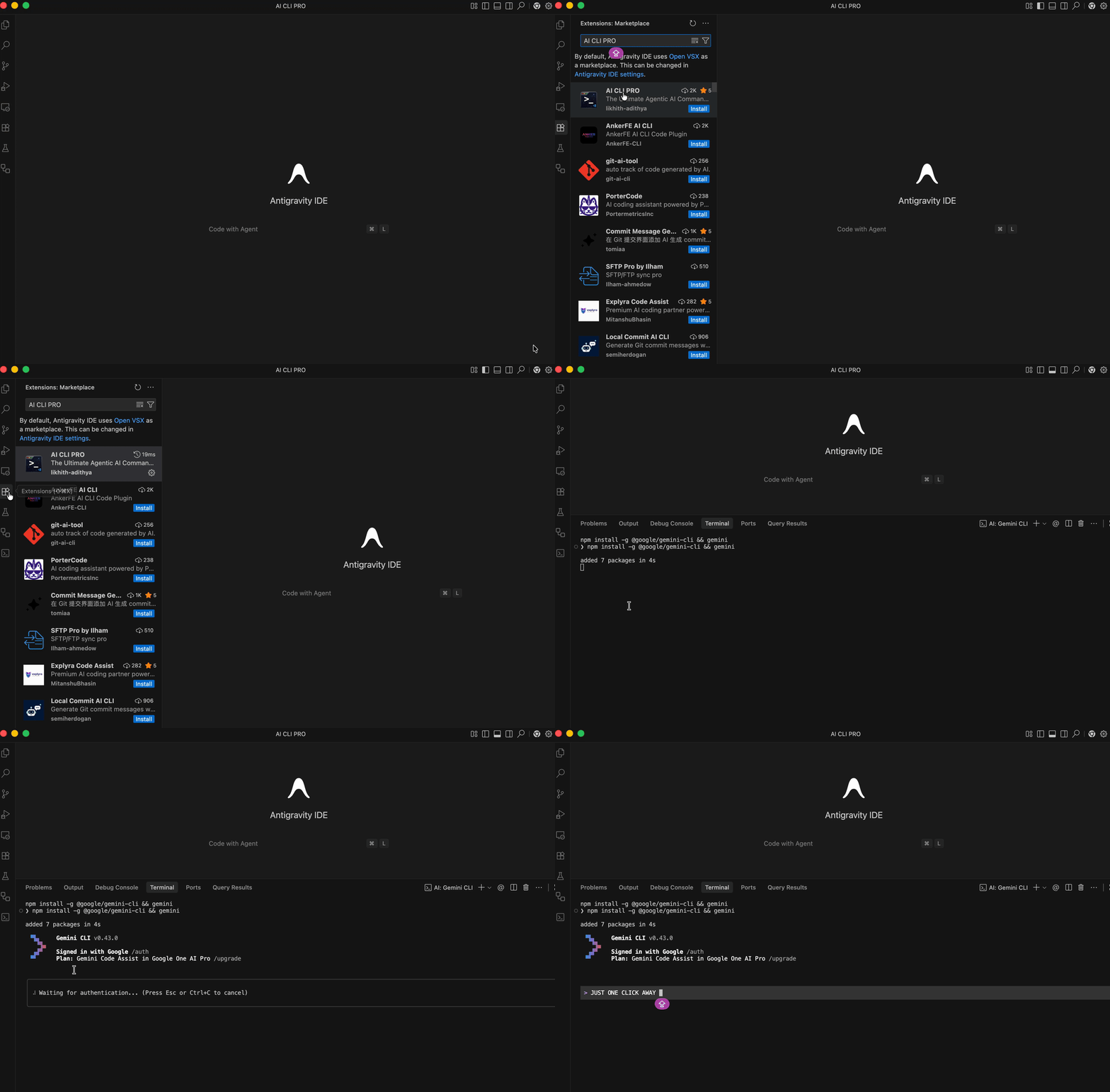
🚀 Getting Started📦 InstallationGetting AI CLI PRO running in your editor takes less than a minute. Method 1: VS Code Marketplace (Recommended)
Method 2: Quick Command
🎮 How to Use (The "Zero-Friction" Workflow)1️⃣ DiscoveryOpen the AI CLI PRO Sidebar (terminal icon 📟). Your entire AI arsenal is mapped and ready. 2️⃣ ProvisioningMissing a tool? Click the Cloud Icon ☁️. We handle the cross-platform dependencies (Brew, Pip, NPM) so you don't have to. 3️⃣ ExecutionHit the Play Button ▶️. Your chosen Frontier Agent launches instantly in a native VS Code terminal, pre-configured and ready to solve. 🤖 Frontier Agent RegistryAI CLI PRO bridges the gap between the world's most powerful AI models and your local development environment. ☁️ Cloud Powerhouses
🦙 Local Intelligence (Ollama)
✨ Enterprise-Grade Features
⌨️ Power User Shortcuts
🤝 Community & SupportJoin the mission to build the future of Autonomous Agentic AI.
⚖️ LegalAI CLI PRO is an independent development tool and is not affiliated with Google, Anthropic, or GitHub. Privacy Policy • Terms • License Built for developers who live in the Agentic future but work in the IDE ❤️. 💻 |