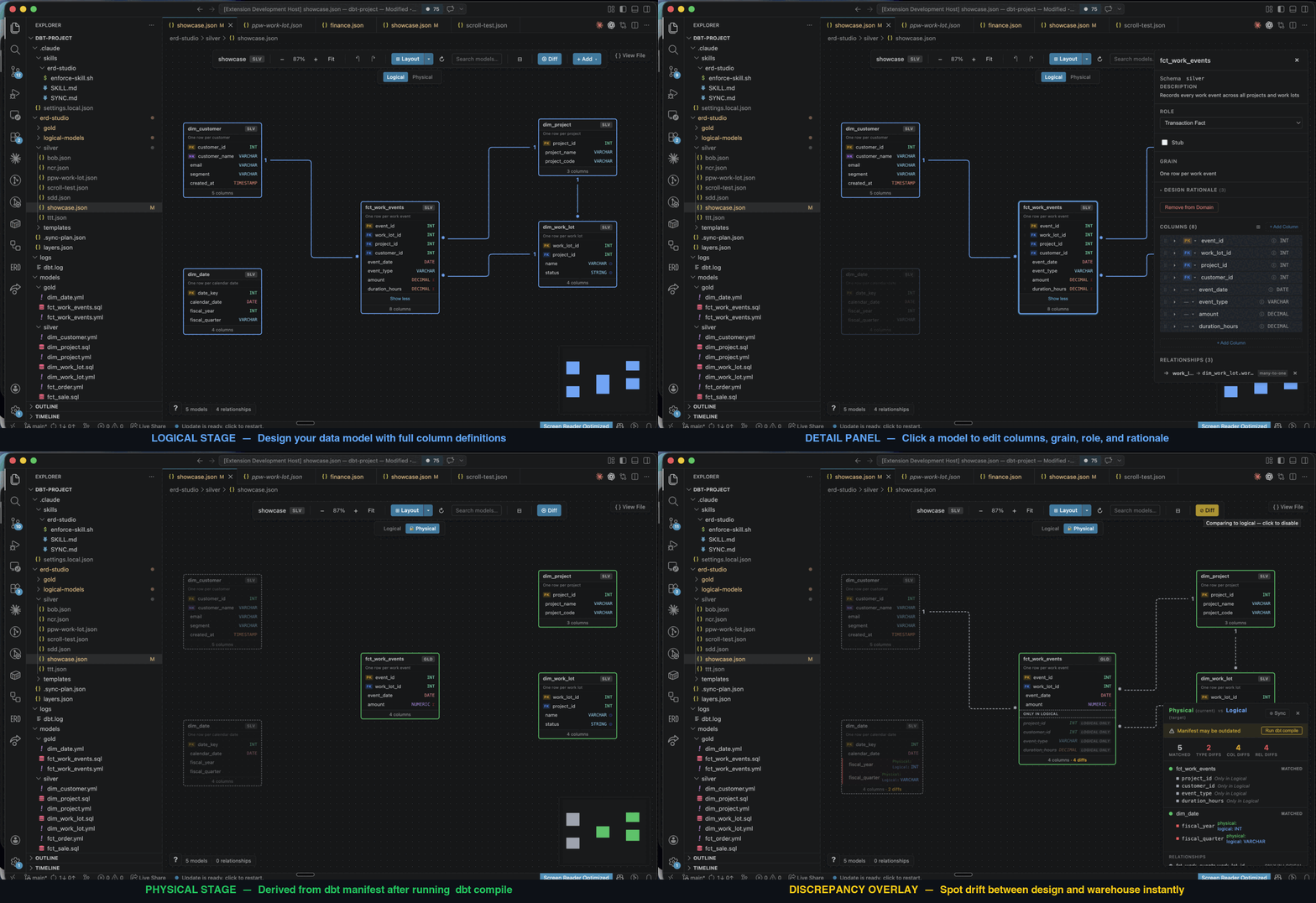
ERD StudioVisual ERD designer for dbt — design your data warehouse on a canvas, in your repo, as plain YAML your AI assistant can read. Kimball/dimensional modelling, then compare the design against what dbt actually built. Installation Launch VS Code Quick Open ( Ctrl+P), paste the following command, and press enter.Copied to clipboard |

ERD Studio
Your data model, in your repo.
Install for VS Code • Free and open source
ERD Studio brings visual data modelling into VS Code. Keep your diagrams and design decisions in your code repo, give your AI assistant the context to build from them, and review design changes alongside the SQL. Why use ERD Studio?
Traditional ERD tools such as erwin store models in application-specific files or a separate modelling repository. ERD Studio's plain files fit directly into your branches, pull requests, and AI workflow. Less setup, fewer handoffs, and no export step to give your AI the design. How it worksThe whole logical model is just two kinds of file: one YAML per model, one JSON per diagram. ERD Studio reads them and renders the canvas.
Edit on the canvas and those same files update. Edit them yourself or with AI and the canvas updates. Models are shared across diagrams, and everything stays in Git. No ERD Studio account, database, or server required. Reading your dbt projectThe Physical view is the lower half of the diagram, and it has no file of its own. It reads three files, and only the first is required: your schema YAMLs, always on disk, so the view works before you have ever run dbt; Each model shows where its shape came from, so a dbt is the only stack ERD Studio can read today. If you model somewhere else, contribute an integration or propose one — your logical model files stay exactly as they are as support grows. Get startedRequires VS Code 1.85+ and a project containing
Then try asking your assistant:
Not using dbt?Use ERD Studio for your logical models: design tables, relationships, and business rules without installing or running dbt. For now, add a Physical comparison needs dbt, so the canvas stays on the Logical stage — everything else works unchanged. File format reference · Release notes · Send feedback · Contribute on GitHub Free and open source under the MIT licence. |