
leakferret for VS Code
MCP-native secret scanner — verified findings, agent-applied rewrites.



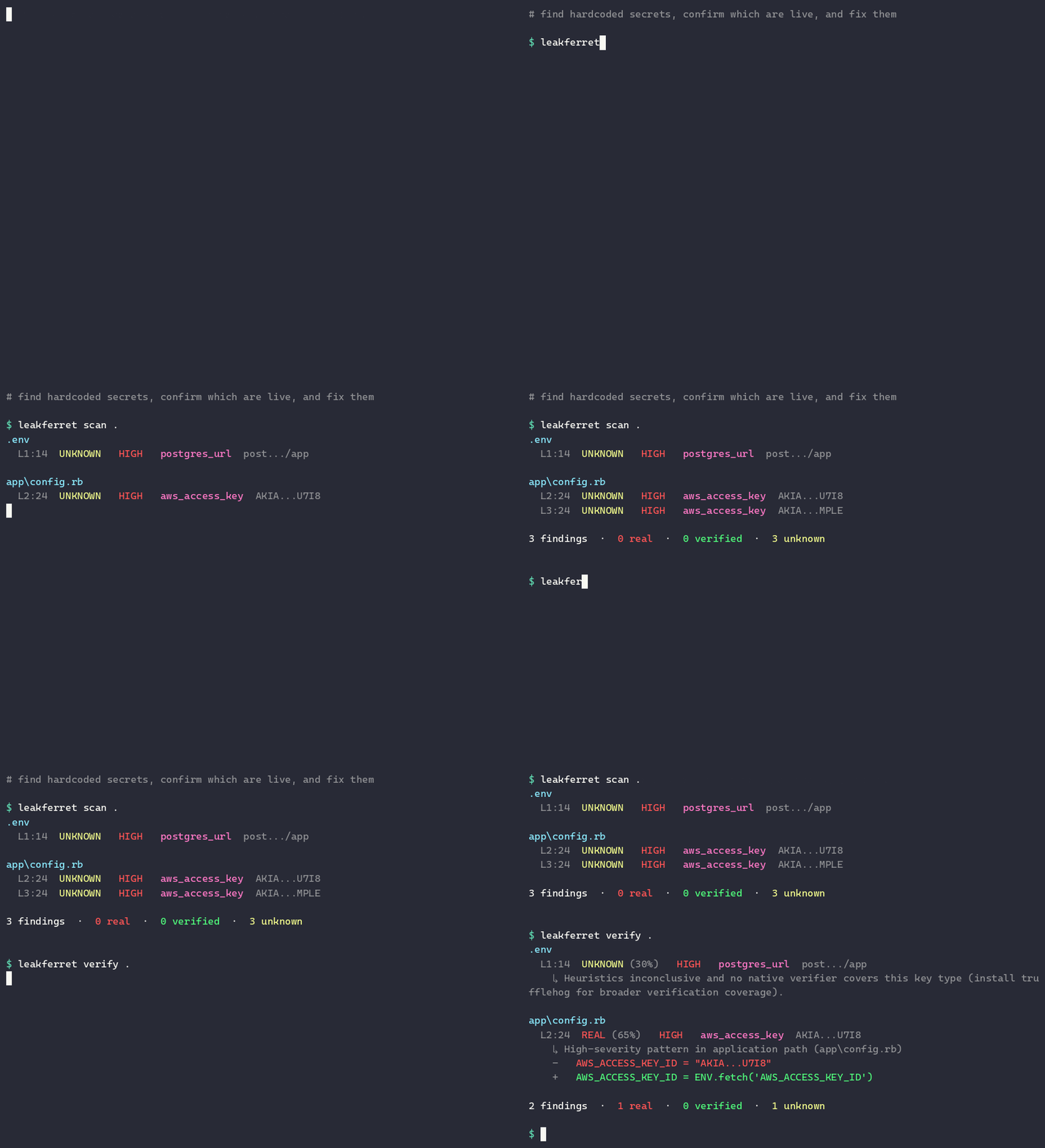
leakferret is a context-aware
secret scanner that runs the moment you save a file. When a hardcoded AWS key,
GitHub token, or Stripe secret hits disk, the editor flags it with a red
squiggle and offers a one-click Quick Fix: replace the literal with
ENV.fetch("...") (or the right idiom for your language) and add the variable
to .env.example.
This extension is a thin wrapper. It ships no scanning logic of its own — it
downloads the prebuilt, statically-linked leakferret binary (written in Rust)
from GitHub Releases on first use and shells out to it for every scan.
Classification runs on your own language model via vscode.lm.sendRequest.
If you already have a chat model available in VS Code, the extension uses it —
no extra API key, no SaaS account, no new bill. Only a redacted preview of each
candidate is ever sent to the model.
Features
- Scan on save. Every save of a supported file shells out to the binary,
which regex-scans the file and produces a redacted-preview JSON report.
- Classify with your own language model. Each candidate is sent to your host
model with the redacted preview (first 4 + last 4 characters) and a few lines
of surrounding context — never the secret itself — and comes back as
REAL,
FIXTURE, or UNKNOWN.
- Surface as diagnostics.
REAL → Error (red squiggle, shows in the Problems pane)UNKNOWN → Warning (yellow squiggle)FIXTURE → suppressed (no nag for known test data)
- Quick Fix on every finding.
- Replace with ENV.fetch (leakferret) — runs
leakferret rewrite --apply --only <file>, rewriting the literal to an
env-var lookup in the right idiom (ENV.fetch in Ruby, process.env.X in
JS/TS, os.environ in Python, and so on) and adding a .env.example line.
- Add to allowlist (this line) — inserts a
# leakferret:allow comment so
the scanner skips that line next time.
Privacy invariant: the full secret value never leaves your machine. The
binary redacts every match before any output leaves the process; the
classification call and every report only ever see the redacted preview.
Install
Search "leakferret" in your editor's Extensions panel and click Install:
The leakferret binary is fetched automatically on your first scan; no Rust
toolchain required.
To run from source:
git clone https://github.com/leakferrethq/leakferret-vscode.git
cd leakferret-vscode
npm install
npm run compile
Then open the folder in VS Code and press F5 to launch the Extension
Development Host. The npm install postinstall step downloads the
platform-specific leakferret binary into dist/bin/. If that download fails
(release not yet published, offline machine), the extension still installs — set
leakferret.binaryPath to a local copy of the binary.
Requires VS Code 1.90+ (the vscode.lm chat-model API is only available
there). On older versions, findings still surface, but all as Warnings without
model classification.
Settings
| Setting |
Default |
Description |
leakferret.binaryPath |
"" |
Absolute path to the leakferret binary. Empty = use the bundled binary (preferred). Set this to point at a local copy on offline or air-gapped machines. |
leakferret.scanOnSave |
true |
Scan every file automatically on save. |
leakferret.classifierModel |
"" |
Preferred language-model family (e.g. gpt-4o, claude-3.5-sonnet). Empty = pick the first available. |
leakferret.verifyMode |
"best-effort" |
Verifier mode passed to the binary. One of off, best-effort, strict. |
leakferret.binaryPath
This is the in-editor equivalent of the LEAKFERRET_BIN override that every
leakferret wrapper honors. Leave it empty to use the binary the extension
downloads on install. Set it to an absolute path — for example a build you ship
to an air-gapped machine — and the extension runs that binary instead:
{
  "leakferret.binaryPath": "/opt/leakferret/leakferret"
}
For air-gapped installs you can also set LEAKFERRET_SKIP_DOWNLOAD=1 during
npm install and provide the binary out of band, then point
leakferret.binaryPath at it.
Commands
All commands are available from the Command Palette
(Ctrl+Shift+P / Cmd+Shift+P):
leakferret: Scan current fileleakferret: Verify findings against providersleakferret: Rewrite literals to ENV.fetch
Known limitations
- The
vscode.lm chat-model API requires VS Code 1.90+. On older versions
the extension surfaces findings as Warnings with no model classification.
- There is no JetBrains / IntelliJ port yet; the classification flow depends on
the
vscode.lm API.
Also a CLI, a CI check, and an MCP server
This extension is one face of leakferret — the same binary is also:
- a CLI:
gem install leakferret · npm i -g @leakferret/cli ·
cargo install leakferret-cli, then leakferret scan .
- a CI check: the
GitHub Action, or
leakferret verify . in any pipeline (SARIF output + baseline support)
- an MCP server:
leakferret mcp, so a coding agent can scan, verify, and
rewrite before it commits
See the main README for all of it.
Block commits locally (pre-commit hook)
The extension flags secrets as you save. To also block them at commit time,
install the CLI on your PATH
(gem install leakferret · npm i -g @leakferret/cli ·
cargo install leakferret-cli) and add a git hook from your repo root:
cat > .git/hooks/pre-commit <<'HOOK'
#!/bin/sh
# Offline secret scan (no network). Blocks the commit on any finding.
leakferret verify . --verify-mode none --fail-on any || {
  echo "leakferret blocked this commit. Bypass: git commit --no-verify"
  exit 1
}
HOOK
chmod +x .git/hooks/pre-commit
--verify-mode none keeps it offline; --fail-on any exits non-zero on any
non-fixture finding. Pair with leakferret baseline init to block only on
new secrets.
License
MIT for this extension and the bundled binary. The fixture catalog data is
CC-BY-SA-4.0 — see leakferret-catalog.
Part of leakferret ·
leakferret.com ·
maintained by Maria Khan <missusk@protonmail.com>.

