KXApp — iOS Development in VS Code
Build, run and debug Xcode projects in VS Code — powered by the Xcode you already have.



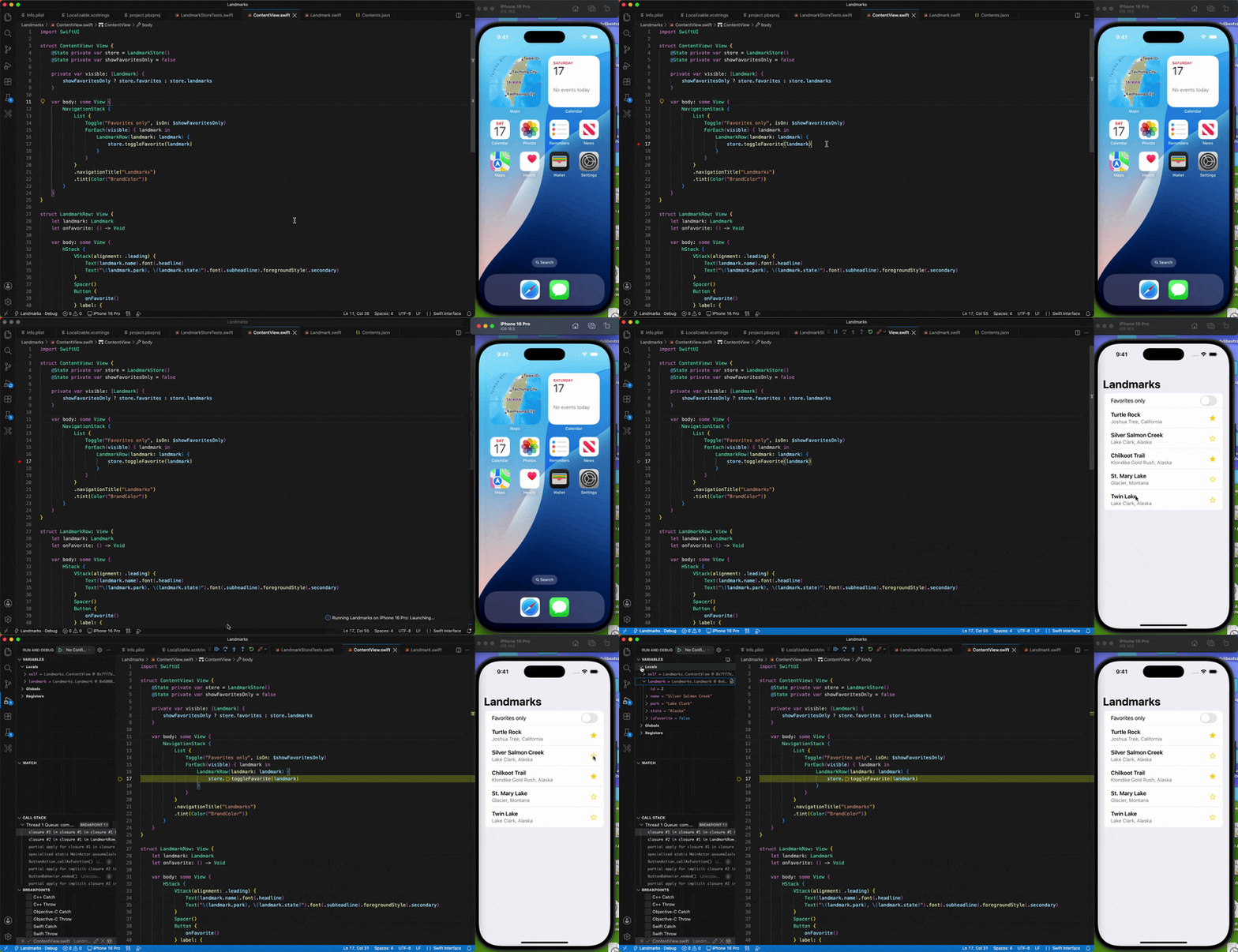
Open the folder with your .xcodeproj or .xcworkspace, pick a scheme and a simulator, press Cmd+R.
kxapp builds with xcodebuild, installs and launches the app, and attaches Xcode's own debugger — no
Xcode window, no extra tools to install.
Why kxapp
- Visual editors for Xcode files. Info.plist, entitlements, privacy manifests, asset catalogs,
String Catalogs, Icon Composer icons and build settings — edited in VS Code the way Xcode shows them,
saved the way Xcode writes them.
- Nothing else to install. A built-in build server gives SourceKit-LSP full code intelligence; debugging
uses the
lldb-dap that ships with Xcode. No xcode-build-server, no CodeLLDB, no Homebrew.
- Works side by side with Xcode. Same DerivedData, same index, same project files. Switch to Xcode for
Interface Builder or Instruments and come back any time.
- Compatible with KXBuild, the cross-platform build system. Build, run, debug and test on a device
on any computer with KXBuild installed.
- Xcode keys.
Cmd+R runs, Cmd+B builds, Cmd+. stops.
- Free, cross-platform, private. No account; the extension itself sends no telemetry and makes no network
calls. Works on Windows, Linux and macOS.
Works in VS Code and in VS Code–based editors such as Cursor and Windsurf (install from
Open VSX).
Quick Start
- Install Xcode 16 or later and select it:
sudo xcode-select -s /Applications/Xcode.app
- Open the folder that contains your
.xcodeproj or .xcworkspace (CocoaPods workspaces included).
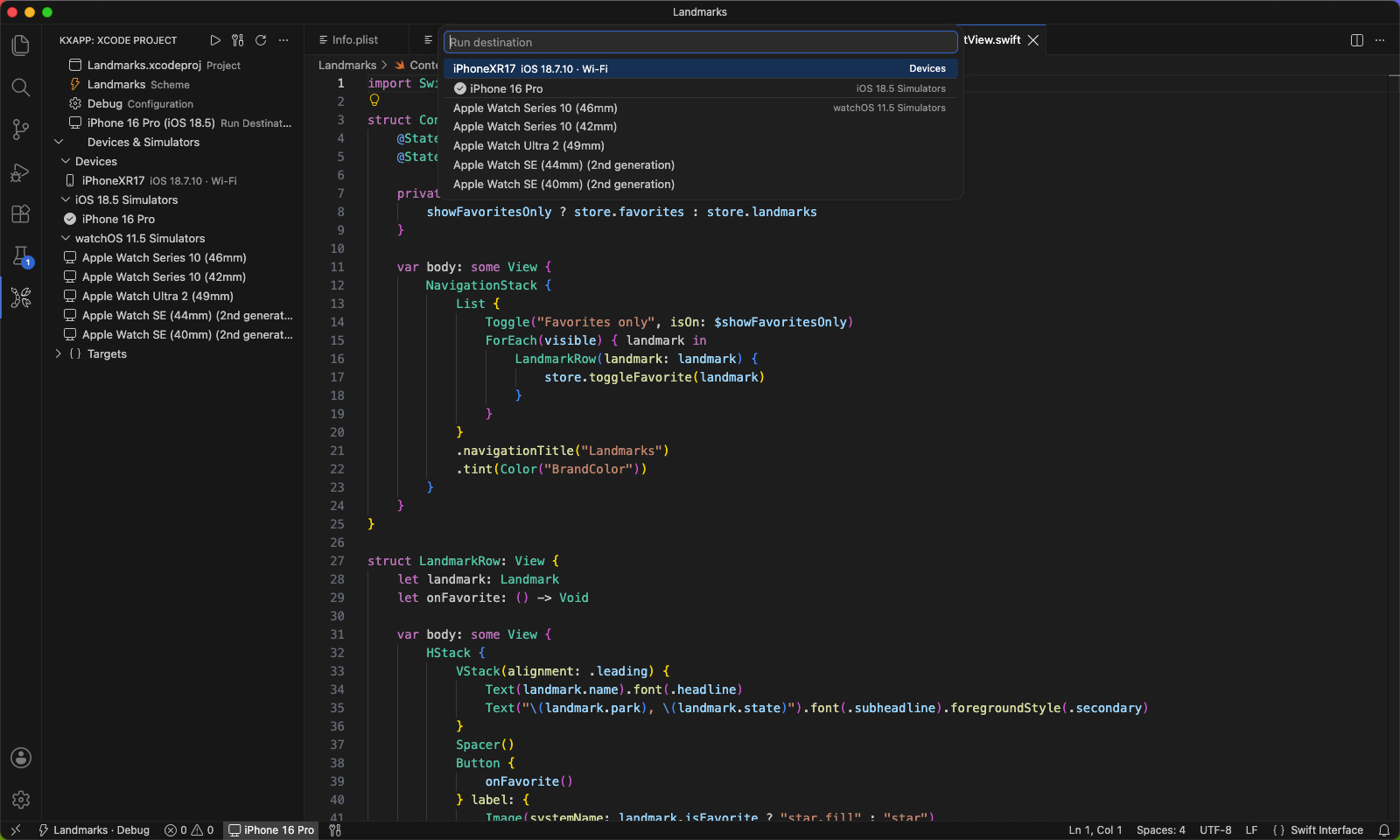
- Pick the scheme, configuration and run destination in the status bar or the kxapp side bar, then press
Cmd+R.
Features
Build, run and debug
Build for any simulator or a connected iPhone/iPad, install, launch and attach the debugger in one step.
Breakpoints, conditional and log breakpoints, stepping, variables and po work as in Xcode. Run without
debugging, or attach to an app that is already running. Build errors and warnings land in the Problems panel.
Code intelligence
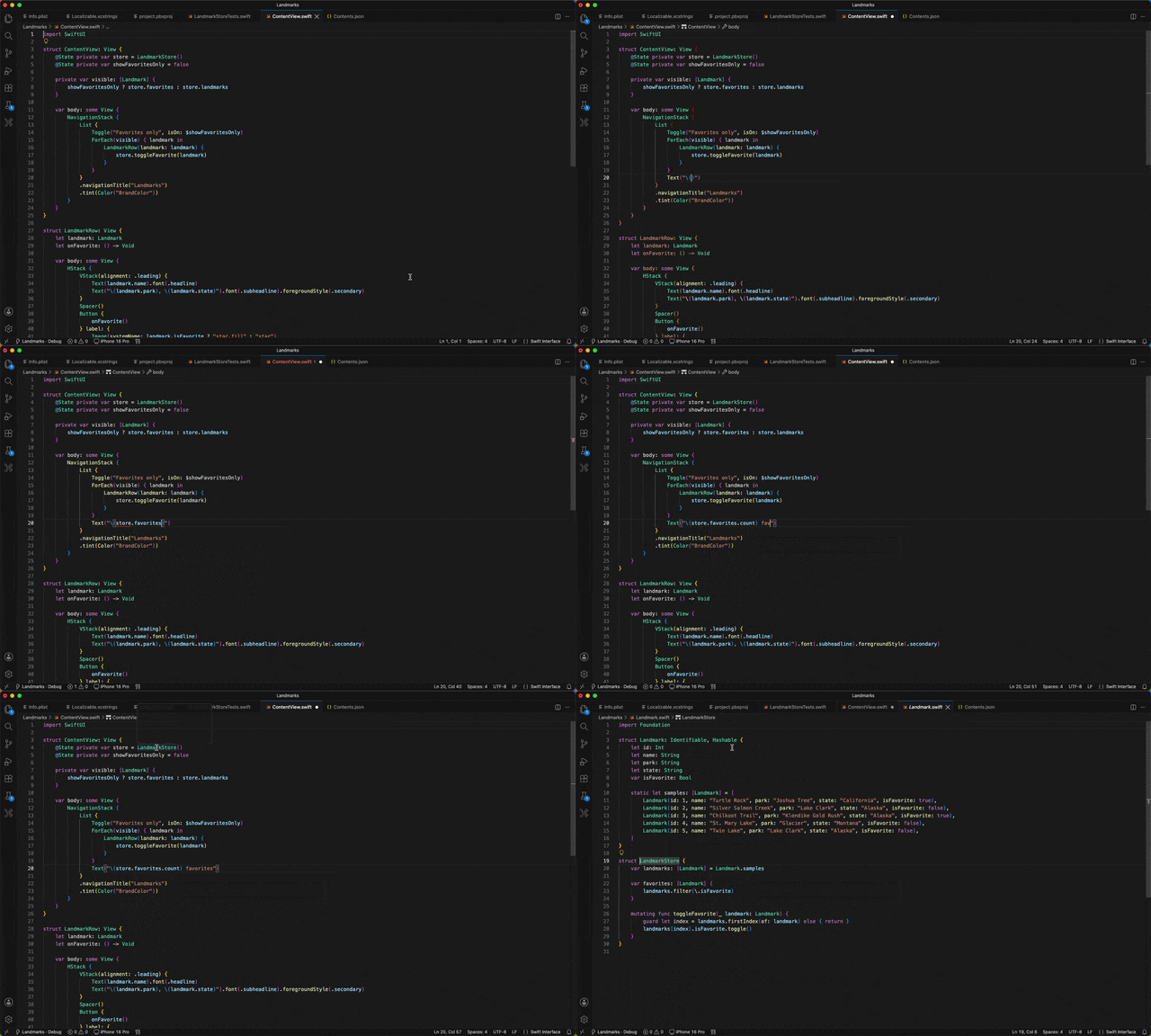
Completion, go to definition, find references and diagnostics for Swift, Objective-C, C and C++ through
SourceKit-LSP, fed by kxapp's built-in build server and sharing Xcode's index.
Property list editor
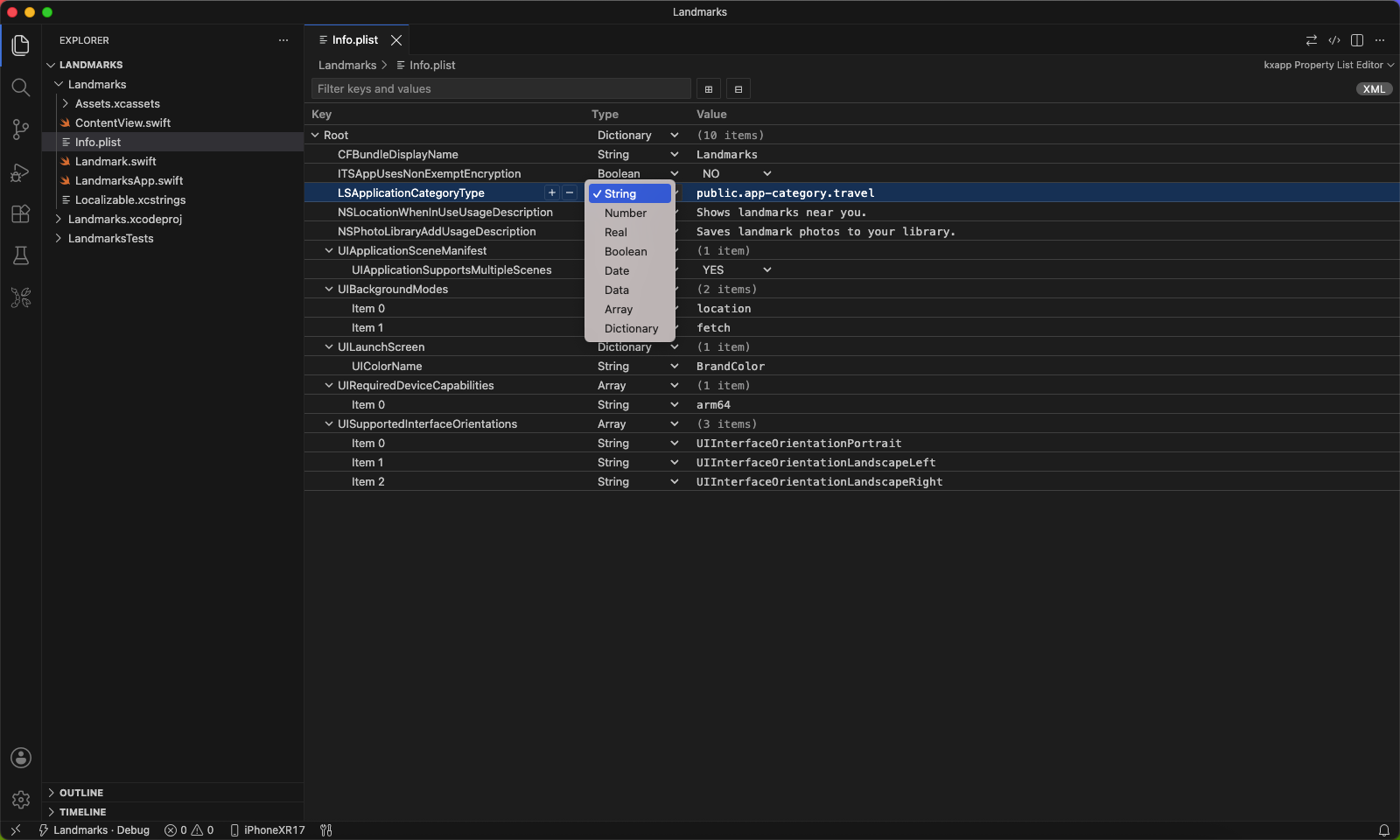
Info.plist, .entitlements, .xcprivacy and other plists in an Xcode-style tree: typed values, add / delete
rows, copy key paths, XML or binary save format. .strings files and provisioning profiles
(.mobileprovision) open in their own viewers.
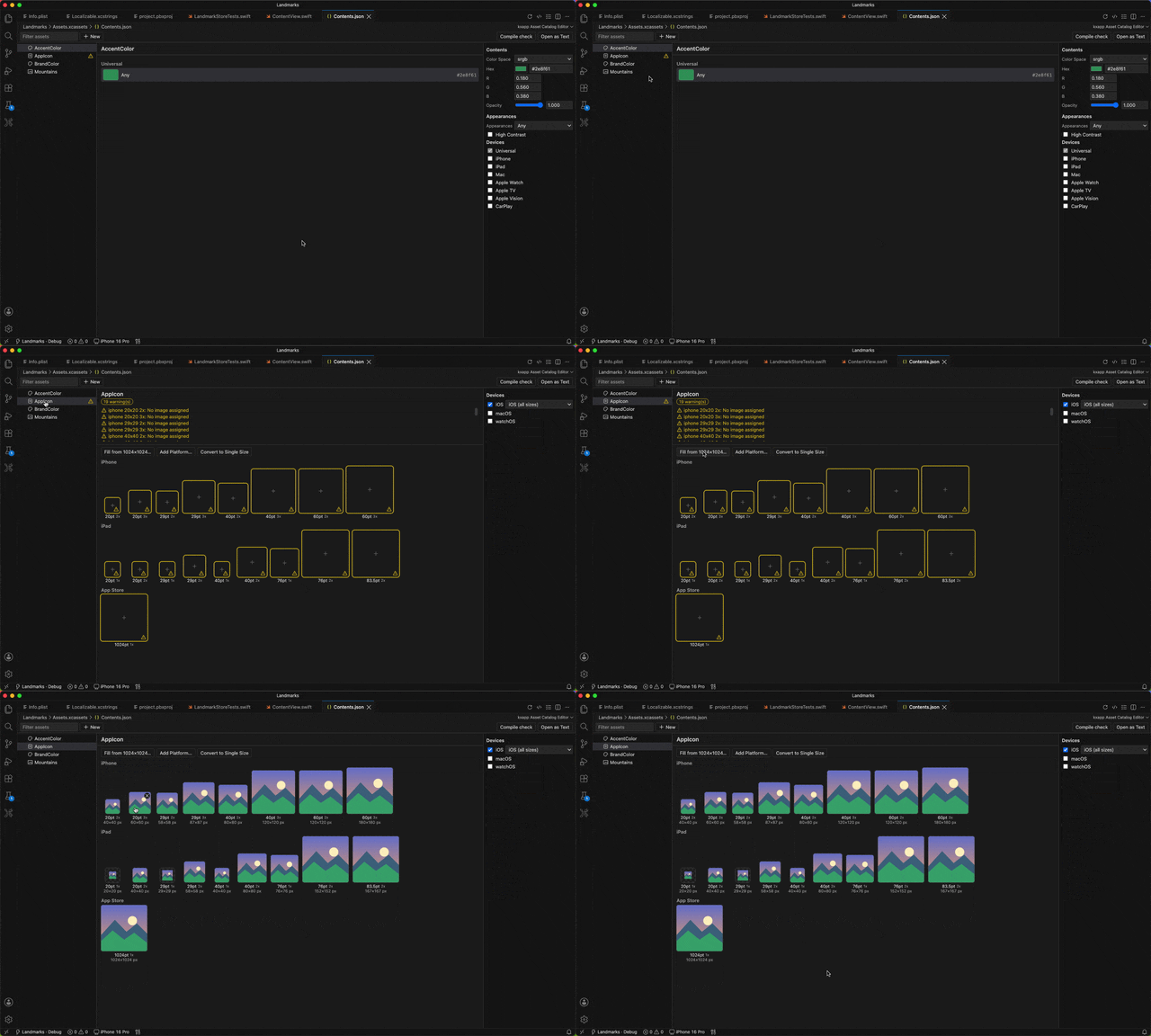
Asset catalog editor
Browse and edit .xcassets: app icons, image sets, color sets, data sets and symbol images. Fill every app icon
size from one 1024×1024 image, add platforms, and check the catalog with Xcode's actool. Icon Composer
.icon documents preview with Xcode's own renderer.
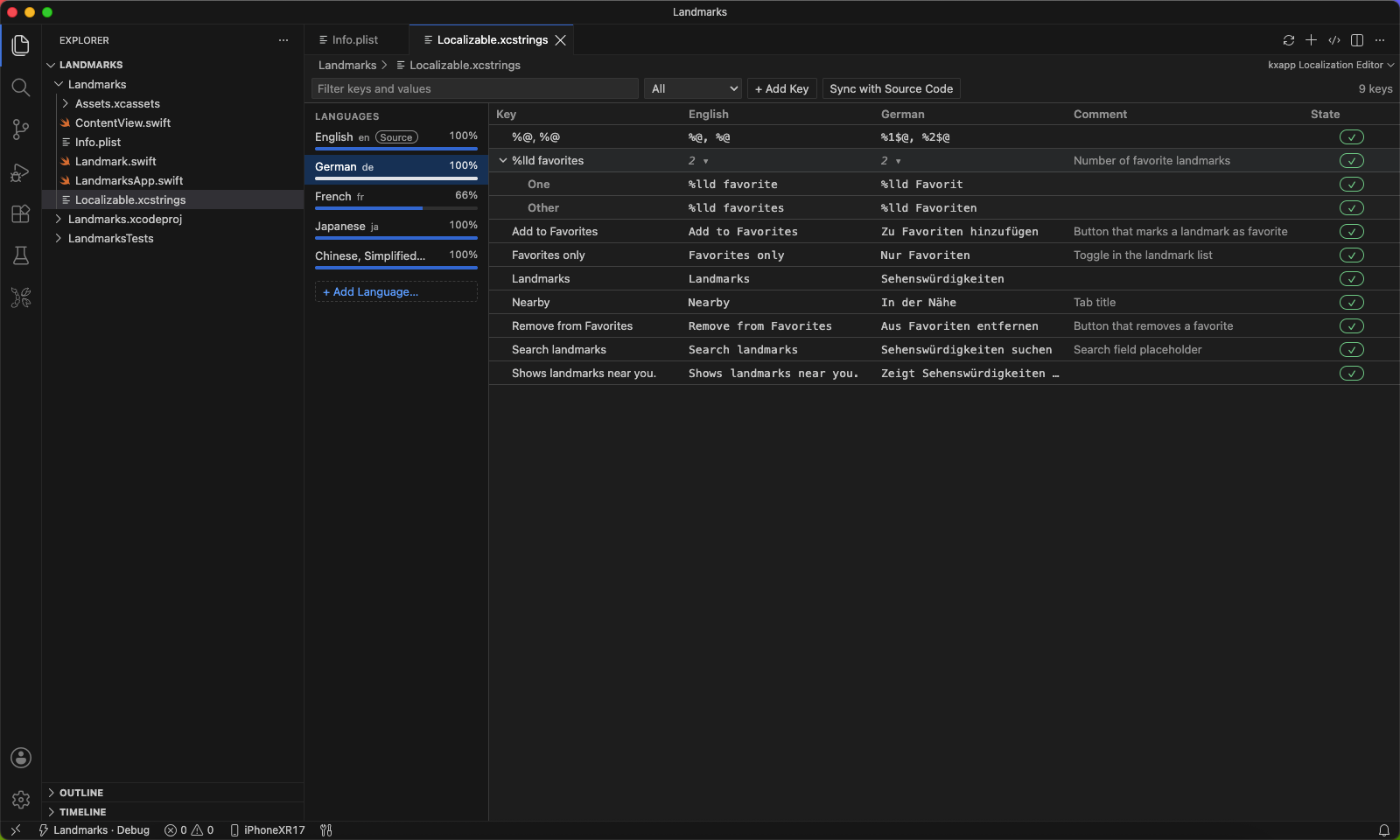
Localization
Edit String Catalogs (.xcstrings) and .lproj .strings / .stringsdict side by side, vary by plural or
device, and add a language — it is registered in the project for you.
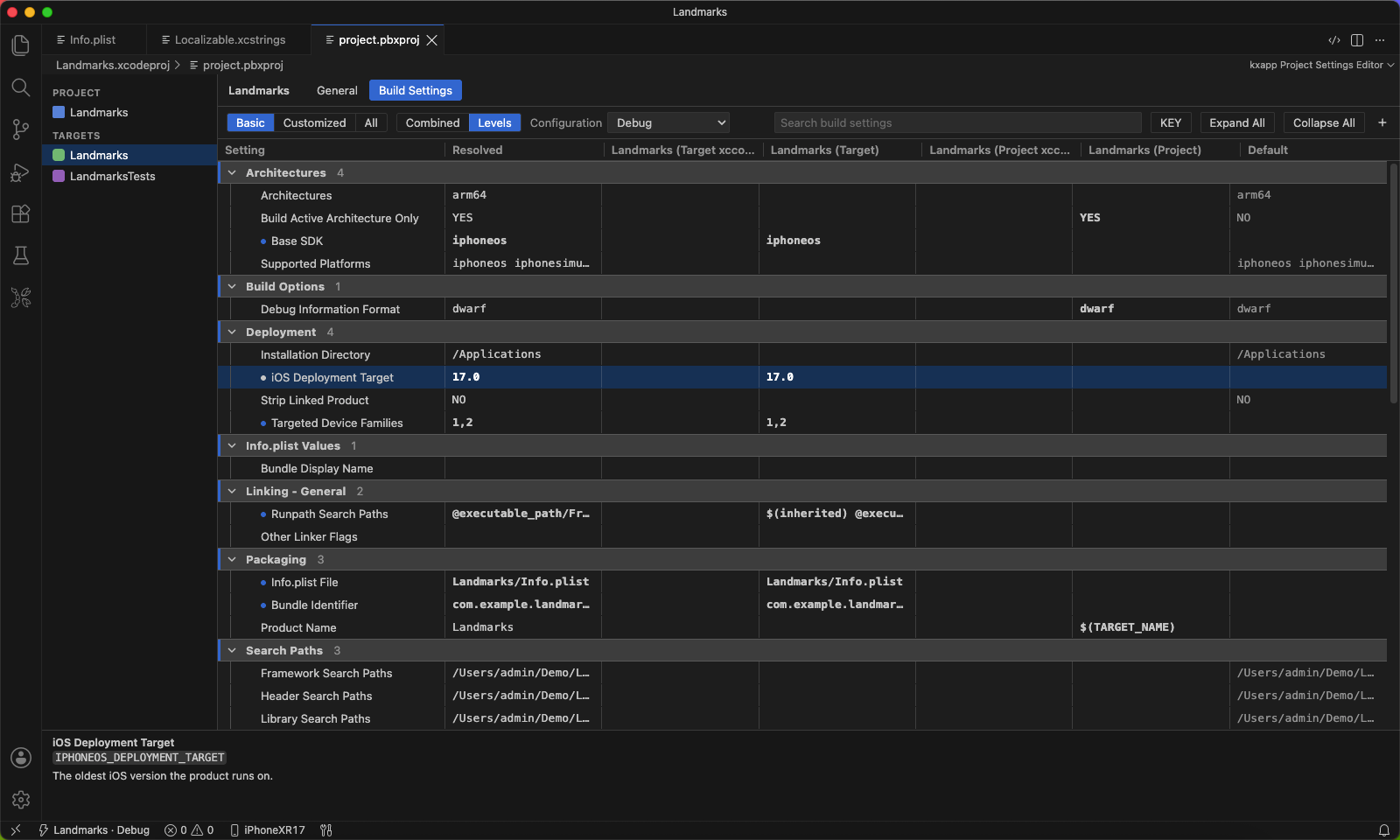
Project settings
The General and Build Settings pages of project.pbxproj, with the resolved value at every level (target,
project, xcconfig, defaults) — like Xcode's Levels view. Edits keep the project file minimal and valid.
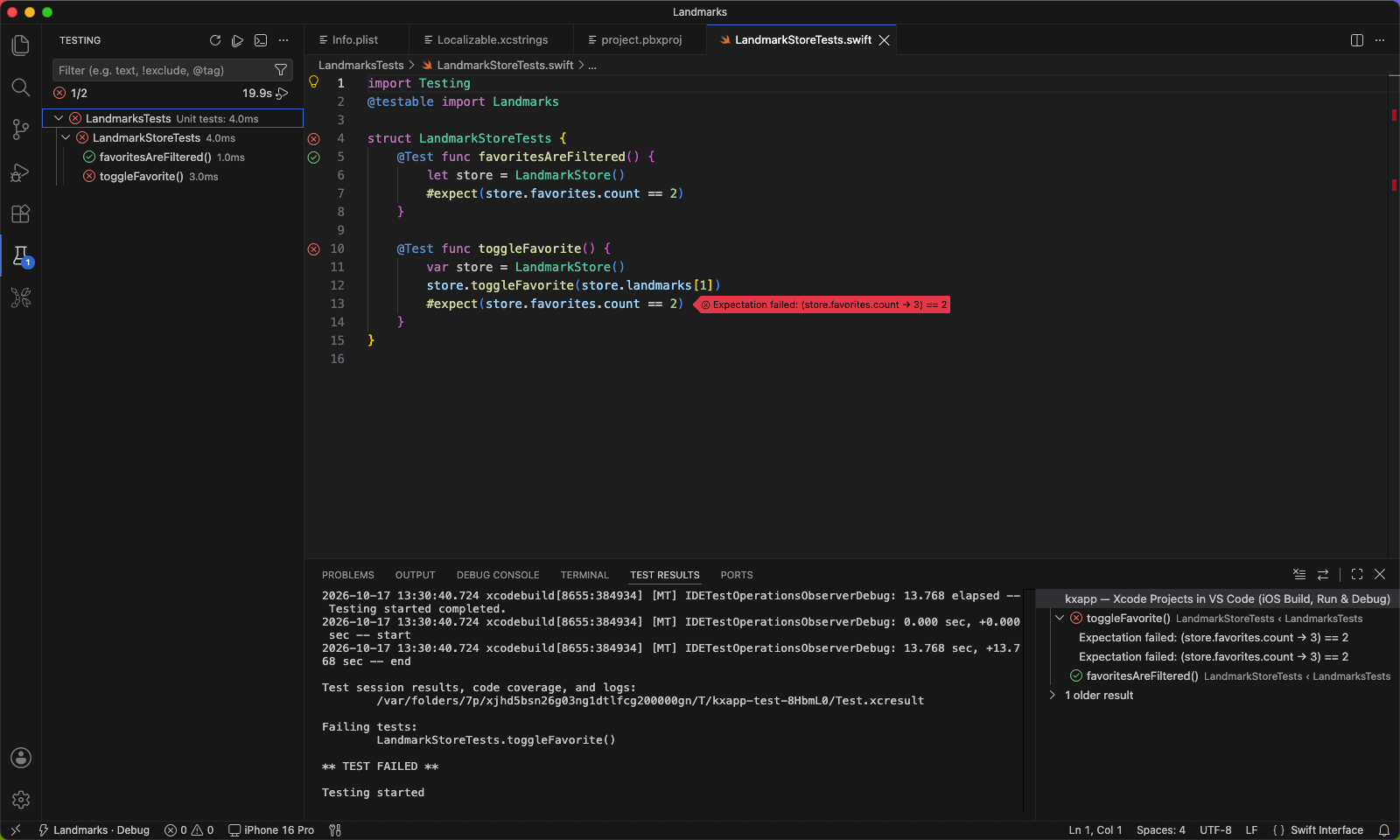
Devices, simulators and tests
Boot and shut down simulators and see connected devices in the side bar. Run XCTest and Swift Testing tests
from the Test Explorer, with failures shown at the line that failed.
Requirements
- macOS: Xcode 16 or later, selected with
xcode-select — build, run, debug and code intelligence
- Windows, Linux (or macOS without Xcode): KXBuild installed — build, run, debug and test on a device
- Editing
project.pbxproj (build settings, adding resources and languages) uses the xcodeproj Ruby gem:
gem install --user-install xcodeproj (CocoaPods and KXBuild users already have it)
Keyboard shortcuts
| Key |
Command |
Cmd+R |
Build & Run |
Cmd+B |
Build (in an editor of an Xcode project it takes over VS Code's Toggle Side Bar) |
Cmd+. |
Stop |
Settings
| Setting |
Default |
|
kxapp.defaultConfiguration |
Debug |
Build configuration used when none is picked |
kxapp.build.allowProvisioningUpdates |
true |
Pass -allowProvisioningUpdates to xcodebuild |
kxapp.build.extraArgs |
[] |
Extra xcodebuild arguments |
kxapp.debug.killAppOnStop |
true |
Terminate the app when the debug session stops |
kxapp.plist.defaultSaveFormat |
preserve |
Save plists as XML, binary, or as they were |
kxapp.rubyPath |
|
Ruby with the xcodeproj gem; empty uses ruby on PATH |
FAQ
Does Xcode need to be running?
No. Xcode only needs to be installed. You can still open the same project in Xcode at the same time.
What is the buildServer.json in my project folder?
The first time code intelligence starts, kxapp writes it so SourceKit-LSP can find the built-in build server.
Add it to .gitignore if you like. A buildServer.json that belongs to another build server (such as
xcode-build-server) is left alone.
Do I need SweetPad, xcode-build-server or CodeLLDB?
No. kxapp has its own build server and uses Xcode's lldb-dap. Disable other iOS build extensions in the same
workspace to avoid duplicate key bindings and build servers.
Is it free? Does it collect data?
It is free. kxapp sends no telemetry and makes no network requests; builds are done by Xcode or KXBuild.
Feedback
Report bugs and ask for features on GitHub Issues. Please include
your OS, Xcode or KXBuild, and kxapp versions and the output of the kxapp and kxapp Build channels in the Output panel.
中文说明
Xcode, iPhone, iPad and Swift are trademarks of Apple Inc. kxapp is not affiliated with or endorsed by Apple.

