CostOpt — Cost Intelligence While You Code ⚡

Developer-native LLM cost intelligence directly inside VS Code.
Stop waiting for a $500 monthly cloud bill to figure out where your LLM budget went.




---
> **Prerequisites:** This extension requires the CostOpt Python package. Install it first:
> ```bash
> pip install costopt
> ```
> Then run `costopt dashboard --port 8400` to start the local server before using extension features.
💡 What is CostOpt?
CostOpt puts real-time LLM cost metrics, feature spend attribution, runaway billing circuit breakers, and Slack alerts directly into your VS Code editor — giving you full visibility as you write code, before shipping to production.
🔌 1-Line Drop-in Integration (OpenAI, Anthropic & Gemini)
# ─── 1. OpenAI ──────────────────────────────────────────────────────────────
from openai import OpenAI
from costopt import CostOpt

client = CostOpt(OpenAI())  # 👈 Instant caching, cost inlines & loop protection!
response = client.chat.completions.create(
    model="gpt-4o",
    messages=[{"role": "user", "content": "Classify customer feedback"}]
)

# ─── 2. Anthropic (Claude Messages API) ──────────────────────────────────────
from anthropic import Anthropic
from costopt import CostOpt

client = CostOpt(Anthropic())
response = client.messages.create(
    model="claude-3-5-sonnet-20241022",
    max_tokens=1024,
    messages=[{"role": "user", "content": "Explain quantum computing"}]
)

# ─── 3. Google Gemini (GenerativeModel API) ─────────────────────────────────
import google.generativeai as genai
from costopt import CostOpt

genai.configure(api_key="YOUR_GEMINI_KEY")
model = CostOpt(genai.GenerativeModel("gemini-1.5-pro"))
response = model.generate_content("Summarize article")
⚡ Key Features
1. 🔍 Live CodeLens Cost Inlines
See real-time cost per request, average token usage, and total call volume directly above your LLM API code lines:
# CostOpt: ~$0.012 / request | Avg tokens: 3,421 | Calls: 184
response = client.chat.completions.create(model="gpt-4o", messages=...)
2. 💬 Rich Hover Cost Intelligence
Hover over any LLM call to inspect a compact cost breakdown, prompt MD5 hash, vector cache hit status, and response latency.
3. 🔔 Slack / Webhook Budget Alerts
Receive proactive Block Kit notifications on your phone or Slack channel when daily/monthly spend breaches your threshold:
alerts:
  enabled: true
  daily_budget_usd: 10.00
  monthly_budget_usd: 50.00
  cooldown_minutes: 60
  slack_webhook_url: "https://example.com/webhooks/slack"
4. 🛡️ Silent Infinite Loop Circuit Breaker
Automatically detects rapid call loops (>15 calls in 30s) from the same line of code and trips CostOptCircuitBreakerError locally to kill runaway billing leaks before they burn your API key.
5. 🔄 Zero-Downtime Outage Failover (429/503)
Automatically reroutes queries to configured fallback models (gpt-4o → claude-3-5-sonnet or local ollama/llama3) when primary providers hit rate limits or outages.
Access native tree views in the VS Code sidebar:
- 📈 Spend Forecast: Monthly budget run rate & projected spend.
- 🏷️ Feature Attribution: Spend broken down by feature (
feature="rag_summarizer").
- ⚠️ Cost Drift Warnings: Real-time alerts for budget overruns or runaway loops.
Displays your current daily spend directly in the bottom status bar (CostOpt: $8.42 today).
📊 Observability Dashboard
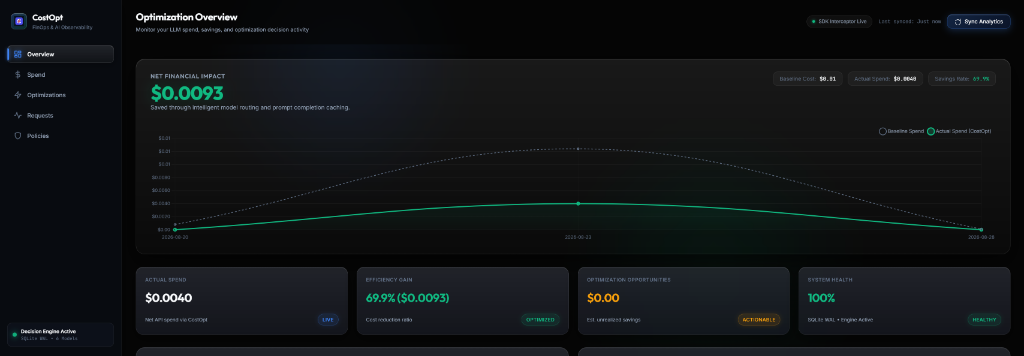
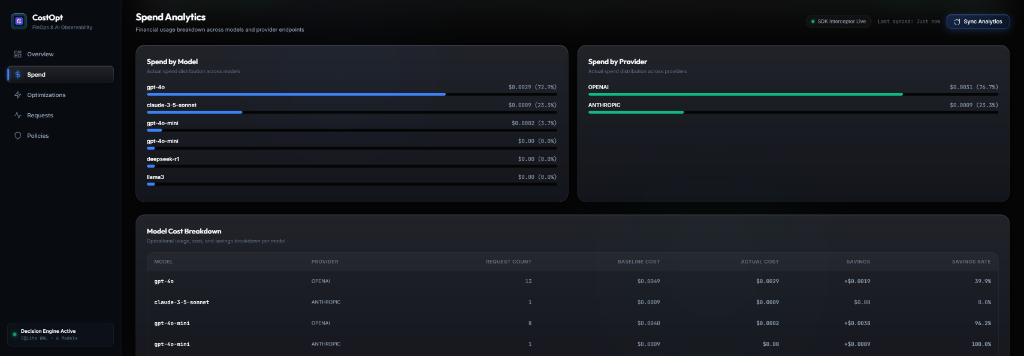
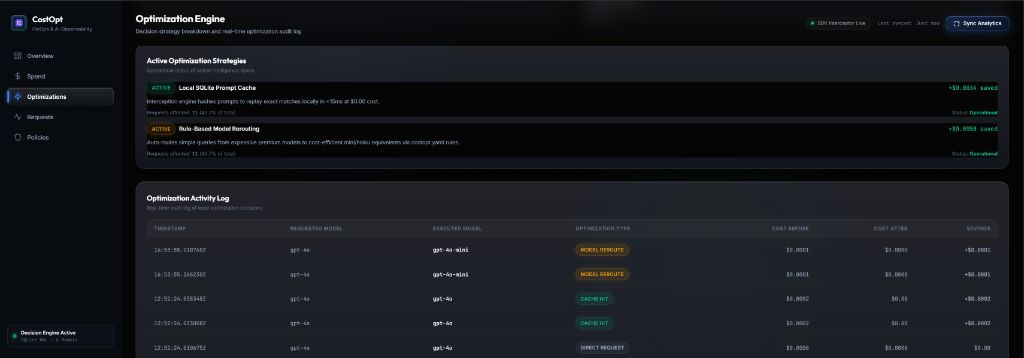
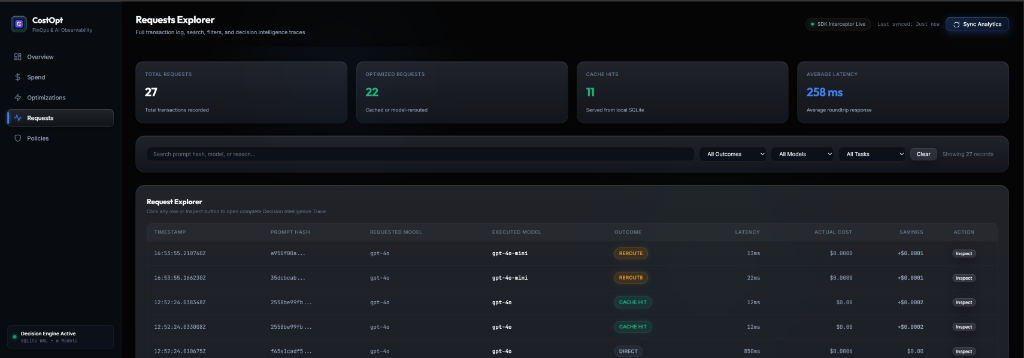
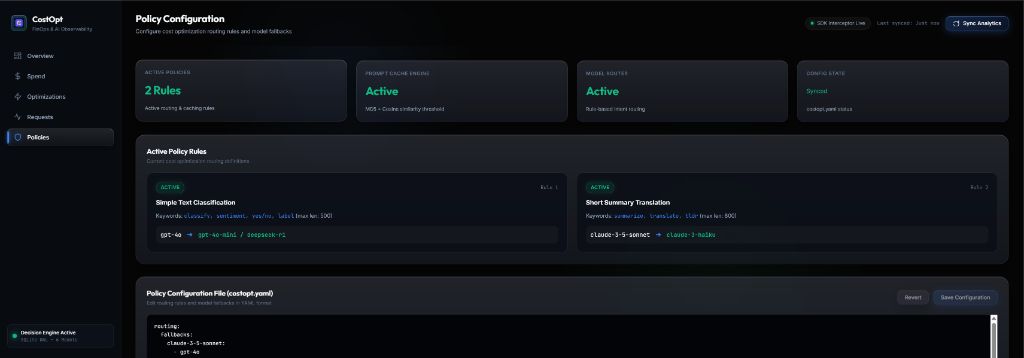
The web console features a modern dark-mode aesthetic (#050505 canvas, translucent borders, ambient glows, fixed left sidebar shell, and bento grid layout) across 5 primary navigation tabs:
1. Overview
### 2. Spend Analytics
### 3. Optimizations Engine
### 4. Requests Explorer & Decision Trace
### 5. Policies Configuration
---
## 🛠️ Extension Commands
| Command | Description |
| :--- | :--- |
| `CostOpt: Open Dashboard` | Launches local Bento FinOps web console at `http://127.0.0.1:8400`. |
| `CostOpt: Reset Local Cache` | Clears prompt cache SQLite database (`costopt_cache.db`). |
| `CostOpt: View Spend Forecast` | Displays monthly spend run rate projection. |
| `CostOpt: Export Cost Report` | Generates downloadable JSON cost & savings audit report. |
🔒 100% Local & Private
All telemetry and prompt cache records are stored strictly on your local machine in SQLite (costopt_telemetry.db, costopt_cache.db). Zero code or prompt data is sent to external servers.

