Skip to content
| Marketplace
Sign in
Visual Studio Code>Programming Languages>PHP Inline Parameter HintsNew to Visual Studio Code? Get it now.
PHP Inline Parameter Hints

PHP Inline Parameter Hints

kevinvargasl

|
3 installs
| (1) | Free
Inline parameter name hints for PHP function and method calls
Installation
Launch VS Code Quick Open (Ctrl+P), paste the following command, and press enter.
Copied to clipboard
More Info

Logo
PHP Parameter Hints

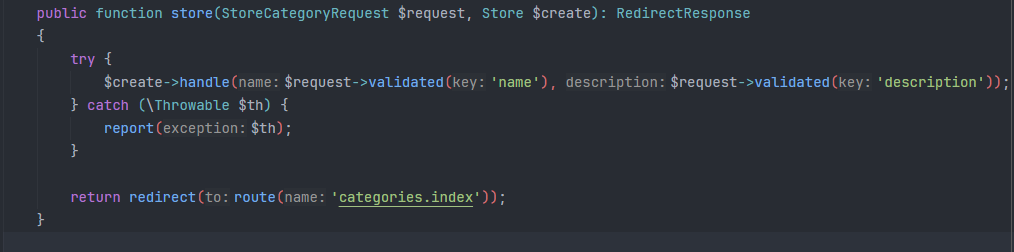
Inline parameter name hints for PHP function and method calls in VS Code. Works with both .php and .blade.php files.

After indexing open and start editing a file to see the inline hints.

PHP Parameter Hints

Features

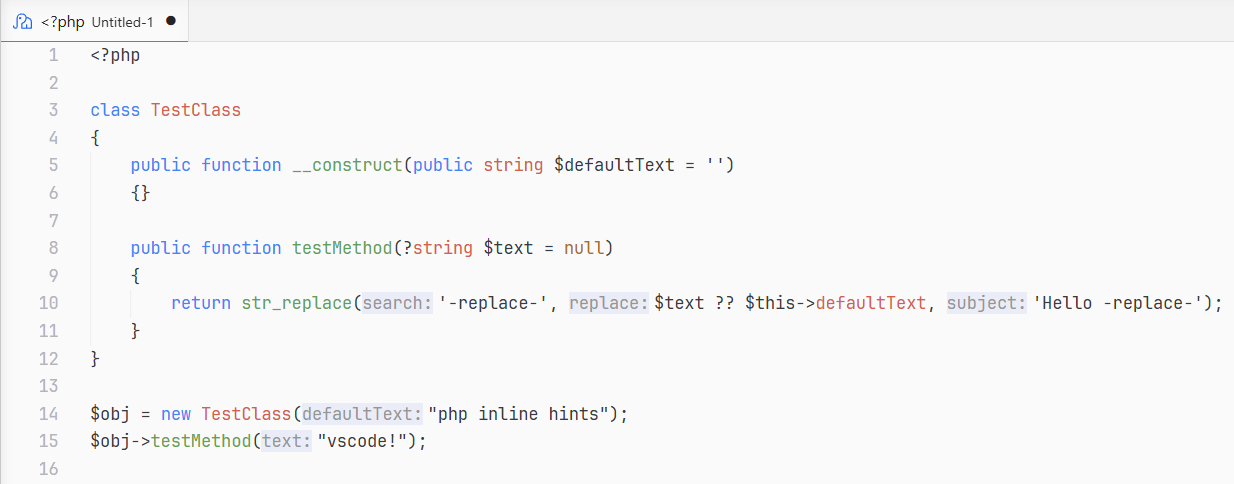
  • Parameter name hints for function calls, method calls, constructors, and static methods
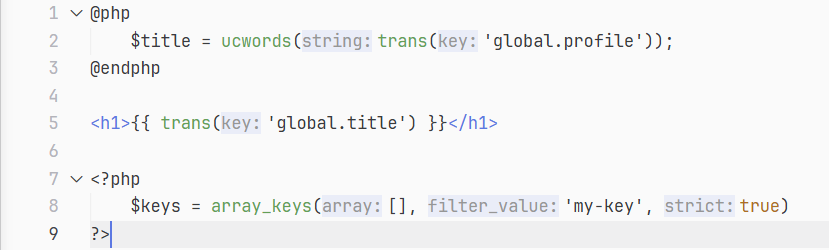
  • Blade template support: <?php ?> blocks, @php/@endphp directives, and {{ }}/{!! !!} echo expressions
  • Handles PHP 8 named arguments (hints are hidden for named args)
  • Variadic parameter expansion (...$items shows as items[0]:, items[1]:, etc.)
  • Caching for fast performance on large files

Installation

Marketplace

Visit the extension page and press install.

From .vsix

  • Download the .vsix file from the las release
  • Open VS Code
  • Press Ctrl+Shift+P and run Extensions: Install from VSIX...
  • Select the .vsix file

Settings

All settings are under phpParameterHints.* in VS Code settings.

Setting Type Default Description
phpParameterHints.enabled boolean true Enable or disable parameter hints
phpParameterHints.literalsOnly boolean false Only show hints for literal values (strings, numbers, booleans, null, arrays)
phpParameterHints.collapseWhenEqual boolean true Hide the hint when the variable name matches the parameter name

Colors

You can edit the background and font colors to match your style, add to the settings.json:

"workbench.colorCustomizations": {
   "editorInlayHint.parameterBackground": "#fff",
   "editorInlayHint.parameterForeground": "#000"
}

Screenshots

PHP files
Blade files
Requirements

  • VS Code 1.75.0 or later
  • A PHP language server extension (recommended: Intelephense) for best results with built-in functions and third-party libraries

The extension works without a language server, but hints will only appear for functions and methods defined in the same file.

  • Contact us
  • Jobs
  • Privacy
  • Manage cookies
  • Terms of use
  • Trademarks
© 2026 Microsoft