Skip to content
| Marketplace
Sign in
Visual Studio Code>Themes>Blackamp ThemeNew to Visual Studio Code? Get it now.
Blackamp Theme

Blackamp Theme

Kevin Terry

|
14 installs
| (0) | Free
Dark theme inspired by vintage guitar amplifiers
Installation
Launch VS Code Quick Open (Ctrl+P), paste the following command, and press enter.
Copied to clipboard
More Info
Blackamp Theme Logo

Blackamp is a dark VSCode theme inspired by loud vintage amplifiers

Version License VS Code


Screenshots

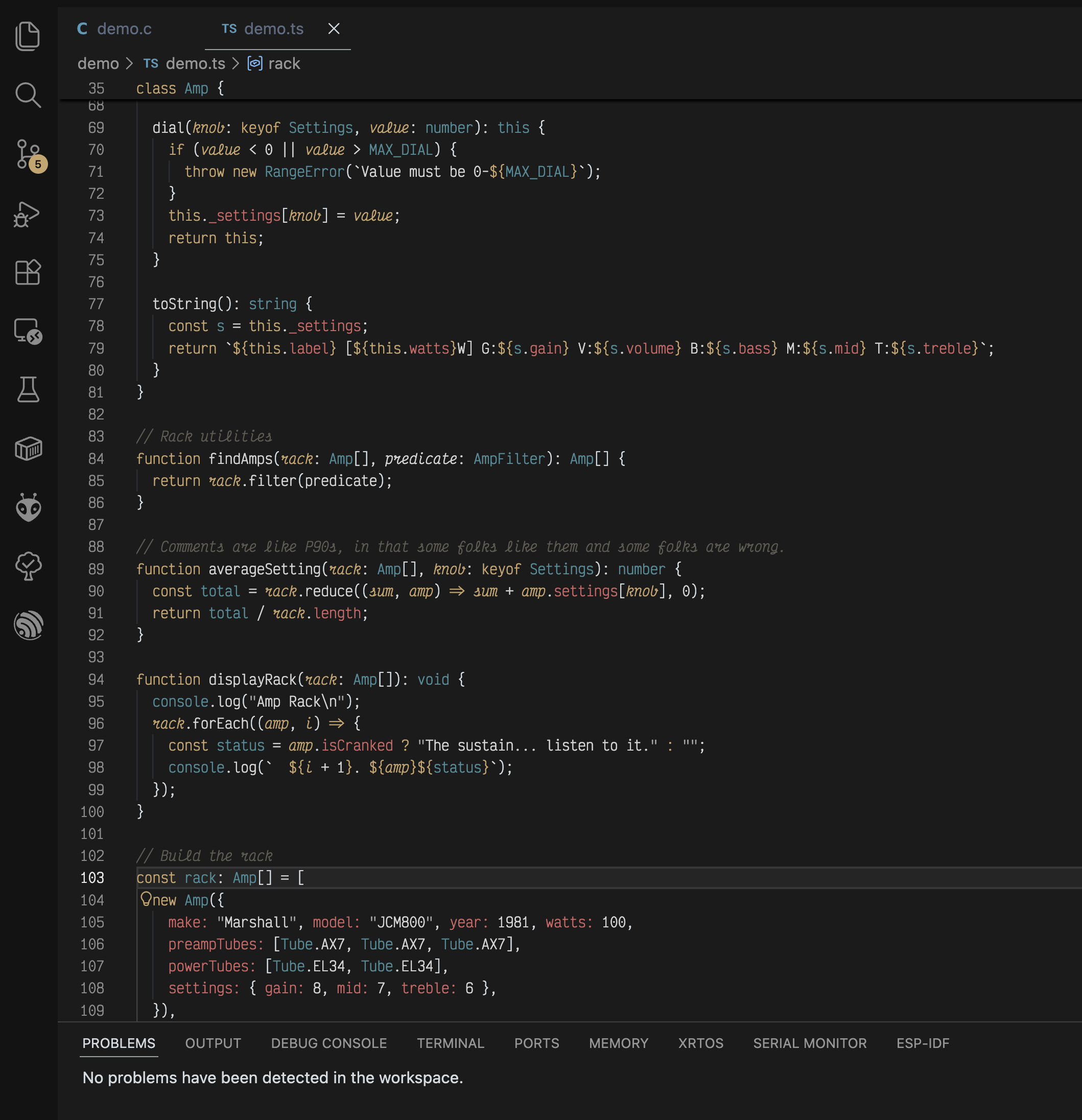
Blackamp Dark theme screenshot

Installation

VS Code Marketplace

  1. Open Extensions (Ctrl+Shift+X / Cmd+Shift+X)
  2. Search for "Blackamp"
  3. Click Install
  4. Select "Blackamp Dark" from the theme dropdown

Manual Installation

# Clone the repository
git clone https://github.com/kevinjterry/blackamp-theme.git

# Copy to VS Code extensions folder
# Windows: %USERPROFILE%\.vscode\extensions
# macOS: ~/.vscode/extensions
# Linux: ~/.vscode/extensions

Quick Setup

// settings.json
{
  "workbench.colorTheme": "Blackamp Dark",
  "editor.semanticHighlighting.enabled": true,
  "editor.fontFamily": "Fira Code, Monaco, 'Courier New', monospace",
  "editor.fontSize": 14,
  "editor.lineHeight": 1.5
}

Configuration

Recommended Settings

{
  "editor.semanticHighlighting.enabled": true,
  "editor.bracketPairColorization.enabled": true,
  "editor.guides.bracketPairs": "active",
  "editor.fontLigatures": true,
  "workbench.tree.indent": 16,
  "terminal.integrated.fontFamily": "Fira Code"
}

Recommended Font

Primary: Fira Code with ligatures

Contributing

We welcome contributions!

License

MIT License - see LICENSE for details.

Inspiration

Built from the base of Safira, a long-running favorite theme of mine.

  • Contact us
  • Jobs
  • Privacy
  • Manage cookies
  • Terms of use
  • Trademarks
© 2026 Microsoft