Skip to content
| Marketplace
Sign in
Visual Studio Code>Other>Faaaaaahhh - The Meme Sound ExtensionNew to Visual Studio Code? Get it now.
Faaaaaahhh - The Meme Sound Extension

Faaaaaahhh - The Meme Sound Extension

kelvin maina

|
28 installs
| (1) | Free
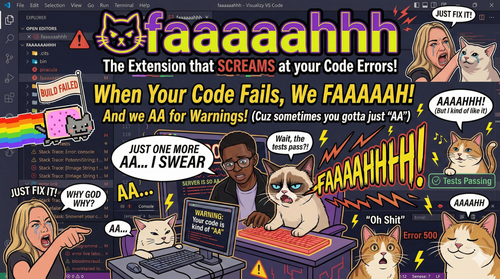
Plays the iconic FAAAH meme sound on every error. Because suffering should be funny.
Installation
Launch VS Code Quick Open (Ctrl+P), paste the following command, and press enter.
Copied to clipboard
More Info

FAAAAHHH Meme Sound Extension

Marketplace Installs GitHub stars Support this repository

GitHub stars


⭐ Love the Chaos? Star the Repo!

If Faaaaaahhh brings a smile to your face (or a scream to your room), please consider starring the repository on GitHub! It helps more developers discover the joy of auditory suffering.

Star this Repository


🎵 Auditory Feedback for Diagnostic Chaos

Faaaaaahhh is a Visual Studio Code extension that turns developer suffering into high-fidelity entertainment. Every time an error appears in your editor, it plays the iconic FAAAH meme sound. Warnings get a gentler, slightly less judgmental AA.

Learn how it works (Architecture and Logic)

✨ Key Features

  • 🎯 Severity Tiers - Syntax errors get gentle feedback, while error avalanches trigger chaos
  • 🎵 Smart Audio Engine - Native Windows, macOS, and Linux support with realistic overlapping sounds
  • ⚙️ Settings Panel - Graphical UI for volume, cooldowns, quiet hours, and sound packs
  • 🎧 Sound Packs - Switch between Meme, Rage, and Chill sound packs
  • 🎮 Terminal Watcher - Terminal command failures trigger sounds too
  • 🏆 Victory Mode - Celebratory sound when you finally fix all errors in a file

🚀 How It Works

The extension monitors four VS Code event channels:

Channel Trigger Sound
Diagnostics New errors/warnings appear FAAAH (errors) / AA (warnings)
Tasks Build task fails (non-zero exit) FAAAH
Terminal Command not found or script fails AHHHH
Debug Debug session crashes FAAAH

The Diff Engine: Only triggers sounds when error counts increase in a file.


🎛️ Configuration

Quick Settings (via Settings Panel)

  • Master Toggle: Enable/disable all sounds
  • Volume Control: 0-100% global volume
  • Quiet Hours: Auto-mute during specific hours
  • Cooldown Timer: Minimum time between sounds
  • Sound Packs: Switch between Meme, Rage, or Chill packs
  • Tier System: Different sounds for 1 error vs 5+ errors

settings.json

{
  "faaaaahhh.enabled": true,
  "faaaaahhh.volume": 80,
  "faaaaahhh.soundPack": "meme",
  "faaaaahhh.quietHoursStart": "22:00",
  "faaaaahhh.quietHoursEnd": "08:00",
  "faaaaahhh.victoryEnabled": false
}

🚀 Installation

Marketplace: Search for Faaaaaahhh in VS Code Extensions

Manual:

code --install-extension faaaaaahhh-0.3.7.vsix


Built with ❤️ by kelvinmaina01
MIT License

If this extension makes your coding less painful, consider:
Support this repository
Star this repository
Your stars keep the memes alive! ⭐

  • Contact us
  • Jobs
  • Privacy
  • Manage cookies
  • Terms of use
  • Trademarks
© 2026 Microsoft