Soft dark theme extension for Vscode
A custom VS Code theme built for comfort, consistency, and aesthetics.
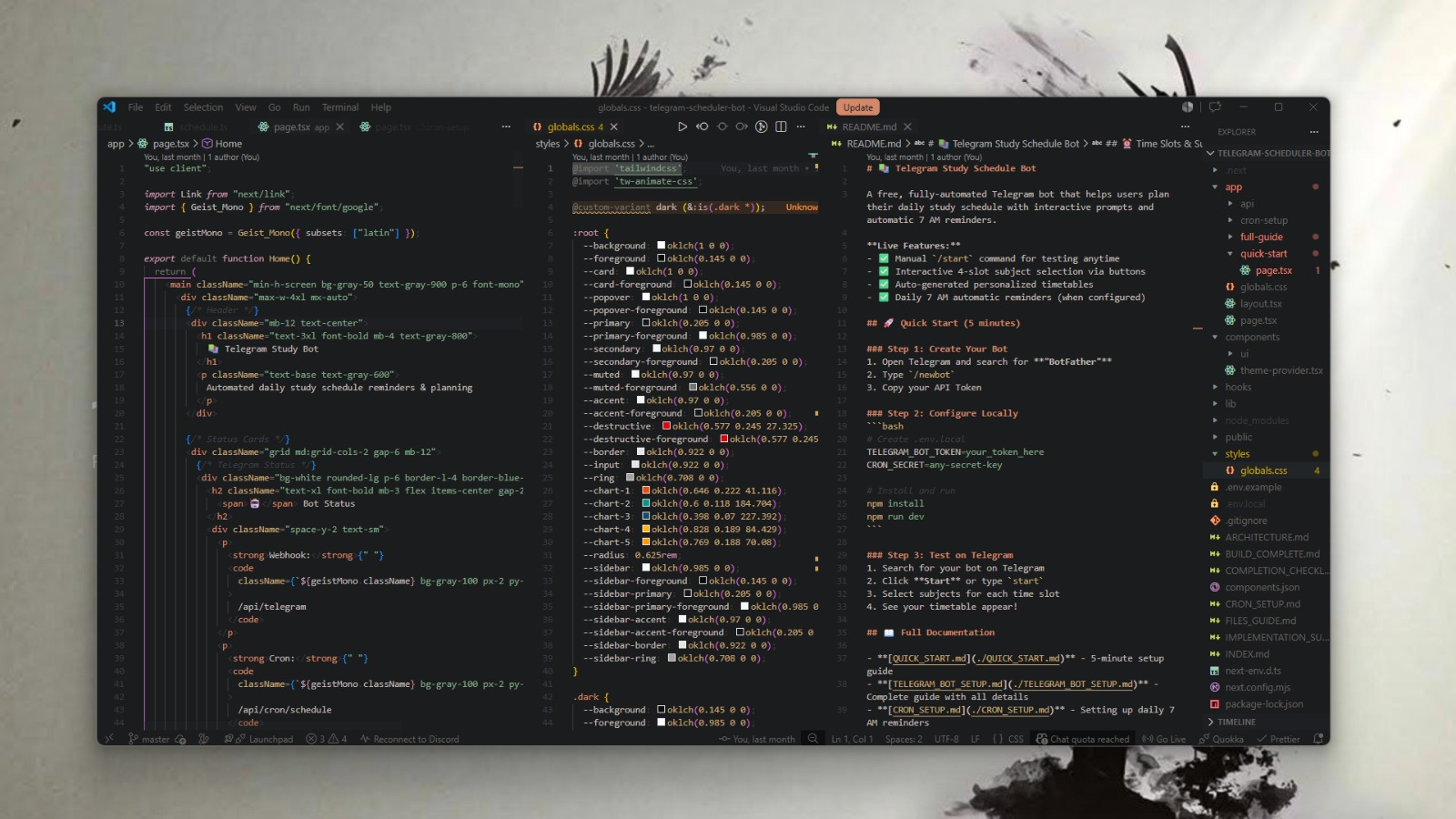
This isn't just another theme with random flashy colors — it's carefully designed to reduce eye strain, remove harsh contrasts, and bring harmony across syntax highlighting and the entire VS Code UI.
Why This Exists
I got tired of themes that either:
- Use neon bright colors that burn your eyes, or
- Mix random contrasting colors that don't blend together.
So I created my own.
Themes Included
| Theme |
Description |
| Soft Pastel Dark Theme |
A cool slate-tinted dark base with warm coral, sand, and dusty rose syntax colors. Warm-cool contrast that feels fresh and easy on the eyes. |
| Sea Theme |
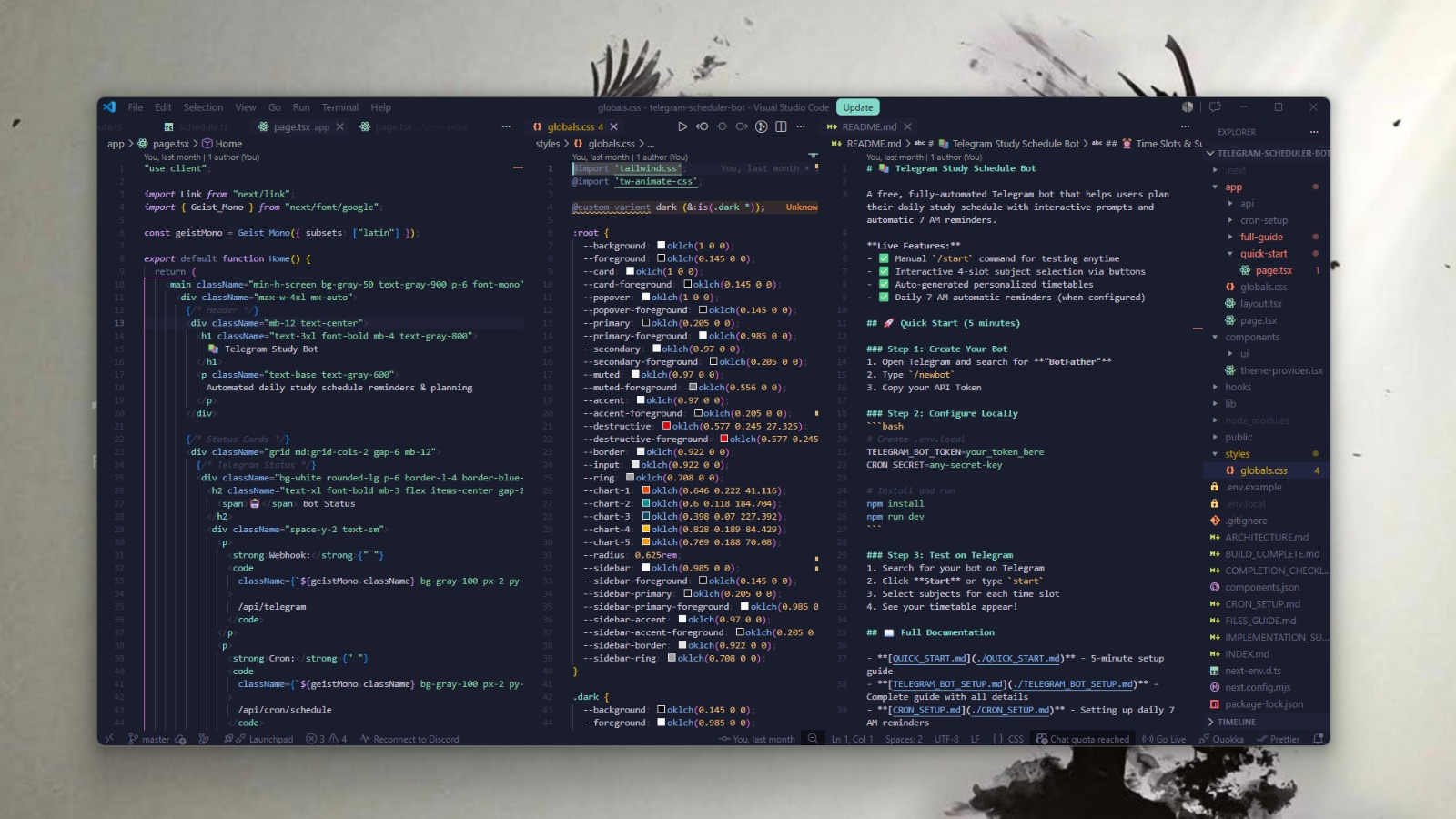
Inspired by poimandres and warm sea blue tones — a calm, water feel for your workspace. |
How the Theme looks
soft dark theme
sea theme
Features
Soft Pastel Dark
- Background:
#1a1c1e (near black with a barely-there cool slate tint)
- Foreground:
#c2bdb8 (warm parchment — creates warm-cool contrast against the bg)
- Cursor:
#d4886a (coral)
- Selection:
#272c30 (deep cool slate)
- Line highlight:
#1d1f22
Sea Theme
- Inspired by poimandres with warm sea blue tones
- Calm and minimal, easy for long sessions
Syntax Highlighting (Soft Pastel Dark)
- Tags / Types →
#d4886a (coral-terracotta)
- Functions →
#c8a878 (warm sand-amber)
- Keywords →
#c89ab0 (dusty rose-lilac)
- Strings →
#82a888 (muted jade green)
- Constants & Numbers →
#c8a878 (warm sand)
- Booleans / null →
#c46860 (muted coral-red)
- Comments →
#3c4044 italic, barely visible
Workbench / UI (all themes)
- Sidebar, tabs, and panels blend with editor background
- Buttons and badges recolored — no default neon blue
- Inputs, dropdowns, and search borders match theme
- Scrollbars softened — no ugly borders
- Status bar and activity bar integrated into the dark palette
Install / Marketplace Link
Install directly from the VS Code Marketplace:
Soft Dark Theme on Marketplace
Or inside VS Code:
- Go to Extensions and search for Soft Dark Theme
- Open Command Palette →
Preferences: Color Theme → select your preferred variant
Customization
You can tweak any theme easily:
- Editor colors → change values under
"editor.*"
- Syntax colors → adjust
"tokenColors" for tags, strings, keywords, etc.
- UI colors → use
"workbench.colorCustomizations" for dropdowns, buttons, badges, borders
Tip: After editing, reload the theme to see changes instantly.
Notes
- Works with all major languages (HTML, CSS, JS, TS, JSON, Markdown, etc.)
- Fallback syntax color ensures nothing looks unstyled
- Designed for long coding sessions without eye fatigue
- Matches UI and syntax in one consistent palette
License
MIT License — see the LICENSE file for details.
Author
kayspace — GitHub Profile | Contact
Credits
Built with patience, testing, and the desire to make VS Code feel truly workable without random colors popping at your eyes.
You're free to fork, tweak, or use it as your base.
If you liked the theme, spare me a star ✪!
Quick shoutout to poimandres — the only theme I used before building my own, and the one that gave me the inspiration to start.
Disclaimer
I don't have any relevant experience building themes so you may encounter some bugs. If you do, please open an issue and I'll try to fix it as soon as possible.

