
PeTal Memory
Never lose your project. Never lose to AI mistakes.




How to use - for normal users (no commands needed)
You only do 3 things. PeTal does everything else automatically.
- Install PeTal Memory from the VS Code Marketplace.
- Open your project folder in VS Code.
- Send a prompt to your AI agent like normal.
That is it. PeTal automatically creates .petal-memory.json, CLAUDE.md and all agent rules, connects the MCP server petal-memory, records every prompt in .petal-memory-prompts.json, creates backups, checks security and truth.
No terminal. No manual config. No copy-paste.
Which AI agents work with PeTal?
| Agent |
How you use it |
What PeTal creates for it |
| GitHub Copilot |
Choose the petal-memory agent, then send your prompt |
.github/agents/petal-memory.agent.md + .github/copilot-instructions.md |
| Cursor |
Just send your prompt, rules load automatically |
.cursor/rules/petal-memory.md + .cursor/mcp.json |
| Claude Code (Anthropic) |
Just send your prompt, it reads CLAUDE.md automatically |
CLAUDE.md + .claude/settings.json |
| Fable (Anthropic) |
Same as Claude Code - Fable runs inside Claude Code and reads CLAUDE.md |
CLAUDE.md |
| OpenAI Codex |
Just send your prompt |
~/.codex/config.toml |
| Windsurf |
Just send your prompt |
.windsurf/rules/petal-memory.md |
| Cline / Roo |
Just send your prompt |
.clinerules / .roo/rules/petal-memory.md |
| Kilo Code |
Just send your prompt |
.kilocode/rules/petal-memory.md |
All agents share the same memory. A prompt recorded in Copilot is visible to Claude Code, Cursor, Codex, and all the others.
Verify it works
After you send your first prompt, check your project folder. You must see:
- .petal-memory-prompts.json - your prompts are recorded here
- .petal-memory.json - your project memory
- CLAUDE.md - for Claude Code / Fable
- .github/copilot-instructions.md - for Copilot
If .petal-memory-prompts.json has your prompt inside, it works.
Features
- Project Memory - save project context once in .petal-memory.json
- Auto-Record - every prompt is recorded automatically via MCP record_prompt
- AI Guard - auto-revert changes when errors increase
- Security Scan - detect hardcoded secrets (password, api_key, token)
- Truth Check - warn when AI uses functions that do not exist
- Auto Clean - find unused files and duplicate imports
- Shared Memory - all AI agents read the same memory
- Auto Backup + Undo - automatic Git snapshots and one-click restore
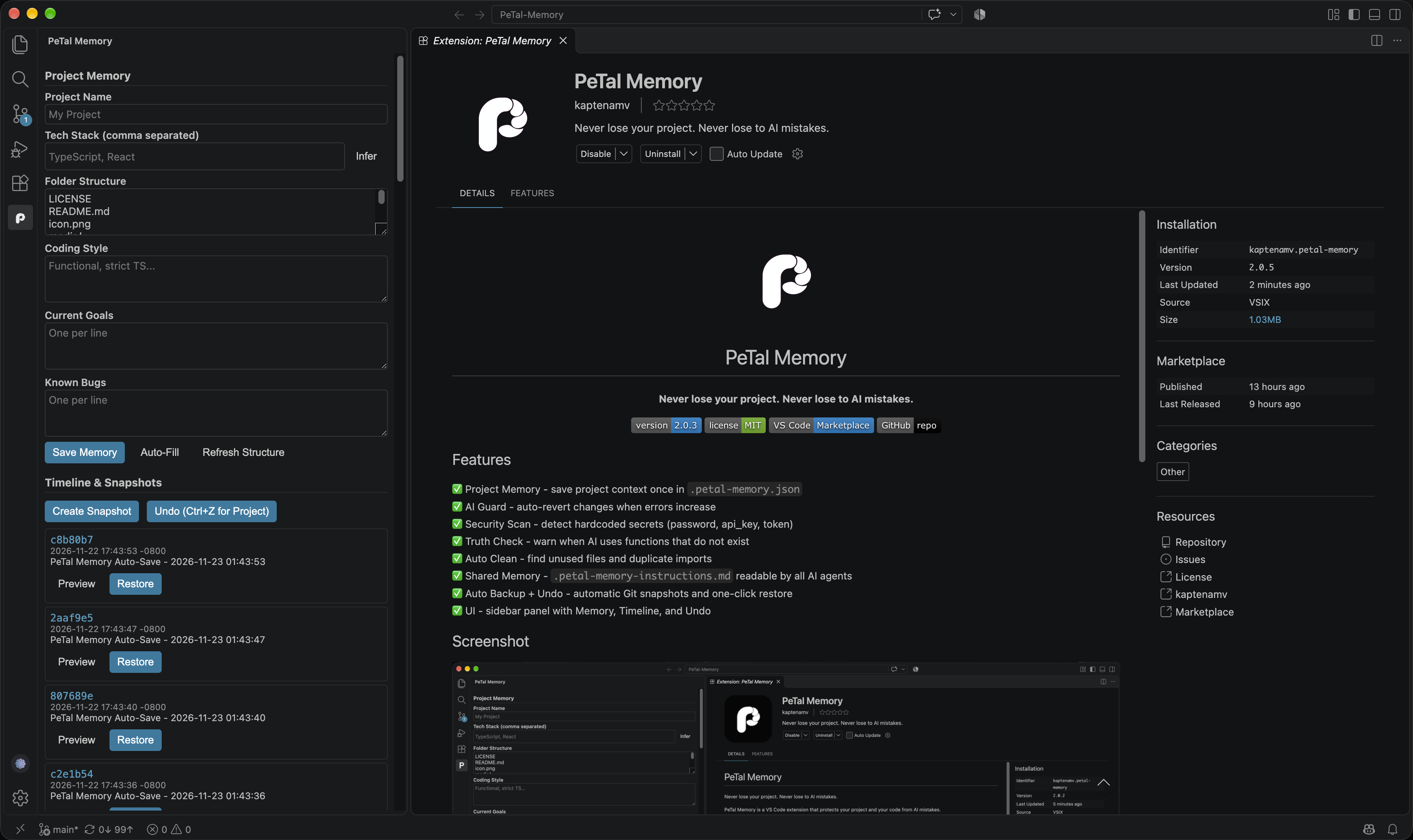
- UI - sidebar panel with Memory, Timeline, and Undo
Screenshot
For developers (build from source)
- Clone this repository.
- Run npm install.
- Run npm run compile.
- Press F5 in VS Code to launch the Extension Development Host.
Or package with npm run package and install the .vsix.
Links
Tech Stack
- TypeScript
- VS Code Extension API
- Git integration
- MCP server support
License
MIT

