Skip to content
| Marketplace
Sign in
Visual Studio Code>Programming Languages>NETCONF Language ServerNew to Visual Studio Code? Get it now.
NETCONF Language Server

NETCONF Language Server

k19

|
21 installs
| (0) | Free
VS Code extension for reading and writing NETCONF/YANG files
Installation
Launch VS Code Quick Open (Ctrl+P), paste the following command, and press enter.
Copied to clipboard
More Info

NETCONF Language Support

Version Version
Install from VS Code Marketplace Installs
Install from Open VSX Open VSX downloads

Write NETCONF/YANG files with the NETCONF Language Server — available for Visual Studio Code and Open VSX–compatible editors (VSCodium, Cursor, …).

Why

🎯 Semantic Oriented — 🧠 read with insight · ✍️ write with ease
🦀 Native Rust — 0️⃣ zero runtime · 🚀 just launch
⚡ Blazing Fast — 🚅 165k-file YangModels/yang <1 s startup, ~25 s lazy find-all-references (16-thread host) · 📊 benchmarks

Features

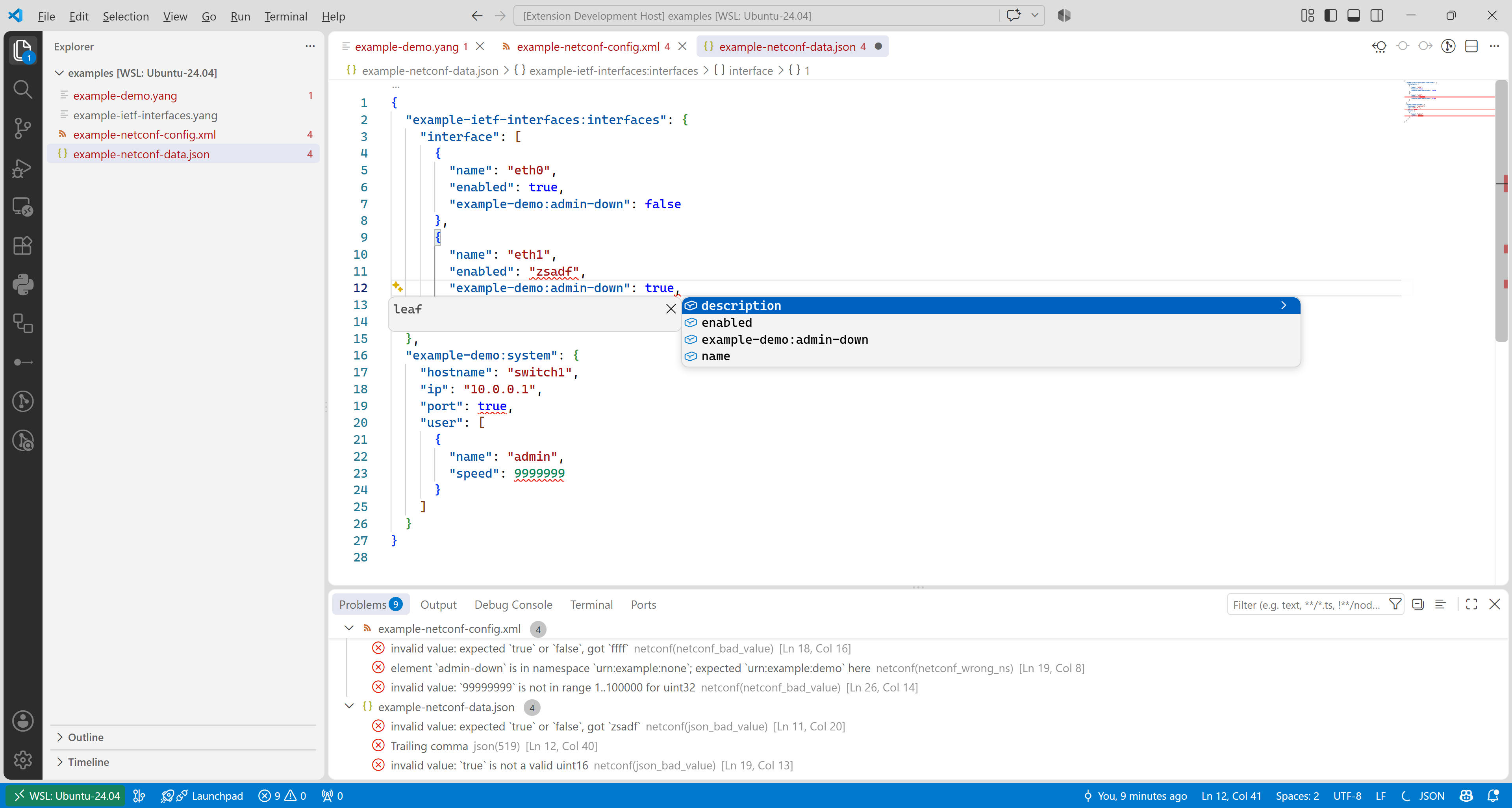
Read — diagnostics & hover:

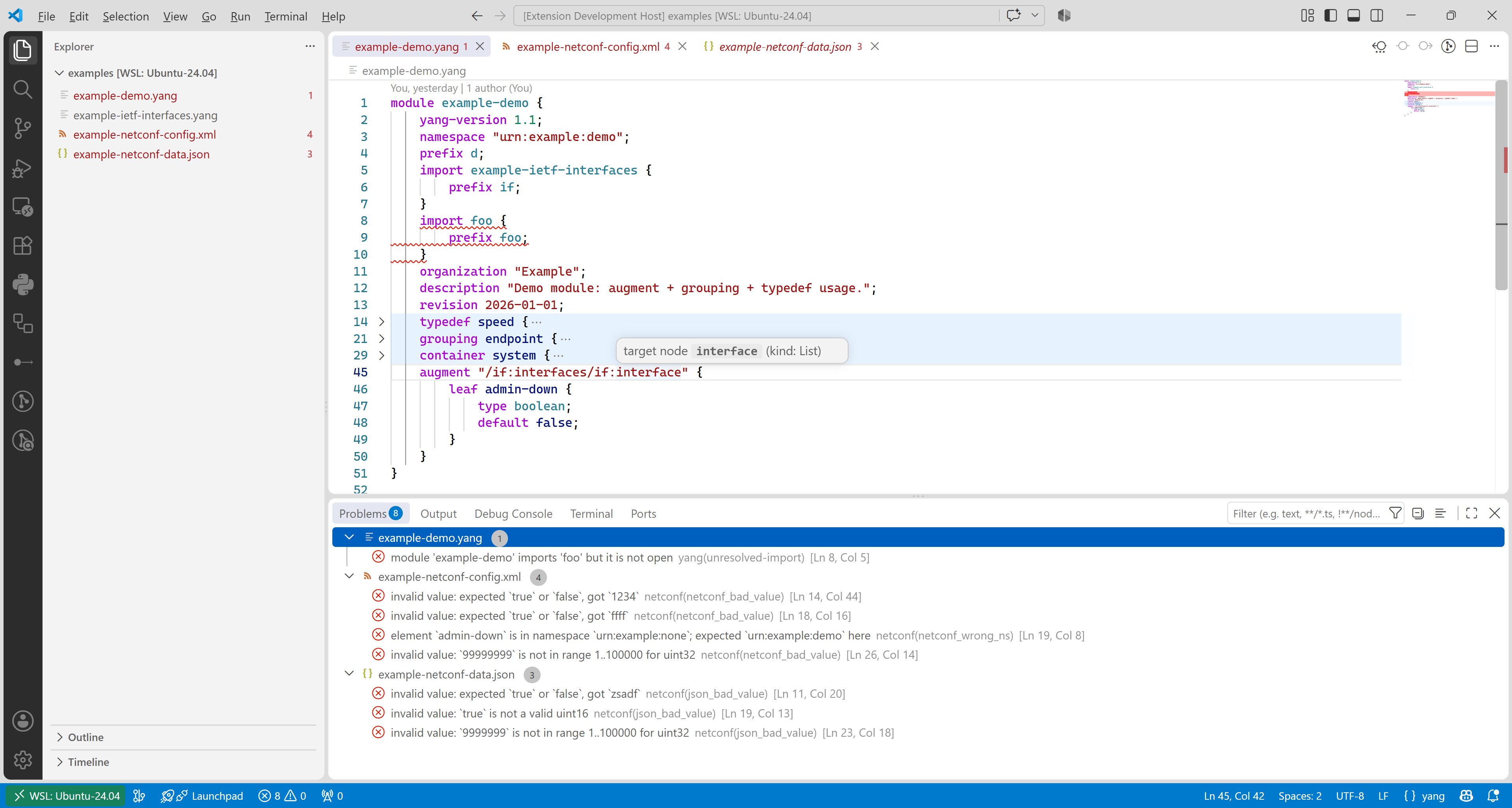
YANG diagnostics & hover

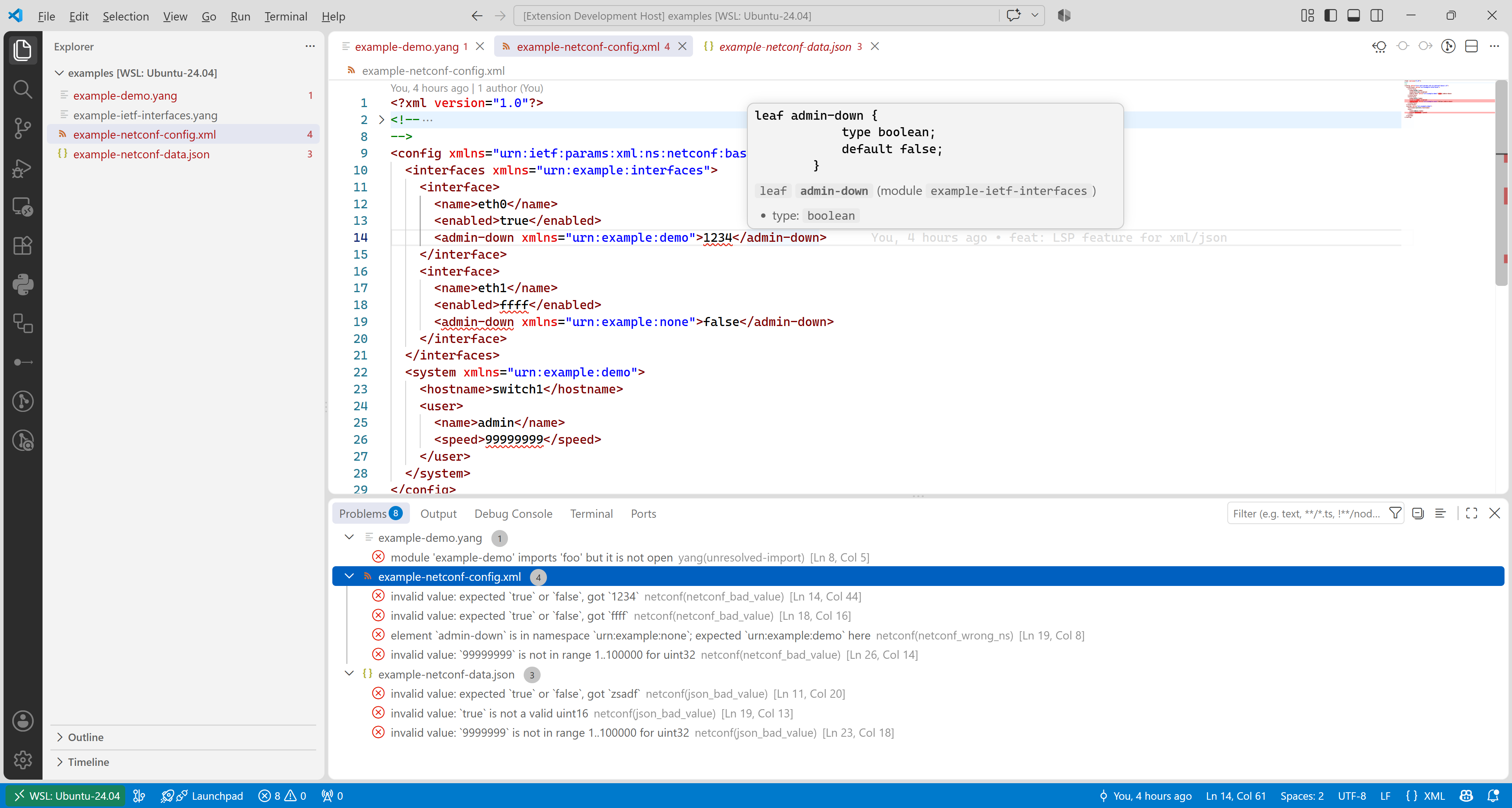
XML (NETCONF) diagnostics & hover

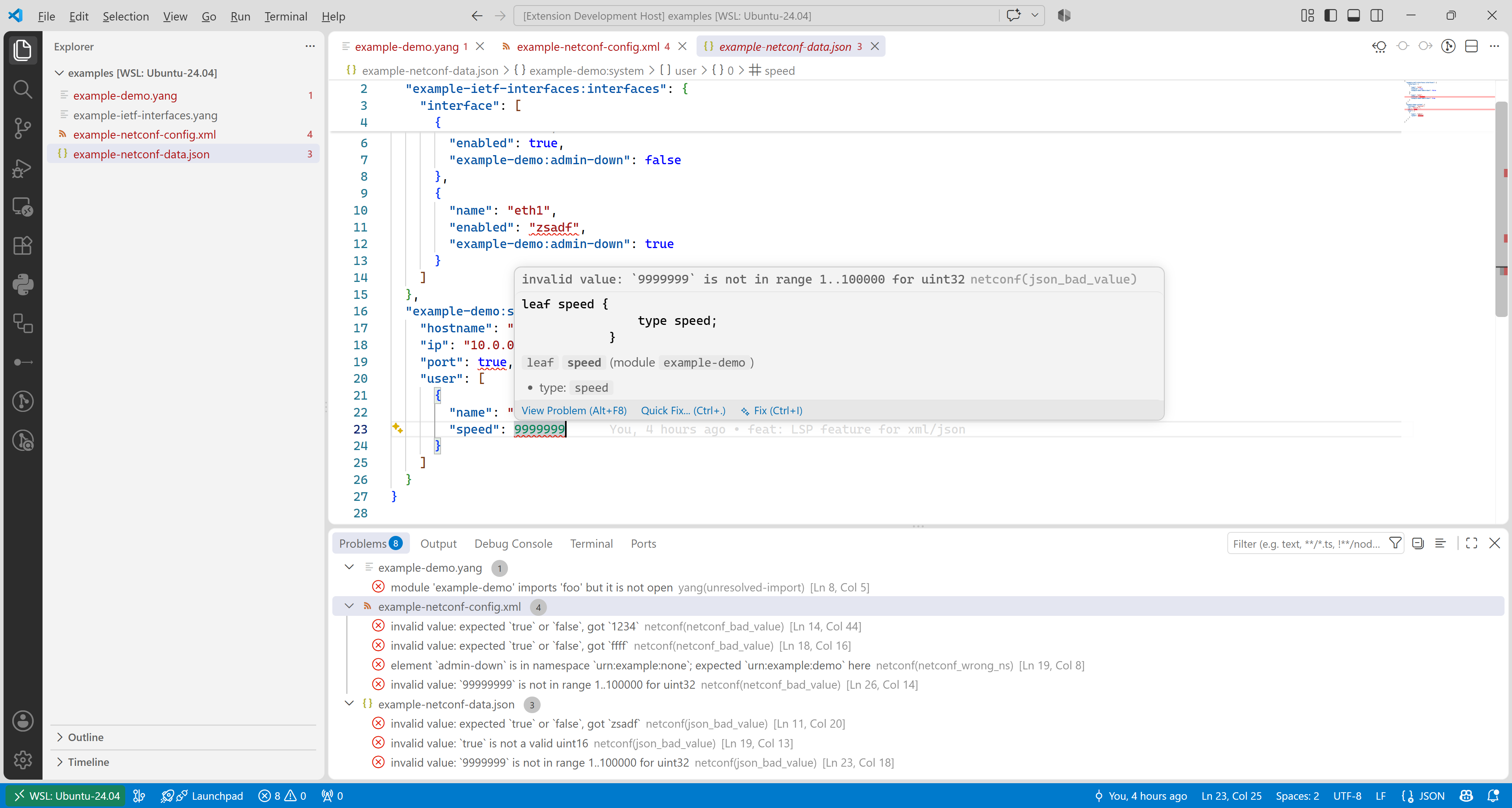
RFC 7951 JSON diagnostics & hover

Write — completion:

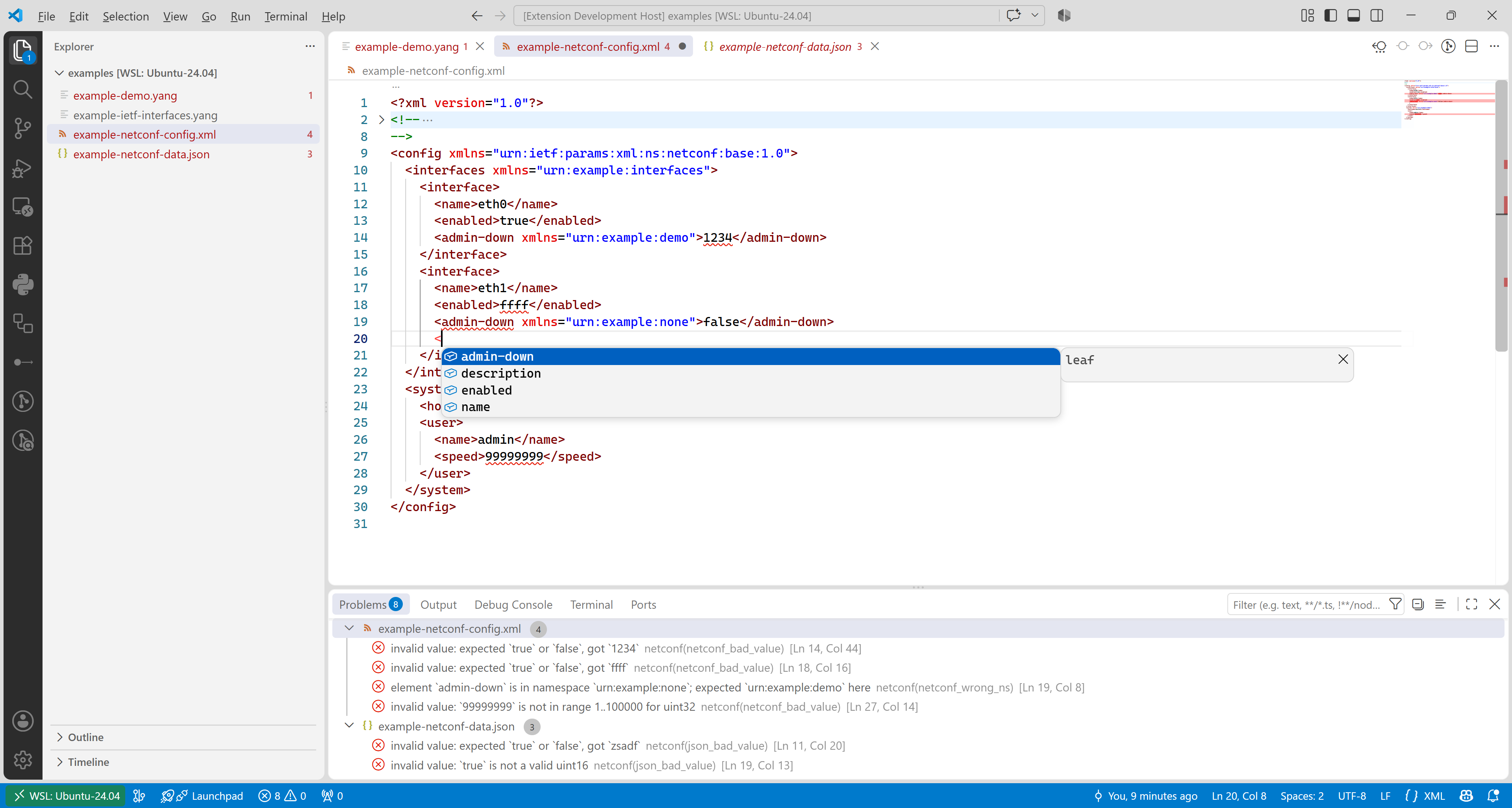
XML completion

JSON completion

For more details, see the LSP features guide in the repo.

Configuration

  • netconf.indentSize (default 2): spaces per indentation level when formatting.

  • netconf.semantic (default {}): per-role YANG semantic-highlight classification. Each member is one construct family (moduleName, typeRef, dataNodeName, definitionName, enumAndBitNames, units, rangeLength, patternArg, vendorExtension, … — 20 roles total) and its value is an object picking the semantic token type ("enumMember", "property", … — any standard type) and the modifiers (multi-select: "readonly", "declaration", …). A role left out keeps its built-in classification (notably pattern args are regexp, and status deprecated; declarations get the deprecated modifier on their whole subtree). The server announces the full standard legend, so changes apply live — no server restart. Example:

    "netconf.semantic": {
      "enumAndBitNames": { "token": "enumMember" },
      "units": { "token": "variable", "modifiers": ["readonly"] }
    }
    

To render status deprecated; declarations struck through, add the rule to your settings (VS Code reads editor.semanticTokenColorCustomizations at the theme layer, so this is opt-in rather than an extension default). The selector is explicitly scoped to YANG so it never affects other languages:

"editor.semanticTokenColorCustomizations": {
  "rules": { "*.deprecated:yang": { "strikethrough": true } }
}

References

  • YANG
  • NETCONF
  • YANG 1.1
  • YANG JSON Encoding
  • YANG Library
  • Contact us
  • Jobs
  • Privacy
  • Manage cookies
  • Terms of use
  • Trademarks
  • Your Privacy Choices
  • Consumer Health Privacy
© 2026 Microsoft