Context Check lints AI agent context files (AGENTS.md, CLAUDE.md, and friends)
against your actual repository — flagging commands, paths, and casing that have
gone stale, right inside VS Code.
Free and open source. No account, no API key, no telemetry — every check runs
locally and is deterministic.
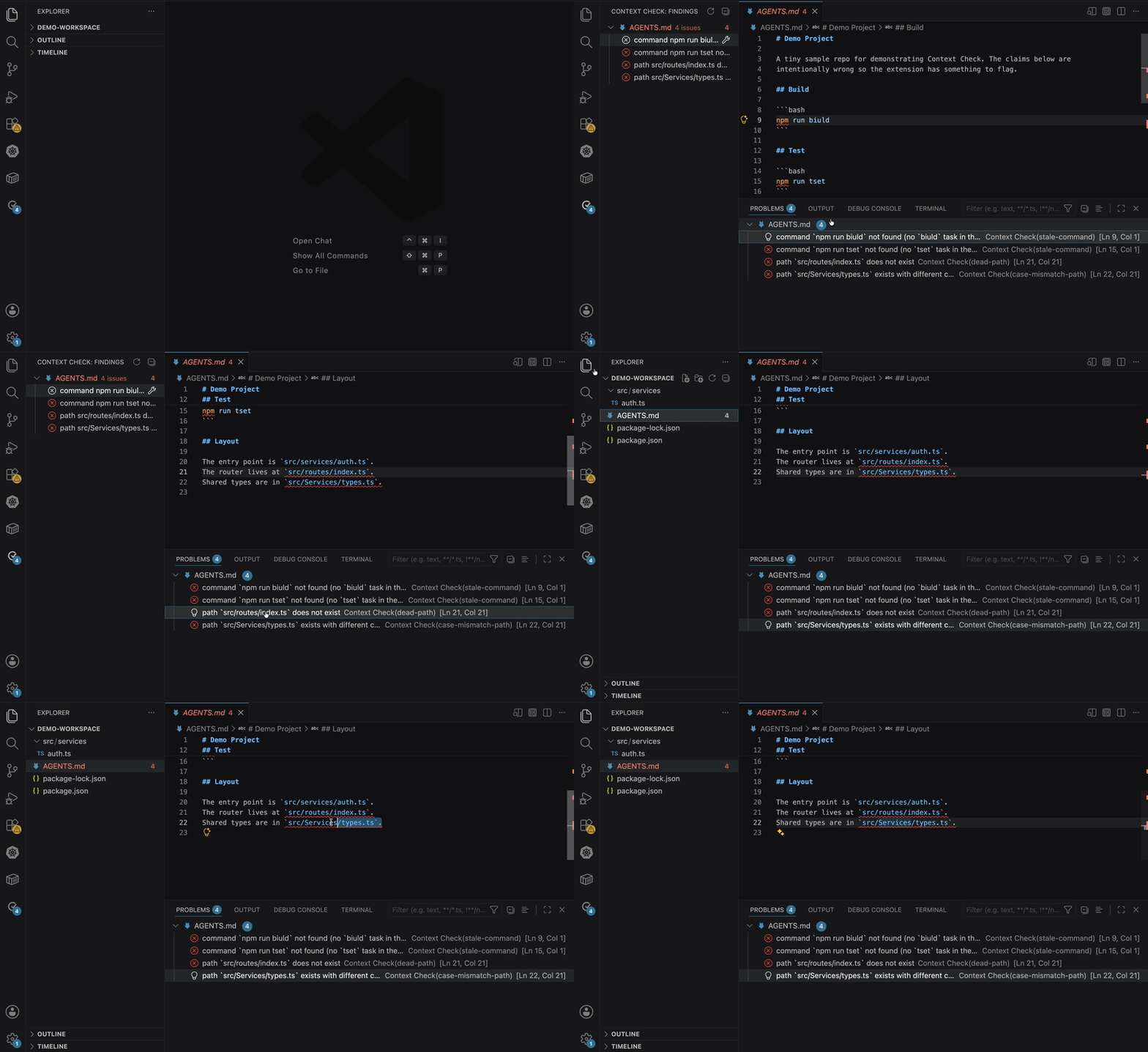
Why
Agent context files drift. You rename an npm script, move a folder, or switch
tools — but the AGENTS.md you handed your AI still points at the old world, so
your agent confidently runs commands that no longer exist.
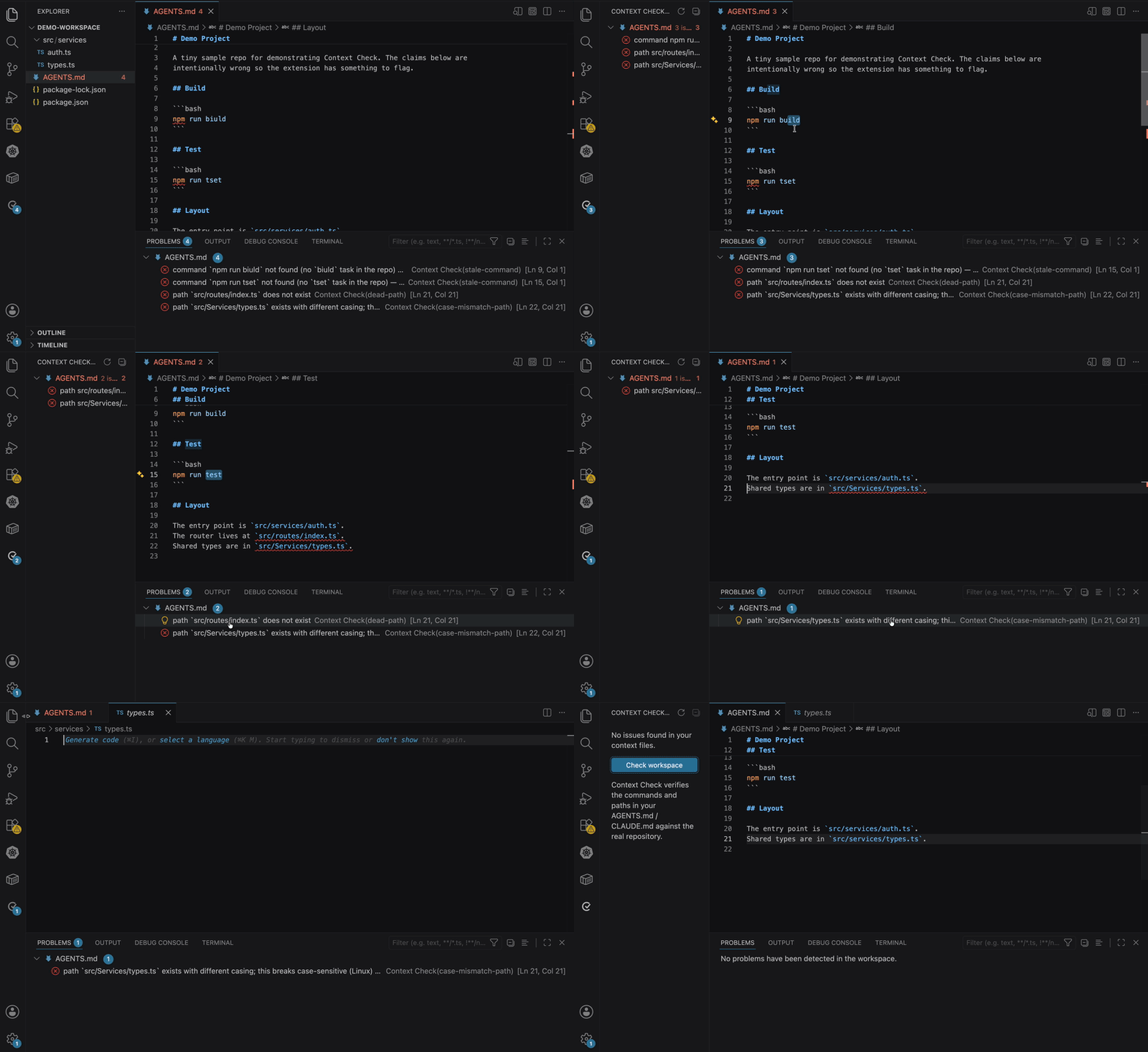
| Without Context Check |
With Context Check |
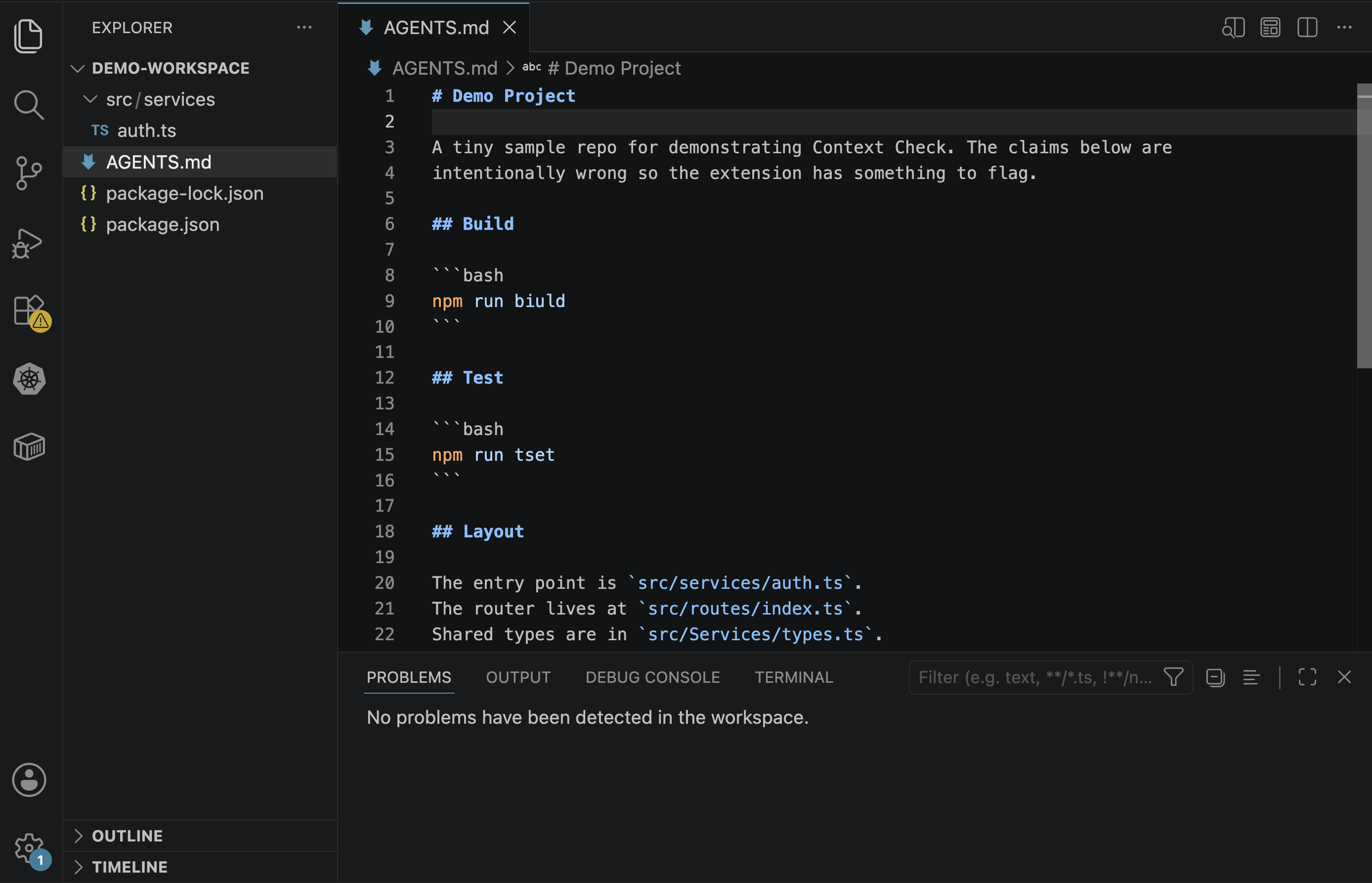 |
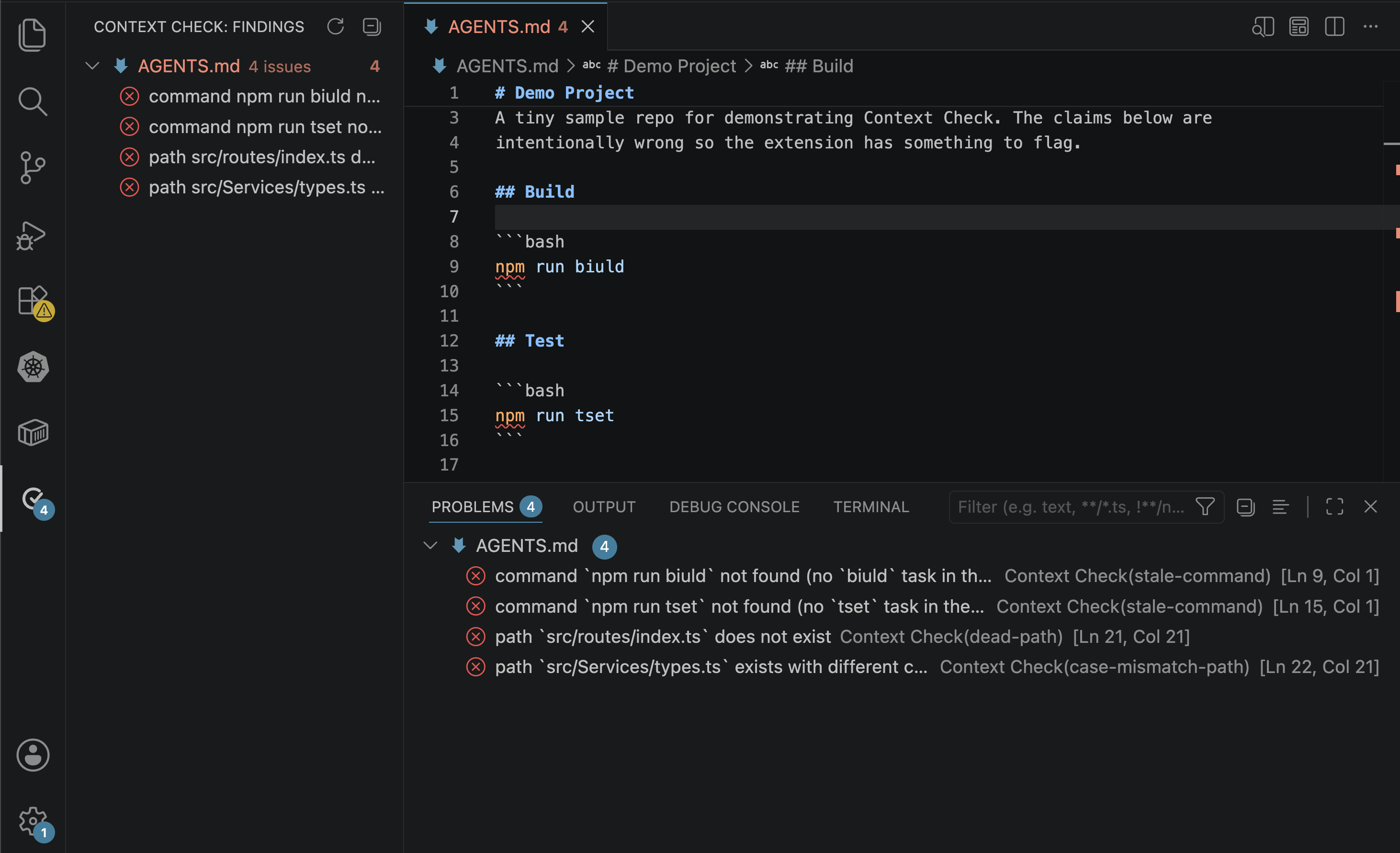 |
Features
- Stale command detection — a command like
npm run build that no longer
exists, with a "did you mean build:prod?" suggestion. Verified across
npm, Make, Python, Rust, just, Task, and Gradle/Maven — not just npm.
- Dead path & case-mismatch detection — referenced files that aren't there,
or that resolve on macOS but break case-sensitive Linux CI (one-click fix).
- More checks — wrong package manager, tools the repo replaced (e.g. Jest →
Vitest), tasks you forgot to document, oversized files, and git staleness
(how far the file has drifted from the code).
- Quick fixes — apply the suggested fix from the editor lightbulb or the sidebar.
- Dedicated sidebar — an Activity Bar view grouping every finding by file.
- Status bar count — the active file's issue count at a glance.
- Deterministic & explainable — every finding maps to a rule you can read. No LLM guessing.
Prefer CI? The same engine ships as a
CLI and a
GitHub Action
that comments on pull requests.
Getting Started
1. Install
Search "Context Check" in the VS Code Extensions panel, or install from the
Marketplace.
2. Open a context file
Open a repo that has an AGENTS.md or CLAUDE.md. Findings appear immediately in
the editor and the Problems panel, and refresh every time you save.
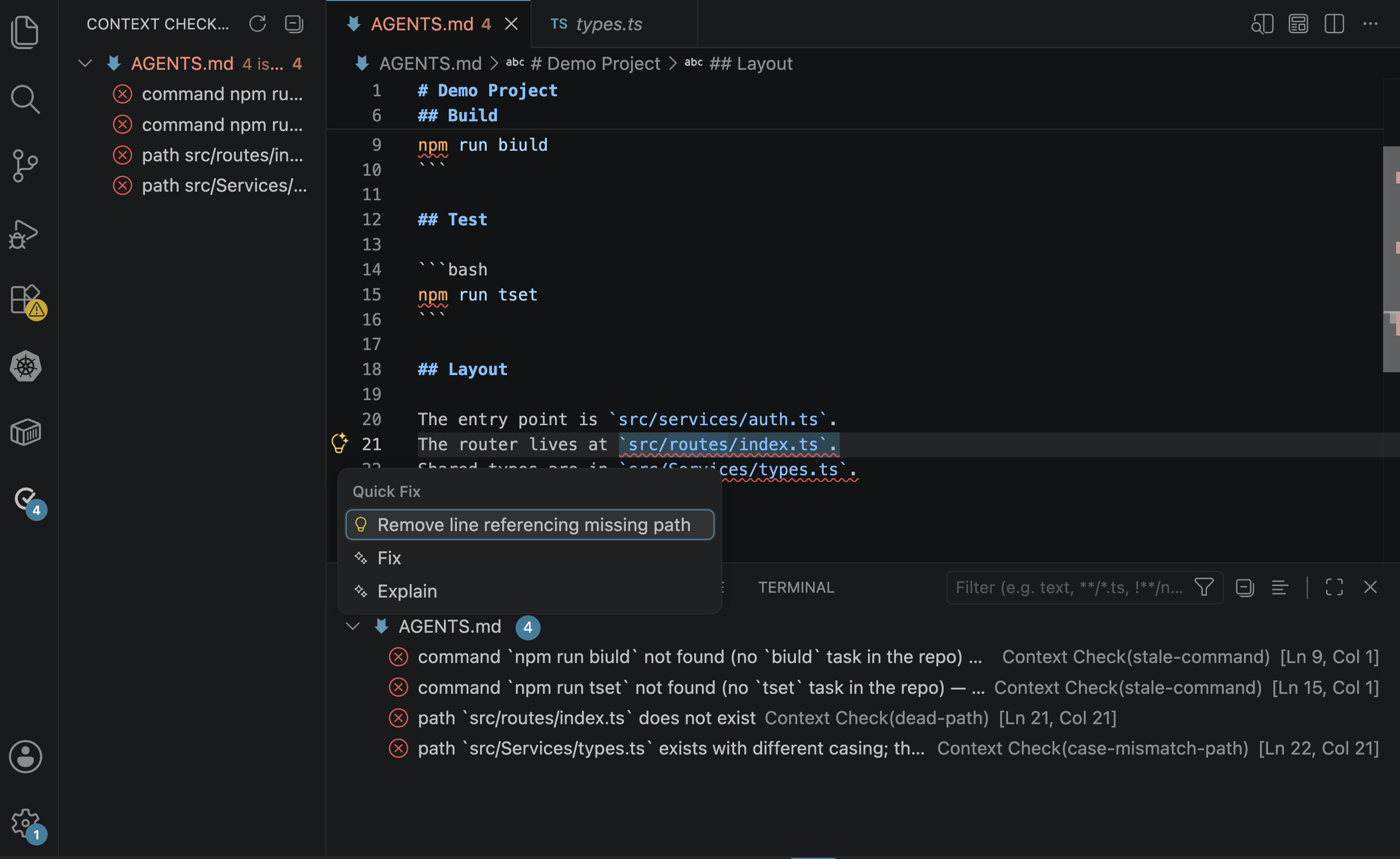
3. Fix issues
Click the lightbulb (⌘.) on a finding to apply its fix — replace a stale command
with the real script, or correct a path's casing.
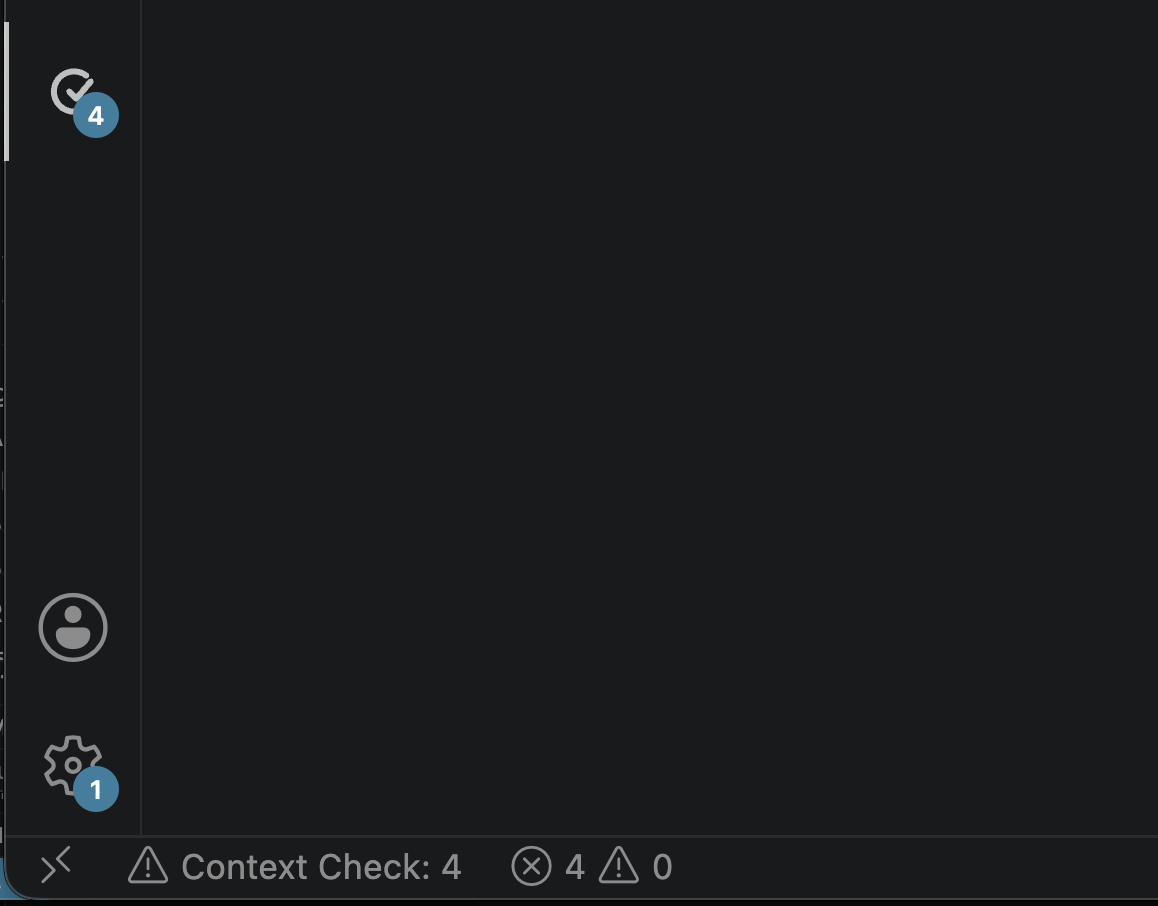
Click the Context Check icon in the Activity Bar to open the Findings view.
It groups every issue across your workspace by file, and shows a badge with the
total count.
| Findings grouped by file |
Apply a fix inline |
 |
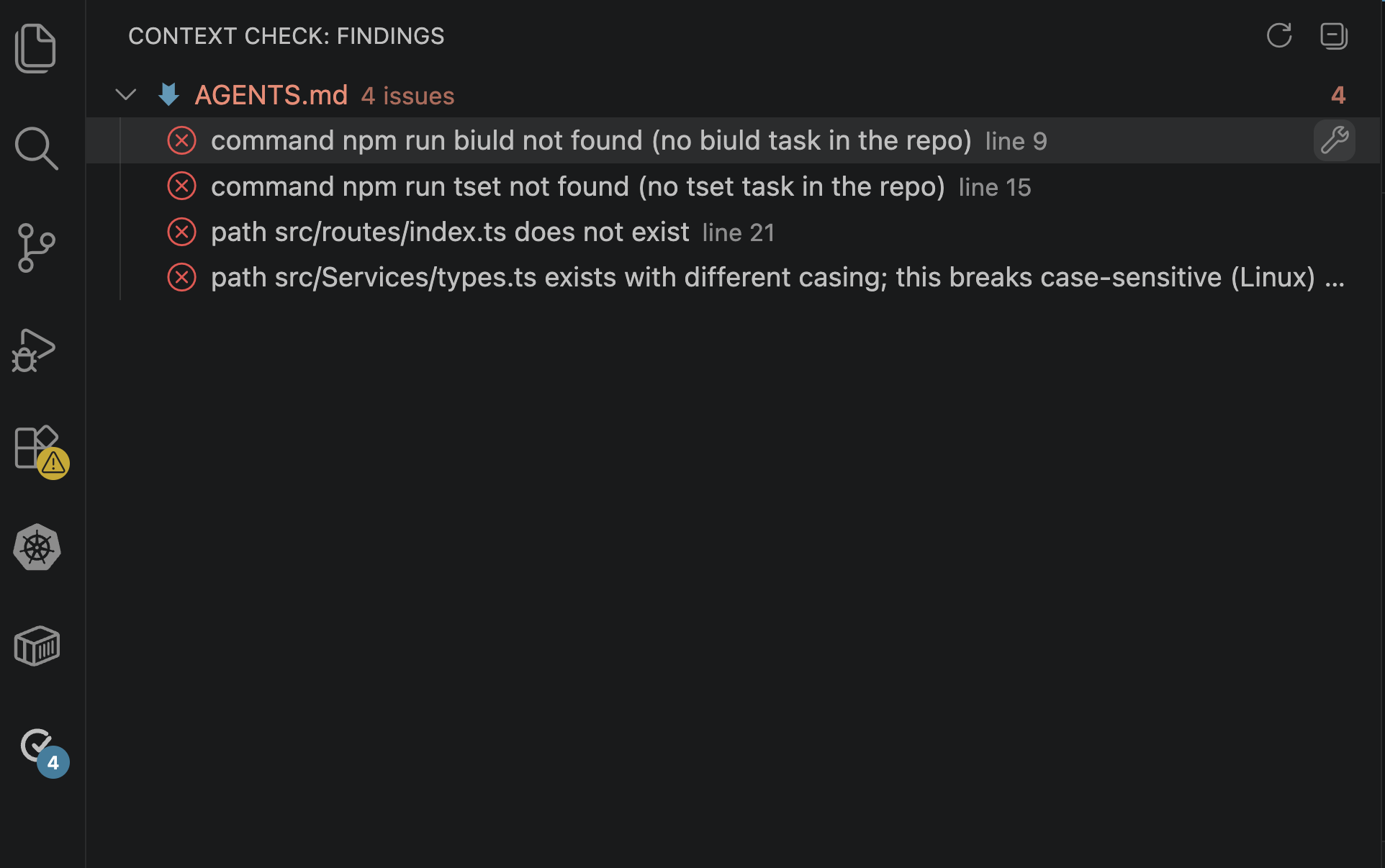 |
- Re-check (the refresh button in the view's title bar) re-scans the whole workspace.
- Click a finding to jump straight to it in the editor.
- The wrench on a fixable finding applies its fix without opening the file.
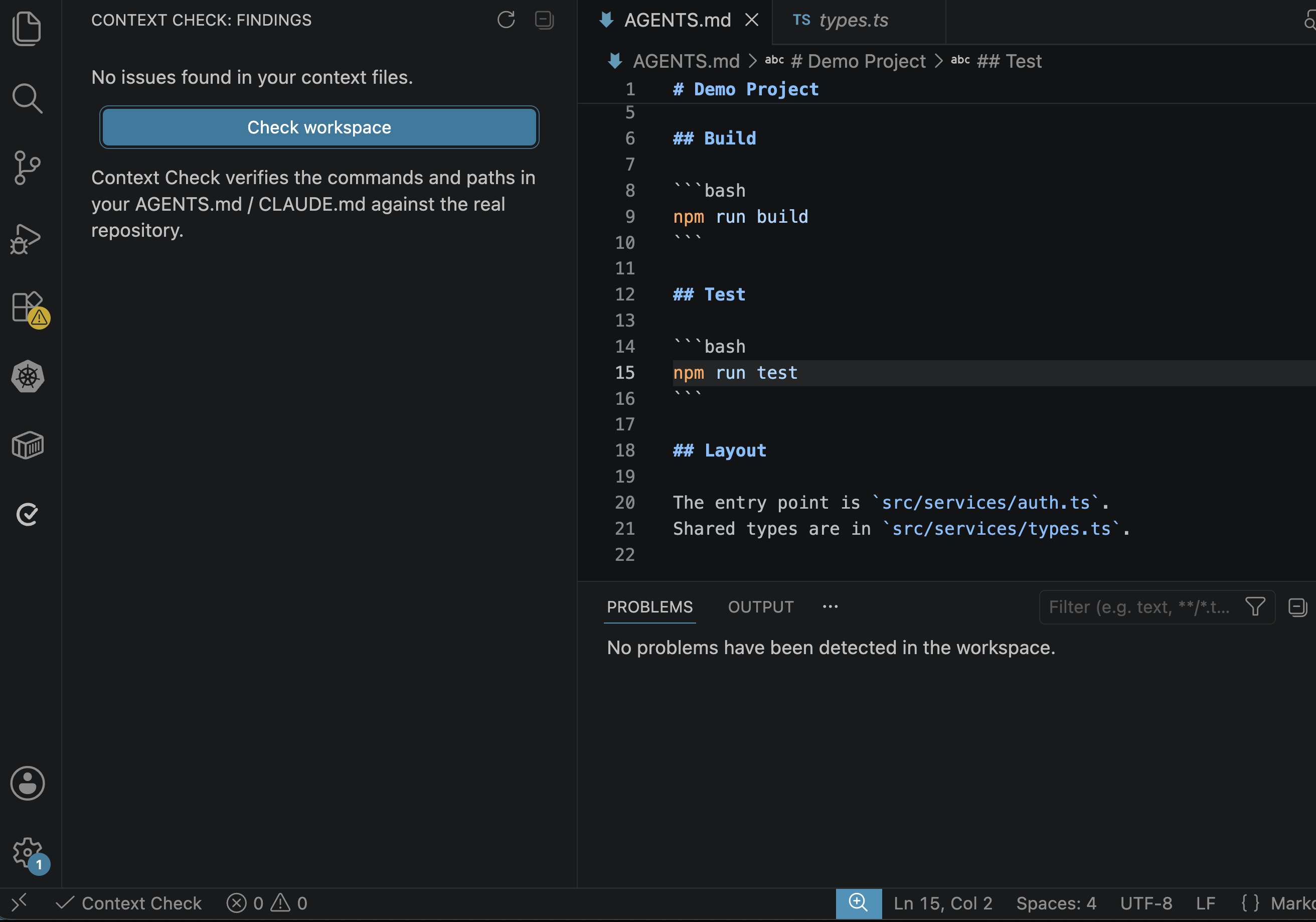
Once everything is fixed, the view is clean:
What it checks
| Rule |
Severity |
Meaning |
stale-command |
Error |
A command names a task the repo doesn't define. Suggests the closest match. |
dead-path |
Error / Warning |
A referenced path doesn't exist. Error for explicit paths, warning for prose mentions. |
case-mismatch-path |
Error |
A path exists but with different casing — breaks case-sensitive CI. |
wrong-package-manager |
Info |
A command uses npm while the repo's lockfile is pnpm/yarn/bun. |
undocumented-task |
Info |
The repo defines an important task (test/build/lint/typecheck/dev) the context file never mentions. Skipped for an empty context file. |
tool-mismatch |
Warning |
The context file names a tool (e.g. Jest) while the repo uses a competitor (e.g. Vitest). |
oversized |
Warning |
The context file exceeds 150 lines; reports the largest sections. |
staleness |
Info / Warning |
Many commits (esp. manifest-touching) have landed since the context file changed. Info above 10, warning above 30. |
cross-file-contradiction |
Error |
Two context files in the same directory document the same task differently. |
Commands
All actions are available from the sidebar and the Command Palette
(Cmd+Shift+P / Ctrl+Shift+P → type "Context Check").
| Command |
Description |
Context Check: Check workspace |
Scan every context file in the workspace and report all findings. |
Settings
| Setting |
Default |
Description |
contextcheck.enable |
true |
Enable or disable Context Check diagnostics. |
Privacy
Context Check runs entirely on your machine. It reads your context files and
your repository's manifests (package.json, etc.) to verify claims. It makes
no network requests, stores no data, and sends no telemetry.
Requirements
- VS Code 1.85 or later.
- A workspace containing an
AGENTS.md or CLAUDE.md file.
Contributing
Issues and pull requests are welcome at
github.com/jubins/contextcheck.
See CONTRIBUTING.md
and the Code of Conduct.
License
MIT © Jubin Soni