Salesforce Setup Agents
Disclaimer: This is a personal open-source project by Jaime Terrats. It is not an official Salesforce product and is not supported, endorsed, or affiliated with Salesforce, Inc.
Configure AI coding assistants for Salesforce projects — profiles, rules, MCP integrations, and guided setup, all from the VS Code sidebar.
Features
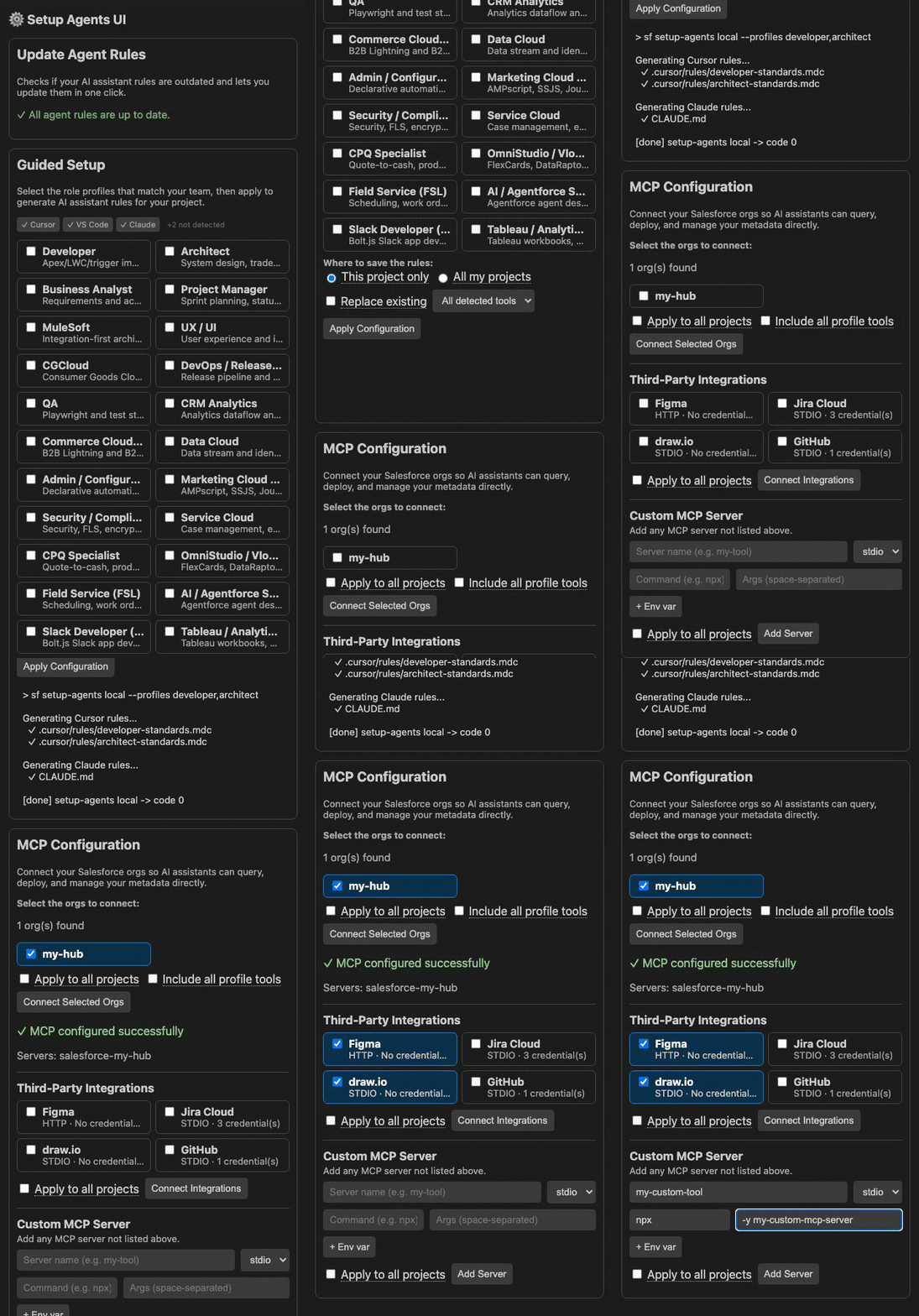
- Role-Based Profiles — 22 Salesforce role profiles (Developer, Architect, QA, DevOps, BA, PM, UX, Admin, SFMC, Commerce, Security, Service, CPQ, OmniStudio, FSL, AI/Agentforce, Slack, Tableau, and more).
- Multi-Tool Support — Generate rules for Cursor (
.mdc), VS Code, Codex, Agentforce, and Claude Code (CLAUDE.md).
- Scope Selector — Choose between project-level and global rule generation.
- MCP Integrations — One-click configuration for Figma, Jira, Draw.io, and GitHub MCP servers.
- Custom MCP Server — Add any arbitrary MCP server (stdio or http) directly from the UI.
- Salesforce Org Connection — Connect authenticated orgs directly from the sidebar. Orgs already configured in your MCP config are detected and pre-selected automatically.
- SF CLI Health Check — Spinner while detecting SF CLI; shows actionable banners if CLI or plugin is missing.
- Rule Management — View, edit, and import rules from URLs or local files.
Prerequisites
Getting Started
- Install the extension from the VS Code Marketplace or via
.vsix.
- Open the Salesforce Setup Agents sidebar (icon in the activity bar).
- Select your role profiles and target tools.
- Click Apply Configuration to generate configuration files.
- Optionally configure MCP integrations and connect Salesforce orgs.
SF CLI Not Installed?
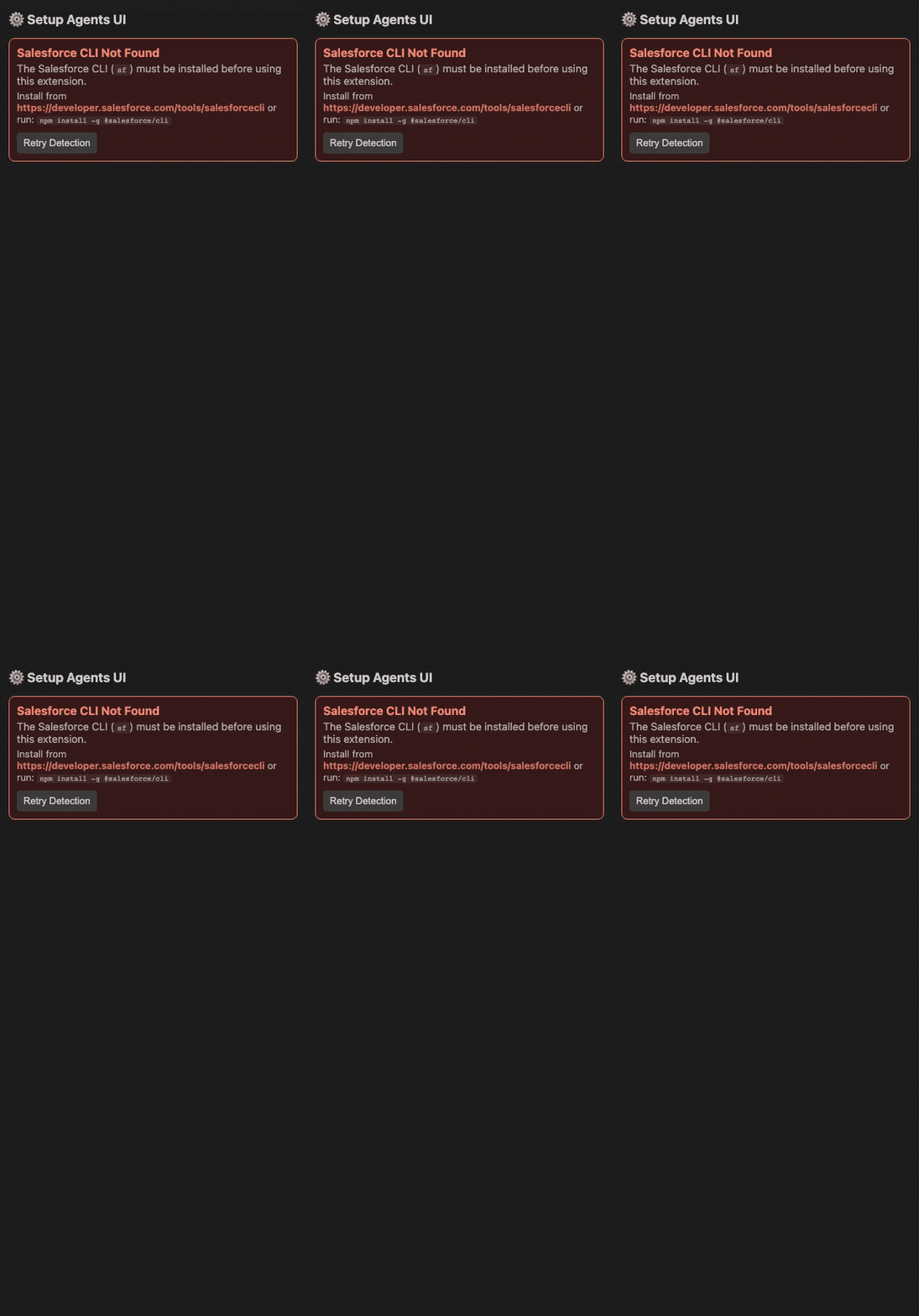
If the Salesforce CLI is not detected, the extension shows a spinner while checking, then displays a clear error banner with installation instructions and a retry button.
Commands
| Command |
Description |
Setup Agents: Open UI |
Open the sidebar panel |
Setup Agents: Import Rules From URL |
Import rules from a remote URL |
Setup Agents: Import Rules From File |
Import rules from a local file |
Links
License
Apache-2.0
| |

