Blue PSL 10K



Eye-friendly pastels. Unapologetically posh. Blue PSL 10K brings the spice.
A refined light theme for Visual Studio Code built on Catppuccin Latte with a distinctive path blue (#3465a4) accent. Designed for developers who appreciate warm, eye-friendly colors without sacrificing readability.
Features
- Catppuccin Latte Foundation — Soothing pastel palette that's easy on the eyes during long coding sessions
- Signature Path Blue — Unified
#3465a4 accent color for UI highlights and terminal directories
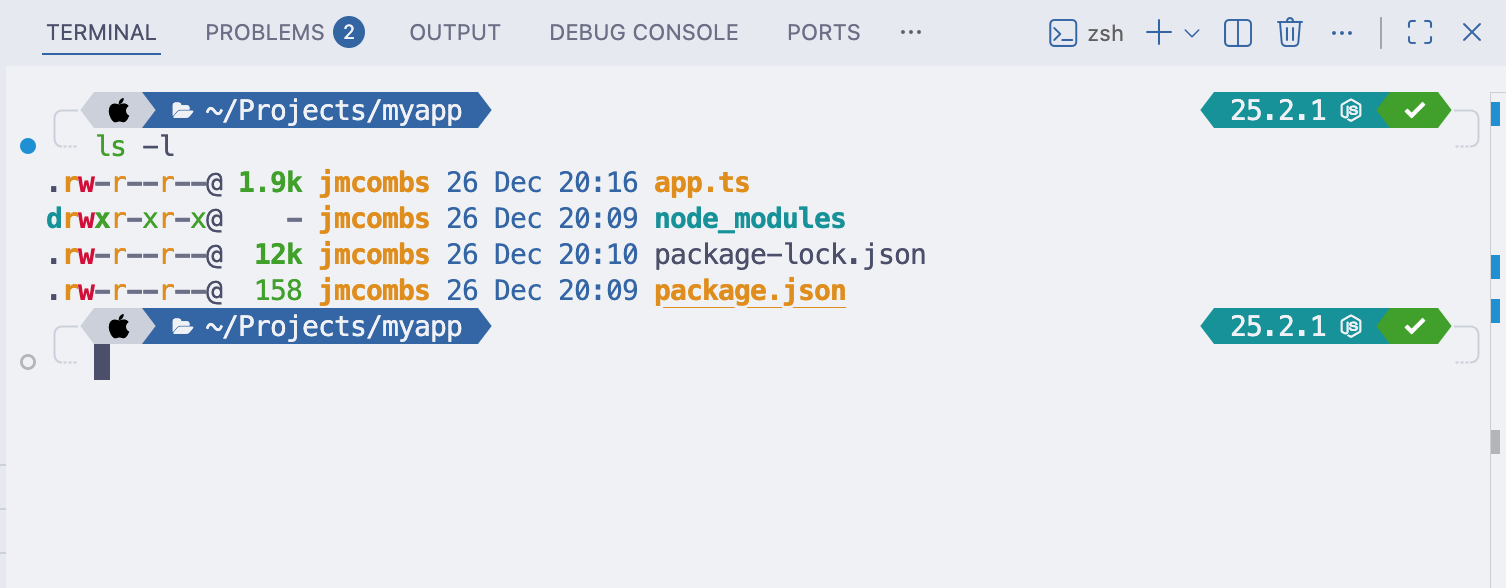
- Terminal Integration — ANSI colors tuned for consistency with the theme; directory listings match the path blue
- Optimized Contrast — Carefully balanced colors for readability without harsh contrasts
- Multi-Ecosystem — Part of the Blue PSL 10K family with matching themes for Ghostty, Oh-My-Posh, and macOS Terminal
Screenshots
Editor Overview
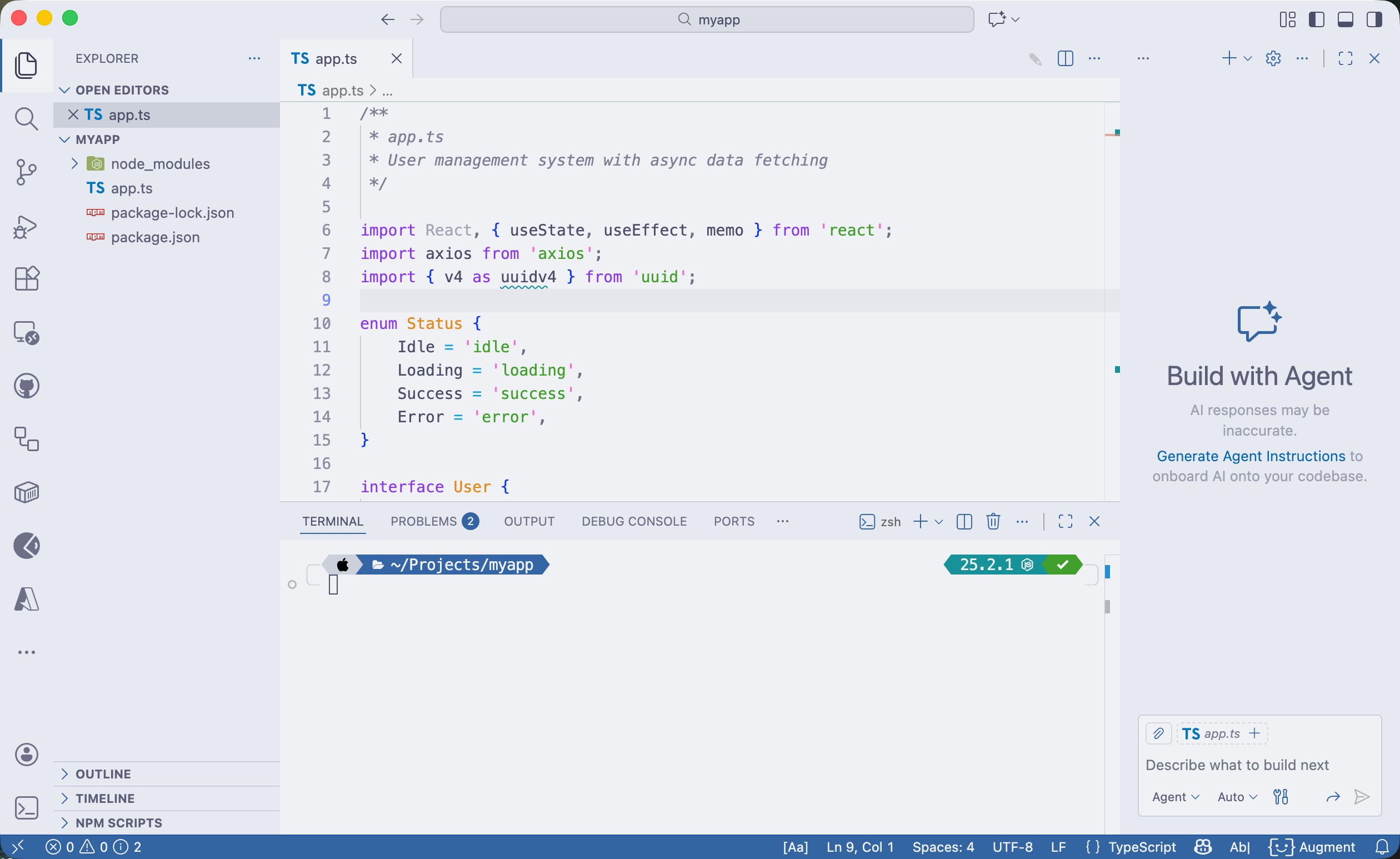
Integrated Terminal
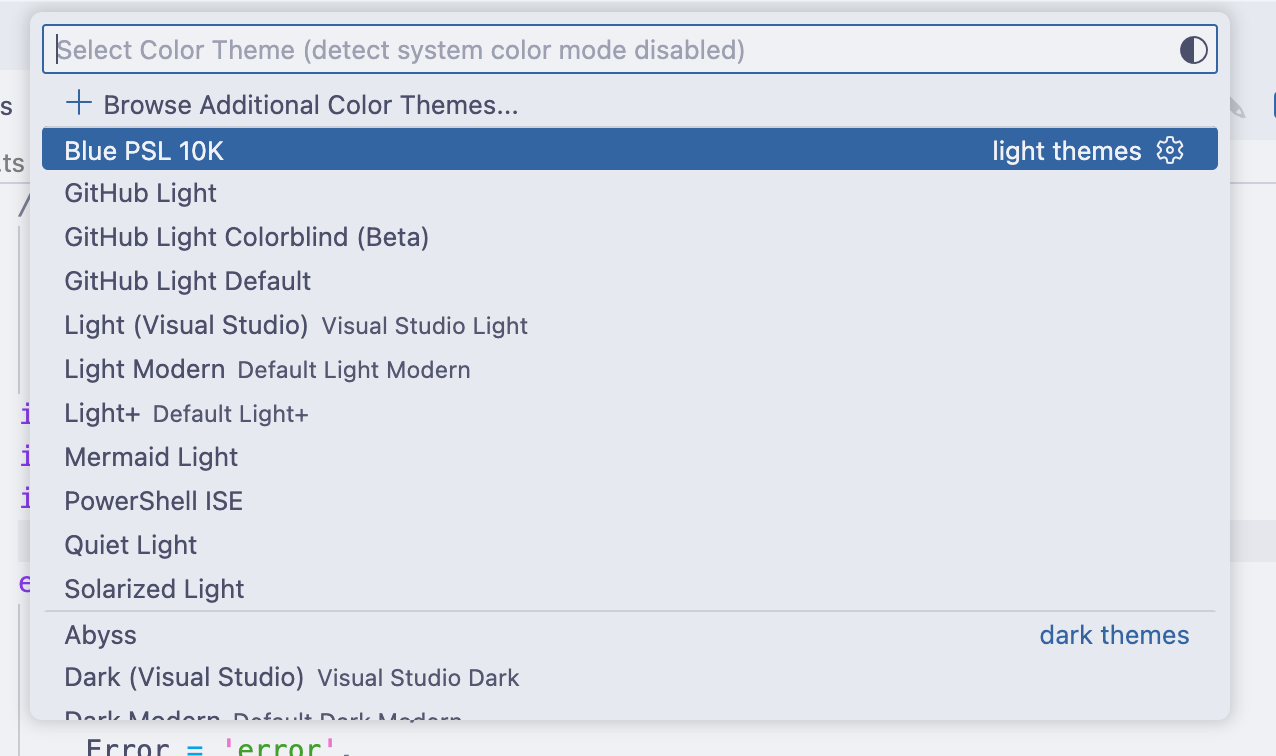
Theme Selection
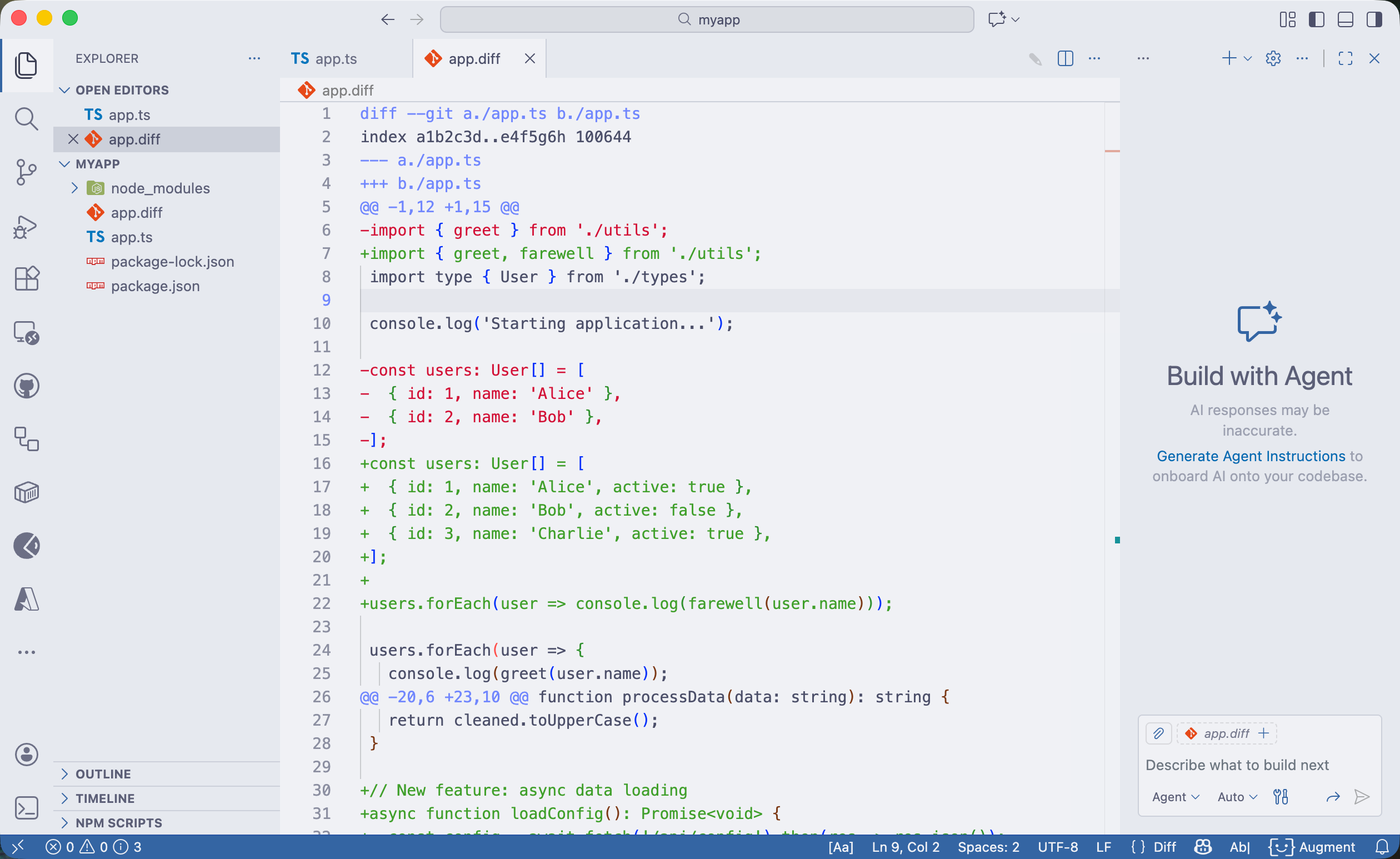
Git Diff View
Installation
From the Marketplace
- Open Extensions in VS Code (
Cmd+Shift+X / Ctrl+Shift+X)
- Search for "Blue PSL 10K"
- Click Install
- Open the Command Palette (
Cmd+K Cmd+T / Ctrl+K Ctrl+T)
- Select Blue PSL 10K
From VSIX (Local Install)
code --install-extension blue-psl-10k-0.1.0.vsix
Color Palette
Blue PSL 10K uses the Catppuccin Latte palette with a custom accent:
| Role |
Color |
Hex |
| Background |
 |
#eff1f5 |
| Foreground |
 |
#4c4f69 |
| Path Blue (Accent) |
 |
#3465a4 |
| Keywords |
 |
#8839ef |
| Strings |
 |
#40a02b |
| Functions |
 |
#1e66f5 |
| Numbers |
 |
#fe640b |
| Comments |
 |
#7c7f93 |
See the full palette in palette/palette.json.
Recommended Settings
For the best experience, add these settings to your VS Code configuration:
{
  "terminal.integrated.minimumContrastRatio": 1,
  "editor.fontFamily": "'MesloLGS NF', 'Fira Code', 'JetBrains Mono', monospace",
  "terminal.integrated.fontFamily": "'MesloLGS NF', monospace",
  "editor.fontLigatures": true
}
Note: The theme automatically sets terminal.integrated.minimumContrastRatio: 1 to preserve the intended terminal colors.
Font Installation
MesloLGS NF (Meslo Nerd Font) is the recommended font for the full Blue PSL 10K experience. It includes all the glyphs needed for Oh-My-Posh prompt icons.
macOS (Homebrew):
brew tap homebrew/cask-fonts
brew install font-meslo-lg-nerd-font
Windows (winget):
winget install MSIX:NerdFonts.MesloLG
Manual: Download from Nerd Fonts releases
Part of the Blue PSL 10K Family
This VS Code theme is part of a cohesive multi-ecosystem theme project:
All variants share the same palette and the signature #3465a4 path blue for a unified look across your development environment.
Philosophy
The name Blue PSL 10K is a playful nod to:
- PSL — Pumpkin Spice Latte (Catppuccin's coffee-inspired naming) and Posh Segment Latte (Oh-My-Posh + Latte)
- 10K — The legendary PowerLevel10K prompt that inspired the prompt styling
- Blue — The custom
#3465a4 path/directory color that unifies the theme
Development
Interested in contributing or building the extension locally? See CONTRIBUTING.md in the repository for development setup, release process, and contribution guidelines.
Support
License
MIT © 2025 Jeremy Combs
Built with ☕ and 💙 by @jmcombs

