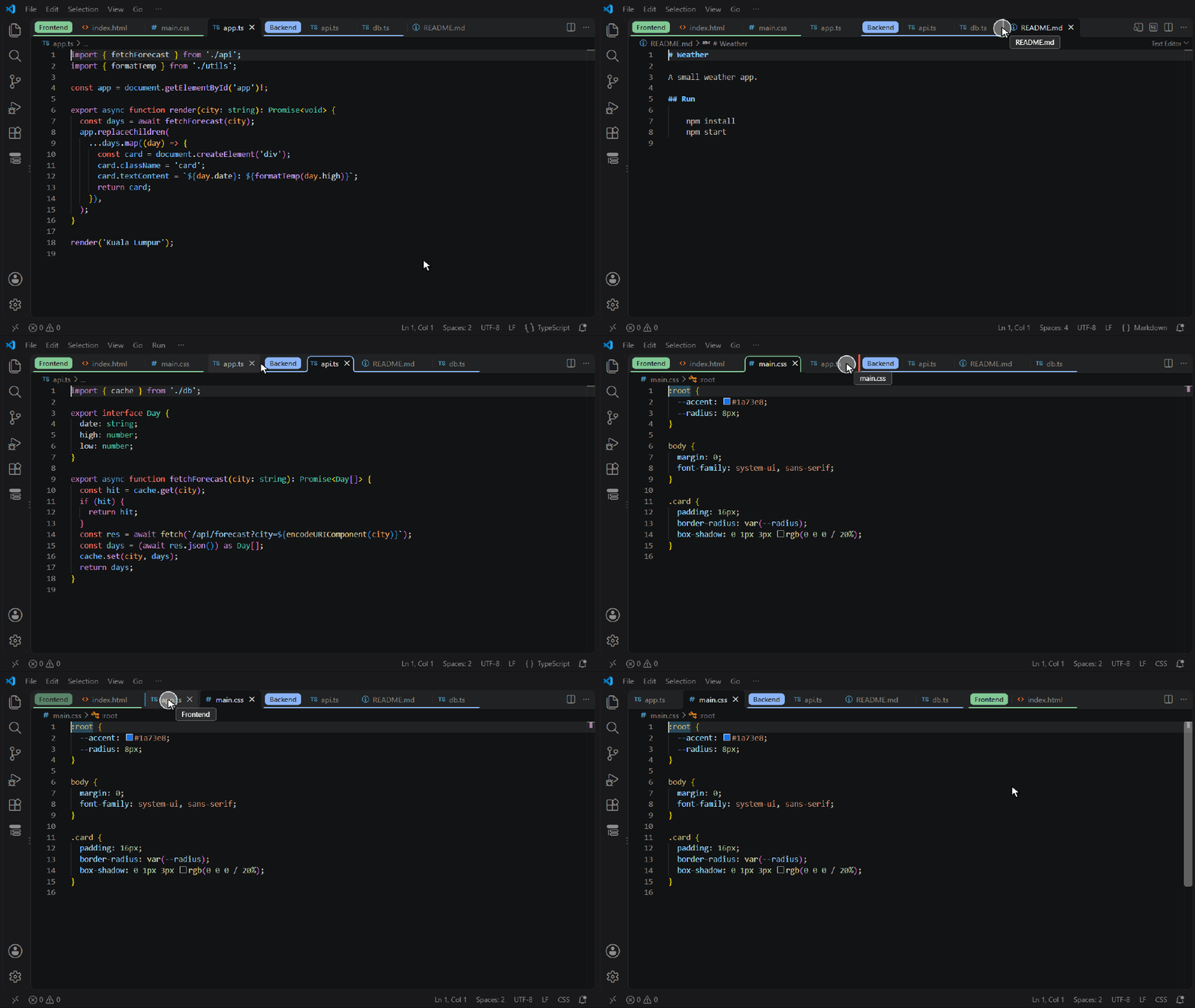
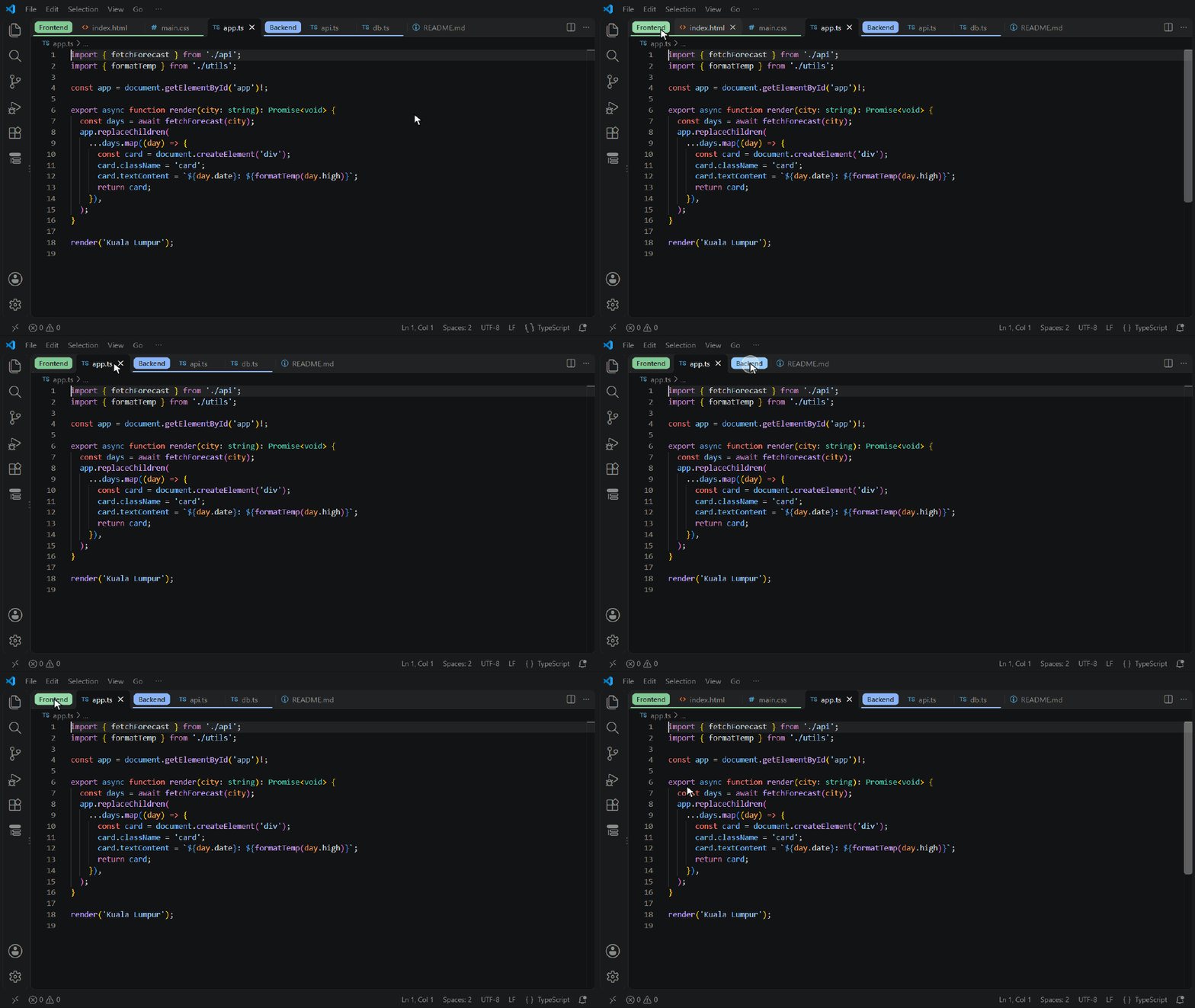
Name and color a set of tabs, collapse it to one chip, and drag tabs in and out, right on the tab bar. Groups are saved per workspace, so they come back when you reopen the folder.
Features
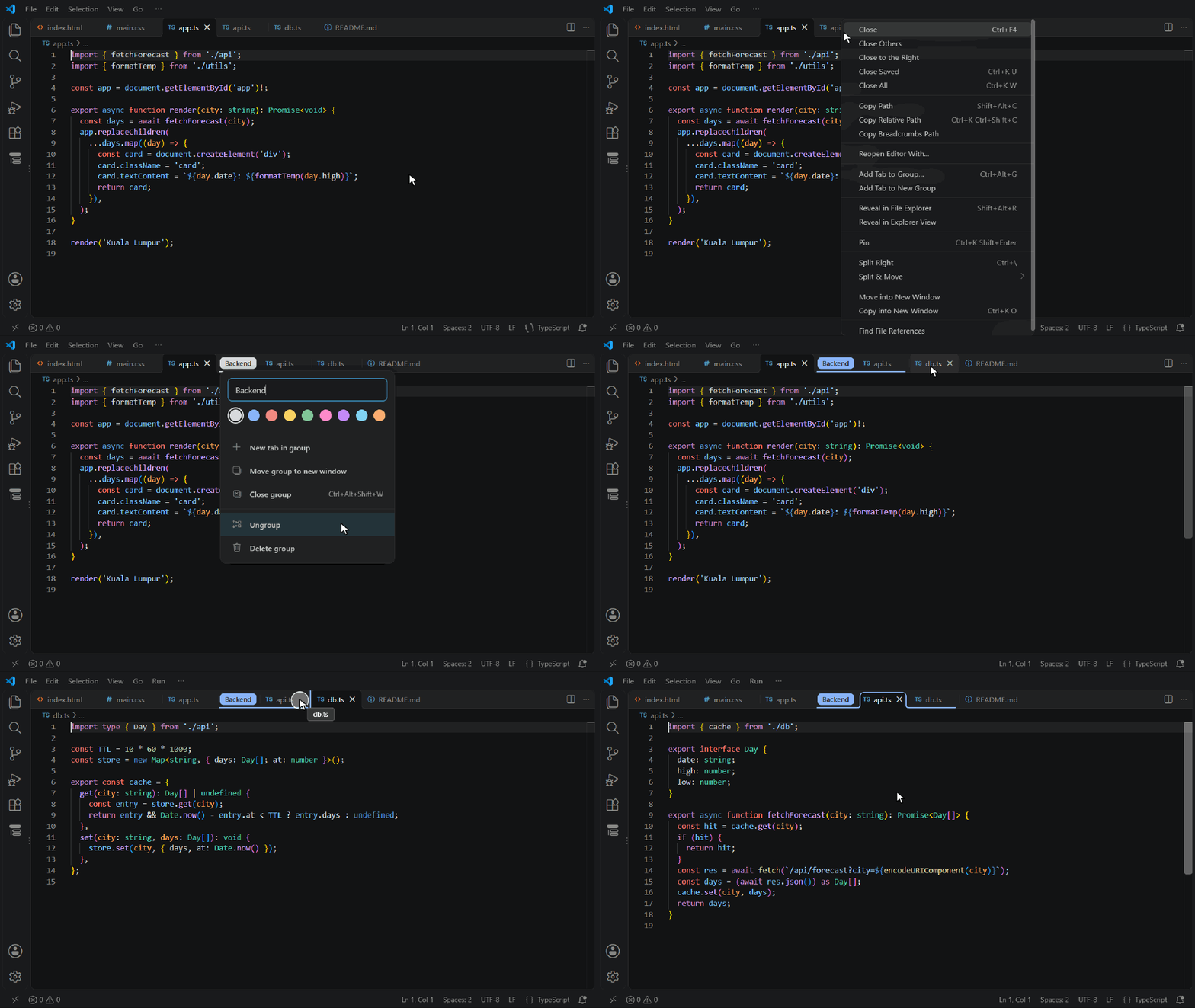
🎨 Make a group
Right-click a tab → Add Tab to New Group
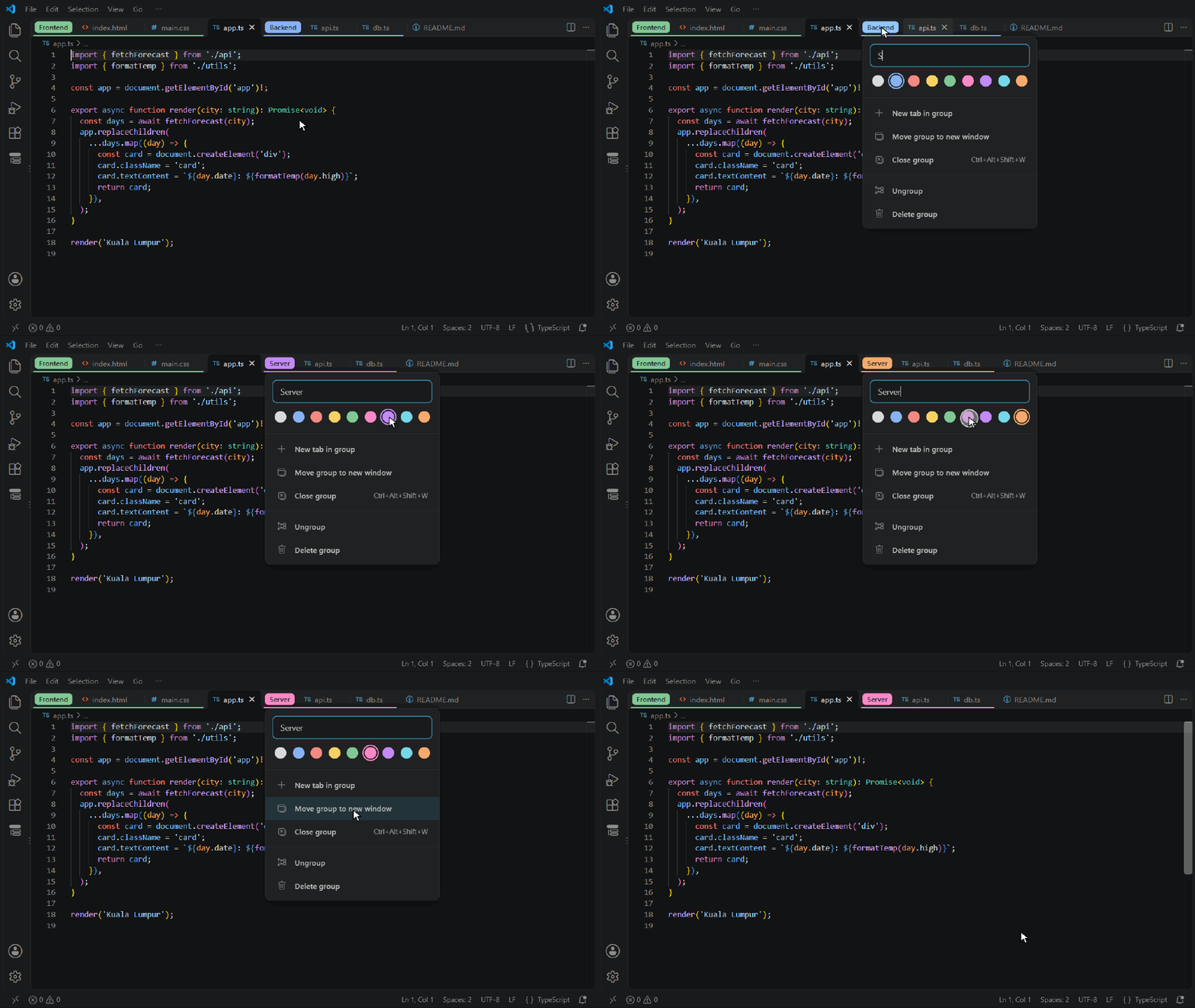
✏️ Name and color
Right-click a chip to rename, recolor, close or ungroup
🖱️ Drag and drop
Drag tabs into, out of and between groups
📁 Collapse with a click
Click a chip to hide its tabs, click again to show them
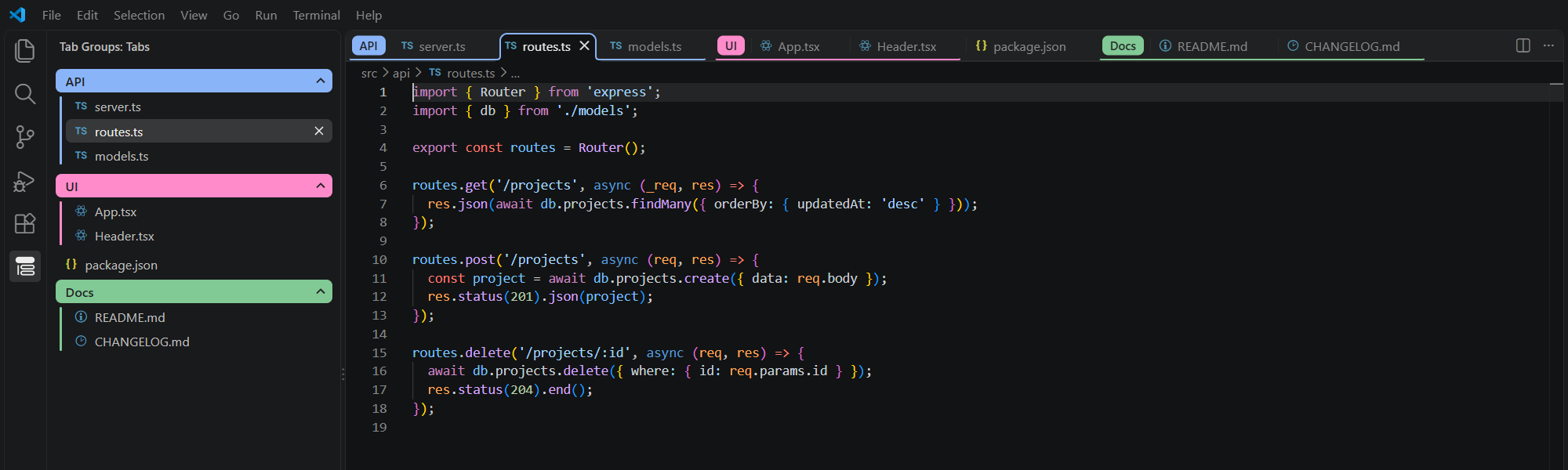
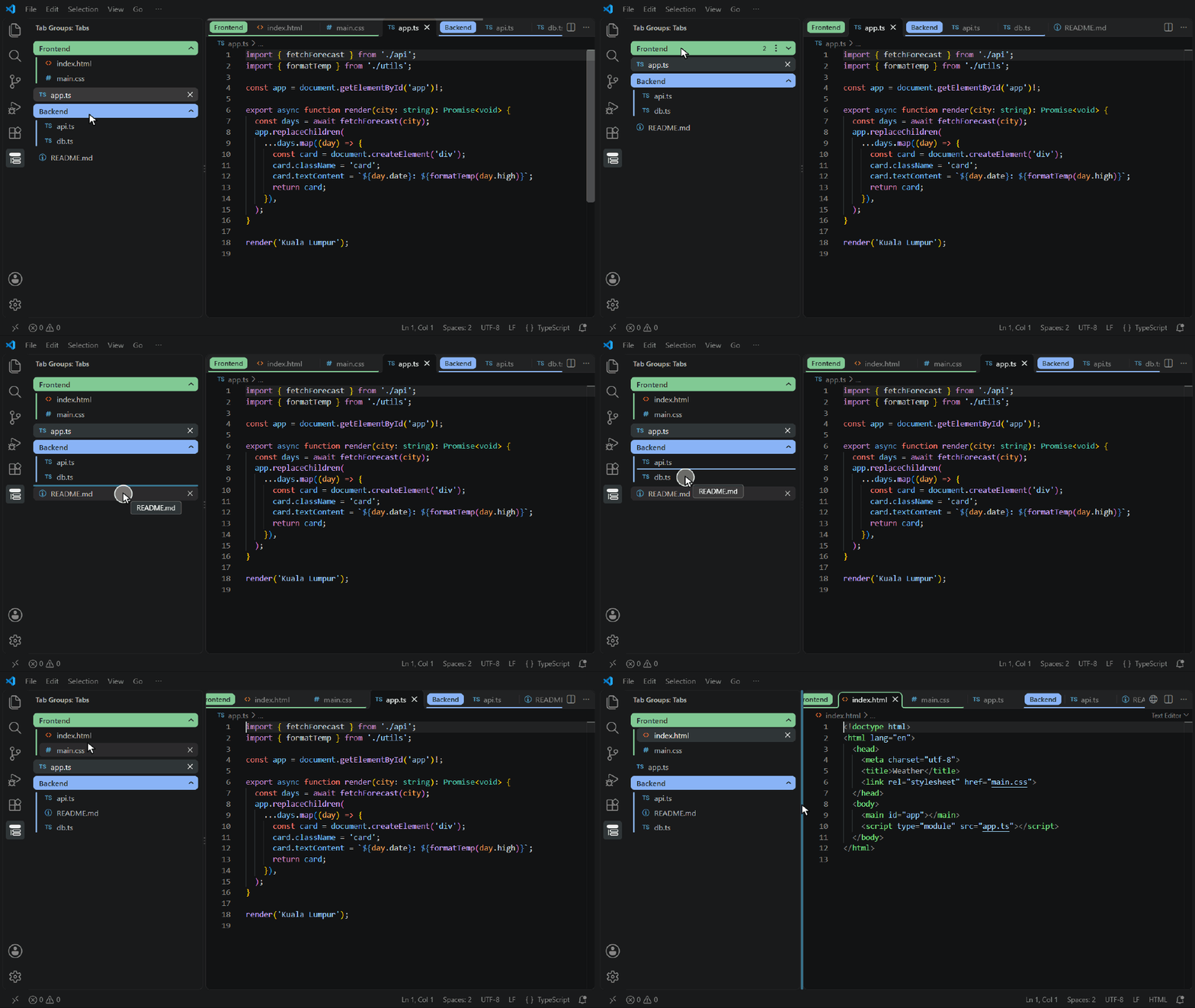
📋 Side bar
Every tab in a vertical list, like Chrome's vertical tabs
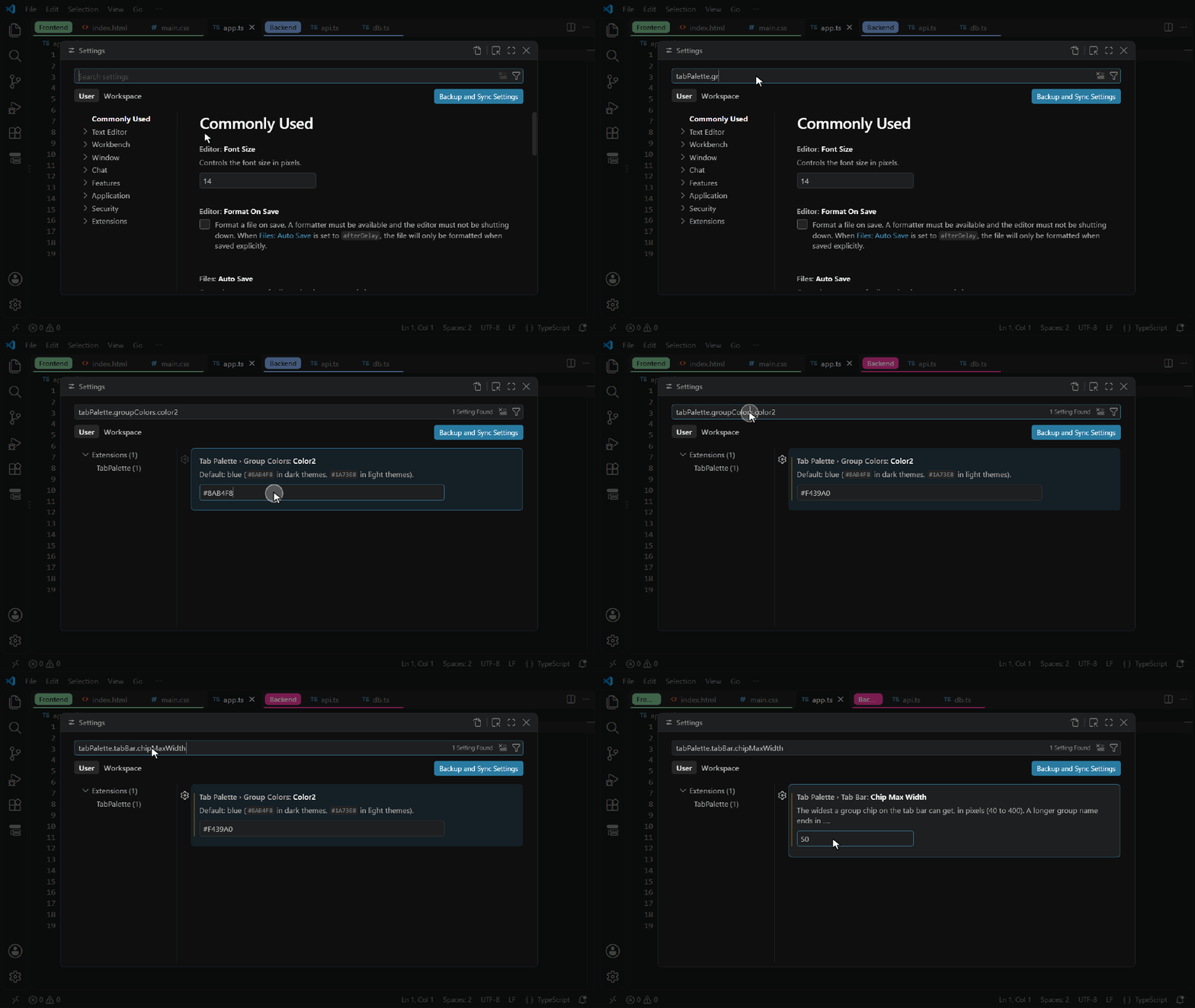
⚙️ Your colors
Set the nine colors and chip width in Settings
Get started
Install, click Enable when asked, reload the window.
Right-click a tab → Add Tab to New Group.
Drag more tabs onto it.
📖 How to use the tab bar
To…
Do this
Create a group
Right-click a tab → Add Tab to New Group
Add a tab
Drag it onto the group, or right-click → Add Tab to Group…
Add several tabs
Ctrl/Shift+click them, then drag or right-click
Remove a tab
Drag it out, or right-click → Remove Tab from Group
Collapse / expand
Click the chip
Rename / recolor
Right-click the chip
Move a group
Drag the chip
Close a group
Chip menu → Close group. Reopen with Ctrl+Alt+T
Ungroup / delete
Ungroup keeps the tabs, Delete closes them
📋 How to use the side bar
To…
Do this
Open / close a tab
Click it / click ×
Collapse a group
Click its header
Select several
Ctrl+click or Shift+click
Group a tab
Drag it onto a group
Edit a group
Right-click its header, or press F2
Reopen a closed group
Click it under Closed groups
Find a group or tab
Click 🔍 on the view header, press Ctrl+Alt+F, or Ctrl+F in the side bar
Go to a tab in any group
Ctrl+Alt+P lists every open tab, with its group, and the tabs of closed groups. Pick one: its group expands or reopens
⌨️ Shortcuts
Windows
macOS
Linux
Action
Alt+1 … Alt+9
Ctrl+1 … Ctrl+9
Ctrl+Alt+1 … Ctrl+Alt+9
Go to group 1 … 9 (expands it)
Ctrl+Alt+] / Ctrl+Alt+[
Ctrl+Cmd+] / Ctrl+Cmd+[
Ctrl+Alt+] / Ctrl+Alt+[
Next / previous group
Ctrl+Alt+C
Ctrl+Cmd+C
Ctrl+Alt+C
Collapse or expand the tab's group
Ctrl+Alt+N
Ctrl+Cmd+N
Ctrl+Alt+N
Add tab to a new group
Ctrl+Alt+G
Cmd+Alt+G
Ctrl+Alt+G
Add tab to a group (the last one used is first)
Ctrl+Alt+Shift+W
Cmd+Alt+Shift+W
Ctrl+Alt+Shift+W
Close the tab's group
Ctrl+Alt+T
Cmd+Alt+T
Ctrl+Alt+T
Show all groups
Ctrl+Alt+F
Ctrl+Alt+F
Ctrl+Alt+F
Search groups and tabs in the side bar; again to close the search
Ctrl+Alt+P
Ctrl+Alt+P
Ctrl+Alt+P
Go to a tab, in any group
Hold Alt (macOS: Ctrl, Linux: Ctrl+Alt) and each chip and side bar group header shows its key. Change any key in Keyboard Shortcuts.
⚙️ Settings
Search TabPalette in Settings. Changes apply at once.
Setting
Default
What it does
tabPalette.tabBar.activeTabOutline
on
Outline around the active tab
tabPalette.tabBar.chipMaxWidth
160
Widest a chip can get (40–400 px)
tabPalette.tabBar.chipTabCount
off
Tab count on a chip: off, while collapsed, or always
tabPalette.groupColors.color1 … color9
Chrome's colors
The nine group colors
tabPalette.ungroupDropLineColor
red
Drop line when a tab leaves its group
tabPalette.keyboard.showGroupShortcuts
on
Show each chip's key while its modifier keys are held
❓ FAQ
Why does it ask to Enable?
VS Code extensions can't draw on the tab bar, so TabPalette adds a small script to VS Code. You can undo it any time.
VS Code says it is "corrupt".
Expected after the script is added. Choose Don't Show Again.
Groups are gone from the tab bar after a VS Code update.
Click Enable again when asked.
How do I uninstall?
Run Tab Groups: Disable Chrome-style Tab Groups first, then uninstall.
Is it safe?
It sends nothing over the network and never changes your settings.
Limits?
Desktop only. Tabs without a file (like Git Graph) are grouped by title.