
Git Graph (JetBrains)
IntelliJ-style Git graph, commit panel and shelf for VS Code / Cursor — with a full Simplified Chinese UI.



English · 简体中文
⚠️ Fork notice & attribution
This repository is a community fork, not the original project.
The original code and UI are the work of the upstream authors. This fork keeps
the MIT license and the original copyright notices (see LICENSE),
and adds the changes listed below.
Trademark disclaimer: this is an independent, unofficial project. It is not
affiliated with, endorsed by, or sponsored by JetBrains s.r.o., Microsoft
Corporation, or Anysphere (Cursor). “JetBrains”, “IntelliJ IDEA”, “WebStorm”,
“PyCharm”, “GoLand” and “Rider” are trademarks of JetBrains s.r.o. “Visual Studio
Code” is a trademark of Microsoft Corporation. All trademarks are used only to
describe compatibility and inspiration.
What this fork changes
Compared with the upstream aotemj/jetbrains-git-graph at 0.4.17:
| Area |
Change |
| Internationalization |
Complete English + Simplified Chinese UI. New jetgit.language setting (auto / en / zh-cn); auto follows the VS Code display language. Manifest strings are localized via package.nls*.json. |
| Branch tree |
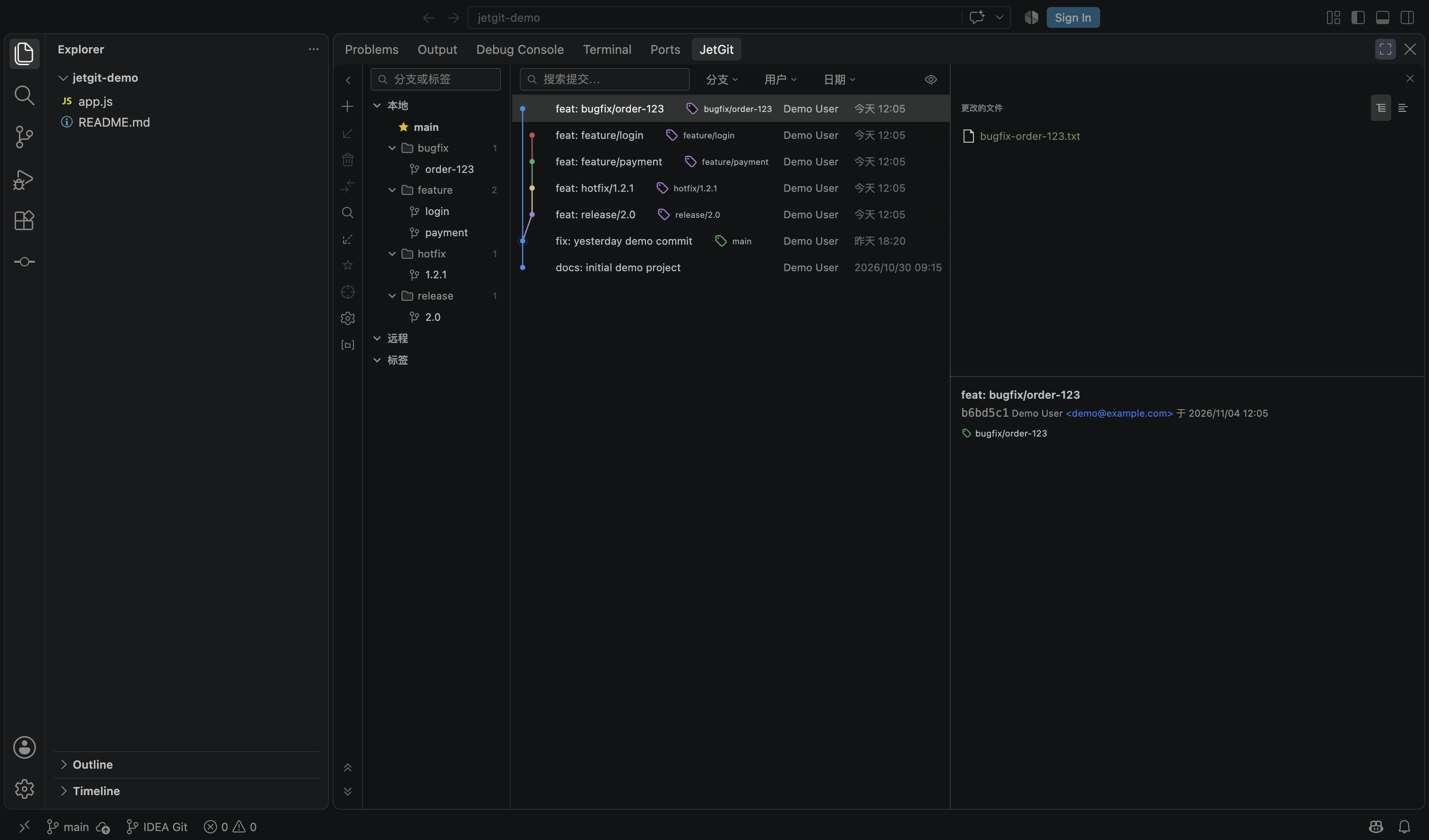
Branches are grouped by / prefix into collapsible folders (feature/login → feature ▸ login) with branch counts and full-path tooltips. Directory grouping is on by default; an explicit flat-list choice is remembered. |
| Current branch |
Pinned as the first row under Local, marked with a filled yellow star on the left. The old 当前分支: xxx header was removed; the branch is no longer duplicated inside its folder. |
| New branch dialog |
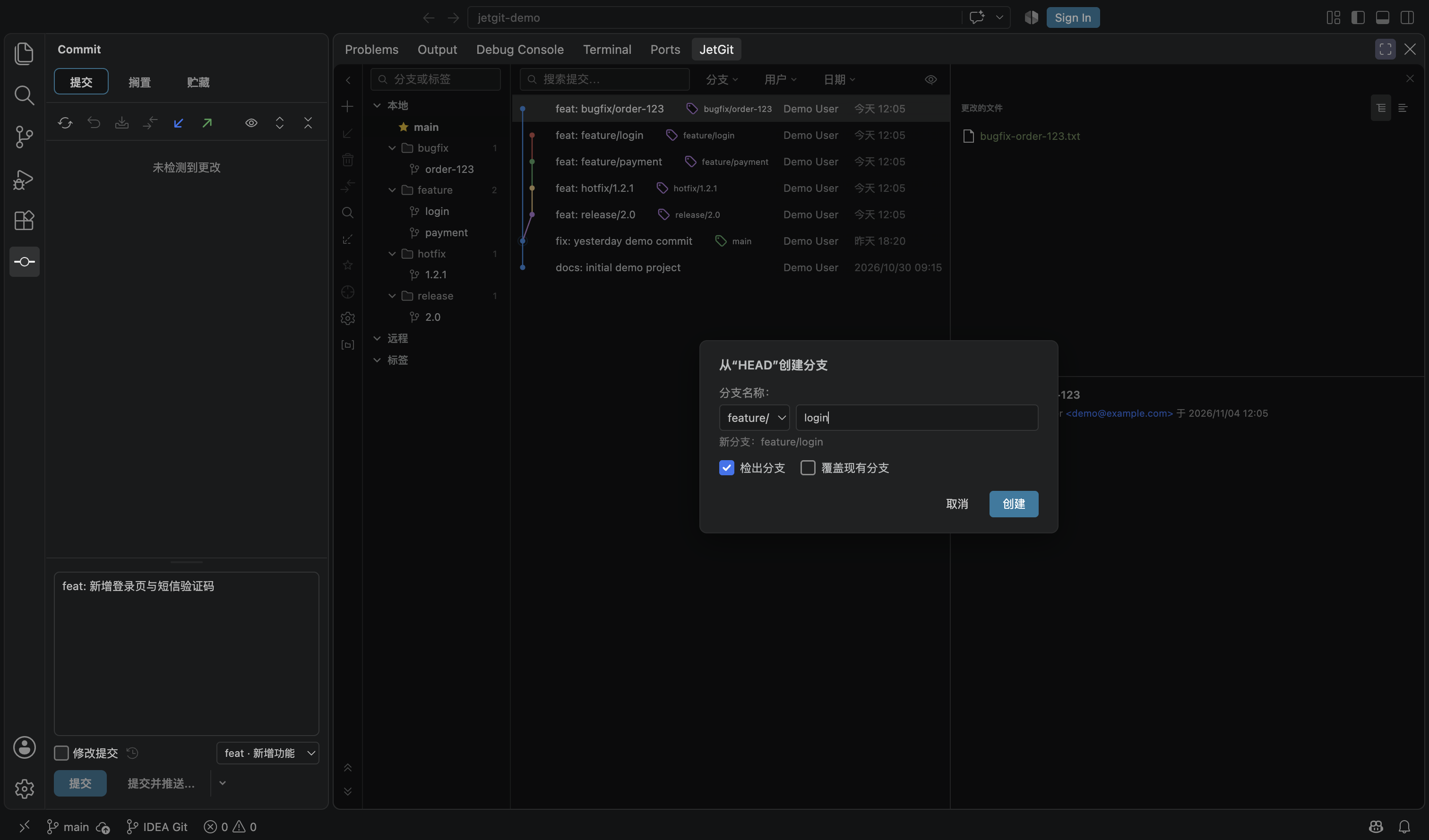
Prefix picker for feature/, bugfix/, hotfix/, release/, chore/; the last used prefix is remembered. Typing a name containing / keeps it as a full path. |
| Commit message box |
Defaults to about 1/3 of the panel height, with a drag grip to resize, double-click to reset, and per-panel height persistence. |
| Conventional Commits |
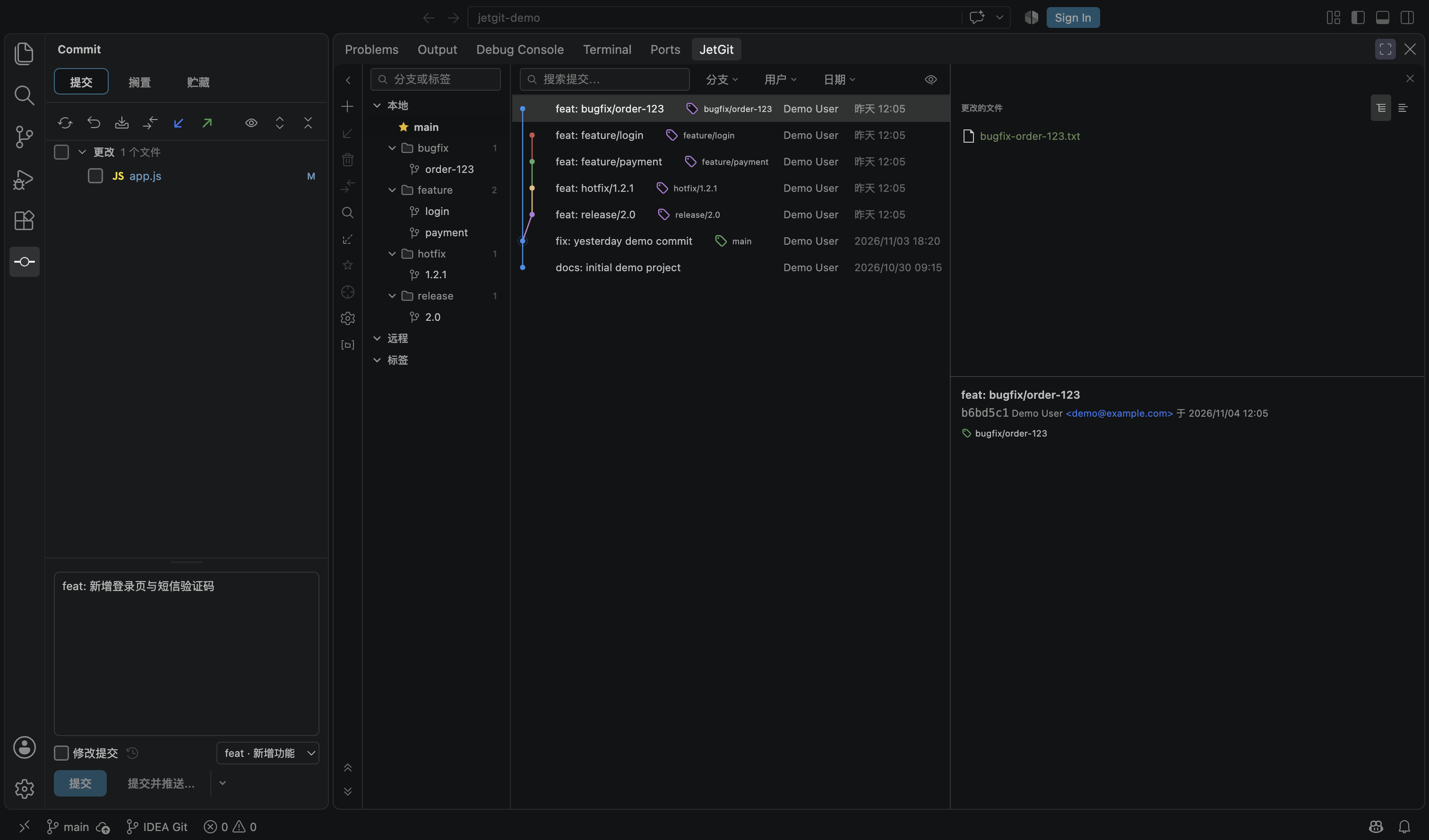
Type dropdown (feat, fix, docs, style, refactor, perf, test, build, ci, chore, revert) that writes the type: prefix. Switching types rewrites only the prefix and preserves (scope) and !. |
| Git log layout |
Header row removed; smaller typography; author/date/hash left-aligned; hash hidden by default (toggle in the toolbar eye menu); default column split is 22% branch tree / 54% commit list / 24% details, remembered per workspace. |
| Dates |
Today → 今天 HH:mm, yesterday → 昨天 HH:mm, older → YYYY/MM/DD HH:mm; full timestamp on hover. Author/date columns are measured to fit their content. |
| Wide commits |
When the log genuinely overflows, the branch graph and message scroll together horizontally while author/date stay pinned on the right. Long refs are shown next to the subject with ellipsis and tooltips. |
| Interaction fixes |
Double-clicking a file in the commit panel no longer selects its text. Merge/rebase context-menu labels no longer end with ? (the question mark stays in the confirmation dialog). |
| Worktree-aware checkout |
When a branch is checked out in another worktree, checkout shows a clear message and offers to open that worktree in a new window. Dirty-tree conflicts are explained instead of failing silently. |
| Packaging |
Renamed to jiuxianzai.git-graph-jetbrains for this fork, versioned 1.0.0 as the first release of the fork. |
Everything else — the Git graph engine, commit/shelf panel, 3-way merge
editor, conflict management, cherry-pick/rebase/merge actions, file history and
context menus — comes from the upstream project.
Screenshots
Git Log — Chinese UI, prefix folders, pinned current branch
Conventional Commit type picker
New branch with prefix picker
Features inherited from upstream
- Git graph with lane layout, refs, tags and collapsible linear sequences
- IDEA-style commit panel with changelists, shelf and stash support
- Branch management: checkout, new branch, rename, delete, push, pull, compare
- Commit actions: cherry-pick, revert, reset (soft/mixed/hard), drop commit, create branch/tag
- 3-way merge editor and conflict list
- Changed-files context menu: show diff, edit source, open repository version, copy path
- File history from the editor/explorer context menu
Installation
From the Marketplace:
ext install jiuxianzai.git-graph-jetbrains
or search for Git Graph (JetBrains) in the Extensions view.
From a VSIX:
code --install-extension git-graph-jetbrains-1.0.0.vsix
If you previously installed autemj.idea-like-git-graph, the two extensions
have different IDs and can coexist. Disable one of them to avoid duplicate
views and context-menu entries.
Settings
| Setting |
Values |
Default |
Description |
jetgit.language |
auto, en, zh-cn |
auto |
UI language. auto follows the VS Code display language. Changing it prompts for a window reload. |
Requirements
- VS Code
1.85.0 or newer
- Git installed and available in
PATH
Build from source
pnpm install
cd webview && pnpm install && cd ..

pnpm run compile      # type-check + lint + extension bundle
pnpm run build:web    # webview bundle
pnpm run vsce:package # produce a .vsix
Credits & license
MIT License. Original copyright notices are preserved in LICENSE.
| |

